Search Results
Search results 521-540 of 1,000 for “bootloader”. There are more results available, please enhance your search parameters.
These terms were highlighted: bootloader
-

How to [Flash] Edision OS Mini
Article…ion, noforce rootfs.bin, kernel.bin stuck stick to a free USB port and restart the OSMini. You will see a gray screen, there you have within 10 sec. To press the remote control [OK]. Now the flashing starts. Flashing a new boot loader: If a new bootloader must be flashed. A new folder in the main directory, named "osmini" Create your USB stick if not yet available. It MUST be following files are located. image version, noforce Copy / move now "cfe.bin" to / osmini. Stick stick to an available US… -
 Bootloader : HD500c HD1100 HD1200 HD2400
 -
…ion, noforce rootfs.bin, kernel.bin stuck stick to a free USB port and restart the OSMini. You will see a gray screen, there you have within 10 sec. To press the remote control [OK]. Now the flashing starts. Flashing a new boot loader: If a new bootloader must be flashed. A new folder in the main directory, named "osmini" Create your USB stick if not yet available. It MUST be following files are located. image version, noforce Copy / move now "cfe.bin" to / osmini. Stick stick to an available US…
-
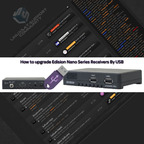
Extract the zip file put it in the root (not in a folder) in USB Stick. From the Menu --> Conditional --> Software Update --> Upgrade By USB, Select: Upgrade File: --> e.g. Progressiv_NANO_v.xxxx.abs Upgrade Mode: --> All SW & bootloader Press Start. The receiver will reboot and it's ready.
-
Discussion of article How to upgrade Edision Nano Series Receivers By USB: (Quote)
-
Discussion of article How to upgrade Edision Nano Series Receivers By USB: (Quote)
-
 (Quote from gorski) DreamUp / Japhar Flasher need if you poured in receiver image and you have ERROR NO CA Foundi you need to restore its bootloader.Never yet on my DM500HD(A8P) is not filled in the image using DreamUp. I use the browser Google:rasta2bigsmoke0gf1:
 -
 I have a box, MAG 254, that the provider has flashed with his own image. That means that when i try to update with Infomirs standard image I got a massage that it is not allowed. I have not found any solutions other to flash the processor with new bootloader so I bought a new MAG256.
 -
 Miraclebox Mini and LX1 are the same Receiver only the Bootloader is different.Cloud ibox2 plus/3 working with original Miraclebox mini Image https://xxx.digital-eliteboard…siert-es-noch-wen.419531/ Miraclebox mini Image working somtimes with Xpeed LX1 because of the Bootloader.
 -
 …hub/router in your lokal LAN. To flash a new image, you can use the second stage loader. It must be present and not broken. The following steps assume you have a DHCP server. If you don't have one, you have to setup an IP address (click) in the bootloader's serial setup. Power down the Dreambox, either using "shutdown" and by switching off by the power switch. Standby is not enough! (1.) Press and hold the power button. (2.) Switch on your Dreambox. (3.) Your Dreambox will get the next free DHCP…
 -
Discussion of article How to flash a Dreambox DM800SE via a Browser: (Quote)
-
…hub/router in your lokal LAN. To flash a new image, you can use the second stage loader. It must be present and not broken. The following steps assume you have a DHCP server. If you don't have one, you have to setup an IP address (click) in the bootloader's serial setup. Power down the Dreambox, either using "shutdown" and by switching off by the power switch. Standby is not enough! (1.) Press and hold the power button. (2.) Switch on your Dreambox. (3.) Your Dreambox will get the next free DHCP…
-
Discussion of article How to flash a Dreambox DM500 HD via a Browser: (Quote)
-
Discussion of article How to flash a Dreambox DM8000 HD via a Browser: (Quote)
-
…he powerswitch or, in deep-standby mode, press the power button. Still, hold the lower button. (3.) A text "*** STOP ***" should appear. If something like "/flash".. appears, you didn't hold the right button. Now you can release the button. The bootloader entered the "waiting" mode. (4.) Above the "*** STOP ***" text, there should appear an IP-address (four decimal values with a dot in between). If there appears the string "dhcp" instead, the box still searches for a DHCP server. Wait a bit. If …
-
…r using "shutdown" and by removing the power connector. Standby is not enough! - (1.) Press and hold the power button. Replug the power connector into the Dreambox. - (3.) A text "*** STOP ***" should appear. Now you can release the button. The bootloader entered the "waiting" mode. - (4.) Above the "*** STOP ***" text, there should appear an IP-address (four decimal values with a dot in between). If there appears the string "dhcp" instead, the box still searches for a DHCP server. Wait a bit. I…
-
Discussion of article How to flash a Dreambox DM800HD via a Browser: (Quote)
-
 try it via usbstick copy folder xspeedc to usbstick rename noforce in force put it in your device power off put power on end press power button on the front ,if this not work download try with the same with the bootloader good luck
 -

Powervu works?
PostCheck the sim in your box, once you know the sim you will know if you have new software available for your box. DM800HD is widely supported, there is still today new images like OpenPLi 6 or 7, but it will depend of the sim inside. Emo (Quote from Panda555) -
 I also have "old" DM800SE. You do not have to update bootloader. Install latest newnigma image (because you have older version) or install OpenPli 4.0. I have openpli and powervu works excellent. Here on a left side you have latest oscam version for download. Regards