
Hey guys, the keyboard doenst work on Mytube please help.
change IMAGE you may have better luck M8


Hey guys, the keyboard doenst work on Mytube please help.
change IMAGE you may have better luck M8
this is a old one nothing new M8
CCcam Info new version for OE2.0
file work OE2.0
no tested by me
Guide SR4 A8P tuner original Image with 3 tuner
Do It Yourself Guide To The So Called SR4 A8P Image
Do It Yourself Guide
For those that would like a clean image with original bootloaders follow these really simple steps.
Flash a Original OE1.6 Image and let it boot.
Unrar the attached Trial Tuner 104b driver ipk and install with DCC or by FTP transfering the ipk to the TMP folder and installing with your choosen images addons manager.
All there is to it.
thanks to ferret
Guide SR4 A8P tuner original Image with 3 tuner
Do It Yourself Guide To The So Called SR4 A8P Image
Do It Yourself Guide
For those that would like a clean image with original bootloaders follow these really simple steps.
Flash a Original OE1.6 Image and let it boot.
Unrar the attached Trial Tuner 104b driver ipk and install with DCC or by FTP transfering the ipk to the TMP folder and installing with your choosen images addons manager.
All there is to it.
thanks to ferret
no there is no news on how to blocking 9995 error the solution is keep the card on ***box for the time been or take risk and use CCcam221
i thinking is the Linux driver you have to use as the VU is a linux i don't know much about this Ferguson W2 wireless
i use Vonets wireless easy to install and work perfect on my dream
normaly the CCcam config should be- type :config files work better
did attach the config files for you you..you can save in your PC and use when you need...if you look the one you did with notepad they are text files not config files!! to make config files you can use notepad+++ as been suggested but you have to give the command and save as config files... other-way they will be saved as text files or you can use Ultra.Edit..there you can found all the option to edit all files
hope you get what i means M8
never the less glad you did sorted..
you should look if you got the F line in CCcam config and check you InaDyn setup...is look like your server is not on line M8
PS you said you done cccam.cfg file with notepad that is wrong M8 get the proper CCcam config could be this your problem as well
if you did download inadyn..then you should found inadyn on plug-in and you can your details from the plug in
or you can found inadyn in var/etc..
you have to install dreamelite 4 and delete some plug-in for you for the IMAGE work propperly the 800 got very small memory 64 MB
then you can install 02 IMAGE on USB with BA will work ok
any 1.6 IMAGE in flash the 02 will not work...
PS the 800 cannot be update the memory...only the 800se and the 8000HD can be update to 256 MB
power-sat-by-voyger-nemesis(110r0-dm800se-sanray4
Updated 25.07.2012-17:00
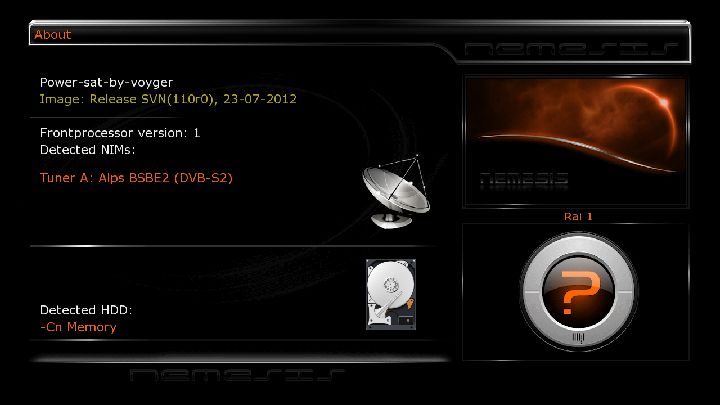
All updates until 109r0 are included
Fix Mediaset EPG
Fix small bug on Enigma2
let you know the IMAGE as on my TV test i haven't a HDMI plug the IMAGE is set on scart
pleas follow the display setup on HDMI other way you will not have picture on your screen
tested on flash and multiboot and work ok
enjoy from me
voyger
download link
download link
Power-sat-by-voyger-sanray4-DM800se-New-dreamElite-Ver010-r06
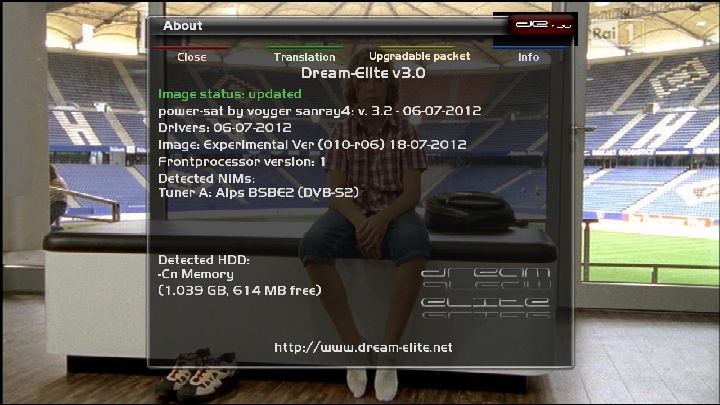
thanks to aguda for nice bootlogo
5 EMU installed
(1)Cccam221
(2)scam360
(3)oscam6089
(4)Mgcamd138
oled picon installed
my tube working
webbrowser working
oscam-Cccam ready for *** it and Tvusat
*** it top-slot
Tvusat lower-slot
......................
Last update from dreamelite-IMAGE Exp Version(010-r6)from 18-7-2012
Last driver from 06-07-2012
let you know the IMAGE as on my TV test i haven't a HDMI plug the IMAGE is set on scart
pleas follow the display setup on HDMI other way you will not have picture on your screen
tested on flash and multiboot and work ok
enjoy from me
voyger
download link
download link
Power-sat-by-voyge-sanray4-nemesis(SVN109r0)-dm800se_2012-07-15
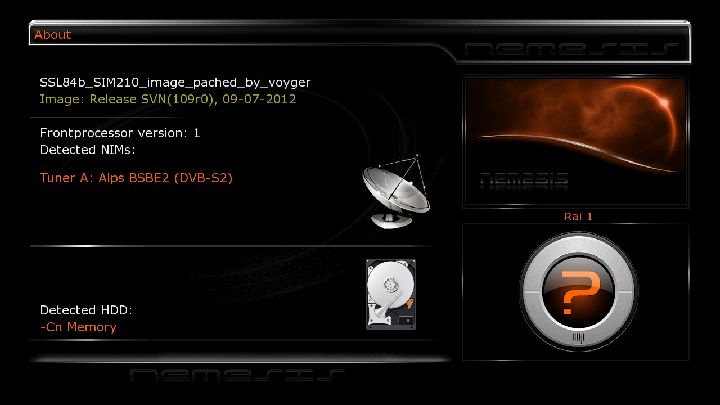
emu cccam 2.1.3,2.2.1
oscam 6454
lower solt tivusat..up slot *** 9cd
lib update to see ecm
cccaminfo
oscamwebinfo ipdream:9000
Last setting vannibal-hotbird-astra
let you know the IMAGE as on my TV test i haven't a HDMI plug the IMAGE is set on scart
pleas follow the display setup on HDMI other way you will not have picture on your screen
tested and work ok
enjoy from me
voyger
download link
download link
hi all any one can help??
i am look for a oascam-CCcam213 auto script for DM800se 02 IMAGE
can anyone point me in the right direction or can post the files??
thankyou
thankyou nice IMAGE can you tell us how i start the cam i want??
i can see the cam but don't know how to change cam start..is there any cammanager so i can choose the cam i want to start??
thankyou
is this ferdi still alive??
Display MoreI installed it this morning on dm7020hd, you must follow these steps carefully
1) create dir /etc/tuxbox/config chmod 755
2) place the oscam config files in /etc/tuxbox/config chmod 644
3) place oscam (bin) in /usr/bin/ chmod 755
4) edit /etc/init.d/dccamd
#!/bin/sh
/usr/bin/oscam -b -c /etc/tuxbox/config &
This is all about and enjoy
what cam manager do you use on 02 IMAGE???
Power-sat-patched by voyger-Nemesis-2.6-sanray4-dm800hdse-e2-OE(1.6)-SVN(108r4).nfi
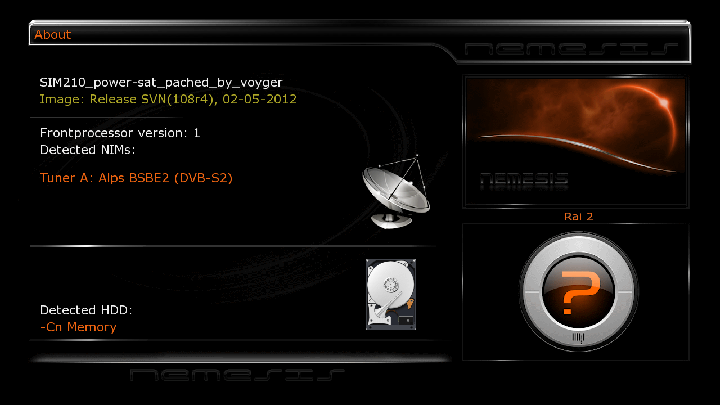
emu cccam 2.1.3,2.2.1
oscam 6454
lower solt tivusat..up slot *** 9cd
lib update to see ecm
cccaminfo
oscamwebinfo ipdream:9000
Last setting vannibal-hotbird-astra
let you know the IMAGE as on my TV test i haven't a HDMI plug the IMAGE is set on scart
pleas follow the display setup on HDMI other way you will not have picture on your screen
tested and work ok
enjoy from me
voyger
download link
https://hotfile.com/dl/1554141…-dm800se_sanray4.zip.html

