Posts by KiddaC

    Have you actually tried the signal finder screen with the default skin rather than kerni hd skin.

    I say that because I was helping someone else out with an old skin, that had a custom component for the signal finder screen and it was breaking the page.


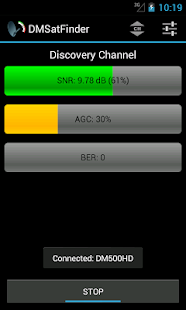
    And if you have got an android phone ( i am sure there is iphone equivalents). I used the app DMSatFinder app on my phone to align my dish. It was so much easier having your phone in your hand while up the ladder.


    DMSatFinder- screenshot thumbnail

    Jensen... exactly, the hours skinners put in to make these skins only a skinner will know. Unsung heroes. Its an endless cycle of write code, test code, crash box, tweak code, test code, crash box. Not even adding to the equation the hundreds of hours of research I put in in the early days when I didn't have a clue what I was doing. I also don't use openskin designer due to the template nature of my skins, so pretty much every single screen I mockup in photoshop first, code it, and then overlay the output onto my photoshop mockup to then fine tweak it.


    Writing a skin can be reasonably straightforward once you know the basics. I could probably mockup a skin in a week, write all the code in 4 weeks, but then take another 8 weeks to perfect it, then another year until it is finally totally bug free. Its fine tuning and bug fixing that is time consuming. Although I am pretty much retired now due to being warn out from all the hard work, I still recommend people have a go. You also learn so much about enigma2 sateliite boxes in the process. Knowledge I would have never gained if I wasn't delving into all the python components on a daily basis to work out what I can and cannot put into a skin.

    I have the benefit of being a graphic designer for 20 years, so the graphic side is no problem, but I am also a programmer so it was a perfect hobby for me to do. But even without perfect graphic skills, or a technical know how, there is a wealth of information scattered all over the internet. Start little... in the end you will make a skin. (and remember if you borrow some one elses code or graphics, have the decency to mention or credit them :) )

    If you know my history... my first project was.. oh lets just tidy up the original blue hd skin... and look where that ended up. Before that, I had absolutely no knowledge of enigma2 or skinning at all on these boxes.

    Enigma2 isn't the easiest platform to work with, in fact its probably the worst I have ever encountered, but there is now hope things are moving more slowly to android based, then I might come back out of retirement. Because working with android will be like heaven compared to this old creeking code. It was still fun though. Stressful, but very worth while.

    dsayers ... throw me a friggen bone here. What are your new screen names.


    old ones were

    <screen name="DsayersCustomMixImporterScreen"

    <screen name="ChannelsImporterScreen"


    1999gtv ... how do you think any skinner starts... They start with faffing. Moving this... resizing that... new graphic for this... etc. Next minute... 2 years of your life has gone by in a blink. ha. We used to have a good community of everyone having a go with skin modding, unfortunately there is very little of it about nowadays. As I always say, I just give you a full base to work on. It's up to the user if then can be arsed to make the skin their own.


    I will assist anyone willing to get there hands dirty and have a go. I have no time for people that want you to make all the amends for them though, despite me giving clear instructions on how to do it.
    If you bootloop your box... so what... undo your amends ... faff again... learn form your mistakes ... faff some more... have some gratification that you have achieved something. :thumbup:

    If its just the standard channel select screen that is this screen


    \usr\share\enigma2\slyk-onyx\


    o-channel-selection.xml


    <screen name="ChannelSelection" ....


    <!-- next programme -->

    <widget source="ServiceEvent" render="Label" position="1000,255" size="260,44" font="Bold;18" foregroundColor="colour2" backgroundColor="midright" transparent="1">

    <convert type="EventName">NextName</convert>

    </widget>


    <widget source="ServiceEvent" render="Label" position="1000,296" size="260,22" font="Regular;18" foregroundColor="white" backgroundColor="midright" noWrap="1" transparent="1">

    <convert type="EventTime">NextStartTime</convert>

    <convert type="OnyxClockToText">SlykQStartTime</convert>

    </widget>


    <widget source="ServiceEvent" render="Label" position="1000,341" size="260,218" font="Regular;15" foregroundColor="white" backgroundColor="midright" transparent="1">

    <convert type="EventName">NextDescription</convert>

    </widget>


    <!-- Next Events List -->

    <panel name="h-separator-br" />

    <widget source="ServiceEvent" render="OnyxNextEvents" position="1000,604" size="260,48" font="Regular;14" start="2" lines="3" foregroundColor="white" backgroundColor="botright" noWrap="1" transparent="1">

    <convert type="ServiceName">Reference</convert>

    </widget>

    This is the alternative channel selection screen you are showing.

    On this alternative screen you can change the size of the fonts on the left, but the font on the right might be problematic as it is bringing in all them times via my custom OnyxNextEvents2 python component. (it might work).


    The screen is


    .\usr\share\enigma2\slyk-onyx\


    o-channel-selection.xml


    <screen name="SlimChannelSelection" ....


    If you open up o-channel-selection.xml in an xml editor like xml wrench (free), you will see I have titled comments for each section. So you should easily be able to find the elements to edit. For example


    <!-- now programme -->

    <widget source="ServiceEvent" render="Label" position="20,21" size="281,20" font="Bold;18" foregroundColor="colour2" backgroundColor="#25000000" transparent="1">

    <convert type="EventName">NowName</convert>

    </widget>


    <widget source="ServiceEvent" render="RunningText" options="movetype=running,startpoint=0,direction=top,steptime=80,repeat=0,always=0,oneshot=0,startdelay=6000,wrap"

    position="20,48" size="281,173" font="Regular;16" foregroundColor="white" backgroundColor="#25000000" transparent="1">

    <convert type="EventName">FullDescription</convert>

    </widget>


    The panel on the right is this section.


    <widget source="ServiceEvent" render="OnyxNextEvents2" position="1000,220" size="240,500" font="Regular;14" start="0" lines="26" foregroundColor="white" backgroundColor="#25000000" noWrap="1" transparent="1">

    <convert type="ServiceName">Reference</convert>

    </widget>


    If you change the right panel, I don't know whether or not you can change the number lines or not. I would change the font size first, then experiment with the number of lines to see if it causes any problems. I never wrote this component, its someones elses code I amended for my skin. So I don't know how it fully works and I cant remember if I hard coded in the number of lines, or whether that lines variable does anything or not.


    You start by posting in the right section and not hijacking someone elses thread. This has nothing to do with piemagics boot logo. Click the link I posted in my previous post and post your question in that section of the site. Someone will probably help you there.

    grrr.. as I explained in my first post.


    check to see if it is using a custom component.


    This is actually glass hds infobar code.


    <widget source="session.FrontendStatus" render="Label" font="Prive3; 14" position="792,597" backgroundColor="background" transparent="1" zPosition="5" size="50,20" halign="left" foregroundColor="unb2e0b4">

    <convert type="g16ExtraSource">SnrdB</convert>

    </widget>


    So you probably need to copy that from glass hd into your converter folder and just use the same code


    g16ExtraSource.py

    your frontendinfo.py was missing this option, that why I said it looked old and basic, There was no check for this setting. But if you dont have that setting anyway, that would make sense.


    Maybe your vti image cannot bring in the db on infobar. I know you definitely can on vix and atv though. I wouldn't worry about it to much anyway. A percentage snr is much more useful.


    And if your hd glass skin brings it in on the infobar on the same image, then this complicated flat skin is doing something unusual in the background. Which might be why the author of the skin was reluctant to help.

    ftp into your box. copy your frontendinfo.pyo. And upload it here. (you might need to zip it)


    /usr/lib/enigma2/python/Components/Converter


    and I cant even test your skin for you as I dont have a 1080 compatible sat box.


    Why don't you just write your code in the infobar screen rather than bringing it in as a template screen panel