Friends,
The problem was solved by changing the modem. Thank you very much to everyone who took care of my problem and offered a solution.


Friends,
The problem was solved by changing the modem. Thank you very much to everyone who took care of my problem and offered a solution.

Doing a bit of googling. Maybe try this.
in this file.
/etc/resolv.conf
deleted nameserver line
try the opkg update
I tried and the problem continues but now my device can not open iptv channel.

If it is the router, your PC will have same problem. Try downloading the file from your PC. You posted a picture instead of text, so we can't try for you.
If the Teamblue server with that file is unavailable, try flashing a newer TeamBlue image.
I tried this,
I downloaded this file (https://feed.teamblue.tech/7.3…7252/3rdparty/Packages.gz.) to my computer and file has downloaded on PC.
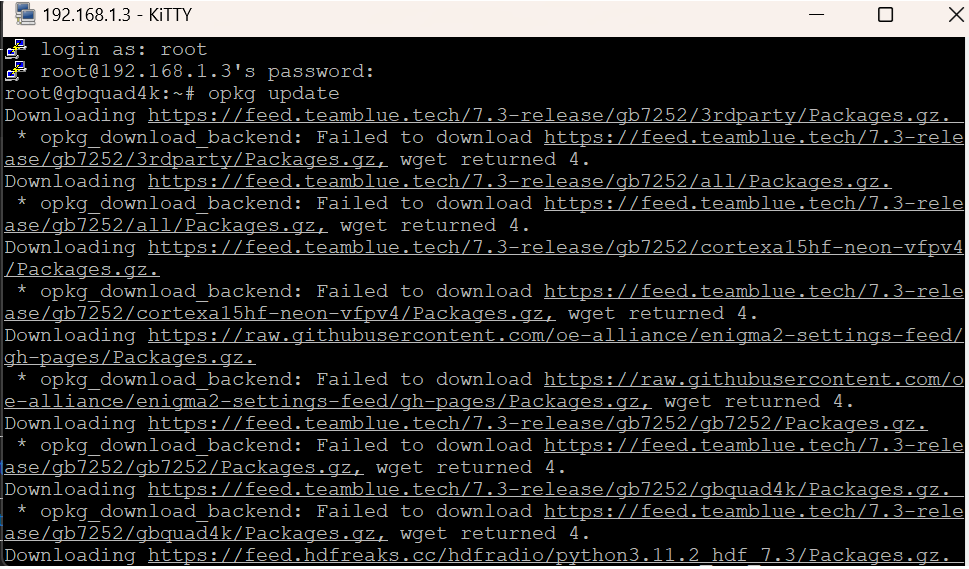
But Receiver gives this error
(opkg_download_backend: Failed to download https://feed.teamblue.tech/7.3…7252/3rdparty/Packages.gz, wget returned 4.)
Yes, same topic, but the problem still persists. I'm goingt to go crazy and I'm looking for my answer. I think, it shouldn't be a problem.
Display MoreWget returned 4 is a network failure.
unable to establish a network connection or there was a failure during the connection attempt.
Common Causes of wget Return Code 4 (Network Failure):
- DNS issues: The domain name couldn’t be resolved (e.g., the URL provided has a typo, or DNS is misconfigured).
- No internet connection: If there’s no network connectivity, wget won’t be able to reach the host.
- Firewall issues: A firewall or other security system may be blocking the connection.
- Network timeouts: The server might be too slow to respond, or the connection was interrupted.
- Proxy issues: If you are behind a proxy and wget isn’t properly configured to use it, it may result in a network failure.
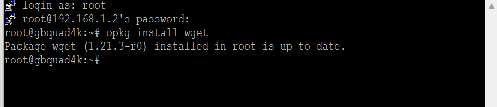
1) Try again2) update your wget package to see if you have latest
opkg install wget
I just tried one of those links in a browser and it worked fine.
Thank you very much, I tried this but result is same
thanks your reply
But I tried this, problem not solved
I have this problem too and unfortunately DNS can never be changed in teamblue image. I'm using ZTE modem, How can I fix this problem. I'm going to crazy soon.
Hello,
I have a Gigablue Quad 4K and there is updates problem. There is no vpn, don't change DNS. How can I fix this problem.