
which progs are u watching?
maybe your channel list is bad
our your config


which progs are u watching?
maybe your channel list is bad
our your config
Download recovery_emmc.zip for your model receiver
In the extracted file you will see the following files:
Copy the above 5 files directly to root of your USB stick.
Ensure your receiver is powered off and connect USB stick to USB port on your receiver.
Gigablue UHD Trio 4K hold down REAR reset button and power on while hold this down.
Once UPDT appears on front screen release reset button or power button, whichever applies to your receiver.
Once booted into the new recovery menu you will see the screen below.
Once completed your receiver will boot into your previously flash image. If the receiver gets stuck on boot it just means you need to flash a new image. Either way
NEW IMAGE HAS TO BE FLASHED.
Due to flash partion re-sizing you now need to flash a new image.
Power off, BUT ENSURE RECOVERY IMAGE FLASHING IS COMPLETED BEFORE POWERING OFF.
Download the image ZIP file for your receiver. Image zip file ends in simply 'mmc.zip'.
Copy the complete 'ZIP' file to root of USB stick, DO NOT UNZIP.
Gigablue UHD Trio 4K hold down REAR reset button and power on while hold this down. Once UPDT appears on front screen release reset button or power button, whichever applies to your receiver.Once booted into the new recovery menu you will see the screen below.
Select 'USB Multiboot Image Upgrade' > Press OK > You'll then see the following screen. At the top you will see the image zip file. In the field below you can select an eMMC slot to flash the image to. For this guide we are selecting Slot 1 where there is currently an OpenViX image installed. We will re-flash this slot. Select 'Start Upgrade' once ready and press OK.
Keep and eye for the Completed notice in screenshot below, appears for couple of seconds only. If miss it, simply press EXIT on your remote for the next step.
In the next screen select 'Multiboot Selector' and press OK.
Select image in STARTUP_1 and press OK, your receiver will now reboot. Flashing process is completed.
00 FA489BE9ADC09D
01 C010654F393DAC
A reset button is hard to see at the back...
Power off
USB in with recovery image
Hold reset button down with ballpoint pen
Power on
the name of the new oscam must have name from old Oscam ready
00 D4524CE17456D3
01 0BF2277F1B4718
00 5799D003C67524
01 2829AA5DB8A835
friens please help me.
try build my first oscam (ICAM Sky.de) with Ubuntu and Simplebuild 3
how to compile oscam arm for Gigablue UHD Trio 4k, there is no toolchain available?
Please step by step, thanks 
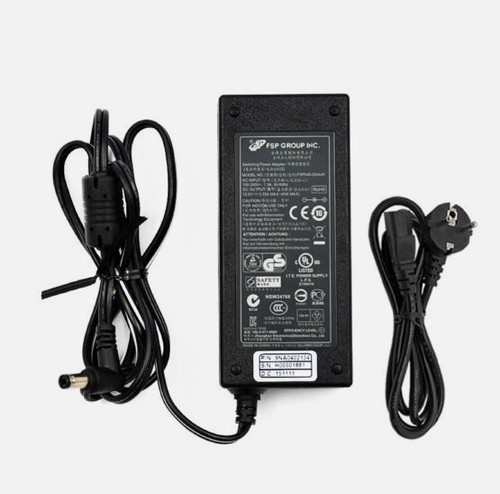
100% power supply 
buy a new one power supply
01 38438575E9C9A7
00 9325A9645ED461
00 C196273B91C082
01 CC9C6705F948D1
01 EE7E1D7D689F73
01 0ABA48B819AB13

