Posts by zvonko67

    D.M.S-dm800-Light-OE2-v4.1


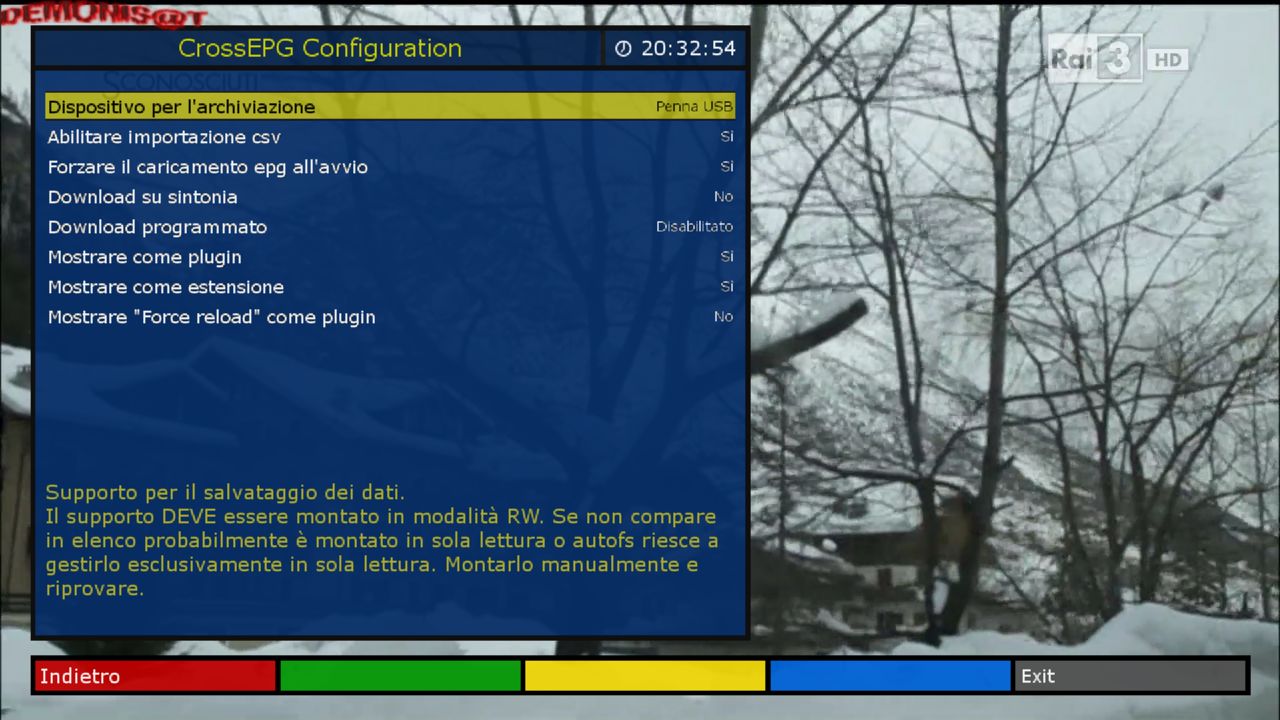
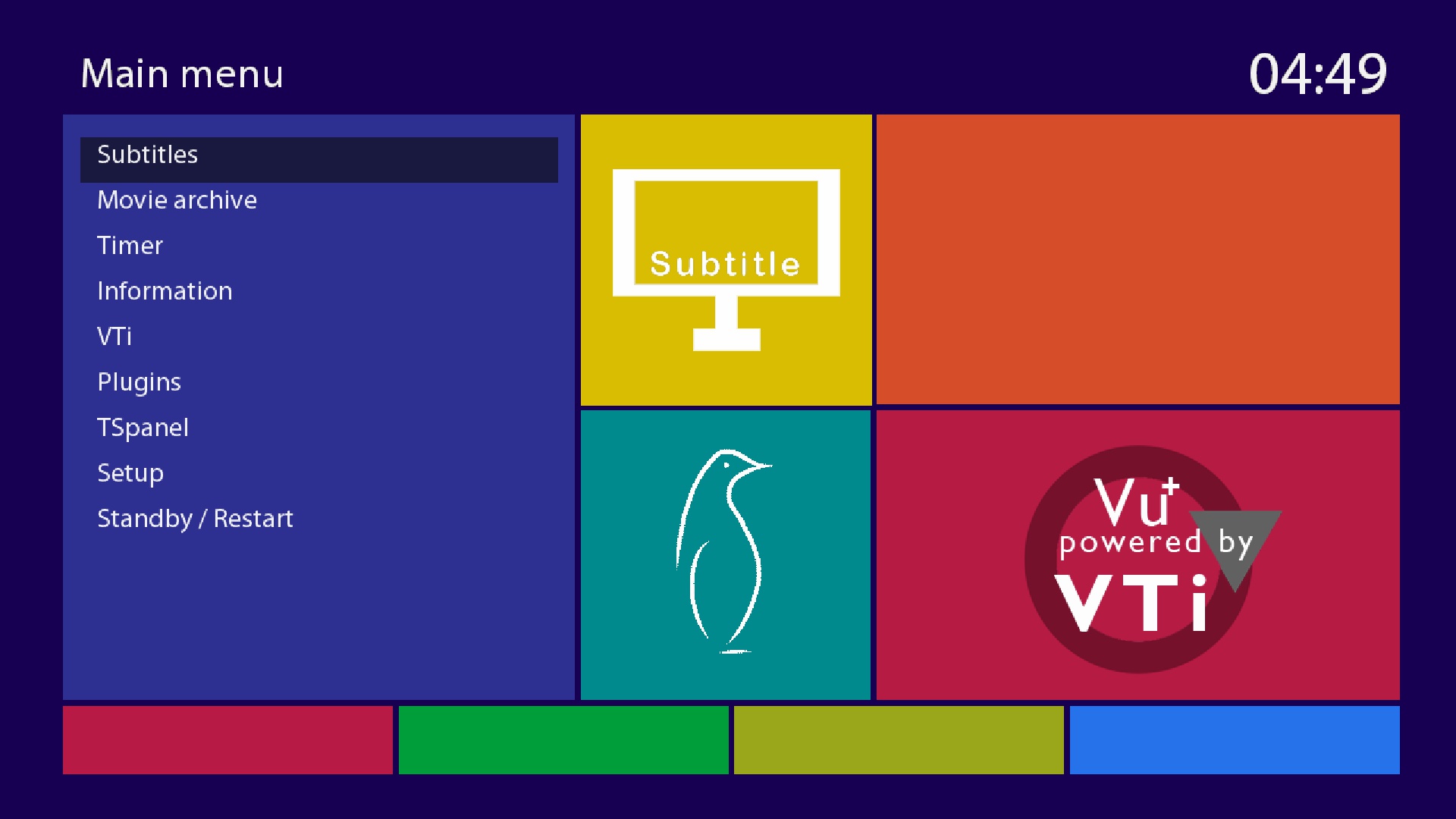
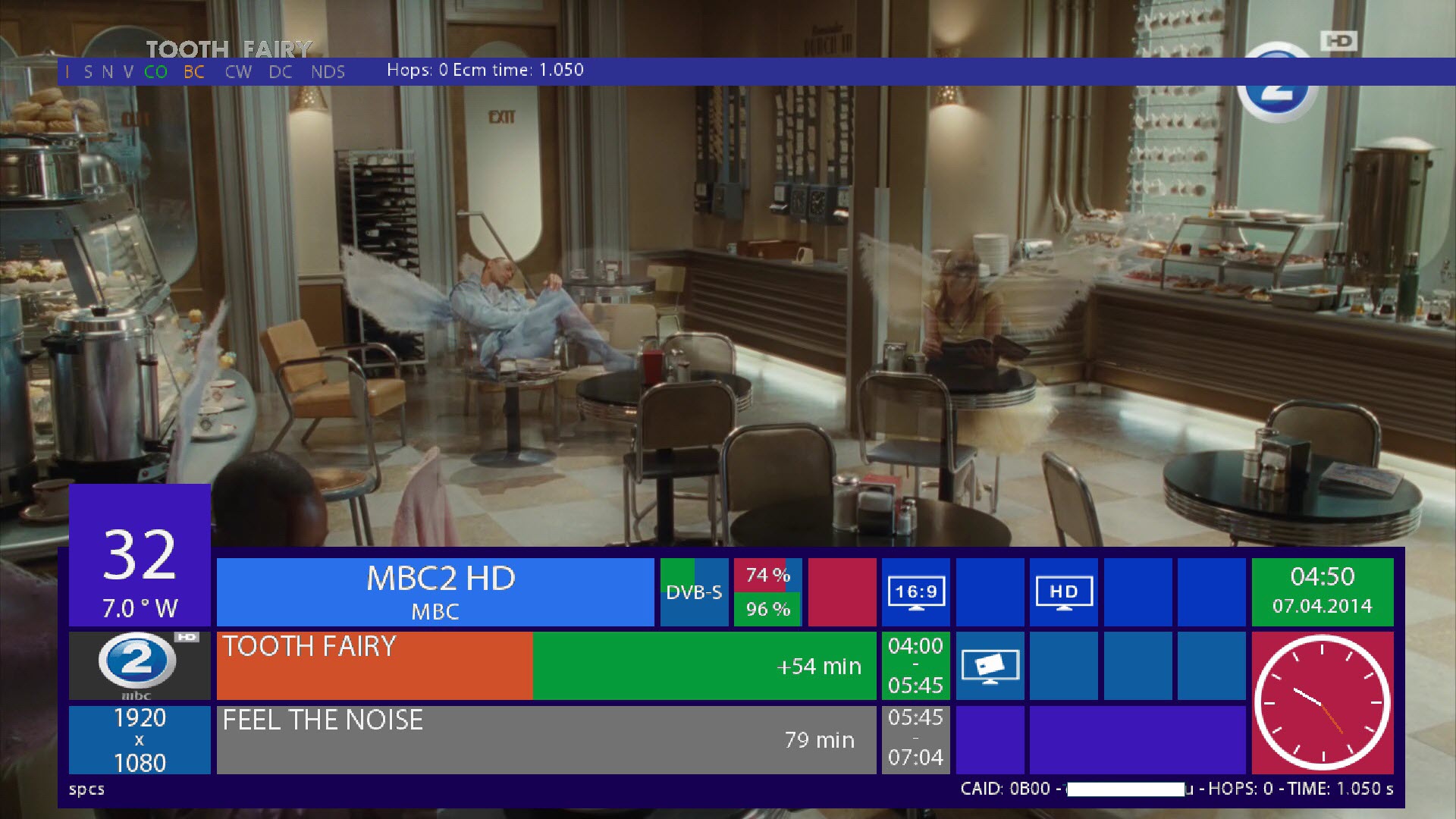
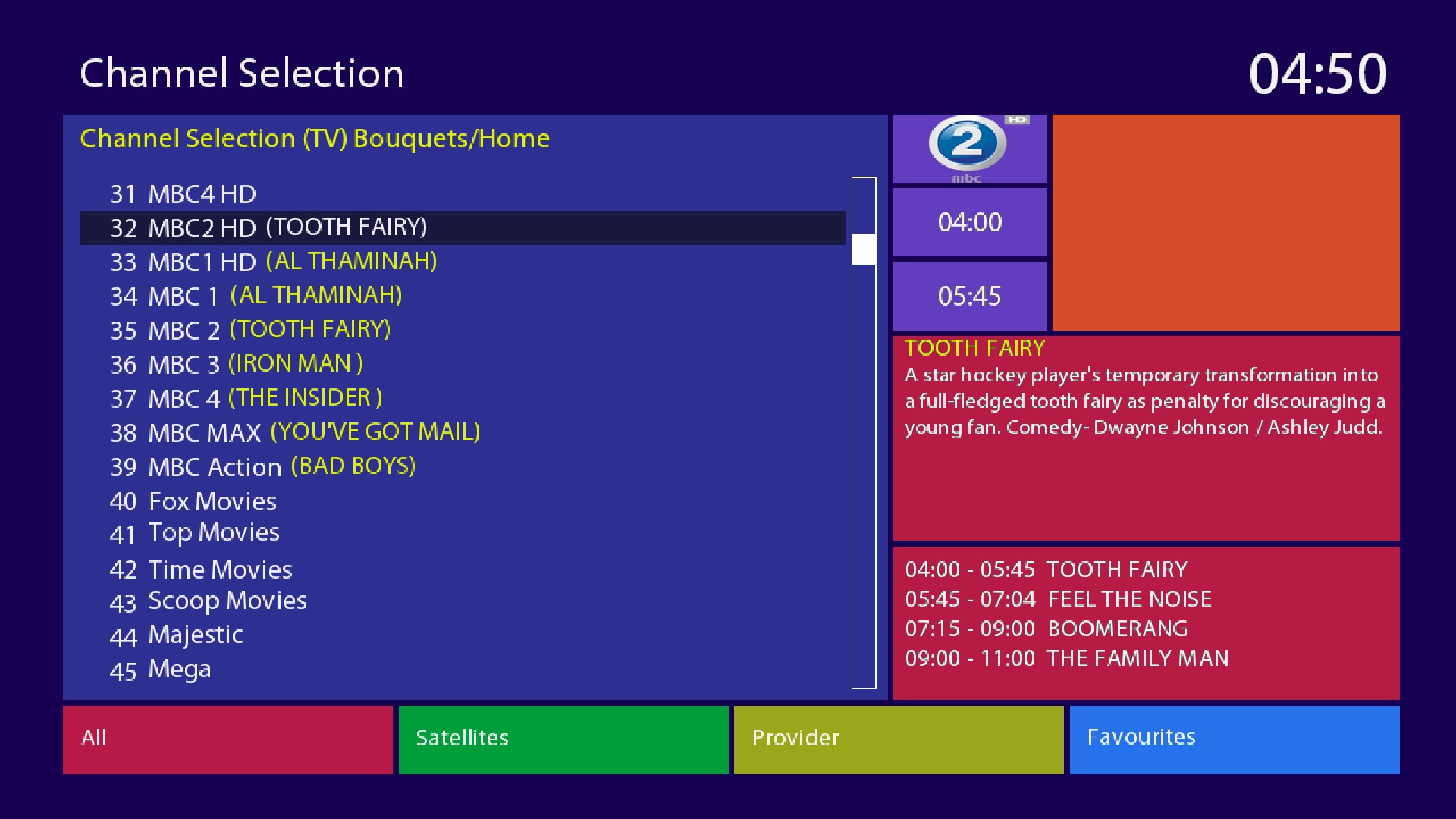
    New Default Skin Metro Color
    thanks to the author


    chi preferisce la skin metro black la puo scaricare dal pannello demonisat server xml black
    ---------------------------------------------------------------------
    if you want the skin metroBlack you can download it from the panel demonisat server xml Metro Black


    D.M.S-image-dm800-OE2-v4.1.nfi


    Date: 2014-07-23 10:08
    Enigma2: 3.999git20140624-r11.1
    Distro: opendreambox 2.0.0
    Machine: Dreambox dm800
    Link: http://dreamboxupdate.com//opendreambox/2.0.3/dm800/
    MD5: c0b761b41c872a1c57028bcecf82d2d3
    SHA256: 4c828e4ed0d8a174f2c4178cc8707484988321735f580daccf 96ac4d815d187e


    Genuine image with the Last CVS

    Creatori immagini
    °°ANTR@G°°
    -----------------------
    Sviluppatore del blue panel
    asanovich
    --------------------

    Beta tester
    °°ANTR@G°°
    tonino1956


    AutoSetting Vhannibal Default
    -------------------------------------
    many new updates Enigma2
    -------------------------------------
    potete scaricare i picon by mmark dal pannello demonisat
    ----------------------------------------------------------
    New Memory Info Thanks m43c0
    New DynDNS Thanks m43c0
    Aggiunto OpenVPN Thanks m43c0
    You can download picon by mmark panel demonisat
    New bootlogo demonisat
    ---------------------------------------------
    queste images contengono solo 3 lingue
    Italiano, inglese,Tedesco
    potete scaricare la vostra lingua preferita dal pannello demonisat


    if you want to download other plugins go
    menu / plugin
    Manage extensions

    --------------------------------------------------------------------
    these images contain only 3 languages
    Italian English Deutsch

    you can download your preferred language from the panel demonisat


    Added language Brazilian downloaded from the panel demonisat

    ---===ooo0ooo===---

    Raccomandiamo di non fare aggiornamento software
    possibilmente mettere immagine in flash
    si ringrazia gli autori dei vari plugin skin patch etc etc
    ------------------------------------------------------------
    We recommend not to do software update
    possibly to put image in flash
    we thank the authors of the various plugins skin patches etc etc
    ----------------------------------
    New Blue Panel demonisat
    You'll find everything you need
    for the operation of the image

    to download from the panel demonisat put the DHCP automatically
    About to more than one satellite is set to expert enable multiple bouquets
    menu, settings, system, customize
    set of expert

    Per poter scaricare dal pannello demonisat dovete mettere il DHCP in Auto !!
    impostare su esperto é abilitare multiple bouquet
    menu,impostazioni,sistema,personalizzare
    impostare su esperto

    thanks to the authors of the various skin patch plugins etc etc !!


    sui dreambox 800se,800hd,500hd
    meglio fare questa procedura
    best to do this procedure


    DOWNLOADServer Demonisat

    D.M.S-dm800sev2-OE2-v4.1


    New Default Skin Metro Color
    thanks to the author


    chi preferisce la skin metro black la puo scaricare dal pannello demonisat server xml black
    ---------------------------------------------------------------------
    if you want the skin metroBlack you can download it from the panel demonisat server xml Metro Black


    D.M.S-image-dm800sev2-OE2-v4.1.nfi


    Date: 2014-07-22 10:50
    Enigma2: 3.999git20140624-r14.1
    Distro: opendreambox 2.0.0
    Machine: Dreambox dm800sev2
    Link: http://dreamboxupdate.com//opendream...0.3/dm800sev2/
    MD5: a4210605bd687f73b6905bd2254273f5
    SHA256: bb48b8c283c964fced920a7f566e7abd3a5d2613bef07907c6 1510b873c1e2e6


    Genuine image with the Last CVS

    Creatori immagini
    °°ANTR@G°°
    -----------------------
    Sviluppatore del blue panel
    asanovich
    --------------------

    Beta tester
    °°ANTR@G°°
    tonino1956


    AutoSetting Vhannibal Default
    -------------------------------------
    many new updates Enigma2
    -------------------------------------
    potete scaricare i picon by mmark dal pannello demonisat
    ----------------------------------------------------------
    New Memory Info Thanks m43c0
    New DynDNS Thanks m43c0
    Aggiunto OpenVPN Thanks m43c0
    You can download picon by mmark panel demonisat
    New bootlogo demonisat
    ---------------------------------------------
    queste images contengono solo 3 lingue
    Italiano, inglese,Tedesco
    potete scaricare la vostra lingua preferita dal pannello demonisat


    if you want to download other plugins go
    menu / plugin
    Manage extensions

    --------------------------------------------------------------------
    these images contain only 3 languages
    Italian English Deutsch

    you can download your preferred language from the panel demonisat


    Added language Brazilian downloaded from the panel demonisat

    ---===ooo0ooo===---

    Raccomandiamo di non fare aggiornamento software
    possibilmente mettere immagine in flash
    si ringrazia gli autori dei vari plugin skin patch etc etc
    ------------------------------------------------------------
    We recommend not to do software update
    possibly to put image in flash
    we thank the authors of the various plugins skin patches etc etc
    ----------------------------------
    New Blue Panel demonisat
    You'll find everything you need
    for the operation of the image

    to download from the panel demonisat put the DHCP automatically
    About to more than one satellite is set to expert enable multiple bouquets
    menu, settings, system, customize
    set of expert

    Per poter scaricare dal pannello demonisat dovete mettere il DHCP in Auto !!
    impostare su esperto é abilitare multiple bouquet
    menu,impostazioni,sistema,personalizzare
    impostare su esperto

    thanks to the authors of the various skin patch plugins etc etc !!


    DOWNLOADServer Demonisat

    D.M.S-dm800se-Light-OE2-v4.1


    New Default Skin Metro Color
    thanks to the author


    chi preferisce la skin metro black la puo scaricare dal pannello demonisat server xml black
    ---------------------------------------------------------------------
    if you want the skin metroBlack you can download it from the panel demonisat server xml Metro Black


    D.M.S-image-dm800se-OE2-v4.1.nfi


    Date: 2014-07-23 09:55
    Enigma2: 3.999git20140624-r11.1
    Distro: opendreambox 2.0.0
    Machine: Dreambox dm800se
    Link: http://dreamboxupdate.com//opendreambox/2.0.3/dm800se/
    MD5: 9f1f3338d9220bcbcd8d6c85768086d4
    SHA256: 0006dc068fc07145eb37327109637151342bbe4b81e12c58e9 fa8b73b6a8e1c0


    Genuine image with the Last CVS

    Creatori immagini
    °°ANTR@G°°
    -----------------------
    Sviluppatore del blue panel
    asanovich
    --------------------

    Beta tester
    °°ANTR@G°°
    tonino1956


    AutoSetting Vhannibal Default
    -------------------------------------
    many new updates Enigma2
    -------------------------------------
    potete scaricare i picon by mmark dal pannello demonisat
    ----------------------------------------------------------
    New Memory Info Thanks m43c0
    New DynDNS Thanks m43c0
    Aggiunto OpenVPN Thanks m43c0
    You can download picon by mmark panel demonisat
    New bootlogo demonisat
    ---------------------------------------------
    queste images contengono solo 3 lingue
    Italiano, inglese,Tedesco
    potete scaricare la vostra lingua preferita dal pannello demonisat


    if you want to download other plugins go
    menu / plugin
    Manage extensions

    --------------------------------------------------------------------
    these images contain only 3 languages
    Italian English Deutsch

    you can download your preferred language from the panel demonisat


    Added language Brazilian downloaded from the panel demonisat

    ---===ooo0ooo===---

    Raccomandiamo di non fare aggiornamento software
    possibilmente mettere immagine in flash
    si ringrazia gli autori dei vari plugin skin patch etc etc
    ------------------------------------------------------------
    We recommend not to do software update
    possibly to put image in flash
    we thank the authors of the various plugins skin patches etc etc
    ----------------------------------
    New Blue Panel demonisat
    You'll find everything you need
    for the operation of the image

    to download from the panel demonisat put the DHCP automatically
    About to more than one satellite is set to expert enable multiple bouquets
    menu, settings, system, customize
    set of expert

    Per poter scaricare dal pannello demonisat dovete mettere il DHCP in Auto !!
    impostare su esperto é abilitare multiple bouquet
    menu,impostazioni,sistema,personalizzare
    impostare su esperto

    thanks to the authors of the various skin patch plugins etc etc !!


    sui dreambox 800se,800hd,500hd
    meglio fare questa procedura
    best to do this procedure


    DOWNLOADServer Demonisat

    D.M.S-dm500hdv2-OE2-v4.1


    New Default Skin Metro Color
    thanks to the author


    chi preferisce la skin metro black la puo scaricare dal pannello demonisat server xml black
    ---------------------------------------------------------------------
    if you want the skin metroBlack you can download it from the panel demonisat server xml Metro Black


    D.M.S-image-dm500hdv2-OE2-v4.1.nfi


    Date: 2014-07-22 10:39
    Enigma2: 3.999git20140624-r14.1
    Distro: opendreambox 2.0.0
    Machine: Dreambox dm500hdv2
    Link: http://dreamboxupdate.com//opendream...0.3/dm500hdv2/
    MD5: 3b3ab4d38305bfccb52a2b80cc9666c1
    SHA256: 56eddef39012beb2d444adf42f010d96a5721493e9a66fb842 c5afa0c845cfa2


    Genuine image with the Last CVS

    Creatori immagini
    °°ANTR@G°°
    -----------------------
    Sviluppatore del blue panel
    asanovich
    --------------------

    Beta tester
    °°ANTR@G°°
    tonino1956


    AutoSetting Vhannibal Default
    -------------------------------------
    many new updates Enigma2
    -------------------------------------
    potete scaricare i picon by mmark dal pannello demonisat
    ----------------------------------------------------------
    New Memory Info Thanks m43c0
    New DynDNS Thanks m43c0
    Aggiunto OpenVPN Thanks m43c0
    You can download picon by mmark panel demonisat
    New bootlogo demonisat
    ---------------------------------------------
    queste images contengono solo 3 lingue
    Italiano, inglese,Tedesco
    potete scaricare la vostra lingua preferita dal pannello demonisat


    if you want to download other plugins go
    menu / plugin
    Manage extensions

    --------------------------------------------------------------------
    these images contain only 3 languages
    Italian English Deutsch

    you can download your preferred language from the panel demonisat


    Added language Brazilian downloaded from the panel demonisat

    ---===ooo0ooo===---

    Raccomandiamo di non fare aggiornamento software
    possibilmente mettere immagine in flash
    si ringrazia gli autori dei vari plugin skin patch etc etc
    ------------------------------------------------------------
    We recommend not to do software update
    possibly to put image in flash
    we thank the authors of the various plugins skin patches etc etc
    ----------------------------------
    New Blue Panel demonisat
    You'll find everything you need
    for the operation of the image

    to download from the panel demonisat put the DHCP automatically
    About to more than one satellite is set to expert enable multiple bouquets
    menu, settings, system, customize
    set of expert

    Per poter scaricare dal pannello demonisat dovete mettere il DHCP in Auto !!
    impostare su esperto é abilitare multiple bouquet
    menu,impostazioni,sistema,personalizzare
    impostare su esperto

    thanks to the authors of the various skin patch plugins etc etc !!


    DOWNLOADServer Demonisat

    D.M.S-dm500hd-Light-OE2-v4.1


    New Default Skin Metro Color
    thanks to the author


    chi preferisce la skin metro black la puo scaricare dal pannello demonisat server xml black
    ---------------------------------------------------------------------
    if you want the skin metroBlack you can download it from the panel demonisat server xml Metro Black


    D.M.S-image-dm500hd-OE2-v4.1.nfi


    Date: 2014-07-23 09:40
    Enigma2: 3.999git20140624-r11.1
    Distro: opendreambox 2.0.0
    Machine: Dreambox dm500hd
    Link: http://dreamboxupdate.com//opendreambox/2.0.3/dm500hd/
    MD5: 7c53c68277510eb2809fc599d318c4bd
    SHA256: d95d5bf8141f66c61b07be8d65a61ec90a462ccfee6b02c11f 58d707a06a471b


    Genuine image with the Last CVS

    Creatori immagini
    °°ANTR@G°°
    -----------------------
    Sviluppatore del blue panel
    asanovich
    --------------------

    Beta tester
    °°ANTR@G°°
    tonino1956


    AutoSetting Vhannibal Default
    -------------------------------------
    many new updates Enigma2
    -------------------------------------
    potete scaricare i picon by mmark dal pannello demonisat
    ----------------------------------------------------------
    New Memory Info Thanks m43c0
    New DynDNS Thanks m43c0
    Aggiunto OpenVPN Thanks m43c0
    You can download picon by mmark panel demonisat
    New bootlogo demonisat
    ---------------------------------------------
    queste images contengono solo 3 lingue
    Italiano, inglese,Tedesco
    potete scaricare la vostra lingua preferita dal pannello demonisat


    if you want to download other plugins go
    menu / plugin
    Manage extensions

    --------------------------------------------------------------------
    these images contain only 3 languages
    Italian English Deutsch

    you can download your preferred language from the panel demonisat


    Added language Brazilian downloaded from the panel demonisat

    ---===ooo0ooo===---

    Raccomandiamo di non fare aggiornamento software
    possibilmente mettere immagine in flash
    si ringrazia gli autori dei vari plugin skin patch etc etc
    ------------------------------------------------------------
    We recommend not to do software update
    possibly to put image in flash
    we thank the authors of the various plugins skin patches etc etc
    ----------------------------------
    New Blue Panel demonisat
    You'll find everything you need
    for the operation of the image

    to download from the panel demonisat put the DHCP automatically
    About to more than one satellite is set to expert enable multiple bouquets
    menu, settings, system, customize
    set of expert

    Per poter scaricare dal pannello demonisat dovete mettere il DHCP in Auto !!
    impostare su esperto é abilitare multiple bouquet
    menu,impostazioni,sistema,personalizzare
    impostare su esperto

    thanks to the authors of the various skin patch plugins etc etc !!


    sui dreambox 800se,800hd,500hd
    meglio fare questa procedura
    best to do this procedure


    DOWNLOADServer Demonisat

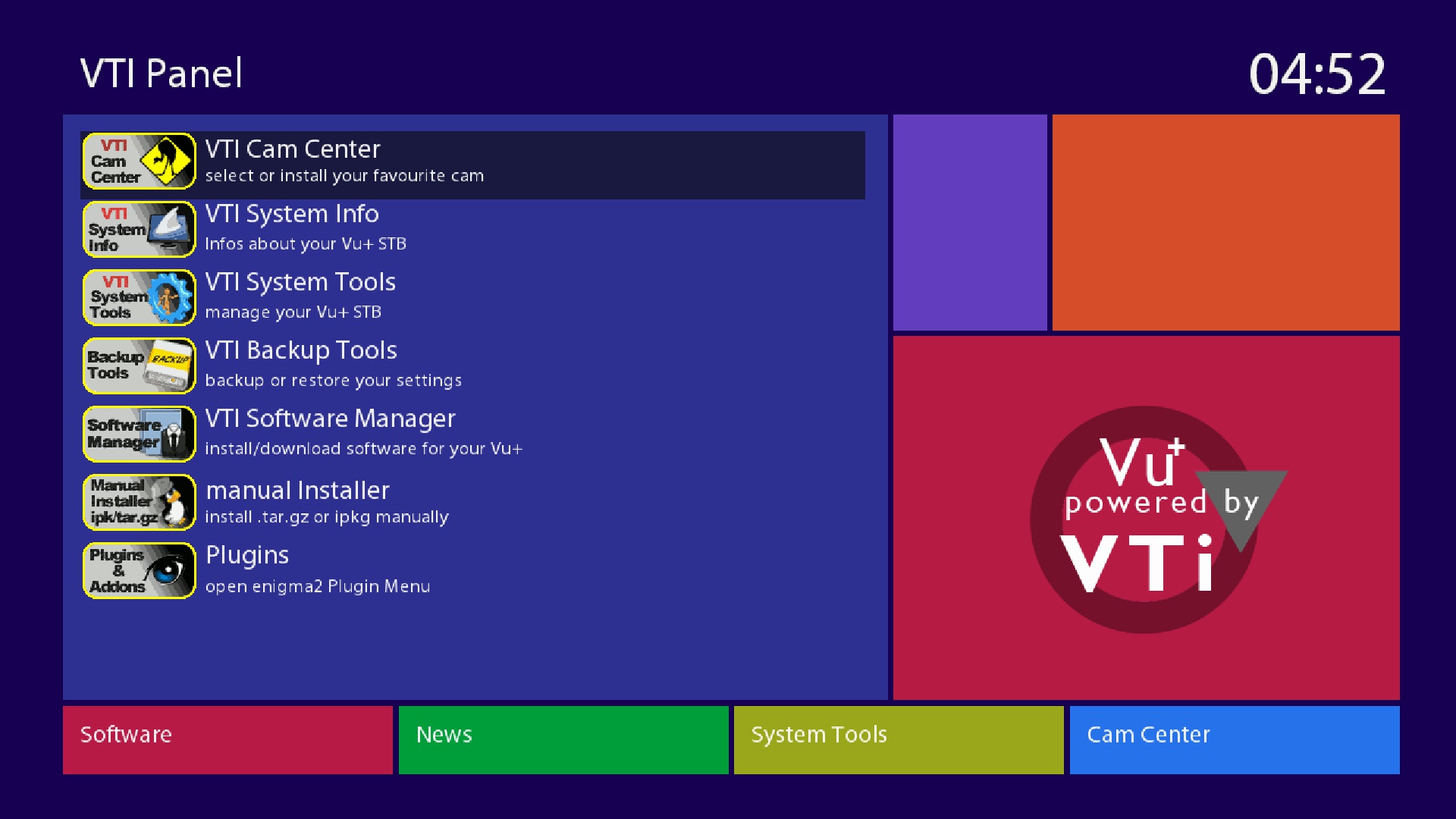
    VTI-7.0_Ferrari-SSL88F_DM800_20140717123227_RAED


    This Image For EXTERNAL FLASH only Size(76.8MB)


    -I have converted and patched VTI (VU+) Image to Dreambox
    -Should by work on all Boxes on External Flash (must be on Internal flash OE2.0 images)


    About remote control How to adjustment >>
    menu
    setup
    system
    input device
    press ok to dreambox remote control (native) and adjustment as you like ..


    How to Download Cams and Active it:
    1-Blue button > Blue button (Cam Center) > Blue button (Manage Cams)
    2-Then select and download what you need
    3-To active cam press Blue button > Blue button (Cam Center)
    4-Select Cam and press Green button (Start Cam)


    Warning:Don't Make Update Online


    MD5


    b2999b6142b3dfb029dee070421132cf


    Sim2-DM800-Newnigma2 v4.0.11 SIM2 #84d Jasper (2014-07-19)


    Clean, no changes.


    Sim2


    SSL84d


    Enigma2: ramiMAHER-tarball (thx)


    ################################################## ########## #############################

    Webinterface is working.
    Teletext is working.


    ################################################## ########## #############################

    Deactivate Firmware Update (Newnigma2 Services/System Tools/System Settings)


    ################################################## ########## ############################

    Download:


    2014-07-19


    Quote


    Jasper


    ################################################## ########## #########
    Newnigma2 team proudly presents:
    Newnigma2 v4.0.11
    ################################################## ########## #########


    Basics:


    Enigma2 4.0: 24.06.2014
    Enigma2 Plugins: 11.07.2014
    Newnigma2 Plugins: 11.07.2014


    DM 800 HD PVR


    driver: 28.12.2013
    secondstage: 84
    kernel: 2.6.18


    changelog E2 24.06.2014:


    Use the setting "Automatic wakeup from standby for zap timer" for idle mode, too
    Hbbtv: fixed playback of zdf video streams
    Fixed possible crashes on enigma2 start
    Reworked .cuts file handling to work properly on network storage
    (and fixed possible crashes during recordings)


    changelog E2 16.06.2014:


    correctly apply AC3/PCM delay on mediafile play (MKV, MP4....)
    small datetime converter fix
    HdmiCec:
    - broadcast system standby instead of sending it only to the tv (fixes AVR's not turning off)
    - impelment basic volume punchthrough
    - add hack for not working CEC poweroff on strange TVs not provides a EDID when powered off
    - fixed possible lost cec commands on enigma2 shutdown
    fixed possible crash on harddisk re-init, allow fsck for ext4 (thx to jophi)
    re-read .cuts file during playback when needed (e.g. record stopped)
    dont overwrite .cuts file on record stop... just append event markers
    see more information
    added US_ULTRA and US_JUMBO band to cablescan
    add needed changes for current DVB-C tuner transponder search tools
    fixed crash (TYPO) on mute press (delete) on end of textfield


    changelog E2 14.03.2014:


    updated translations
    added some audio/video type extensions


    Notice: Update from v4.0.x to 4.0.11 only possible by updating via console.


    Changes:


    Added: Skin Evolution-HD by Kerni (thx)
    Added: newnigma2.Kerni.PanTV-HD by Kerni (thx)
    Added: Kerni.Gnome-HD by Kerni (thx)
    Added: VideoDB V2.2 by Dr.Best (click here for more information) (thx)
    Added: mediaportal
    Added: swapmanager
    Added: wget
    Added: stat
    Added: weathercomponent (needed for some skins)
    Added: eventposition (needed for some skins)
    Added: reftopiconname (needed for some skins)
    Added: ledmanager (be carefully changed source="ButtonGreentext" to source="key_green") screen for skinner
    Added: Black-Box.HD.ME (32bit skin)
    Added: cryptsetup more information
    Added: newnigma2-servicerestart: restart services via gui, like init.d, if telnet is not reachable screen for skinner
    Added: free space check's before installing or upgrade packages
    Added: min free flash space is 3mb for installing/upgrading some packages
    Added: improve network connectivity check in newnigma2 installer
    Added: new skin option: progress_pointer (since E2 14.02.2014 possible) screen for skinner
    Added: readded extendedinfobar


    Bugfix: Rebuild Picon handling/loading/caching (less memory consumption)
    Bugfix: Newnigma2 Services fix getPNG cache failure (memoryleak)
    Bugfix: Improved onlineinstaller cache handling (sometimes strange screen output)
    Bugfix: neutrino keymap
    Bugfix: newnigma2.Kerni.PanTV-HD icons
    Bugfix: Caid Renderer didn't close ecm.info and share.info properly
    Bugfix: for loading wrong or no newnigma2 service menu png's
    Bugfix: loosing picon value in servicelist after using configsaver
    Bugfix: for not shown all skins in nenwigma2 installer skin section, like tikila skins
    Bugfix: prevent of loading skin_infobar_wetter.xml on other skins then "newnigma2-" skins
    Bugfix: broken gui installer


    Update: Some improvements on our onlineinstaller
    Update: znc to version 1.4
    Update: openvpn to version 2.3.4
    Update: german translation
    Update: mediaportal to version 5.3.2
    Update: added weatherfunction only for newnigma2-HD inforbar
    (blue button -> newnigma2 services -> osd function -> weather infobar -> on)
    Update: picon renderer. create piconSList dir for servicelist picons.
    Update: IPTV-List-Updater


    Removed: we have removed non working plugins. most of them are integrated in mediaportal.
    Removed: keymanger plugin from image. It's still available from our feed.


    here u can find USB to UART driver
    here u can find DreamUP V1.3.3.11


    Info: since release of e2 v. 3.2 there is no dm7025 support yet. that's what dmm said.
    Multiboot: No support for multiboot. Not planned. No need for such a tool.
    GP3wizard: No support for gp3wizard. Probably not running. Not needed in Newnigma2 environment.


    Important changes:


    1. Install picons on USB-Drives:
    press menu button -> setup -> system -> storage devices -> then press red button for initialize (be carefully all your data will be erased). last step is to mount the device.
    next step: press blue button -> newnigma2 services -> sytsem tools -> expert settings -> change opkg ignore USB/HDD from yes to no. Restart enigma2 und install picons on your usb device.


    2. network configuration:
    If the IP address assigned manually, as well as the address of the DNS server must be entered.
    press menu button -> setup -> system -> network -> adapter settings


    3. install or upgrading:
    before installing/upgrading packages, we now check if at least are 3mb free space in flash.
    ipk's/packages from the newnigma2 team has a value which says the installer the minimum needed space for
    the package. if the min required space is not available than the installation aborts.
    !! Attention enigma2 ipk needs at least 9mb !!


    4. issue due upgrade to v4.0.11:
    if you have troubles by upgrading to v4.0.11 even no 9mb free space for the enigma2 package, so
    you can first upgrade the newnigma2 installer package. After reboot try to upgrade again via gui, the installer
    ignore's now the 9mb needed from the package and uses instead the value you set in
    "blue button -> newnigma2 services -> system tools -> expert settings -> min. free space".


    Wichtige Änderungen:


    1. Picons auf USB-Laufwerken/der internen Festplatte installieren:
    USB-Laufwerk über "Menü > Einstellungen > System > Speichergeräte" initialisieren und anschließend mounten"
    "blaue Taste > Newnigma Services > System Werkzeuge > Experten Einstellungen > Opkg ignoriere USB/HDD = nein > E2 Neustart und anschließend auf USB installieren"


    2. Netzwerk Konfiguration:
    "Menü > Einstellungen > System > Netzwerk > LAN oder WLAN > Adapter Einstellungen"
    Wird die IP-Adresse manuell konfiguriert so muss zwingend auch die Adresse des DNS-Servers eingetragen werden.


    3. Installation oder Update des System:
    Es müssen nun mindestens 3 MB freier Flashspeicher zur Verfügung stehen um Installationen/Updates vorzunehmen.
    Vor Installation eines ipk's vom newnigma2 team, wird geprüft, ob für dieses Paket noch genügend freier Speicher vorhanden ist.
    Sollte das nicht der Fall sein, bricht die Installation ab.
    !!Achtung das enigma2 Paket benötigt min 9MB!!


    4. Bei Problemen mit dem Update auf v4.0.11:
    Sollte das Update auf v4.0.11 nicht funktionieren, weil dem enigma2 Paket keine 9MB zur Verfügung stehen, so ist zuerst der newnigma2 installer zu aktualisieren.
    Nach anschließendem reboot kann man den Upgradevorgang via gui fortsetzen. Dabei wird der Check des freien Speichers beim Upgrade auf den Wert gesetzt, der unter
    "blaue Taste -> Newnigma Services -> System Werkzeuge -> Experten Einstellungen -> min. free space" eingestellt ist.


    newnigma2-stable-lean-dm800se-v4.0.11 -ramiMAHER#ssl84D


    sim2


    enigma2 patched 4.0: 24.06.2014: by ramiMAHER


    Basics:


    • Enigma2 4.0: 24.06.2014


    • Enigma2 Plugins: 11.07.2014


    • Newnigma2 Plugins: 11.07.2014


    • driver: 16.06.2014


    • secondstage: 84


    • kernel 3.2.59


    • driver: 16.06.2014


    • secondstage: 88


    • kernel 3.2.59


    changelog E2 24.06.2014:


    • Use the setting "Automatic wakeup from standby for zap timer" for idle mode, too


    • Hbbtv: fixed playback of zdf video streams


    • Fixed possible crashes on enigma2 start


    • Reworked .cuts file handling to work properly on network storage
      (and fixed possible crashes during recordings)


    changelog E2 16.06.2014:


    • correctly apply AC3/PCM delay on mediafile play (MKV, MP4....)


    • small datetime converter fix


    • HdmiCec:
      - broadcast system standby instead of sending it only to the tv (fixes AVR's not turning off)
      - impelment basic volume punchthrough
      - add hack for not working CEC poweroff on strange TVs not provides a EDID when powered off
      - fixed possible lost cec commands on enigma2 shutdown


    • fixed possible crash on harddisk re-init, allow fsck for ext4 (thx to jophi)


    • re-read .cuts file during playback when needed (e.g. record stopped)
      dont overwrite .cuts file on record stop... just append event markers
      see more information


    • added US_ULTRA and US_JUMBO band to cablescan


    • add needed changes for current DVB-C tuner transponder search tools


    • fixed crash (TYPO) on mute press (delete) on end of textfield


    changelog E2 14.03.2014:


    • updated translations


    • added some audio/video type extensions


    Notice: Update from v4.0.x to 4.0.11 only possible by updating via console.


    Changes:


    • Added: Skin Evolution-HD by Kerni (thx)


    • Added: newnigma2.Kerni.PanTV-HD by Kerni (thx)


    • Added: Kerni.Gnome-HD by Kerni (thx)


    • Added: VideoDB V2.2 by Dr.Best (click here for more information) (thx)


    • Added: mediaportal


    • Added: swapmanager


    • Added: wget


    • Added: stat


    • Added: weathercomponent (needed for some skins)


    • Added: eventposition (needed for some skins)


    • Added: reftopiconname (needed for some skins)


    • Added: ledmanager (be carefully changed source="ButtonGreentext" to source="key_green") screen for skinner


    • Added: Black-Box.HD.ME (32bit skin)


    • Added: cryptsetup more information


    • Added: newnigma2-servicerestart: restart services via gui, like init.d, if telnet is not reachable screen for skinner


    • Added: free space check's before installing or upgrade packages


    • Added: min free flash space is 3mb for installing/upgrading some packages


    • Added: improve network connectivity check in newnigma2 installer


    • Added: new skin option: progress_pointer (since E2 14.02.2014 possible) screen for skinner


    • Added: readded extendedinfobar


    • Bugfix: Rebuild Picon handling/loading/caching (less memory consumption)


    • Bugfix: Newnigma2 Services fix getPNG cache failure (memoryleak)


    • Bugfix: Improved onlineinstaller cache handling (sometimes strange screen output)


    • Bugfix: neutrino keymap


    • Bugfix: newnigma2.Kerni.PanTV-HD icons


    • Bugfix: Caid Renderer didn't close ecm.info and share.info properly


    • Bugfix: for loading wrong or no newnigma2 service menu png's


    • Bugfix: loosing picon value in servicelist after using configsaver


    • Bugfix: for not shown all skins in nenwigma2 installer skin section, like tikila skins


    • Bugfix: prevent of loading skin_infobar_wetter.xml on other skins then "newnigma2-" skins


    • Bugfix: broken gui installer


    • Update: Some improvements on our onlineinstaller


    • Update: znc to version 1.4


    • Update: openvpn to version 2.3.4


    • Update: german translation


    • Update: mediaportal to version 5.3.2


    • Update: added weatherfunction only for newnigma2-HD inforbar
      (blue button -> newnigma2 services -> osd function -> weather infobar -> on)


    • Update: picon renderer. create piconSList dir for servicelist picons.


    • Update: IPTV-List-Updater


    • Removed: we have removed non working plugins. most of them are integrated in mediaportal.


    • Removed: keymanger plugin from image. It's still available from our feed.


    Download


    newnigma2-stable-lean-dm800se-v4.0.11 -ramiMAHER#ssl84D

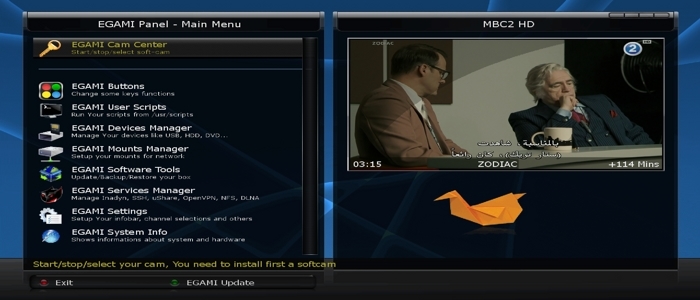
    EGAMI-6.0_Ferrari-SSL88F_DM800_20140704_RAED


    This Image For EXTERNAL FLASH only, Size of Image is(84.5MB)


    -I have converted and patched Extrend (Egami) Image to Dreambox
    -I have patched panel for image to work on Dreambox
    -I have patched Download image server
    -I have fixed LCD panel
    -I have fixed emu install and Autostart after reboot
    -Should be work on all Boxes on External Flash (But must be on Internal flash OE2.0 Image


    How to Download Cams and Active it:
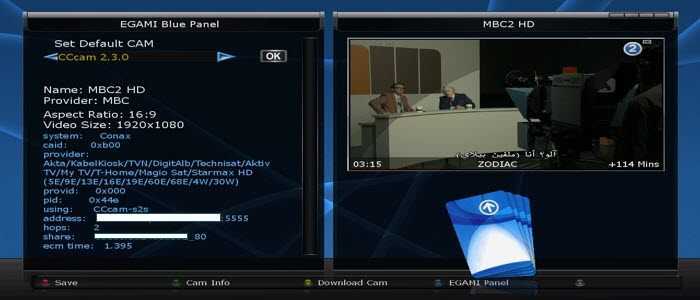
    1-Blue button > Yellow button (Download Cam)
    2-To active cam press Blue button > Choose emu and press (OK) > Do restart enigma2 to get emu work


    No need to install CCcaminfo, After selected CCcam emu you will find CCcaminfo under (Blue button > CCcam info)


    Warning:Don't Make Update Online


    Download


    [align=center]Opendroid-4.1_Ferrari-SSL88F_dm800_20140622_RAED


    Clean and Faster image For Internal and External Flash


    Patched Under Ubunut


    -Patched to Ferrari DM800 Boxes
    -Added last drivers 20131228-r7.1
    -Added Softcams feed & Panel
    -AC3+ Supported


    About remote control How to adjustment >>
    menu
    setup
    system
    extra settings
    input device
    press ok to dreambox remote control (native) and adjustment as you like ..


    How to Download and Active Softcams:
    1-From Plugins press Opendroide then softcams
    2-To active cam
    menu > setup > Ci/softcams


    [size:20pt]Warning:Don't Make Update Online


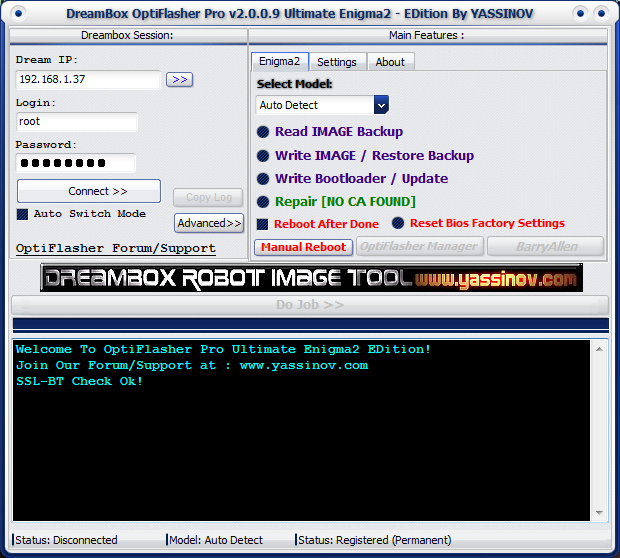
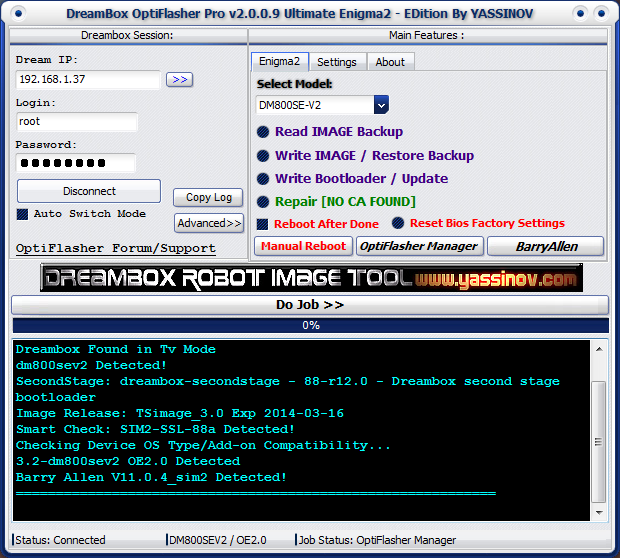
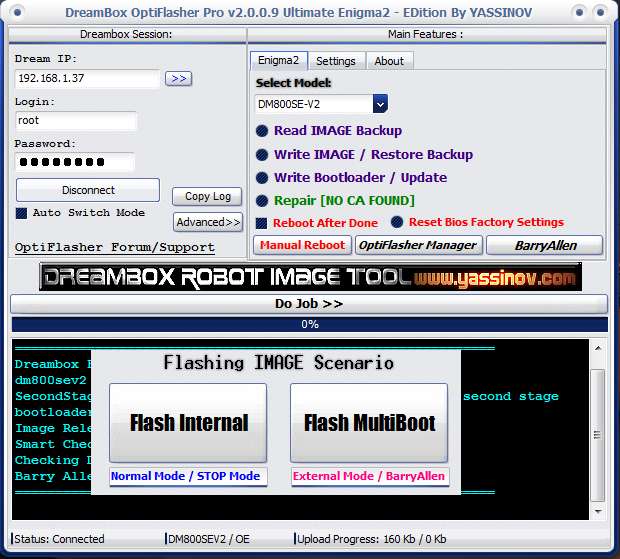
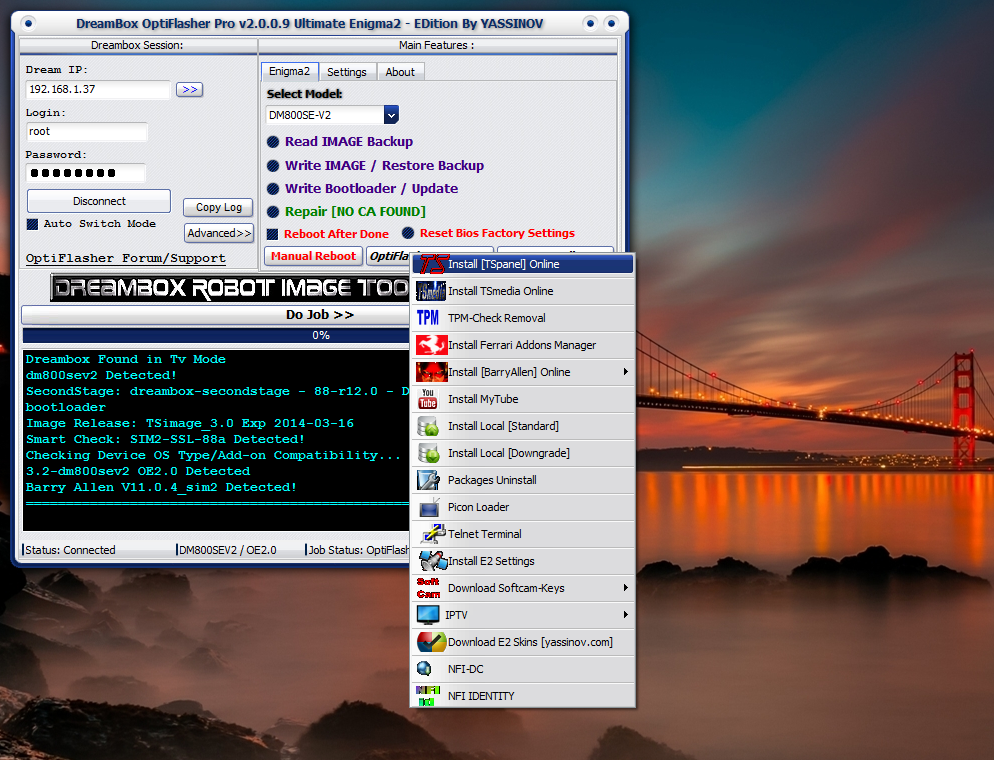
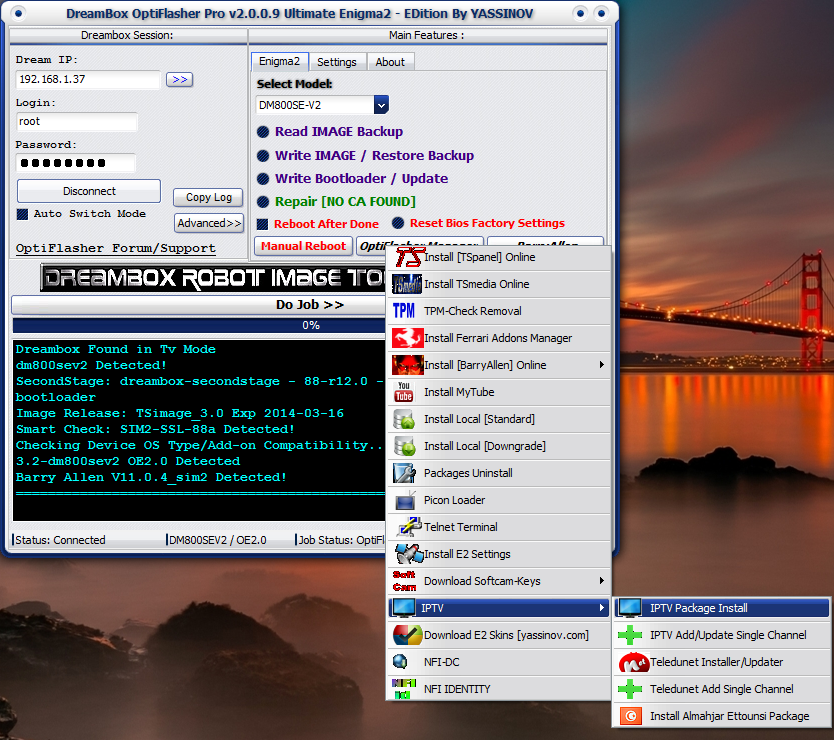
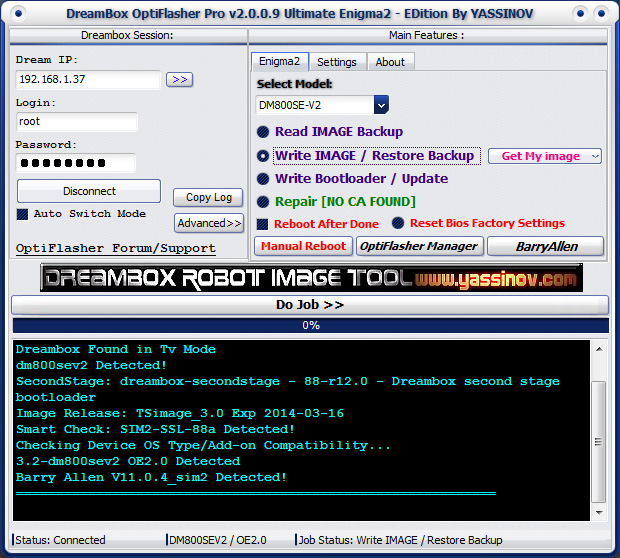
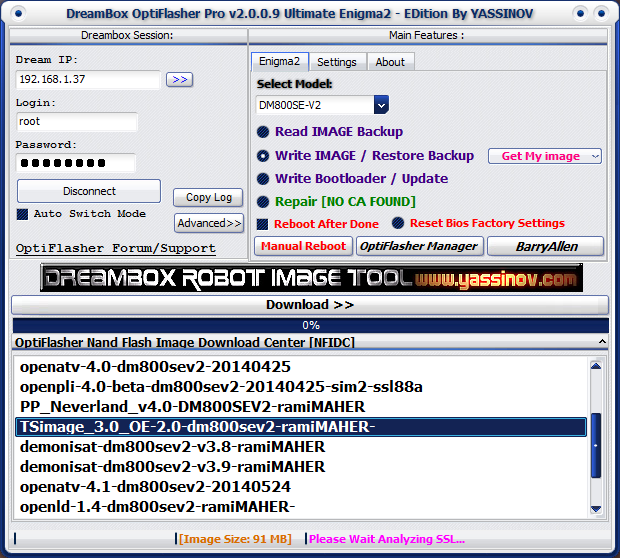
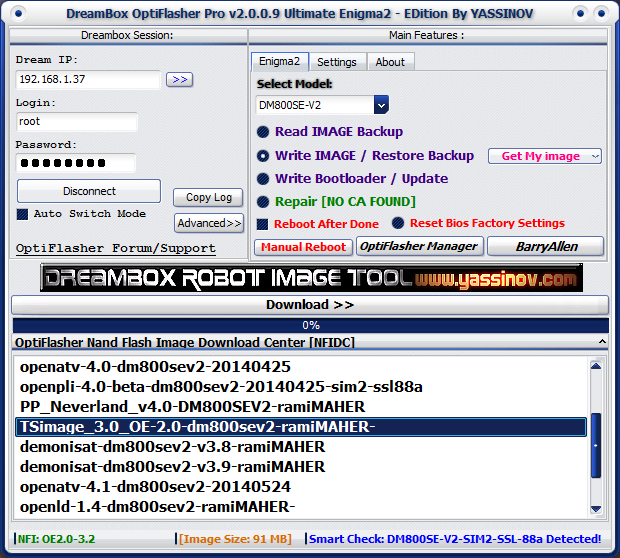
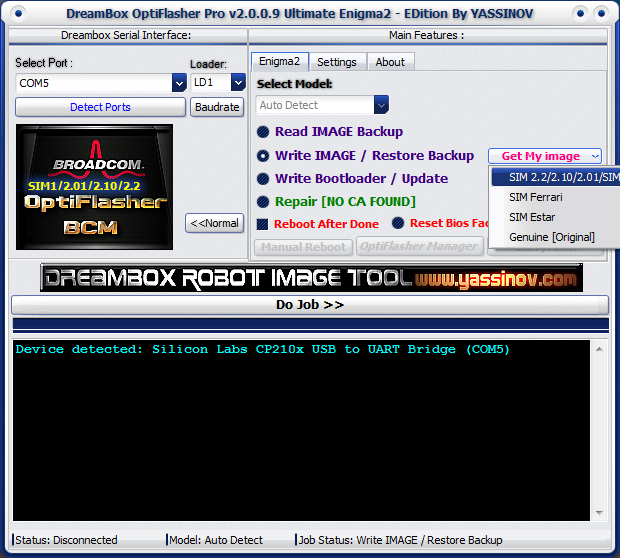
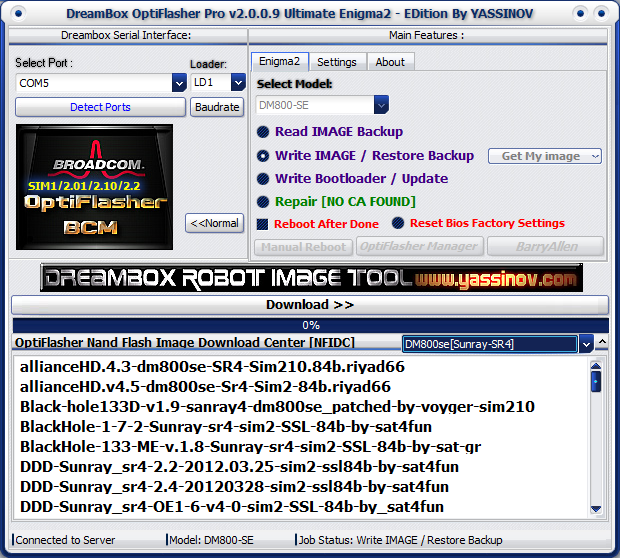
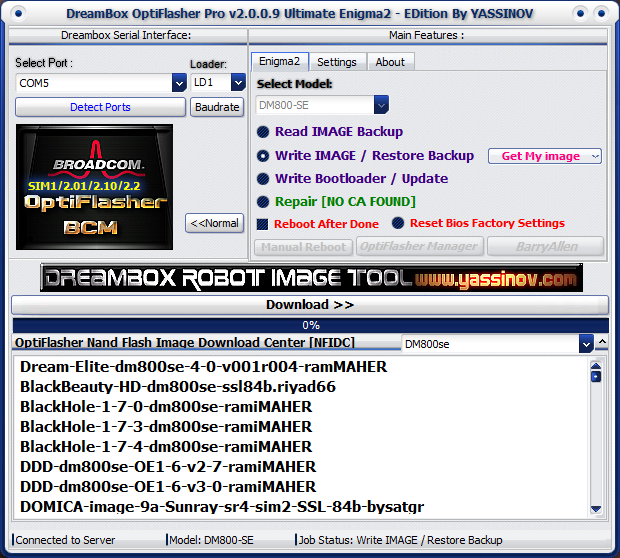
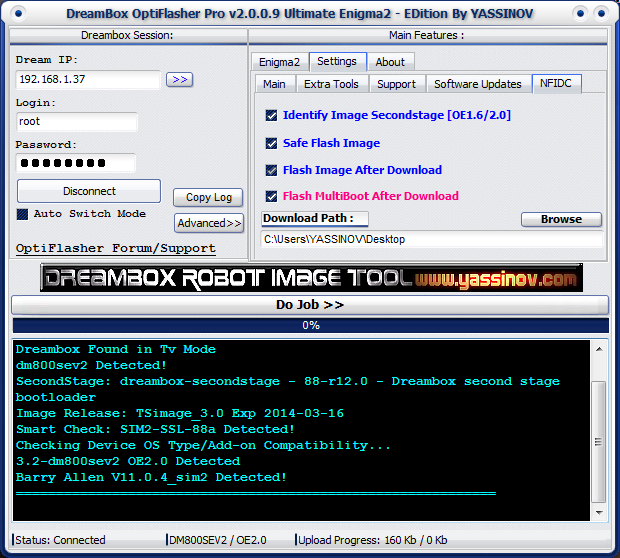
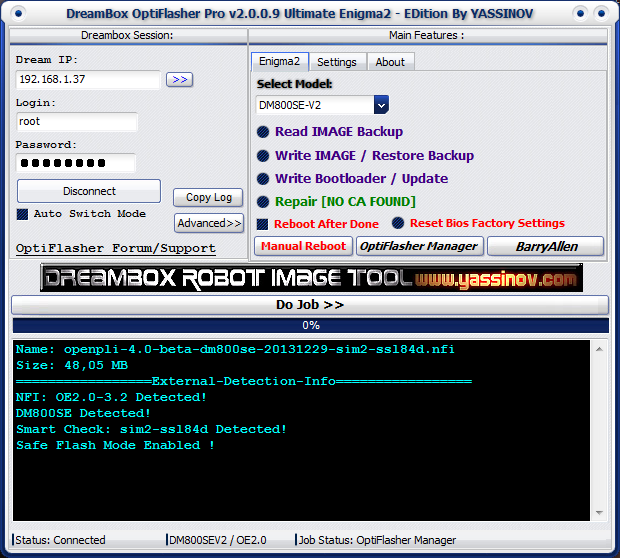
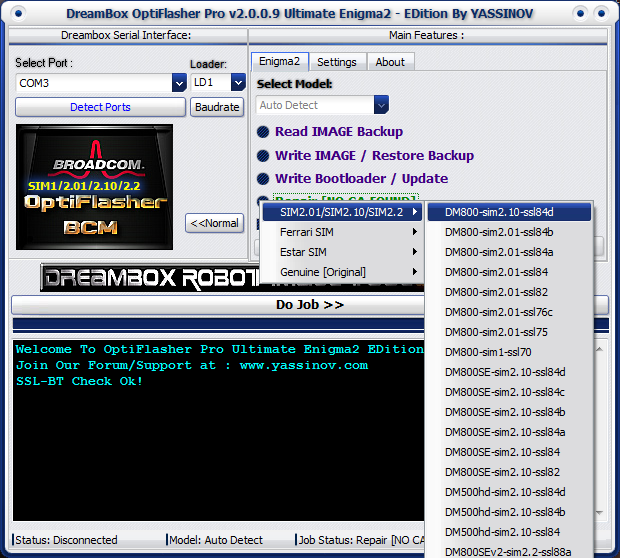
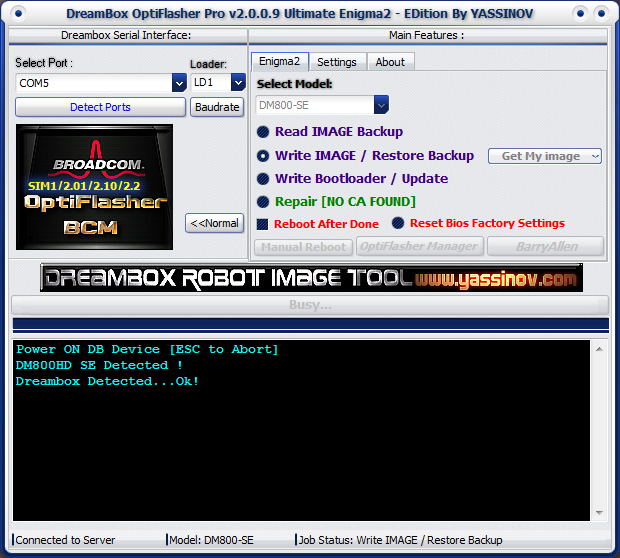
    Dreambox OptiFlasher Pro Ultimate EDition v2.0.0.9


    OptiFlasher Pro Ultimate v2.0.0.9 New Release :


    Upgrade Features :
    ------------------

    -Added DM7020hd (Original) Support
    -Added DM7020hd-v2 (Original) Support
    -Added DM800se-V2 (Original) Support
    -Added DM800se-V2 SIM2 Support
    -Added DM800se-v2 [Advanced Mode1/2]
    -Added DM7020hd [Advanced Mode1/2]
    -Added DM7020hd-v2 [Advanced Mode1/2]
    -Added SIM2 SSL84d Support
    -Added DM800SEv2 New SSL88A [Advanced Mode1] SIM2
    -Added DM800HD New SSL84D [Advanced Mode1/2] SIM2
    -Added DM800SE New SSL84D [Advanced Mode1/2] SIM2
    -Added DM500HD New SSL84D [Advanced Mode1/2] SIM2
    -TSPanel Online Installer improved
    -TSMedia Online Installer improved
    -Added BarryAllen Online Installer-SIM2 v11.0.4.9
    -Added Enigma2 Settings Installer (1 Click Work)
    -Added Teledunet NileSat IPTV Installer / Updater [Adding Manual Channel Stream Url: 'HTTP/RTMP']
    -Added IPTV Installer / Updater [Adding Manual Channel Stream Url: 'HTTP/RTMP']
    -Added Enigma2 Skins Download Support
    -Added TPM Check Removal
    -Added Read IMAGE Backup (OptiFlash v1 Beta) [USB/HDD/CIFS] (No Plugins Install Required)
    -OptiFlash Backup Support: DM800 , DM800se , DM500hd , DM800se-v2 , DM7020hd , DM7020hd-v2
    -Added Auto Detect For USB to Uart Bridge with Port Number & Audio Notification
    -Added Internal/External/ Multiboot Flashing Scenario
    -Added OptiFlasher Nand Flash Image Download Center [NFIDC v2 More than 70GB of images For All Models +Updates] :
    *Detection of Box & SSL in diffrent Modes [TvMode/RS232/USB]
    *in case of the detected box is: [DM800hd or DM800se SIM2] then user will have choice of : DM800hd/SR3 or DM800se/SR4
    *Retrieving the correct Images For your Box Before Download/Flash
    *Safe Mode Flashing Notification
    *Download Images From NFIDC [Nanad Flash Image Download Center]
    *Auto Flash after Download [Auto/Manual
    *Flashing After Download in [TvMode/RS232/USB]
    -Software Interface Rebuilded
    & more... to discover inside


    All basic operations & SIM2 support are free !
    somes features may need licence permission for full service .


    OpenXTA-3.0_Ferrari-SSL88F_dm800_20140702_RAED


    -I have converted and patched Extrend (OpenXTA) Image to Dreambox
    -I have fixed LCD panel
    -I have added Softcams feed
    -Should be work on all Boxes on External Flash (But must be on Internal flash OE2.0 Image
    -Recommended: Flash image on External flash because size of image is (60MB)


    How to Download Cams:
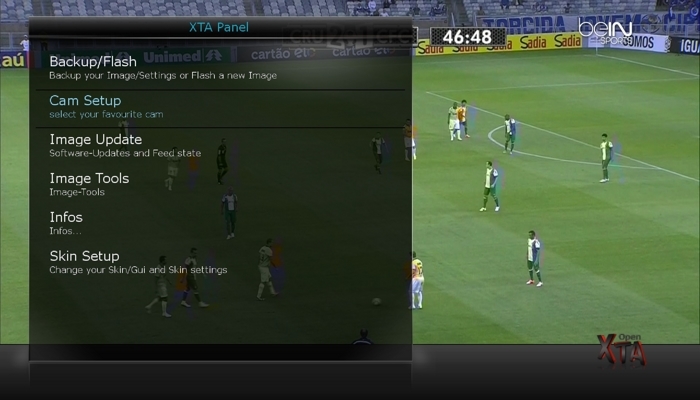
    Green button > Green button > SoftCams

    To active Cams
    Blue button > Cam Setup


    If you get and problem to download MgCamd you can try my modified cam from attach


    Warning:Don't Make Update Online


    http://www.mediafire.com/download/c2...40702_RAED.nfi


    MD5


    af67346790902417c46b899bbb8d2a23


    Experimental-Flash-BK-D.M.S-dm500hd-Light-OE2-v3.9 by barns


    adet:
    DNA UpdaterV1.2
    Cams:
    Scam3.60/MgCamd-1.38-srf/CCcam2.30+++DNA Key Update+++


    IPTV Listupdater
    Merlin Musik Player
    Merlin iDream

    FlashBackup


    auchtung// das image habe ich mehrfach getestet / ich übernehme aber keinerlei gewährleistungsansprüche auf eventuelle schäden


    also processing / / the image I have tested several times / but I do not take any warranty claims for any damage


    elaborazione anche / / l'immagine che ho provato diverse volte / ma non mi prendere eventuali richieste di garanzia per eventuali danni


    Download Images


    PKT-Hyperion-v4_Ferrari-SSL84F_DM800_20140316_External-Image_RAED


    This Image For EXTERNAL FLASH only, Size of Image is(78MB)

    -I have converted and patched VU+ (PKT) Image to Dreambox
    -Should be work on all Boxes on External Flash (But must be on Internal flash OE2.0 Image


    How to Download Cams and Active it:
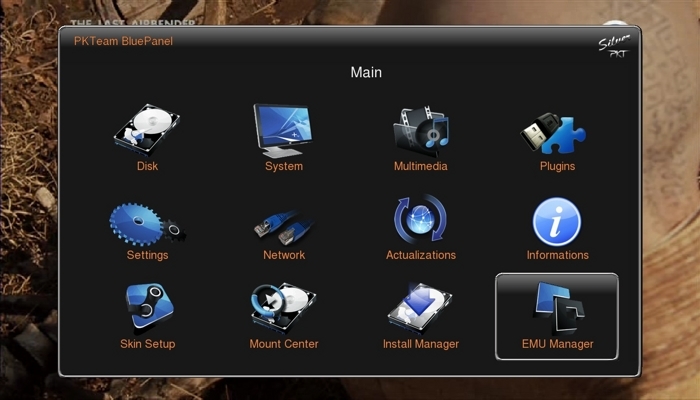
    Blue Button > EMU Manager
    To active Cams
    Blue Button > EMU Manager


    Warning:Don't Make Update Online


    http://www.mediafire.com/download/a7gygi...-Image_RAED.nfi


    MD5


    1feba6bd64b868f4d7a218e886b632f2


    Sim2-dreamelite_OE-2.0-dm800se-20140627-#84d Jasper-2014-06-27


    Experimental 4.0 Ver (001-r05) 17-06-2014


    Clean, no changes.


    Sim2


    SSL84d


    Enigma2: 2014-06-16-tarball (thx ramiMAHER)


    ################################################## ########## #############################


    Webinterface is working.
    Teletext is working.


    ################################################## ########## #############################


    2014-06-27


    Jasper

    Sim2-OoZooN-Image-dm800se-20140625-#84d Jasper-2014-06-26


    Clean, no changes.


    Sim2


    SSL84d


    Enigma2: 2014-06-16-tarball (thx ramiMAHER)


    ################################################## ########## #############################


    Webinterface is working.
    Teletext is working.


    ################################################## ########## #############################

    Deactivate Firmware Update (Blue/Update Check/Updatecheck on enigma2 startup:disable)


    ################################################## #######################################


    No WLAN driver included (this is a feature of OoZooN image):


    1.Open a Telnet session to install or use Blue/Software Management/Manage Extensions/Network/ to install:


    opkg install enigma2-plugin-systemplugins-wirelesslan


    2.Open a FTP session and exchange the plugin.py


    /usr/lib/enigma2/python/Plugins/SystemPlugins/WirelessLan


    with a patched one


    https://mega.co.nz/#!4NZg3IZT!YQiK6I...ulsl88O-UozEJs


    reboot


    ################################################## #########################################


    Download:


    2014-06-26

    https://mega.co.nz/#!RgpkUD4L!MUfFzB...MinFJZbsXyWZoE


    Jasper