Posts by zvonko67
-
-
OpenATV-3.0-beta-dm800se #ssl84d

This image is a 100% build from OpenATV source code, it uses all orignal 20131001 drivers which can run all plugins without patching.
You can safely use the online update function, I tricked the driver date 100 years in the future so the present (and working) drivers are not overwritten during update.
I added the secret-feed (softcams) and changed the default language to US. It's a 100% clean image !Features:
source: 20140110
drivers: 20131001
bootloader: ssl84d
size:54,2 mb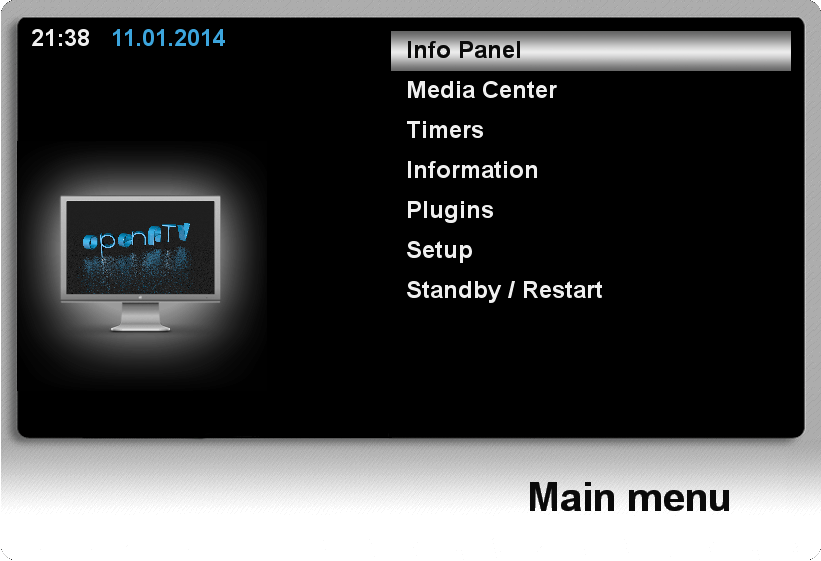
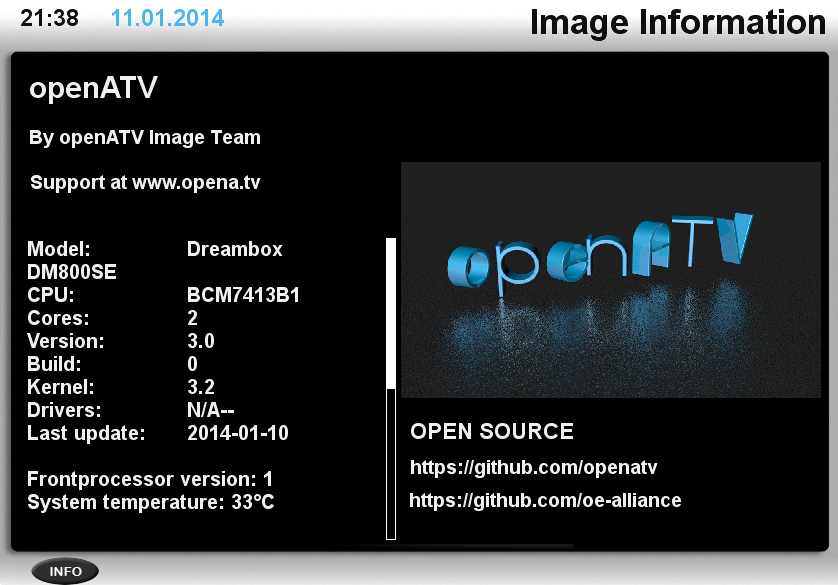
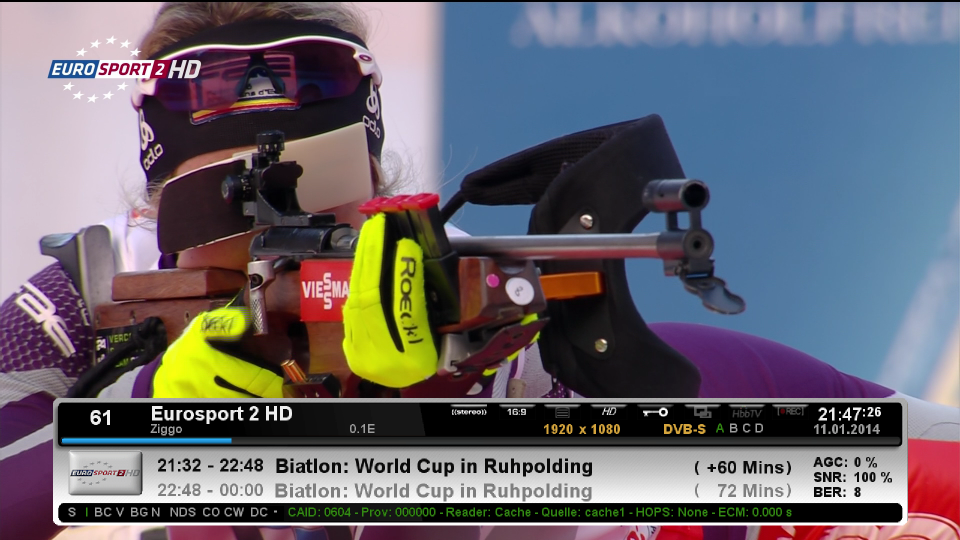
Image flashing:
Be sure you have SSL84 on your box, if you get the "INVALID IMAGE (OR OLD VERSION)" error, flash SSL84 first and try again.
If your box is already at SSL84x you can flash the image immediately, the new SSL84d is included in the image !
Internet Explorer (recommended)
SUNRAY-FlashUP
Powercycle after flashingOpenATV-3.0-beta-dm800se #ssl84d:
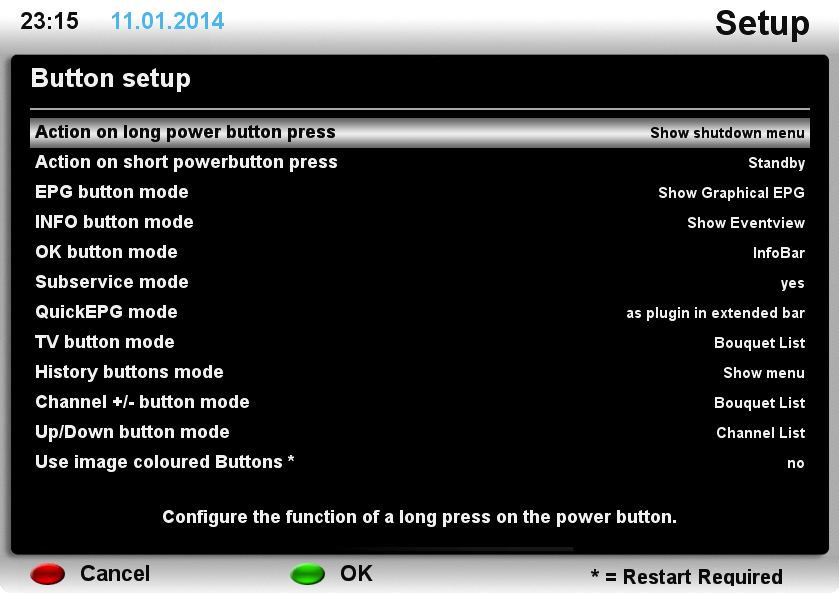
Note: OpenATV uses a different remote keymap, you can change the mappings using: Menu - Setup - System - Button setup
-
OpenATV-3.0-dm800 SSL #84d by gjstroom
OpenATV-3.0-beta-dm800 #ssl84d
This image is a 100% build from OpenATV source code, it uses all orignal 20130607 drivers which can run all plugins without patching.
You can safely use the online update function, I tricked the driver date 100 years in the future so the present (and working) drivers are not overwritten during update.
I added the secret-feed (softcams) and changed the default language to US. It's a 100% clean image !Features:
source: 20140110
drivers: 20130607
bootloader: ssl84d
size:53,7 mbImage flashing:
Be sure you have SSL84 on your box, if you get the "INVALID IMAGE (OR OLD VERSION)" error, flash SSL84 first and try again.
If your box is already at SSL84x you can flash the image immediately, the new SSL84d is included in the image !
Internet Explorer (recommended)
SUNRAY-FlashUP
Powercycle after flashingOpenATV-3.0-beta-dm800 #ssl84d:
ps. pictures are not up to date and taken from a dm800se
Note: OpenATV uses a different remote keymap, you can change the mappings using: Menu - Setup - System - Button setup
-
M800 Clone Images Ο.Ε. 2.0 SIM 2 ssl84d
Persian Empire dm800hd sim2 image
######## PE-Lite-rc7-r166_OE2_dm800_SIM2_ssl84D_drhg_06-01-2014 ######### ****** This is a Clean image packed in Linux environment (not by plugins) ******* Original image: pe-lite-rc7.r166-dm800.nfi BootLoader for sim2: SSL-84D Add Basmala on starting up Image tested in internal & all work 100% ################################################## #######


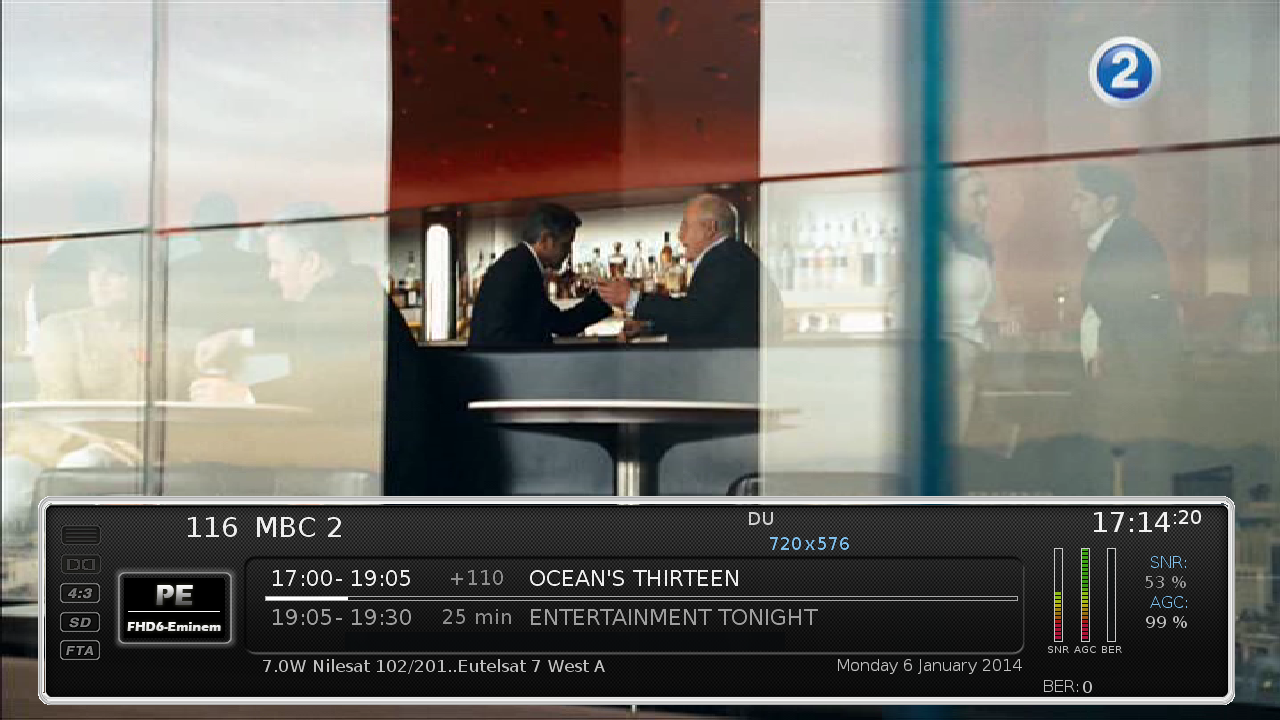
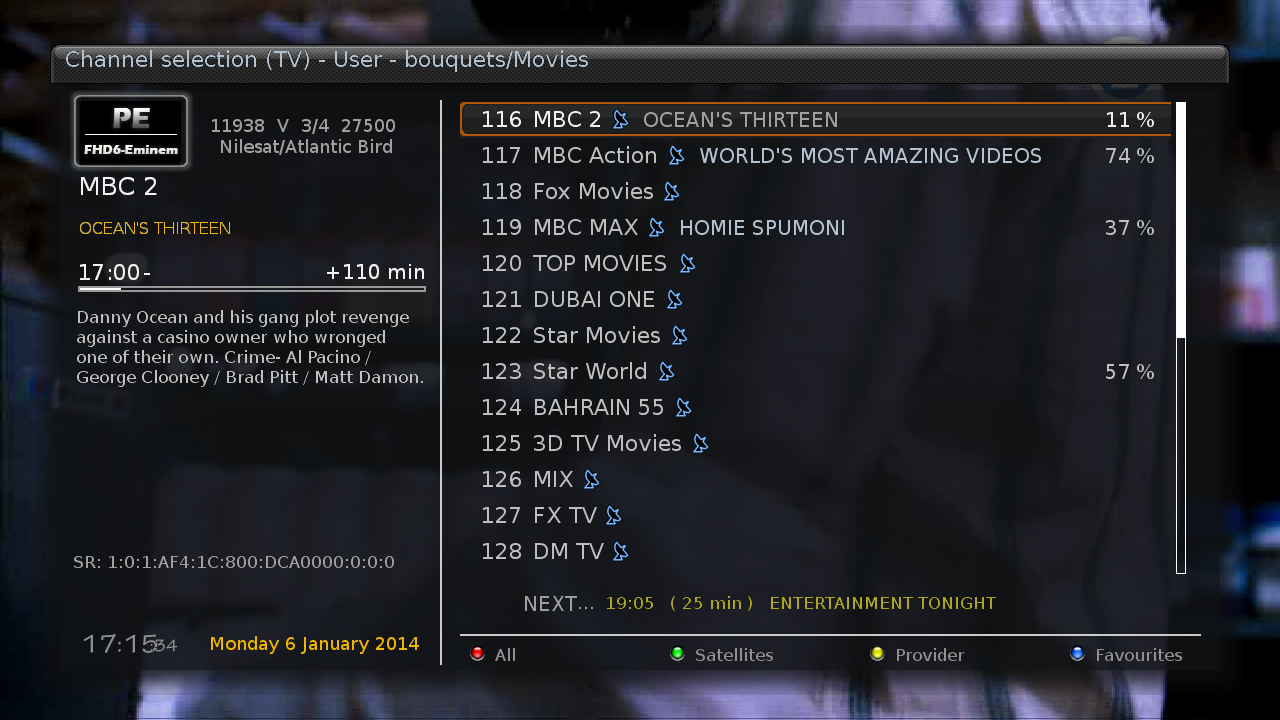

cheers
drhg
-
LT.Ninth.3-dm800_OE2.0_SIM2_SSL-84D_drhg_2013-12-28
بسم الله الرحمن الرحيم

######## LT.Ninth.3-dm800_OE2.0_SIM2_SSL-84D_drhg_2013-12-28 ######### ****** This is a Clean image packed in Linux environment (not by plugins) ******* original image: LT.Ninth.3-dm800.nfi Patched enigma2: v4.0.0 by drhg BootLoader for sim2: SSL-84D Settings: Pre-adjusted No deleted stuff Image tested in internal and External Flash & all OK ***** E-Mail: drhg@hotmail.com ***** ################################################## #######
Downloadcheers

drhg -
Sim2-DM800-Newnigma2 v4.0.7 SIM2 #84d Jasper (2013-12-29)
Clean, no changes.
Sim2
SSL84d
Enigma2: ramiMAHER-tarball (thx)
################################################## ########## #############################
Webinterface is working.
Teletext is working.################################################## ########## #############################
Deactivate Firmware Update (Newnigma2 Services/System Tools/System Settings)################################################## ########## ############################
Download:2013-12-29
Changes: Enigma2 (2012-11-18) patched
https://mega.co.nz/#!pBoRHTBZ!Zhlx_F...OVe26V1uNRYers
2013-12-20
https://mega.co.nz/#!AZxUTTqQ!dEPExj...wu4_JTNv5AnMQ8
Jasper
################################################## ########## #########
Newnigma2 team proudly presents:
Newnigma2 v4.0.7
################################################## ########## #########Basics:
Enigma2 4.0: 18.11.2013
Enigma2 Plugins: 20.12.2013
Newnigma2 Plugins: 20.12.2013DM 800 HD PVR
driver: 07.06.2013
secondstage: 84
kernel: 2.6.18changelog E2 18.11.2013:
fixed greenscreen on cancel press during service/marker/bouquet rename
fixed a possible crash caused by plugins which doesn't check the return code of startTimeQuery..
fixed possible crash on screen close
fixed broken "ImageDefaultInstaller" (broken since 20131112 update)
fixed possible ConfigLocations crash (typo)changelog E2 12.11.2013:
added unicable support for jultec JPS0501-8
added possibility to rename services/markers and bouquets via channelselection context menu
small storage manager fixes
changes to support picons for remote services (partnerbox)
fixed possible epgcache crash
fixed now event epg query when no next event is available
fixed endless loop caused by wrongly encoded service names on 10E 11221V 27500changelog E2 01.10.2013:
extend pid cache for audio types other than AC3 and MPEG
(required to store last selected ac3+ or aac audio tracks)
dont send CEC poweroff on idle to standby transition again
dont send CEC poweron on idle to standby transition
dont restart previous service on idle to standby transition
fixed rare crashes on e2 shutdown
call flush and fsync when storing parental control white/blacklistNotice: Update from v4.0.x to 4.0.7 possible.
Changes:
Added: Skin Evolution-HD by Kerni (thx)
Added: newnigma2.Kerni.PanTV-HD by Kerni (thx)
Added: Kerni.Gnome-HD by Kerni (thx)
Added: VideoDB V2.2 by Dr.Best (click here for more information) (thx)
Added: mediaportal
Added: swapmanager
Added: wget
Added: weathercomponent (needed for some skins)
Added: ledmanager (be carefully changed source="ButtonGreentext" to source="key_green") screen for skinner
Added: Black-Box.HD.ME (32bit skin)
Added: cryptsetup more information
Added: newnigma2-servicerestart: restart services via gui, like init.d, if telnet is not reachable screen for skinnerBugfix: Rebuild Picon handling/loading/caching (less memory consumption)
Bugfix: Newnigma2 Services fix getPNG cache failure (memoryleak)
Bugfix: Improved onlineinstaller cache handling (sometimes strange screen output)
Bugfix: neutrino keymapUpdate: Some improvements on our onlineinstaller
Update: znc to version 1.2
Update: openvpn to version 2.3.2
Update: german translation
Update: mediaportal to version 5.0.X
Update: added weatherfunction only for newnigma2-HD inforbar
(blue button -> newnigma2 services -> osd function -> weather infobar -> on)
Update: picon renderer. create piconSList dir for servicelist picons.Removed: we have removed non working plugins. most of them are integrated in mediaportal.
Removed: keymanger plugin from image. It's still available from our feed.release changes from 4.0.0 to 4.0.6
here u can find USB to UART driver
here u can find DreamUP V1.3.3.11Info: since release of e2 v. 3.2 there is no dm7025 support yet. that's what dmm said.
Multiboot: No support for multiboot. Not planned. No need for such a tool.
GP3wizard: No support for gp3wizard. Probably not running. Not needed in Newnigma2 environment.Important changes:
1. Install picons on USB-Drives:
press menu button -> setup -> system -> storage devices -> then press red button for initialize (be carefully all your data will be erased). last step is to mount the device.
next step: press blue button -> newnigma2 services -> sytsem tools -> expert settings -> change opkg ignore USB/HDD from yes to no. Restart enigma2 und install picons on your usb device.2. network configuration:
If the IP address assigned manually, as well as the address of the DNS server must be entered.
press menu button -> setup -> system -> network -> adapter settingsWichtige Änderungen:
1. Picons auf USB-Laufwerken/der internen Festplatte installieren:
USB-Laufwerk über "Menü > Einstellungen > System > Speichergeräte" initialisieren und anschließend mounten"
"blaue Taste > Newnigma Services > System Werkzeuge > Experten Einstellungen > Opkg ignoriere USB/HDD = nein > E2 Neustart und anschließend auf USB installieren"2. Netzwerk Konfiguration:
"Menü > Einstellungen > System > Netzwerk > LAN oder WLAN > Adapter Einstellungen"
Wird die IP-Adresse manuell konfiguriert so muss zwingend auch die Adresse des DNS-Servers eingetragen werden. -
LT10th for DM800se-ramiMAHER#ssl84D
new Secondstage 84D
sim2
enigma2 patched :2013/11/18: by ramiMAHER
LT revision:
3803LT Update(s):
* Added zap on OK button in LTEPGSearch result
* Fix delete history in LTEPGSearch
* Use config.usage.text_subtitle_presentation=drop-shadow as default instead of black-box type.
* Use eEPGCache.load() in LTExternalEPG to reload fresh EPG data without restart Enigma2.
* Added "Text subtitle presentation" to config in LTSubtitle
* USB serial support should now be included in kernel from start.
* wmv files now supported by dm800se(v2), dm500hd(v2) and dm020hd(v2) (only tested on dm7020hd).
* LT Link Manager now use ltxlinks.cfg for configuration.
* Fixed downloading dependencies with LT Addons. -
Barry Allen 11.0.9
Ich habe hoffentlich den Bug mit den fehlenden Files beim Extrahieren der v2 images gefunden. Bitte daher testen ob das mit dem aktuellen BA 11.0.9 von der ersten Seite jetzt wieder klappt.
Thx @ gutemine -
TSimage-dm800se-3.0-OE2.0-2013-12-21-ramiMAHER#ssl84D
new Secondstage 84D
sim2
enigma2 patched :2013/11/18: by ramiMAHER
add automount support for ntfs and exfat filesystems (if drivers installed)
needs to reflash the image
kernel-module-ntfs with read-only support is default in the image (not dm800)
if you need read/write support use ntfs-3g for FUSE
image feed updates:
-add ntfs-3g driver with read and write support
-add fuse-exfat a read and write exFAT driver for FUSE
-add ifuse a fuse filesystem to access the contents of an iPhone or iPod Touch
-add sshfs-fuse a filesystem client based on the SSH File Transfer Protocol using
FUSE
enigma2-tspanel_2.4-r10 --> enigma2-tspanel_2.4-r11:
- minor fixenigma2-plugin_3.999+git4757 --> enigma2-plugin_3.999+git4762
enigma2-plugin-extensions-openwebif_git580 --> enigma2-plugin-extensions-opehttp://im32.gulfup.com/GmETG.jpgnwebif_git586


-
######## Polar-THOR_dm800-OE2.0_drhg_Sim2_SSl84D_20-12-2013 #########
****** This is a Clean image packed in Linux environment (not by plugins) *******
Patched enigma2: v4.0.0 20-12-2013 by drhg
BootLoader for sim2: SSL-84D
WebInterface: Patch by drhg
Image tested in internal and External Flash & all OK################################################## #######
Polar-THOR_dm800-OE2.0_drhg_Sim2_SSl84D_20-12-2013.rar - 49.5 MB
-
Barry Allen 11.0.8
Thx @ gutemine
-
BK-D.M.S-Img-dm8000-OE2-v2.9
Cccam 2.1.3,2.2.1
oscam 8999
cccaminfo
oscamwebinfo ipdream:9000
setting vannibal hotbird astra
by tonino1956
-
GP3-ghosts-OE2-800se-V2
backup by s@mGP3-ghosts-OE2-800se-V2-s@m
backup of
GP3-dm800se-OE2.0-ramiMAHER-2013-11-09#ssl84DINFO
DELETED MOST OF MERLIN FEATURE
(only merlin in setup menu left)
DELETED ALL SKINS (taken more spaces)SAME COD GHOSTS BOOTLOGO BUT NEW SPINNER
UPDATED geminiplugin_0.77-r8 (new)
TELETEXT WORKING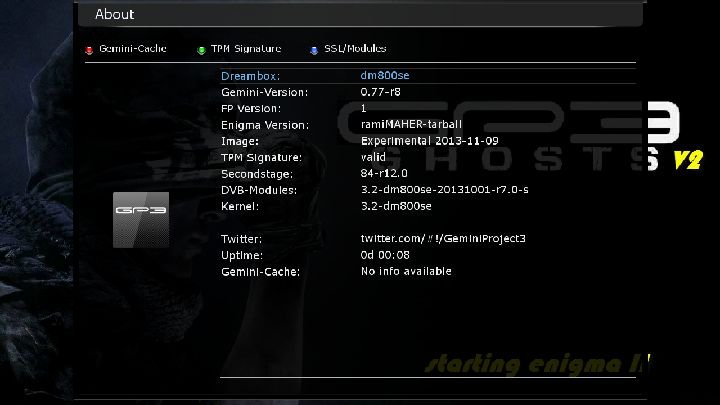
SOFTCAM INSTALLED
CCCAM230 & MGCAMD1.38c
(usr var/keys dir created , mgcamd config downloaded & set to work ok)
mgclient set to G: { 33 } in case u will use newcamd client with mgcamd please change to G: { 01 }
PLUGINS INSTALLED
TSMEDIA 4.9 beta oe2.0 (new)
MYTUBE PLAYER OE2.0
CCCam info v1.3c
CrossEPG Downloader v296
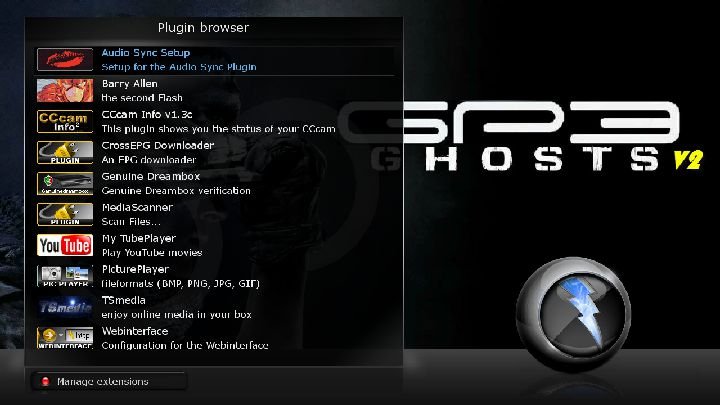
SKIN INSTALLED (MEGA32 with EXTRAINFO BAR) new


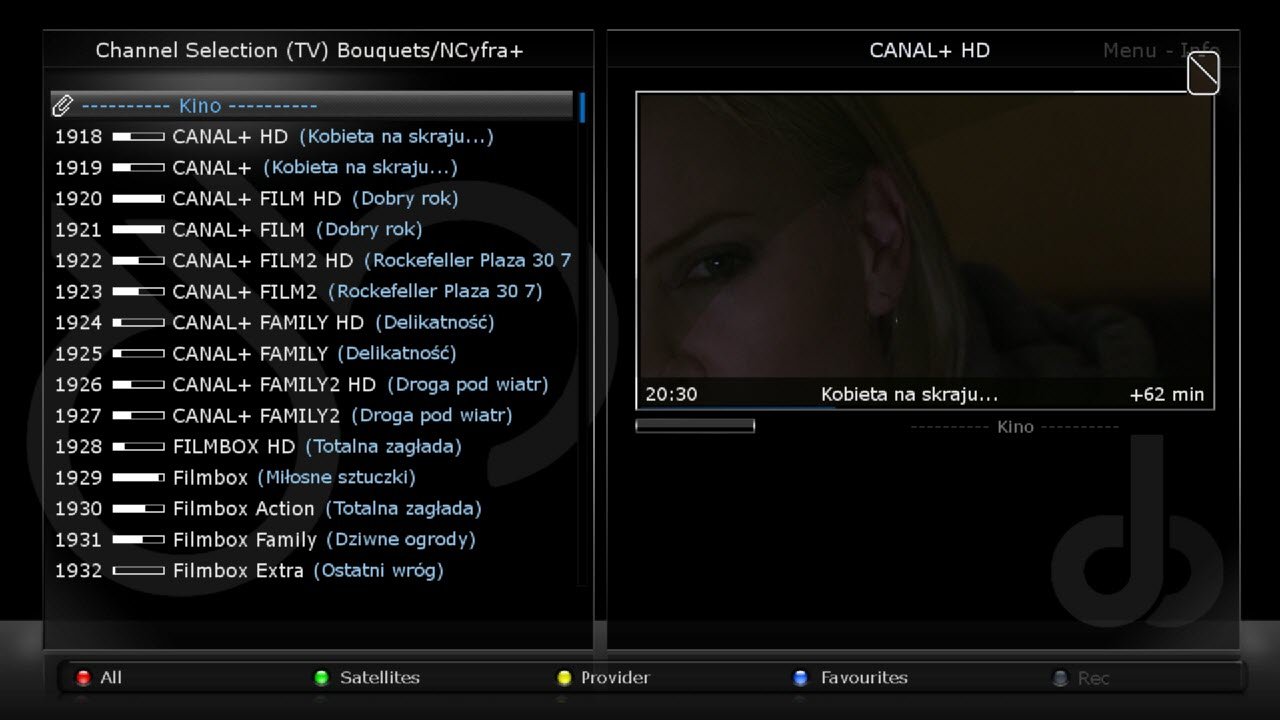

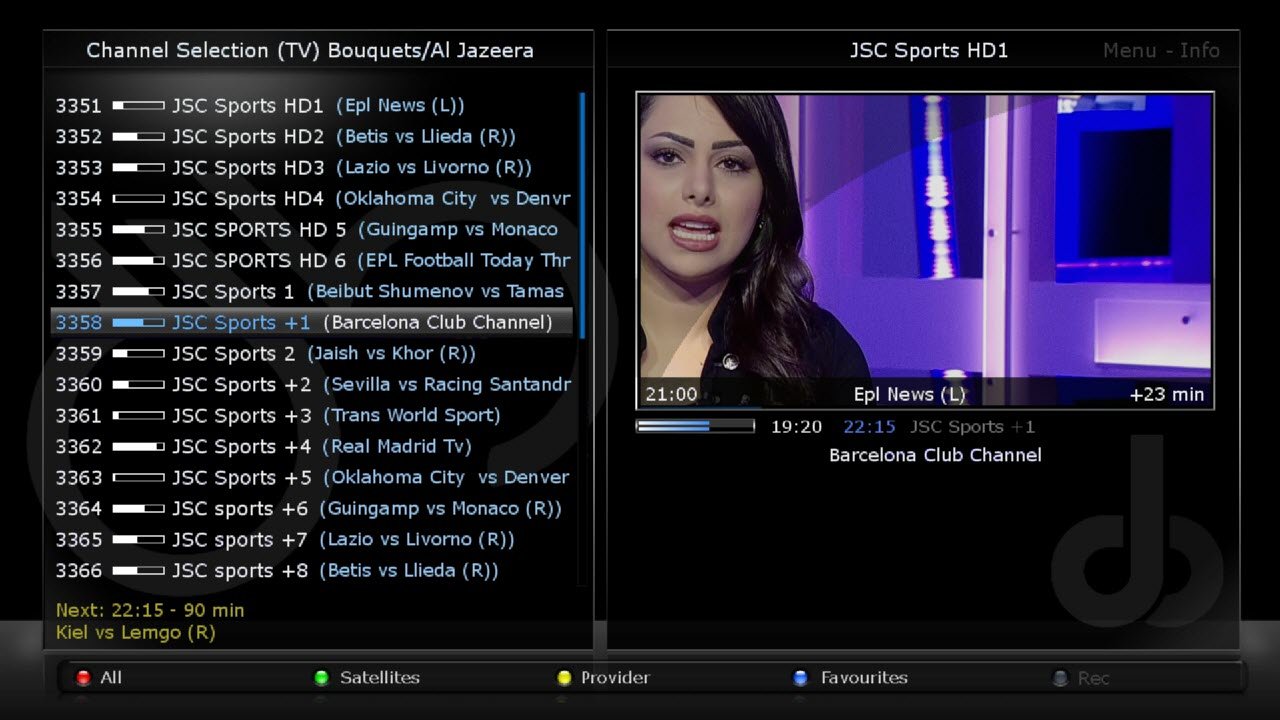
NOTICE
CAN BE INSTALLED ON BOTH INTERNAL & EXTERNAL FLASH
DOWNLOAD LINK
-
DM 7020 HD: Newnigma2 v4.0.7
################################################## ###################
Newnigma2 team proudly presents:
Newnigma2 v4.0.7
################################################## ###################Basics:
- Enigma2 4.0: 18.11.2013
- Enigma2 Plugins: 20.12.2013
- Newnigma2 Plugins: 20.12.2013
DM 7020 HD
- driver: 01.10.2013
- secondstage: 88
- kernel 3.2.51
changelog E2 18.11.2013:
- fixed greenscreen on cancel press during service/marker/bouquet rename
- fixed a possible crash caused by plugins which doesn't check the return code of startTimeQuery..
- fixed possible crash on screen close
- fixed broken "ImageDefaultInstaller" (broken since 20131112 update)
- fixed possible ConfigLocations crash (typo)
changelog E2 12.11.2013:
- added unicable support for jultec JPS0501-8
- added possibility to rename services/markers and bouquets via channelselection context menu
- small storage manager fixes
- changes to support picons for remote services (partnerbox)
- fixed possible epgcache crash
- fixed now event epg query when no next event is available
- fixed endless loop caused by wrongly encoded service names on 10E 11221V 27500
changelog E2 01.10.2013:
- extend pid cache for audio types other than AC3 and MPEG
(required to store last selected ac3+ or aac audio tracks) - dont send CEC poweroff on idle to standby transition again
- dont send CEC poweron on idle to standby transition
- dont restart previous service on idle to standby transition
- fixed rare crashes on e2 shutdown
- call flush and fsync when storing parental control white/blacklist
Notice: Update from v4.0.x to 4.0.7 possible.
Changes:
- Added: Skin Evolution-HD by Kerni (thx)
- Added: newnigma2.Kerni.PanTV-HD by Kerni (thx)
- Added: Kerni.Gnome-HD by Kerni (thx)
- Added: VideoDB V2.2 by Dr.Best (click here for more information) (thx)
- Added: mediaportal
- Added: swapmanager
- Added: wget
- Added: weathercomponent (needed for some skins)
- Added: ledmanager (be carefully changed source="ButtonGreentext" to source="key_green") screen for skinner
- Added: Black-Box.HD.ME (32bit skin)
- Added: cryptsetup more information
- Added: newnigma2-servicerestart: restart services via gui, like init.d, if telnet is not reachable screen for skinner
- Bugfix: Rebuild Picon handling/loading/caching (less memory consumption)
- Bugfix: Newnigma2 Services fix getPNG cache failure (memoryleak)
- Bugfix: Improved onlineinstaller cache handling (sometimes strange screen output)
- Bugfix: neutrino keymap
- Update: Some improvements on our onlineinstaller
- Update: znc to version 1.2
- Update: openvpn to version 2.3.2
- Update: german translation
- Update: mediaportal to version 5.0.X
- Update: added weatherfunction only for newnigma2-HD inforbar
(blue button -> newnigma2 services -> osd function -> weather infobar -> on) - Update: picon renderer. create piconSList dir for servicelist picons.
- Removed: we have removed non working plugins. most of them are integrated in mediaportal.
- Removed: keymanger plugin from image. It's still available from our feed.
- release changes from 4.0.0 to 4.0.6
- here u can find USB to UART driver
- here u can find DreamUP V1.3.3.11
Info: since release of e2 v. 3.2 there is no dm7025 support yet. that's what dmm said.
Multiboot: No support for multiboot. Not planned. No need for such a tool.
GP3wizard: No support for gp3wizard. Probably not running. Not needed in Newnigma2 environment.Important changes:
1. Install picons on USB-Drives:
press menu button -> setup -> system -> storage devices -> then press red button for initialize (be carefully all your data will be erased). last step is to mount the device.
next step: press blue button -> newnigma2 services -> sytsem tools -> expert settings -> change opkg ignore USB/HDD from yes to no. Restart enigma2 und install picons on your usb device.2. network configuration:
If the IP address assigned manually, as well as the address of the DNS server must be entered.
press menu button -> setup -> system -> network -> adapter settingsWichtige Änderungen:
1. Picons auf USB-Laufwerken/der internen Festplatte installieren:
USB-Laufwerk über "Menü > Einstellungen > System > Speichergeräte" initialisieren und anschließend mounten"
"blaue Taste > Newnigma Services > System Werkzeuge > Experten Einstellungen > Opkg ignoriere USB/HDD = nein > E2 Neustart und anschließend auf USB installieren"2. Netzwerk Konfiguration:
"Menü > Einstellungen > System > Netzwerk > LAN oder WLAN > Adapter Einstellungen"
Wird die IP-Adresse manuell konfiguriert so muss zwingend auch die Adresse des DNS-Servers eingetragen werden.Your
Newnigma2 TeamImage:
-
DM 7020 HD: Newnigma2 v4.0.7
################################################## ###################
Newnigma2 team proudly presents:
Newnigma2 v4.0.7
################################################## ###################Basics:
- Enigma2 4.0: 18.11.2013
- Enigma2 Plugins: 20.12.2013
- Newnigma2 Plugins: 20.12.2013
DM 7020 HD
- driver: 01.10.2013
- secondstage: 88
- kernel 3.2.51
changelog E2 18.11.2013:
- fixed greenscreen on cancel press during service/marker/bouquet rename
- fixed a possible crash caused by plugins which doesn't check the return code of startTimeQuery..
- fixed possible crash on screen close
- fixed broken "ImageDefaultInstaller" (broken since 20131112 update)
- fixed possible ConfigLocations crash (typo)
changelog E2 12.11.2013:
- added unicable support for jultec JPS0501-8
- added possibility to rename services/markers and bouquets via channelselection context menu
- small storage manager fixes
- changes to support picons for remote services (partnerbox)
- fixed possible epgcache crash
- fixed now event epg query when no next event is available
- fixed endless loop caused by wrongly encoded service names on 10E 11221V 27500
changelog E2 01.10.2013:
- extend pid cache for audio types other than AC3 and MPEG
(required to store last selected ac3+ or aac audio tracks) - dont send CEC poweroff on idle to standby transition again
- dont send CEC poweron on idle to standby transition
- dont restart previous service on idle to standby transition
- fixed rare crashes on e2 shutdown
- call flush and fsync when storing parental control white/blacklist
Notice: Update from v4.0.x to 4.0.7 possible.
Changes:
- Added: Skin Evolution-HD by Kerni (thx)
- Added: newnigma2.Kerni.PanTV-HD by Kerni (thx)
- Added: Kerni.Gnome-HD by Kerni (thx)
- Added: VideoDB V2.2 by Dr.Best (click here for more information) (thx)
- Added: mediaportal
- Added: swapmanager
- Added: wget
- Added: weathercomponent (needed for some skins)
- Added: ledmanager (be carefully changed source="ButtonGreentext" to source="key_green") screen for skinner
- Added: Black-Box.HD.ME (32bit skin)
- Added: cryptsetup more information
- Added: newnigma2-servicerestart: restart services via gui, like init.d, if telnet is not reachable screen for skinner
- Bugfix: Rebuild Picon handling/loading/caching (less memory consumption)
- Bugfix: Newnigma2 Services fix getPNG cache failure (memoryleak)
- Bugfix: Improved onlineinstaller cache handling (sometimes strange screen output)
- Bugfix: neutrino keymap
- Update: Some improvements on our onlineinstaller
- Update: znc to version 1.2
- Update: openvpn to version 2.3.2
- Update: german translation
- Update: mediaportal to version 5.0.X
- Update: added weatherfunction only for newnigma2-HD inforbar
(blue button -> newnigma2 services -> osd function -> weather infobar -> on) - Update: picon renderer. create piconSList dir for servicelist picons.
- Removed: we have removed non working plugins. most of them are integrated in mediaportal.
- Removed: keymanger plugin from image. It's still available from our feed.
- release changes from 4.0.0 to 4.0.6
- here u can find USB to UART driver
- here u can find DreamUP V1.3.3.11
Info: since release of e2 v. 3.2 there is no dm7025 support yet. that's what dmm said.
Multiboot: No support for multiboot. Not planned. No need for such a tool.
GP3wizard: No support for gp3wizard. Probably not running. Not needed in Newnigma2 environment.Important changes:
1. Install picons on USB-Drives:
press menu button -> setup -> system -> storage devices -> then press red button for initialize (be carefully all your data will be erased). last step is to mount the device.
next step: press blue button -> newnigma2 services -> sytsem tools -> expert settings -> change opkg ignore USB/HDD from yes to no. Restart enigma2 und install picons on your usb device.2. network configuration:
If the IP address assigned manually, as well as the address of the DNS server must be entered.
press menu button -> setup -> system -> network -> adapter settingsWichtige Änderungen:
1. Picons auf USB-Laufwerken/der internen Festplatte installieren:
USB-Laufwerk über "Menü > Einstellungen > System > Speichergeräte" initialisieren und anschließend mounten"
"blaue Taste > Newnigma Services > System Werkzeuge > Experten Einstellungen > Opkg ignoriere USB/HDD = nein > E2 Neustart und anschließend auf USB installieren"2. Netzwerk Konfiguration:
"Menü > Einstellungen > System > Netzwerk > LAN oder WLAN > Adapter Einstellungen"
Wird die IP-Adresse manuell konfiguriert so muss zwingend auch die Adresse des DNS-Servers eingetragen werden.Your
Newnigma2 TeamImage:
-
DM 8000 HD PVR: Newnigma2 v4.0.7
################################################## ###################
Newnigma2 team proudly presents:
Newnigma2 v4.0.7
################################################## ###################Basics:
- Enigma2 4.0: 18.11.2013
- Enigma2 Plugins: 20.12.2013
- Newnigma2 Plugins: 20.12.2013
DM 8000 HD PVR
- driver: 19.06.2013
- secondstage: 84
- kernel: 3.2.51
changelog E2 18.11.2013:
- fixed greenscreen on cancel press during service/marker/bouquet rename
- fixed a possible crash caused by plugins which doesn't check the return code of startTimeQuery..
- fixed possible crash on screen close
- fixed broken "ImageDefaultInstaller" (broken since 20131112 update)
- fixed possible ConfigLocations crash (typo)
changelog E2 12.11.2013:
- added unicable support for jultec JPS0501-8
- added possibility to rename services/markers and bouquets via channelselection context menu
- small storage manager fixes
- changes to support picons for remote services (partnerbox)
- fixed possible epgcache crash
- fixed now event epg query when no next event is available
- fixed endless loop caused by wrongly encoded service names on 10E 11221V 27500
changelog E2 01.10.2013:
- extend pid cache for audio types other than AC3 and MPEG
(required to store last selected ac3+ or aac audio tracks) - dont send CEC poweroff on idle to standby transition again
- dont send CEC poweron on idle to standby transition
- dont restart previous service on idle to standby transition
- fixed rare crashes on e2 shutdown
- call flush and fsync when storing parental control white/blacklist
Notice: Update from v4.0.x to 4.0.7 possible.
Changes:
- Added: Skin Evolution-HD by Kerni (thx)
- Added: newnigma2.Kerni.PanTV-HD by Kerni (thx)
- Added: Kerni.Gnome-HD by Kerni (thx)
- Added: VideoDB V2.2 by Dr.Best (click here for more information) (thx)
- Added: mediaportal
- Added: swapmanager
- Added: wget
- Added: weathercomponent (needed for some skins)
- Added: ledmanager (be carefully changed source="ButtonGreentext" to source="key_green") screen for skinner
- Added: Black-Box.HD.ME (32bit skin)
- Added: cryptsetup more information
- Added: newnigma2-servicerestart: restart services via gui, like init.d, if telnet is not reachable screen for skinner
- Bugfix: Rebuild Picon handling/loading/caching (less memory consumption)
- Bugfix: Newnigma2 Services fix getPNG cache failure (memoryleak)
- Bugfix: Improved onlineinstaller cache handling (sometimes strange screen output)
- Bugfix: neutrino keymap
- Update: Some improvements on our onlineinstaller
- Update: znc to version 1.2
- Update: openvpn to version 2.3.2
- Update: german translation
- Update: mediaportal to version 5.0.X
- Update: added weatherfunction only for newnigma2-HD inforbar
(blue button -> newnigma2 services -> osd function -> weather infobar -> on) - Update: picon renderer. create piconSList dir for servicelist picons.
- Removed: we have removed non working plugins. most of them are integrated in mediaportal.
- Removed: keymanger plugin from image. It's still available from our feed.
- release changes from 4.0.0 to 4.0.6
- here u can find USB to UART driver
- here u can find DreamUP V1.3.3.11
Info: since release of e2 v. 3.2 there is no dm7025 support yet. that's what dmm said.
Multiboot: No support for multiboot. Not planned. No need for such a tool.
GP3wizard: No support for gp3wizard. Probably not running. Not needed in Newnigma2 environment.Important changes:
1. Install picons on USB-Drives:
press menu button -> setup -> system -> storage devices -> then press red button for initialize (be carefully all your data will be erased). last step is to mount the device.
next step: press blue button -> newnigma2 services -> sytsem tools -> expert settings -> change opkg ignore USB/HDD from yes to no. Restart enigma2 und install picons on your usb device.2. network configuration:
If the IP address assigned manually, as well as the address of the DNS server must be entered.
press menu button -> setup -> system -> network -> adapter settingsWichtige Änderungen:
1. Picons auf USB-Laufwerken/der internen Festplatte installieren:
USB-Laufwerk über "Menü > Einstellungen > System > Speichergeräte" initialisieren und anschließend mounten"
"blaue Taste > Newnigma Services > System Werkzeuge > Experten Einstellungen > Opkg ignoriere USB/HDD = nein > E2 Neustart und anschließend auf USB installieren"2. Netzwerk Konfiguration:
"Menü > Einstellungen > System > Netzwerk > LAN oder WLAN > Adapter Einstellungen"
Wird die IP-Adresse manuell konfiguriert so muss zwingend auch die Adresse des DNS-Servers eingetragen werden.Your
Newnigma2 TeamImage:
-
DM 800 HD se: Newnigma2 v4.0.7
################################################## ###################
Newnigma2 team proudly presents:
Newnigma2 v4.0.7
################################################## ###################Basics:
- Enigma2 4.0: 18.11.2013
- Enigma2 Plugins: 20.12.2013
- Newnigma2 Plugins: 20.12.2013
- driver: 01.10.2013
- secondstage: 84
- kernel 3.2.51
- driver: 01.10.2013
- secondstage: 88
- kernel 3.2.51
changelog E2 18.11.2013:
- fixed greenscreen on cancel press during service/marker/bouquet rename
- fixed a possible crash caused by plugins which doesn't check the return code of startTimeQuery..
- fixed possible crash on screen close
- fixed broken "ImageDefaultInstaller" (broken since 20131112 update)
- fixed possible ConfigLocations crash (typo)
changelog E2 12.11.2013:
- added unicable support for jultec JPS0501-8
- added possibility to rename services/markers and bouquets via channelselection context menu
- small storage manager fixes
- changes to support picons for remote services (partnerbox)
- fixed possible epgcache crash
- fixed now event epg query when no next event is available
- fixed endless loop caused by wrongly encoded service names on 10E 11221V 27500
changelog E2 01.10.2013:
- extend pid cache for audio types other than AC3 and MPEG
(required to store last selected ac3+ or aac audio tracks) - dont send CEC poweroff on idle to standby transition again
- dont send CEC poweron on idle to standby transition
- dont restart previous service on idle to standby transition
- fixed rare crashes on e2 shutdown
- call flush and fsync when storing parental control white/blacklist
Notice: Update from v4.0.x to 4.0.7 possible.
Changes:
- Added: Skin Evolution-HD by Kerni (thx)
- Added: newnigma2.Kerni.PanTV-HD by Kerni (thx)
- Added: Kerni.Gnome-HD by Kerni (thx)
- Added: VideoDB V2.2 by Dr.Best (click here for more information) (thx)
- Added: mediaportal
- Added: swapmanager
- Added: wget
- Added: weathercomponent (needed for some skins)
- Added: ledmanager (be carefully changed source="ButtonGreentext" to source="key_green") screen for skinner
- Added: Black-Box.HD.ME (32bit skin)
- Added: cryptsetup more information
- Added: newnigma2-servicerestart: restart services via gui, like init.d, if telnet is not reachable screen for skinner
- Bugfix: Rebuild Picon handling/loading/caching (less memory consumption)
- Bugfix: Newnigma2 Services fix getPNG cache failure (memoryleak)
- Bugfix: Improved onlineinstaller cache handling (sometimes strange screen output)
- Bugfix: neutrino keymap
- Update: Some improvements on our onlineinstaller
- Update: znc to version 1.2
- Update: openvpn to version 2.3.2
- Update: german translation
- Update: mediaportal to version 5.0.X
- Update: added weatherfunction only for newnigma2-HD inforbar
(blue button -> newnigma2 services -> osd function -> weather infobar -> on) - Update: picon renderer. create piconSList dir for servicelist picons.
- Removed: we have removed non working plugins. most of them are integrated in mediaportal.
- Removed: keymanger plugin from image. It's still available from our feed.
- release changes from 4.0.0 to 4.0.6
- here u can find USB to UART driver
- here u can find DreamUP V1.3.3.11
Info: since release of e2 v. 3.2 there is no dm7025 support yet. that's what dmm said.
Multiboot: No support for multiboot. Not planned. No need for such a tool.
GP3wizard: No support for gp3wizard. Probably not running. Not needed in Newnigma2 environment.Important changes:
1. Install picons on USB-Drives:
press menu button -> setup -> system -> storage devices -> then press red button for initialize (be carefully all your data will be erased). last step is to mount the device.
next step: press blue button -> newnigma2 services -> sytsem tools -> expert settings -> change opkg ignore USB/HDD from yes to no. Restart enigma2 und install picons on your usb device.2. network configuration:
If the IP address assigned manually, as well as the address of the DNS server must be entered.
press menu button -> setup -> system -> network -> adapter settingsWichtige Änderungen:
1. Picons auf USB-Laufwerken/der internen Festplatte installieren:
USB-Laufwerk über "Menü > Einstellungen > System > Speichergeräte" initialisieren und anschließend mounten"
"blaue Taste > Newnigma Services > System Werkzeuge > Experten Einstellungen > Opkg ignoriere USB/HDD = nein > E2 Neustart und anschließend auf USB installieren"2. Netzwerk Konfiguration:
"Menü > Einstellungen > System > Netzwerk > LAN oder WLAN > Adapter Einstellungen"
Wird die IP-Adresse manuell konfiguriert so muss zwingend auch die Adresse des DNS-Servers eingetragen werden.Your
Newnigma2 TeamImage:
LEAN-Image:
-
DM 800 HD se: Newnigma2 v4.0.7
################################################## ###################
Newnigma2 team proudly presents:
Newnigma2 v4.0.7
################################################## ###################Basics:
- Enigma2 4.0: 18.11.2013
- Enigma2 Plugins: 20.12.2013
- Newnigma2 Plugins: 20.12.2013
- driver: 01.10.2013
- secondstage: 84
- kernel 3.2.51
- driver: 01.10.2013
- secondstage: 88
- kernel 3.2.51
changelog E2 18.11.2013:
- fixed greenscreen on cancel press during service/marker/bouquet rename
- fixed a possible crash caused by plugins which doesn't check the return code of startTimeQuery..
- fixed possible crash on screen close
- fixed broken "ImageDefaultInstaller" (broken since 20131112 update)
- fixed possible ConfigLocations crash (typo)
changelog E2 12.11.2013:
- added unicable support for jultec JPS0501-8
- added possibility to rename services/markers and bouquets via channelselection context menu
- small storage manager fixes
- changes to support picons for remote services (partnerbox)
- fixed possible epgcache crash
- fixed now event epg query when no next event is available
- fixed endless loop caused by wrongly encoded service names on 10E 11221V 27500
changelog E2 01.10.2013:
- extend pid cache for audio types other than AC3 and MPEG
(required to store last selected ac3+ or aac audio tracks) - dont send CEC poweroff on idle to standby transition again
- dont send CEC poweron on idle to standby transition
- dont restart previous service on idle to standby transition
- fixed rare crashes on e2 shutdown
- call flush and fsync when storing parental control white/blacklist
Notice: Update from v4.0.x to 4.0.7 possible.
Changes:
- Added: Skin Evolution-HD by Kerni (thx)
- Added: newnigma2.Kerni.PanTV-HD by Kerni (thx)
- Added: Kerni.Gnome-HD by Kerni (thx)
- Added: VideoDB V2.2 by Dr.Best (click here for more information) (thx)
- Added: mediaportal
- Added: swapmanager
- Added: wget
- Added: weathercomponent (needed for some skins)
- Added: ledmanager (be carefully changed source="ButtonGreentext" to source="key_green") screen for skinner
- Added: Black-Box.HD.ME (32bit skin)
- Added: cryptsetup more information
- Added: newnigma2-servicerestart: restart services via gui, like init.d, if telnet is not reachable screen for skinner
- Bugfix: Rebuild Picon handling/loading/caching (less memory consumption)
- Bugfix: Newnigma2 Services fix getPNG cache failure (memoryleak)
- Bugfix: Improved onlineinstaller cache handling (sometimes strange screen output)
- Bugfix: neutrino keymap
- Update: Some improvements on our onlineinstaller
- Update: znc to version 1.2
- Update: openvpn to version 2.3.2
- Update: german translation
- Update: mediaportal to version 5.0.X
- Update: added weatherfunction only for newnigma2-HD inforbar
(blue button -> newnigma2 services -> osd function -> weather infobar -> on) - Update: picon renderer. create piconSList dir for servicelist picons.
- Removed: we have removed non working plugins. most of them are integrated in mediaportal.
- Removed: keymanger plugin from image. It's still available from our feed.
- release changes from 4.0.0 to 4.0.6
- here u can find USB to UART driver
- here u can find DreamUP V1.3.3.11
Info: since release of e2 v. 3.2 there is no dm7025 support yet. that's what dmm said.
Multiboot: No support for multiboot. Not planned. No need for such a tool.
GP3wizard: No support for gp3wizard. Probably not running. Not needed in Newnigma2 environment.Important changes:
1. Install picons on USB-Drives:
press menu button -> setup -> system -> storage devices -> then press red button for initialize (be carefully all your data will be erased). last step is to mount the device.
next step: press blue button -> newnigma2 services -> sytsem tools -> expert settings -> change opkg ignore USB/HDD from yes to no. Restart enigma2 und install picons on your usb device.2. network configuration:
If the IP address assigned manually, as well as the address of the DNS server must be entered.
press menu button -> setup -> system -> network -> adapter settingsWichtige Änderungen:
1. Picons auf USB-Laufwerken/der internen Festplatte installieren:
USB-Laufwerk über "Menü > Einstellungen > System > Speichergeräte" initialisieren und anschließend mounten"
"blaue Taste > Newnigma Services > System Werkzeuge > Experten Einstellungen > Opkg ignoriere USB/HDD = nein > E2 Neustart und anschließend auf USB installieren"2. Netzwerk Konfiguration:
"Menü > Einstellungen > System > Netzwerk > LAN oder WLAN > Adapter Einstellungen"
Wird die IP-Adresse manuell konfiguriert so muss zwingend auch die Adresse des DNS-Servers eingetragen werden.Your
Newnigma2 TeamImage:
-
DM 800 HD PVR: Newnigma2 v4.0.7
################################################## ###################
Newnigma2 team proudly presents:
Newnigma2 v4.0.7
################################################## ###################Basics:
- Enigma2 4.0: 18.11.2013
- Enigma2 Plugins: 20.12.2013
- Newnigma2 Plugins: 20.12.2013
- driver: 07.06.2013
- secondstage: 84
- kernel: 2.6.18
changelog E2 18.11.2013:
- fixed greenscreen on cancel press during service/marker/bouquet rename
- fixed a possible crash caused by plugins which doesn't check the return code of startTimeQuery..
- fixed possible crash on screen close
- fixed broken "ImageDefaultInstaller" (broken since 20131112 update)
- fixed possible ConfigLocations crash (typo)
changelog E2 12.11.2013:
- added unicable support for jultec JPS0501-8
- added possibility to rename services/markers and bouquets via channelselection context menu
- small storage manager fixes
- changes to support picons for remote services (partnerbox)
- fixed possible epgcache crash
- fixed now event epg query when no next event is available
- fixed endless loop caused by wrongly encoded service names on 10E 11221V 27500
changelog E2 01.10.2013:
- extend pid cache for audio types other than AC3 and MPEG
(required to store last selected ac3+ or aac audio tracks) - dont send CEC poweroff on idle to standby transition again
- dont send CEC poweron on idle to standby transition
- dont restart previous service on idle to standby transition
- fixed rare crashes on e2 shutdown
- call flush and fsync when storing parental control white/blacklist
Notice: Update from v4.0.x to 4.0.7 possible.
Changes:
- Added: Skin Evolution-HD by Kerni (thx)
- Added: newnigma2.Kerni.PanTV-HD by Kerni (thx)
- Added: Kerni.Gnome-HD by Kerni (thx)
- Added: VideoDB V2.2 by Dr.Best (click here for more information) (thx)
- Added: mediaportal
- Added: swapmanager
- Added: wget
- Added: weathercomponent (needed for some skins)
- Added: ledmanager (be carefully changed source="ButtonGreentext" to source="key_green") screen for skinner
- Added: Black-Box.HD.ME (32bit skin)
- Added: cryptsetup more information
- Added: newnigma2-servicerestart: restart services via gui, like init.d, if telnet is not reachable screen for skinner
- Bugfix: Rebuild Picon handling/loading/caching (less memory consumption)
- Bugfix: Newnigma2 Services fix getPNG cache failure (memoryleak)
- Bugfix: Improved onlineinstaller cache handling (sometimes strange screen output)
- Bugfix: neutrino keymap
- Update: Some improvements on our onlineinstaller
- Update: znc to version 1.2
- Update: openvpn to version 2.3.2
- Update: german translation
- Update: mediaportal to version 5.0.X
- Update: added weatherfunction only for newnigma2-HD inforbar
(blue button -> newnigma2 services -> osd function -> weather infobar -> on) - Update: picon renderer. create piconSList dir for servicelist picons.
- Removed: we have removed non working plugins. most of them are integrated in mediaportal.
- Removed: keymanger plugin from image. It's still available from our feed.
- release changes from 4.0.0 to 4.0.6
- here u can find USB to UART driver
- here u can find DreamUP V1.3.3.11
Info: since release of e2 v. 3.2 there is no dm7025 support yet. that's what dmm said.
Multiboot: No support for multiboot. Not planned. No need for such a tool.
GP3wizard: No support for gp3wizard. Probably not running. Not needed in Newnigma2 environment.Important changes:
1. Install picons on USB-Drives:
press menu button -> setup -> system -> storage devices -> then press red button for initialize (be carefully all your data will be erased). last step is to mount the device.
next step: press blue button -> newnigma2 services -> sytsem tools -> expert settings -> change opkg ignore USB/HDD from yes to no. Restart enigma2 und install picons on your usb device.2. network configuration:
If the IP address assigned manually, as well as the address of the DNS server must be entered.
press menu button -> setup -> system -> network -> adapter settingsWichtige Änderungen:
1. Picons auf USB-Laufwerken/der internen Festplatte installieren:
USB-Laufwerk über "Menü > Einstellungen > System > Speichergeräte" initialisieren und anschließend mounten"
"blaue Taste > Newnigma Services > System Werkzeuge > Experten Einstellungen > Opkg ignoriere USB/HDD = nein > E2 Neustart und anschließend auf USB installieren"2. Netzwerk Konfiguration:
"Menü > Einstellungen > System > Netzwerk > LAN oder WLAN > Adapter Einstellungen"
Wird die IP-Adresse manuell konfiguriert so muss zwingend auch die Adresse des DNS-Servers eingetragen werden.Your
Newnigma2 TeamImage:

-
DM500HD: Newnigma2 v4.0.7
################################################## ###################
Newnigma2 team proudly presents:
Newnigma2 v4.0.7
################################################## ###################Basics:
- Enigma2 4.0: 18.11.2013
- Enigma2 Plugins: 20.12.2013
- Newnigma2 Plugins: 20.12.2013
DM 500 HD
- driver: 01.10.2013
- secondstage: 84
- kernel: 3.2.51
DM 500 HD v2
- driver: 01.10.2013
- secondstage: 88
- kernel: 3.2.51
changelog E2 18.11.2013:
- fixed greenscreen on cancel press during service/marker/bouquet rename
- fixed a possible crash caused by plugins which doesn't check the return code of startTimeQuery..
- fixed possible crash on screen close
- fixed broken "ImageDefaultInstaller" (broken since 20131112 update)
- fixed possible ConfigLocations crash (typo)
changelog E2 12.11.2013:
- added unicable support for jultec JPS0501-8
- added possibility to rename services/markers and bouquets via channelselection context menu
- small storage manager fixes
- changes to support picons for remote services (partnerbox)
- fixed possible epgcache crash
- fixed now event epg query when no next event is available
- fixed endless loop caused by wrongly encoded service names on 10E 11221V 27500
changelog E2 01.10.2013:
- extend pid cache for audio types other than AC3 and MPEG
(required to store last selected ac3+ or aac audio tracks) - dont send CEC poweroff on idle to standby transition again
- dont send CEC poweron on idle to standby transition
- dont restart previous service on idle to standby transition
- fixed rare crashes on e2 shutdown
- call flush and fsync when storing parental control white/blacklist
Notice: Update from v4.0.x to 4.0.7 possible.
Changes:
- Added: Skin Evolution-HD by Kerni (thx)
- Added: newnigma2.Kerni.PanTV-HD by Kerni (thx)
- Added: Kerni.Gnome-HD by Kerni (thx)
- Added: VideoDB V2.2 by Dr.Best (click here for more information) (thx)
- Added: mediaportal
- Added: swapmanager
- Added: wget
- Added: weathercomponent (needed for some skins)
- Added: ledmanager (be carefully changed source="ButtonGreentext" to source="key_green") screen for skinner
- Added: Black-Box.HD.ME (32bit skin)
- Added: cryptsetup more information
- Added: newnigma2-servicerestart: restart services via gui, like init.d, if telnet is not reachable screen for skinner
- Bugfix: Rebuild Picon handling/loading/caching (less memory consumption)
- Bugfix: Newnigma2 Services fix getPNG cache failure (memoryleak)
- Bugfix: Improved onlineinstaller cache handling (sometimes strange screen output)
- Bugfix: neutrino keymap
- Update: Some improvements on our onlineinstaller
- Update: znc to version 1.2
- Update: openvpn to version 2.3.2
- Update: german translation
- Update: mediaportal to version 5.0.X
- Update: added weatherfunction only for newnigma2-HD inforbar
(blue button -> newnigma2 services -> osd function -> weather infobar -> on) - Update: picon renderer. create piconSList dir for servicelist picons.
- Removed: we have removed non working plugins. most of them are integrated in mediaportal.
- Removed: keymanger plugin from image. It's still available from our feed.
- release changes from 4.0.0 to 4.0.6
- here u can find USB to UART driver
- here u can find DreamUP V1.3.3.11
Important changes:
1. Install picons on USB-Drives:
press menu button -> setup -> system -> storage devices -> then press red button for initialize (be carefully all your data will be erased). last step is to mount the device.
next step: press blue button -> newnigma2 services -> sytsem tools -> expert settings -> change opkg ignore USB/HDD from yes to no. Restart enigma2 und install picons on your usb device.2. network configuration:
If the IP address assigned manually, as well as the address of the DNS server must be entered.
press menu button -> setup -> system -> network -> adapter settingsWichtige Änderungen:
1. Picons auf USB-Laufwerken/der internen Festplatte installieren:
USB-Laufwerk über "Menü > Einstellungen > System > Speichergeräte" initialisieren und anschließend mounten"
"blaue Taste > Newnigma Services > System Werkzeuge > Experten Einstellungen > Opkg ignoriere USB/HDD = nein > E2 Neustart und anschließend auf USB installieren"2. Netzwerk Konfiguration:
"Menü > Einstellungen > System > Netzwerk > LAN oder WLAN > Adapter Einstellungen"
Wird die IP-Adresse manuell konfiguriert so muss zwingend auch die Adresse des DNS-Servers eingetragen werden.Your
Newnigma2 TeamImage:
LEAN-Image: