
24-Març-2013
Update 24.03.2013
Enigma2: 23/03/2013
autofs included
updated pbcenter
fixed DTS/AC3 downmix.
Download


24-Març-2013
Update 24.03.2013
Enigma2: 23/03/2013
autofs included
updated pbcenter
fixed DTS/AC3 downmix.
Download
24-Març-2013
Update 24.03.2013
Enigma2: 23/03/2013
autofs included
updated pbcenter
fixed DTS/AC3 downmix.
Download
=============== Date: 28/02/2013, SVN 084 ==============
**************** NEXT RELEASE **************
Tutti gli update presenti dalla SVN 077
Merge Enigma2 con OpenPLI 19/13 ore 21:00
Merge Oe con OpenPLI 19/13 ore 21:00
Added and fix inadyn with package inadyn-mt
New wifi driver Ralink 5572 and removed old Ralink driver
*Comprende ('RT2870/3070/8070/3370/3572/5370/5372/5572')
Added Brightness setup for Gigablue UE
Added in the keyboard, function for choise the button CH +/-
Added AFP mount (Apple mount - Mac OS X to Box) - Work in progress..
Fix manual install package
Fix Italian translation in DTT searching
Beta: fix crash DTT for Dreambox
New Driver for Gigablue
http://repository.italysat.it/ItalyS...hd-SVN_084.zip
=============== Date: 28/02/2013, SVN 084 ==============
**************** NEXT RELEASE **************
Tutti gli update presenti dalla SVN 077
Merge Enigma2 con OpenPLI 19/13 ore 21:00
Merge Oe con OpenPLI 19/13 ore 21:00
Added and fix inadyn with package inadyn-mt
New wifi driver Ralink 5572 and removed old Ralink driver
*Comprende ('RT2870/3070/8070/3370/3572/5370/5372/5572')
Added Brightness setup for Gigablue UE
Added in the keyboard, function for choise the button CH +/-
Added AFP mount (Apple mount - Mac OS X to Box) - Work in progress..
Fix manual install package
Fix Italian translation in DTT searching
Beta: fix crash DTT for Dreambox
New Driver for Gigablue
http://repository.italysat.it/ItalyS...00-SVN_084.zip
=============== Date: 28/02/2013, SVN 084 ==============
**************** NEXT RELEASE **************
Tutti gli update presenti dalla SVN 077
Merge Enigma2 con OpenPLI 19/13 ore 21:00
Merge Oe con OpenPLI 19/13 ore 21:00
Added and fix inadyn with package inadyn-mt
New wifi driver Ralink 5572 and removed old Ralink driver
*Comprende ('RT2870/3070/8070/3370/3572/5370/5372/5572')
Added Brightness setup for Gigablue UE
Added in the keyboard, function for choise the button CH +/-
Added AFP mount (Apple mount - Mac OS X to Box) - Work in progress..
Fix manual install package
Fix Italian translation in DTT searching
Beta: fix crash DTT for Dreambox
New Driver for Gigablue
http://repository.italysat.it/ItalyS...00-SVN_084.zip
=============== Date: 28/02/2013, SVN 084 ==============
**************** NEXT RELEASE **************
Tutti gli update presenti dalla SVN 077
Merge Enigma2 con OpenPLI 19/13 ore 21:00
Merge Oe con OpenPLI 19/13 ore 21:00
Added and fix inadyn with package inadyn-mt
New wifi driver Ralink 5572 and removed old Ralink driver
*Comprende ('RT2870/3070/8070/3370/3572/5370/5372/5572')
Added Brightness setup for Gigablue UE
Added in the keyboard, function for choise the button CH +/-
Added AFP mount (Apple mount - Mac OS X to Box) - Work in progress..
Fix manual install package
Fix Italian translation in DTT searching
Beta: fix crash DTT for Dreambox
New Driver for Gigablue
http://repository.italysat.it/ItalyS...hd-SVN_084.zip
Sif Team Jackal Sunray sr4 O.E. 2.0 image a8p sim by sat4fun
Updated today 16.02.13
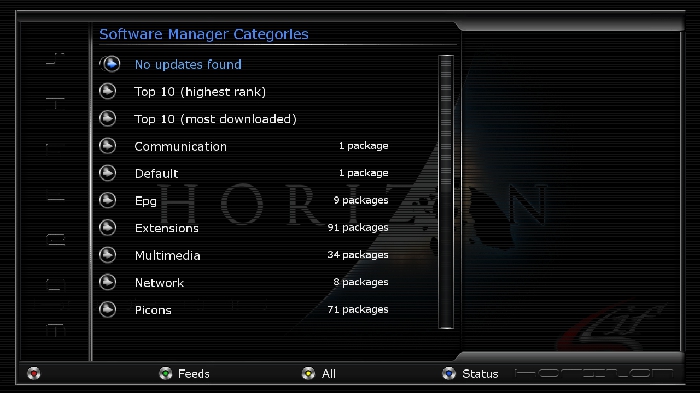
We know a8p sim can run any original Dreambox image for 800se but Sunray sr4
have 3 tuners so sat4fun use Prz trial tuner created by Prz team for give ready Sunray sr4 images.
you can install it in internal flash or in multiboot
we have installed only :
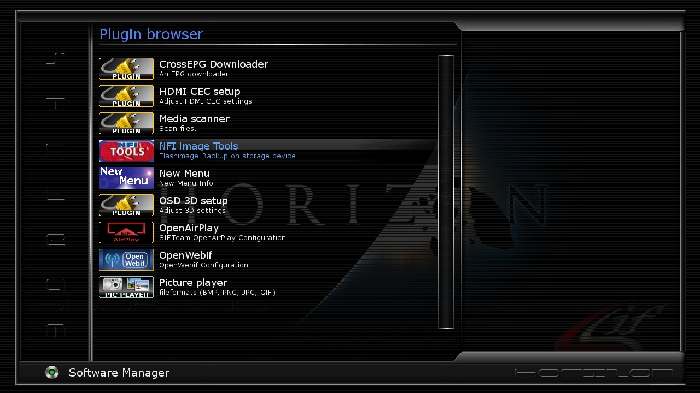
1.trialtuner2.0b
2.New Menu v 0.3
3.NFI Image Tools
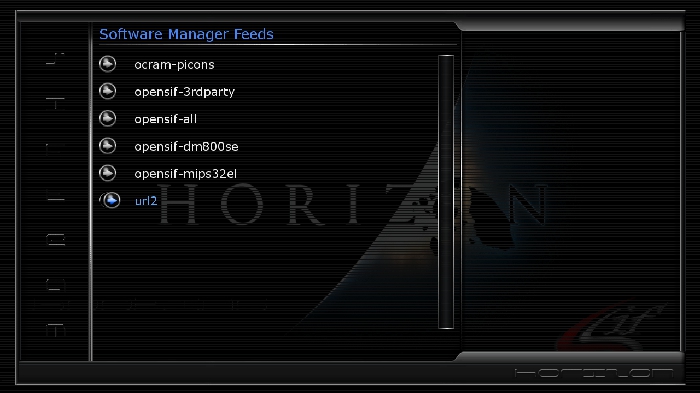
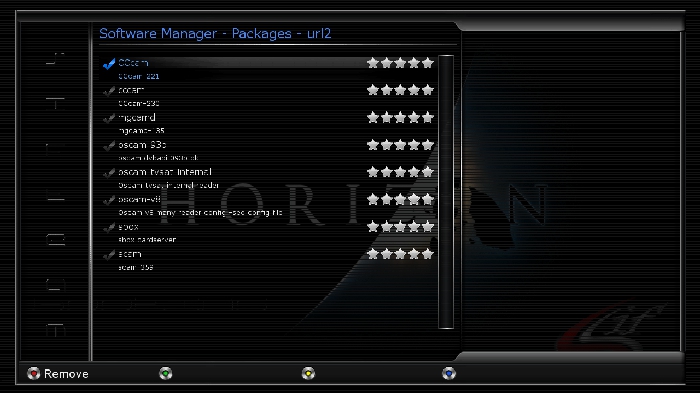
4.Extra url
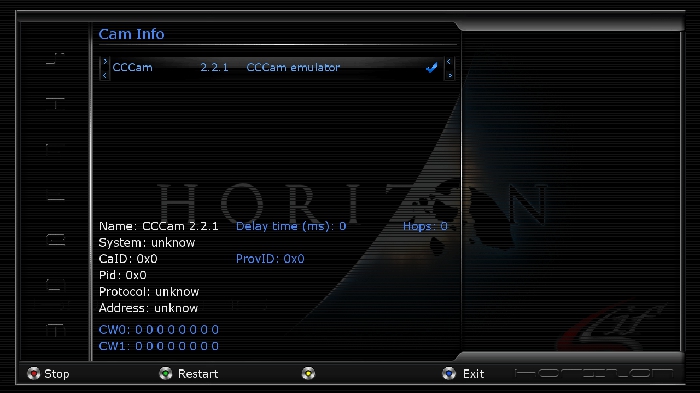
5 Cccam 2.2.1 active
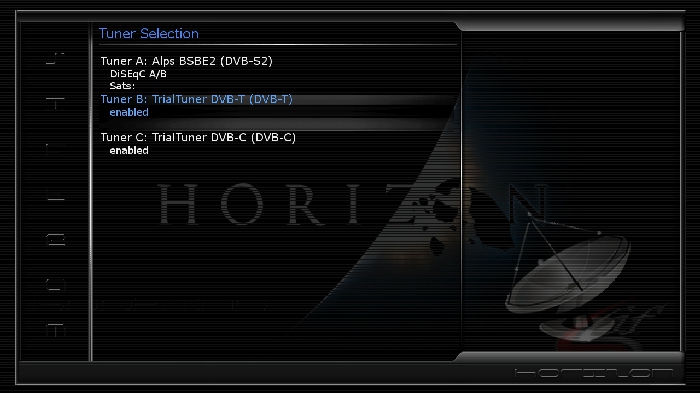
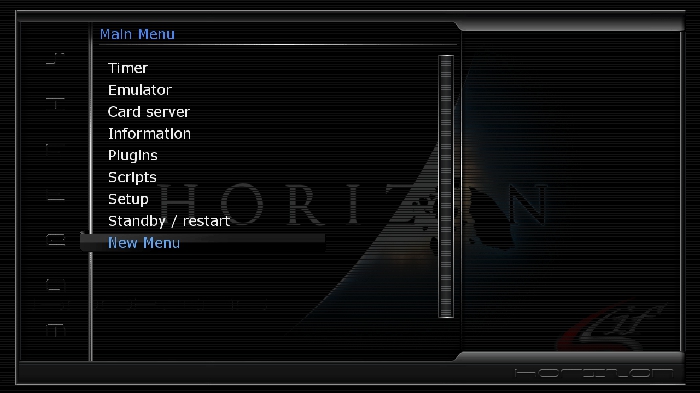
****Download it from sat4fun images server<<
Ferrari-SSL87F-OpenPLi-dm500hd-20130209

OpenPLi done from source .No extra addons.
User has been report that cams are not working in order and that openpli team are working on it .
Update: 12.02.2013
LNB 1 (Eutelsat 36E)
LNB 2 (Astra 4.9E-SES 5.0)
LNB 3 (ABS 75E)
LNB 4 (HotBird 13E)
LNB 5 (Astra 19.2E)
LNB 6 (Astra 31.5E)
LNB 7 (Astra 28.2E)
LNB 8 (Intelsat 85.2E)
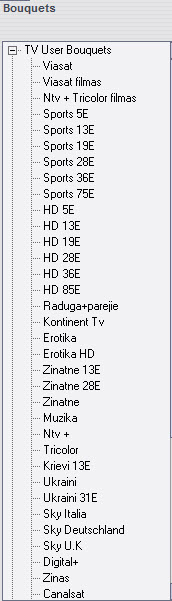
Bouquets:
1. Viasat -78- channels
2. Viasat films -12- channels
3. NTV + Trikolor films -48- channels
4. Sports 5E -51- channels
5. Sports 13E -88- channels
6. Sports 19E 80- channels
7. Sports 28E -36- channels
8. Sports 36E -31- channels
9. Sports 75E -10- channels
10. HD 5E -32- channels
11. HD 13E -139- channels
12. HD 19E -97- channels
13. HD 28E -44- channels
14. HD 36E -37- channels
15. HD 85E -12- channels
16. Raduga+others-68- channels
17. Kontinent -85- channels
18. Erotic -61- channels
19. Erotic HD-7- channels
20. Science 13E -20- channels
21. Science 28E-20- channels
22. Science -57- channels
23. Music -114- channels
24. Ntv+48- channels
25. Tricolor -54-channels
26. 13E Russian channels -23- channels
27. Ukrain -37- channels
28. Ukrain 31E -24- channels
29. *** Italia -137- channels
30. *** Deutschland -57- channels
31. *** U.K -143- channels
32. Digital + -75- channels
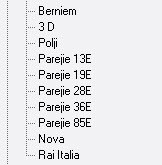
33. News -47- channels
34. Children -40- channels
35. 3 D -12- channels
36. Poland -85- channels
37. Others 13E -62- channels
38. Others 19E -110- channels
39. Other 36E -9-channels
40. Other 85E -16- channels
41. N*** -51-channels
42. Rai Italia -17- channels
Total 2461 channels in bouquets
Settings ENIGMA 1 (85°E/58°W) by CYRUS® SETTINGS TEAM
Vers. 000279 del 03/02/2013
CST_MOTOR (85°E > 58°W) NEW
CST_MONO (13° E) NEW
CST_DUAL1 (13°E- 19°E) NEW
(¯`·.¸¸...:: > cyrussettings.com <::....¸¸.·´¯)
Ferrari DM500HD_NewNigma2 V3.3.3_ssl87f_belami
Download:
newnigma v3.3.3-SSL87F-dm500hd-20130131_belami.nfi
OpenHDF Teamimages v1 und Nightly Images
.
OpenHDF Teamimages und Nightly Images basierend dem oe-alliance git.
Die Images sind komplett updatefähig. Die Teamimages sind wie gewohnt schon um einiges vorbereitet.
Die Nightly Images sind für die Bastler unter uns und für Freunde eines schlanken Images.
Für die Images wird jeweils der aktuelle Bootloader benötigt.
Wenn beim Setup kein Sendersuchlauf gemacht wird ist eine vorbereitete Senderliste enthalten.
Das Changelog der Entwicklungen kann im SoftwareManager (HDF-Toolbox) abgefragt werden.
Changelog OpenHDF:
- OpenHDF Enigma2: https://github.com/openhdf/enigma2/commits/master
- OpenHDF: https://github.com/openhdf
- oe-alliance: https://github.com/oe-alliance
Hinweise zur Bedienung:
Rot - HbbTV
Rot Lang - Bitrate Viewer
Grün - Submenü Unterkanäle
Grün Lang - Wechsel 16:9, 4:3 Pillarbox,PanScan
Gelb - Audio Einstellungen
Gelb Lang - frei (Änderung über MultiQuickButton)
Blau - Erweiterungsmenu
Blau Lang - Erweiterungen
Info - Cool Single Guide
Info Lang - Einfacher EPG, TV Spielfirm Events, TV Charts
Guide - Cool Multi Guide
Guide lang - Zap-History
Ok - Infobar und Second Infobar
Exit - Virtual Zap
Programm +/- schnelles zappen
Steuerkreuz hoch/runter - Channel Selection
Steuerkreuz rechts/links - schnelles zappen
0 - Senderwechsel zwischen aktuellem und letzter Sender
< > - Sender History vor und zurück
Filelist - Enhanced Movie Center
Playlist - Media Player
Playlist Lang - frei (Änderung über MultiQuickButton)
Timeshift - startet sofort Timeshift
Vkey - TV Charts
Vkey lang - EPG Plugins
Search - frei (Änderung über MultiQuickButton)
Search Lang - Softcam Cardserver Manager
Menü Lang - EPG Erweiterungen
Mark - Et-Portal Plugin (wenn installiert)
Pip - Auswahl Pip und Pip Zap Modus
TV Lang - TVCharts
Radio Lang - Radio, SHOUTcast oder WebradioFS
Bitte beachten das die Tastenbelegung von Box zu Box unterschiedlich sein kann.
Wichtig!!!
Aktueller Bootloader muss installiert sein.
Download der Bootloader: https://github.com/openhdf/bootloader Den Bootloader anklicken und danach Raw auswählen.
Support zum ETXxXX . Gigablue ,Vu+ Ixussone, OdinM9 Image
Thanks HDFreaks
OpenHDF Teamimages v1 und Nightly Images
.
OpenHDF Teamimages und Nightly Images basierend dem oe-alliance git.
Die Images sind komplett updatefähig. Die Teamimages sind wie gewohnt schon um einiges vorbereitet.
Die Nightly Images sind für die Bastler unter uns und für Freunde eines schlanken Images.
Für die Images wird jeweils der aktuelle Bootloader benötigt.
Wenn beim Setup kein Sendersuchlauf gemacht wird ist eine vorbereitete Senderliste enthalten.
Das Changelog der Entwicklungen kann im SoftwareManager (HDF-Toolbox) abgefragt werden.
Changelog OpenHDF:
- OpenHDF Enigma2: https://github.com/openhdf/enigma2/commits/master
- OpenHDF: https://github.com/openhdf
- oe-alliance: https://github.com/oe-alliance
Hinweise zur Bedienung:
Rot - HbbTV
Rot Lang - Bitrate Viewer
Grün - Submenü Unterkanäle
Grün Lang - Wechsel 16:9, 4:3 Pillarbox,PanScan
Gelb - Audio Einstellungen
Gelb Lang - frei (Änderung über MultiQuickButton)
Blau - Erweiterungsmenu
Blau Lang - Erweiterungen
Info - Cool Single Guide
Info Lang - Einfacher EPG, TV Spielfirm Events, TV Charts
Guide - Cool Multi Guide
Guide lang - Zap-History
Ok - Infobar und Second Infobar
Exit - Virtual Zap
Programm +/- schnelles zappen
Steuerkreuz hoch/runter - Channel Selection
Steuerkreuz rechts/links - schnelles zappen
0 - Senderwechsel zwischen aktuellem und letzter Sender
< > - Sender History vor und zurück
Filelist - Enhanced Movie Center
Playlist - Media Player
Playlist Lang - frei (Änderung über MultiQuickButton)
Timeshift - startet sofort Timeshift
Vkey - TV Charts
Vkey lang - EPG Plugins
Search - frei (Änderung über MultiQuickButton)
Search Lang - Softcam Cardserver Manager
Menü Lang - EPG Erweiterungen
Mark - Et-Portal Plugin (wenn installiert)
Pip - Auswahl Pip und Pip Zap Modus
TV Lang - TVCharts
Radio Lang - Radio, SHOUTcast oder WebradioFS
Bitte beachten das die Tastenbelegung von Box zu Box unterschiedlich sein kann.
Wichtig!!!
Aktueller Bootloader muss installiert sein.
Download der Bootloader: https://github.com/openhdf/bootloader Den Bootloader anklicken und danach Raw auswählen.
Support zum ETXxXX . Gigablue ,Vu+ Ixussone, OdinM9 Image
Thanks HDFreaks
Stable
very Light & Fast
compatible with all plugins we tested
clean image
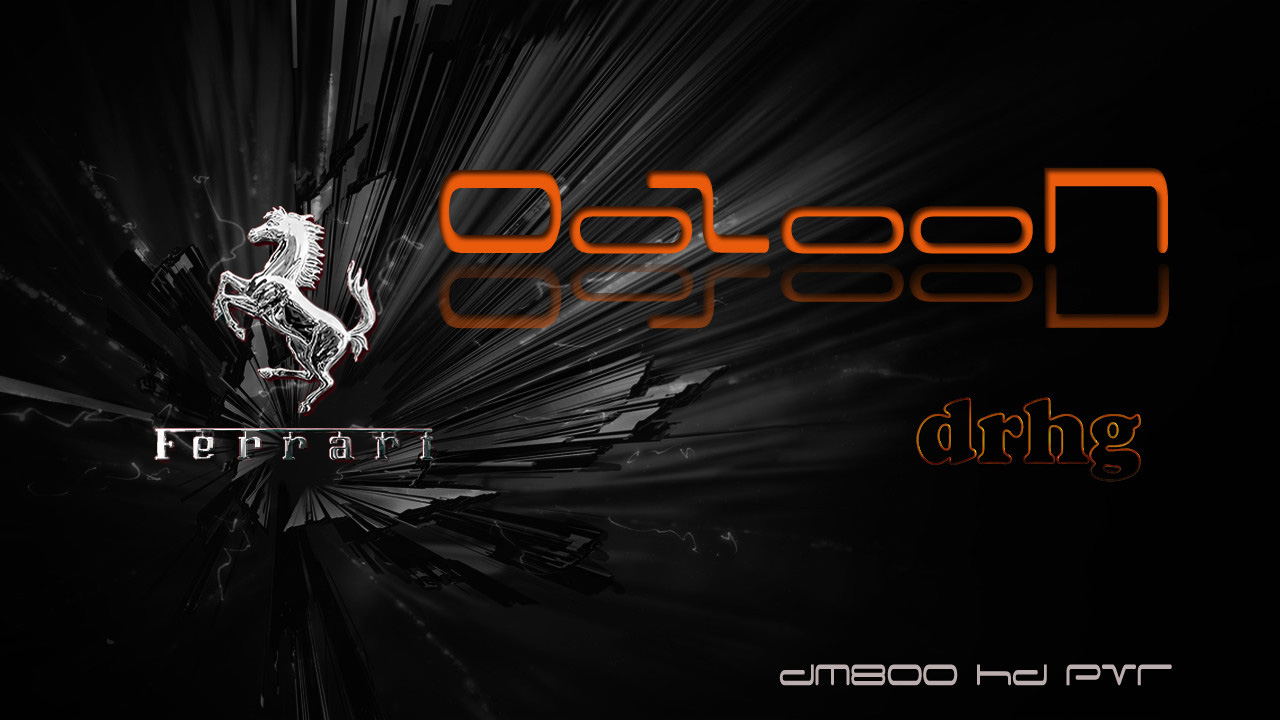
######## OoZooN-DM800-3.2.4-Ferrari-SSL-88F-drhg_21-01-2013.nfi ########
****** This is a Clean image packed in Linux environment (not by plugins) *******
Patched enigma2: v3.2.4 12-12-2012 by drhg
BootLoader for Ferrari sim: ssl-88F
Panel: Ferrari Addons Manager v5.0
Testers: Alhawary (austria), hmoo
No deleted stuff
***** hope to enjoy it !!! *****
##################### SOONLY OE2 FOR Ferrari #####################
Download Link
DDD-dm7020hd-OE2.0-1.5 
DDD-dm7020hd-OE2.0-1.5-20130119082034.nfi
Date: 2013-01-19 08:28
Enigma2: 3.999git20130114-r11.1
Distro: opendreambox 2.0.0
Machine: Dreambox dm7020hd
Link: http://dreamboxupdate.com/opendreamb.../ipk/dm7020hd/
MD5: 371a2b47e6430806fe5f45ea6fc4a30d
SHA256: 823ecac76bcc8519577b8073933663687256f9093fb1b21be6 3047f5a8d83bd7
Genuine image with the Last CVS
Creatori immagini
°°ANTR@G°°
rubi17
-----------------------
Sviluppatore del blue panel
asanovich
--------------------
Beta tester
°°ANTR@G°°
tonino1956
rubi17
dreambox34
catullo59
Teconderoga
--------------
many new updates Enigma2
Nu*** skin default vanity Grazie mmark
potete scaricare i picon by mmark dal pannello demonisat
----------------------------------------------------------
New skin default eins Thanks mmark
You can download picon by mmark panel demonisat
New bootlogo demonisat
queste images contengono solo 2 lingue
Italiano, inglese
potete scaricare la vostra lingua preferita dal pannello demonisat
aggiunta lingua brasiliana scaricabile dal pannello demonisat
--------------------------------------------------------------------
these images contain only 2 languages
Italian English
you can download your preferred language from the panel demonisat
Added language Brazilian downloaded from the panel demonisat
---===ooo0ooo===---
Raccomandiamo di non fare aggiornamento software
possibilmente mettere immagine in flash
Nessuna emu o configurazione a bordo ne per emu ne per cardserver,tutto e' comunque scaricabile online e gestibile dal nuovo Blue Panel Demonisat.
un doveroso grazie agli autori dei vari plugin skin patch etc etc
per ulteriori informazioni foto andate qui
((¯`¤._» D€MONIS@T~FoRuM«_.¤´¯))
New Blue Panel demonisat
You'll find everything you need
for the operation of the image
We recommend that you do not update software
possible to image in flash
No emus or configuring it on board for it to cardserver emus, and all 'still manageable and can be downloaded online from the new Blue Panel demonisat.
to download from the panel demonisat put the DHCP automatically
thanks to the authors of the various skin patch plugins etc etc !!
DOWNLOAD Server Demonisat
Malimali settings list
Update 16-Jan-2013
Malimali settings list
Update 16-Jan-2013
Malimali settings list
Update 13-Jan-2012
Malimali Settings E2

