


skin compatible with ATV I have added new horizontal menu panels and horizontal icons that can be activated in the OSD setting under Menu Style


-
Version enigma2-plugin-skins-artemis-mod-dragon_8.7.poster.backdrop_all
- @dragon@
- 58 Downloads
- 13.70 MB
update fix for atv 7.6 fix epg importer other little things ... I remember that the skin requires a hdd or sd card loaded as hdd ... for the use of posters, background ... if you update on old versions I remember that the oeweather ... must be uninstalled then re-downloaded from the atv feeds
-
Version 8.5 py 3.12.6 atv 7.5
- @dragon@
- 57 Downloads
- 13.70 MB
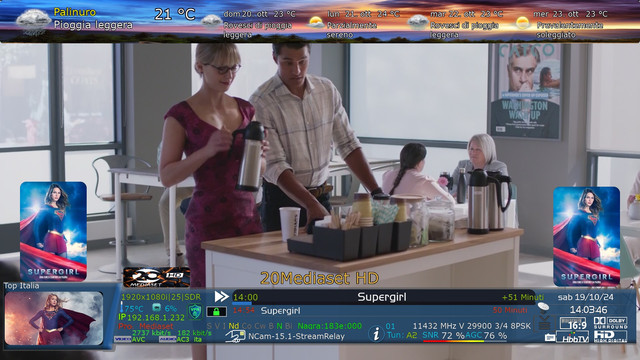
I added the video/audio bitrate to the infobar...and the second picon if the main one is covered by the backdrop...I remember that if there are problems with the weather...uninstall the old one, download the new one from the ATV weather feeds, always same OA-Weather


-
Version 8.4 py 3.12.6 atv 7.5
- @dragon@
- 31 Downloads
- 13.70 MB
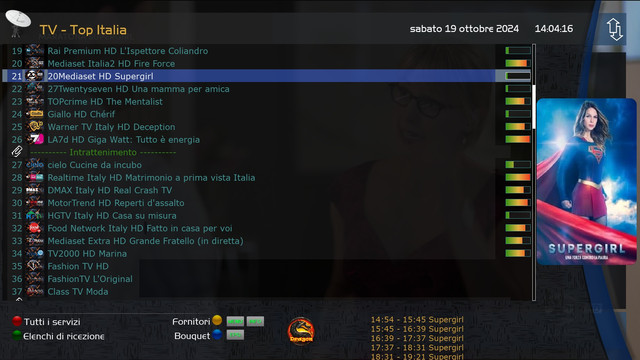
inserted the new fixes of atv 7.5 I inserted a new dedicated panel ... but all channelist panels of the plugin have the changes that can be activated ... then configurable directly from the channel selection settings of the image


-
Version 8.3 py 3.12.4 atv 7.5
- @dragon@
- 32 Downloads
- 13.60 MB

-
Version 8.2 py 3.12.4 atv 7.5
- @dragon@
- 13 Downloads
- 13.60 MB
fixed button icons in certain panels..added some small things

-
Version 8.1 py 3.12.4 atv 7.5
- @dragon@
- 31 Downloads
- 13.60 MB
compatible with ATV 7.5 if you have problems with the weather remove the green and red buttons remove OA-Weather then re-download it from the ATV feeds
-
Version 8.0 py3.12.4
- @dragon@
- 34 Downloads
- 13.60 MB
update solved the problem detected with audio, video codec
-
Version 7.9 python 3.12.4
- @dragon@
- 39 Downloads
- 13.60 MB
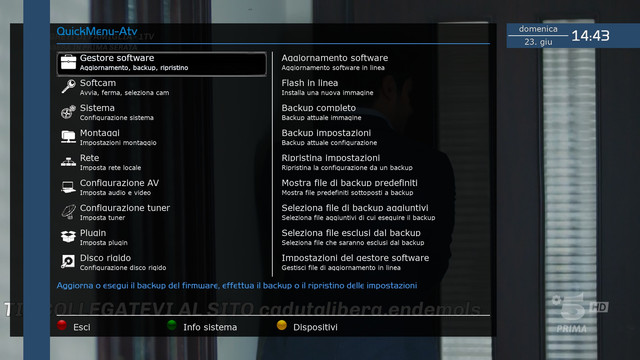
amiki I am releasing the version compatible with atv 7.4 python 3.12.4 if you have problems with the weather bar first remove the oaweather weather... green button then red extension packages find oaweather remove it then download the new version from the feeds green button then still green plugin extensions look for the weather oaweather download it ...then reconfigure the plugin then when restarted everything will be ok

-
Version 7.7 py 3.12.3
- @dragon@
- 46 Downloads
- 13.70 MB
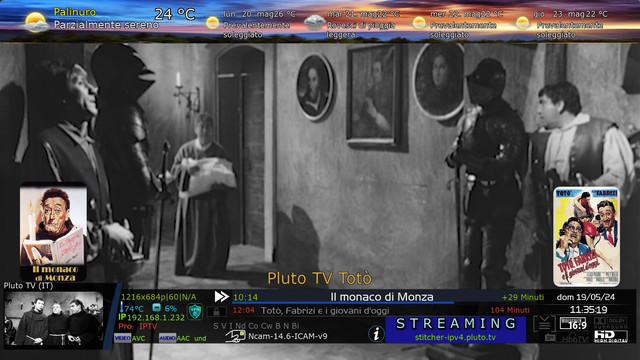
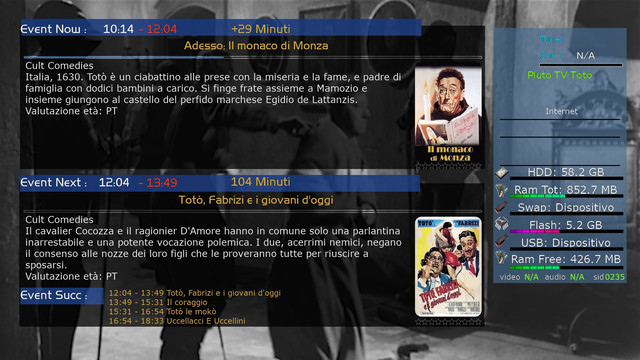
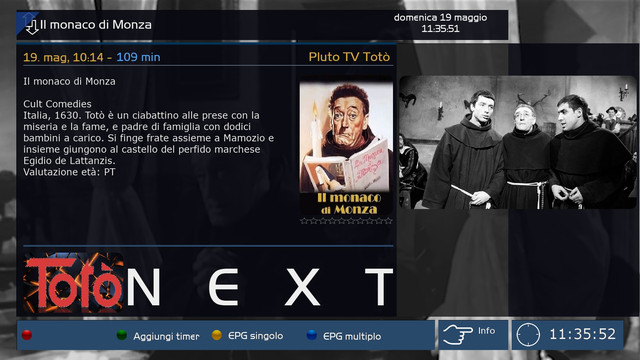
This version of the skin should only be placed on ATV 7.4 Python 3.12.3 ....updated plugin dedicated to the skin ...inserted photos describing the mods you want to use ...if some photos don't fit normally I won't add them ...the weather needs to be reconfigured because it now depends on the ATV feeds...


-
Version 7.3
- @dragon@
- 33 Downloads
- 11.40 MB
insert new fixes, arrange the weather icons...on the additional infobar, make some graphic fixes for those who use xstreamity...can be activated from a dedicated plugin



@dragon@ Author
the skin compatible with atv from 7.0 onwards....
xyips32
Is it compatible with Openpli?
xyips32
Hello @dragon , I have install ed openpli 12.3 - dm900 but yet its not compactible , any help at all will be appreciacited ,
after installation on openpli 12.3 , it reads no named modle weatherID , no backdrop .
xyips32
Please can you include image Satdreamgr 8 , i have try to install the available ipk but it didnt work.