Test
nuova img dm7080 OE2.5 molto fluida e veloce
new img OE2.5 very fluid and fast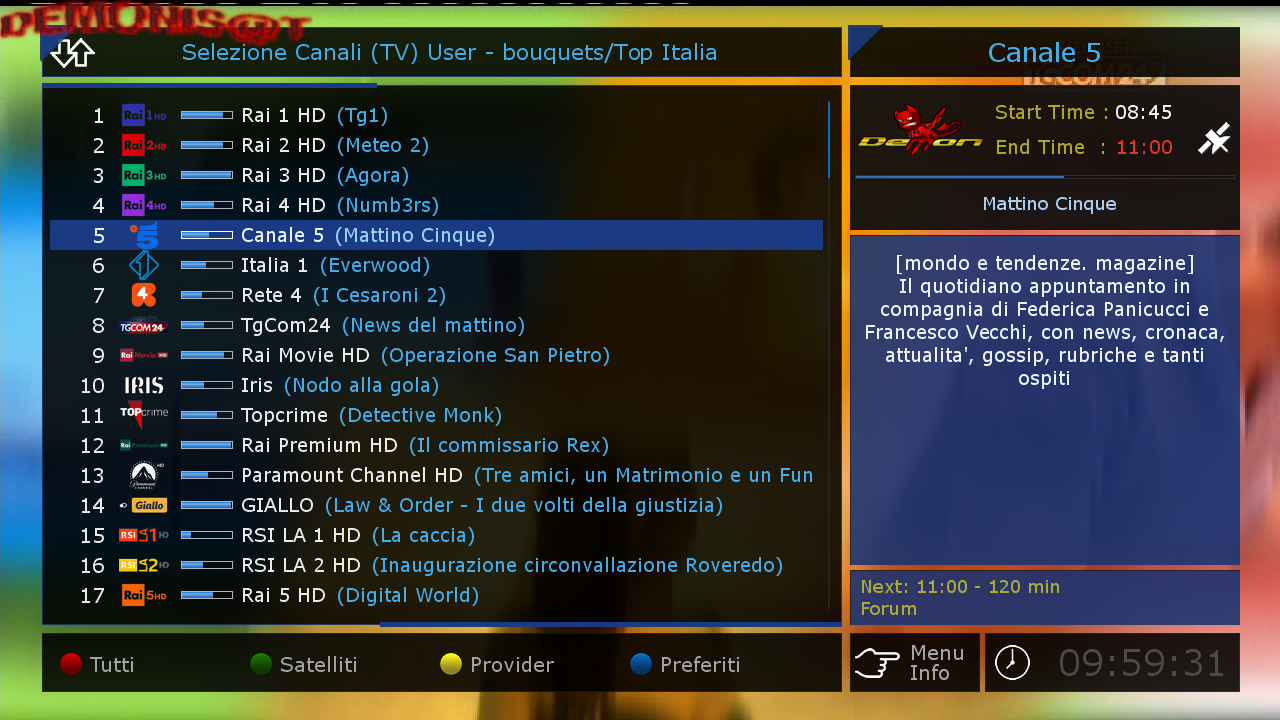
Date: 2016-11-06 21:13:06.599052
Distro: opendreambox 2.5.0
Drivers: 3.4-3.5-dm7080-20151202-r0.1
Enigma2: 4.3.0r19-r0.0
Kernel: kernel-image-3.4-3.5-dm7080, kernel-image-vmlinux.bin, kernel-image-vmlinux.bin-3.4-3.5-dm7080 3.4-r0.3
MD5: e5ef893d33efca902beb7e0309b645c7
Machine: Dreambox DM7080
SHA256: 2a8560eed484a2b453c016e36da175d0cf54530e2c7d0fe804746dd1f3038d6a

DMS Img OE2.5 dm7080
- ANTRAG
- Thread is marked as Resolved.
-
-

Update Image 1.8 OE2.5 dm7080
Download settings dal menu-Plugin
DemonSetting
-------------------------
Download settings from the menu-Plugin
DemonSetting
-------------------------
Date: 2016-12-18 09:10:00.973906
Distro: opendreambox 2.5.0
Drivers: 3.4-4.0-dm7080-20161209-r0.0
Enigma2: 4.3.0r22-r0.4
Kernel: kernel-image-3.4-4.0-dm7080, kernel-image-vmlinux.bin-3.4-4.0-dm7080, kernel-image-vmlinux.bin 3.4-r1.1
MD5: 79a36a7ba7727c4ba01b2b3657e7d201
Machine: Dreambox DM7080
SHA256: b91a4755618d384207c3f6e231e02092d6fd932f96e6938a2be15d8b3eecb97e -

Update Image 2.8 OE2.5 dm7080
Download settings dal menu-Plugin-oppure dal tasto blu
DemonSetting
-------------------------
Download settings from the menu-Plugin-or the blue button
DemonSetting
-------------------------Date: 2017-01-26 14:18:18.924895
Distro: opendreambox 2.5.0
Drivers: 3.4-4.0-dm7080-20161209-r0.2
Enigma2: 4.3.0r26-r0.2
Kernel: kernel-image-3.4-4.0-dm7080, kernel-image-vmlinux.bin-3.4-4.0-dm7080, kernel-image-vmlinux.bin 3.4-r1.9
MD5: 8c0ab4c43eac16f71ca11df76f02a10d
Machine: Dreambox DM7080
SHA256: 949a27459acb0ac620a5c25f8f65994015a6e169b9b681d9ffcffe9d5e962ea0 -
Update Image 2.9 OE2.5 dm7080
Date: 2017-01-30 12:05:49.088335
Distro: opendreambox 2.5.0
Drivers: 3.4-4.0-dm7080-20161209-r0.2
Enigma2: 4.3.0r26-r0.2
Kernel: kernel-image-3.4-4.0-dm7080, kernel-image-vmlinux.bin-3.4-4.0-dm7080, kernel-image-vmlinux.bin 3.4-r1.9
MD5: 8cf0d7b3728aeb58b019b5ef5427a40b
Machine: Dreambox DM7080
SHA256: a86bd1b6bb9fd9cad45c3835aff8cfb59267ae593dabedca2f33218c134c9dd7 -
Update Image 3.0 OE2.5 dm7080
Date: 2017-02-04 12:32:02.082771
Distro: opendreambox 2.5.0
Drivers: 3.4-4.0-dm7080-20170203-r0.0
Enigma2: 4.3.0r26-r0.3
Kernel: kernel-image-3.4-4.0-dm7080, kernel-image-vmlinux.bin-3.4-4.0-dm7080, kernel-image-vmlinux.bin 3.4-r1.9
MD5: ed881cc8ce3018b4a11c76139cc2eefd
Machine: Dreambox DM7080
SHA256: a09eb2dd4853230fe776ef0e32a628c12c12d60ed331847a71bc3110c98b 05bc -
Update Image 3.1 OE2.5 dm7080
Download settings dal menu-Plugin-oppure dal tasto blu
DemonSetting
-------------------------
Download settings from the menu-Plugin-or the blue button
DemonSetting
-------------------------Date: 2017-02-20 10:53:53.513810
Distro: opendreambox 2.5.0
Drivers: 3.4-4.0-dm7080-20170204-r0.0
Enigma2: 4.3.0r27-r0.0
Kernel: kernel-image-3.4-4.0-dm7080, kernel-image-vmlinux.bin-3.4-4.0-dm7080, kernel-image-vmlinux.bin 3.4-r1.9
MD5: bf79c79f325337cf5782c839fc6691ea
Machine: Dreambox DM7080
SHA256: 931c4309cead85216258f3f68385f40b85281a809a6f87632da7c34669ac0fc3 -
Update Image 3.2 OE2.5 dm7080
Download settings dal menu-Plugin-oppure dal tasto blu
DemonSetting
-------------------------
Download settings from the menu-Plugin-or the blue button
DemonSetting
-------------------------Date: 2017-02-22 11:26:52.207518
Distro: opendreambox 2.5.0
Drivers: 3.4-4.0-dm7080-20170204-r0.0
Enigma2: 4.3.0r29-r0.0
Kernel: kernel-image-3.4-4.0-dm7080, kernel-image-vmlinux.bin-3.4-4.0-dm7080, kernel-image-vmlinux.bin 3.4-r1.9
MD5: 067aeee6a0487fd7b09d14a8ebfe6f57
Machine: Dreambox DM7080
SHA256: 469c7e7589d87cce8d8796e7f21ba320954b05f55bfc3fbd27 a55cef1ddc092b -
Update Image 3.3 OE2.5 dm7080
Download settings dal menu-Plugin-oppure dal tasto blu
DemonSetting
-------------------------
Download settings from the menu-Plugin-or the blue button
DemonSetting
-------------------------
Date: 2017-02-27 15:21:08.384018
Distro: opendreambox 2.5.0
Drivers: 3.4-4.0-dm7080-20170204-r0.0
Enigma2: 4.3.0r29-r0.1
Kernel: kernel-image-3.4-4.0-dm7080, kernel-image-vmlinux.bin-3.4-4.0-dm7080, kernel-image-vmlinux.bin 3.4-r1.9
MD5: 1484101ee579069db73fea545bf19a08
Machine: Dreambox DM7080
SHA256: afac2153c1ed5b9ac4fdfc5729955b090cbeac94c28f5a0e7c3e81262da1 db85 -
Update Image 3.4 OE2.5 dm7080
Download settings dal menu-Plugin-oppure dal tasto blu
DemonSetting
-------------------------
Download settings from the menu-Plugin-or the blue button
DemonSetting
-------------------------
Date: 2017-03-08 18:19:28.399483
Distro: opendreambox 2.5.0
Drivers: 3.4-4.0-dm7080-20170204-r0.0
Enigma2: 4.3.0r29-r0.1
Kernel: kernel-image-3.4-4.0-dm7080, kernel-image-vmlinux.bin-3.4-4.0-dm7080, kernel-image-vmlinux.bin 3.4-r1.9
MD5: a737e95ba6178a52ebea595d24b0082a
Machine: Dreambox DM7080
SHA256: a3377275ab613f06eea4b4ee6078d0fefce69cf9b01194e2bd9cac92ff8f 4168 -
Fix Crash
Update Image 6.3 OE2.5 dm7080Download settings dal menu-Plugin-oppure dal tasto blu
DemonSetting
-------------------------
Date: 2018-03-15 10:21:28.937634
Distro: opendreambox 2.5.0
Drivers: 3.4-4.0-dm7080-20180222-r0.0
Enigma2: 4.3.1r25-r0.0
Kernel: kernel-image-3.4-4.0-dm7080, kernel-image-vmlinux.bin-3.4-4.0-dm7080, kernel-image-vmlinux.bin 3.4-r1.1
MD5: 9e5a417cf093194db15718910ffc9263
Machine: Dreambox DM7080
SHA256: cfccca511cf5f10ba69502e91c8719a19cb6df12971ac37320 a243ac80162e6c -
-

Update Image 6.4 OE2.5 dm7080
Download settings dal menu-Plugin-oppure dal tasto blu
DemonSetting-------------------------
Date: 2018-03-21 11:47:33.872230
Distro: opendreambox 2.5.0
Drivers: 3.4-4.0-dm7080-20180222-r0.0
Enigma2: 4.3.1r27-r0.0
Kernel: kernel-image-3.4-4.0-dm7080, kernel-image-vmlinux.bin-3.4-4.0-dm7080, kernel-image-vmlinux.bin 3.4-r1.1
MD5: ad0222365f157a1f3767e5558da9f4ed
Machine: Dreambox DM7080
SHA256: f72696c06fd818121ee173a7b5093fcb47cb376a55f76ae8b0 bc672af5b839f2
-

Update Image 7.0 OE2.5 dm7080
-----------------------------------------
Download settings dal menu-Plugin-oppure dal tasto blu
DemonSetting-------------------------
Date: 2018-05-14 20:03:31.805763
Distro: opendreambox 2.5.0
Drivers: 3.4-4.0-dm7080-20180222-r0.0
Enigma2: 4.3.1r28-r0.0
Kernel: kernel-image-3.4-4.0-dm7080, kernel-image-vmlinux.bin-3.4-4.0-dm7080, kernel-image-vmlinux.bin 3.4-r1.1
MD5: 7be33b38b23b29a05968c0ec64e99ace
Machine: Dreambox DM7080
SHA256: bafc9d1156271d28264439460945948f6ac93aec60dec04767 9711a26d0f09b2 -
Update Image 7.1 OE2.5 dm7080
-----------------------------------------
Download settings dal menu-Plugin-oppure dal tasto blu
DemonSetting-------------------------
Date: 2018-07-09 09:37:34.515322
Distro: opendreambox 2.5.0
Drivers: 3.4-4.0-dm7080-20180222-r0.0
Enigma2: 4.3.1r28-r0.0
Kernel: kernel-image-3.4-4.0-dm7080, kernel-image-vmlinux.bin-3.4-4.0-dm7080, kernel-image-vmlinux.bin 3.4-r1.1
MD5: 1155f095deb9a0c246c64abd3e34bfcb
Machine: Dreambox DM7080
SHA256: 9272a1865ab1c09c41daba3c5662e1fbce49d468033e4f61cb db7d7d4eb9663c -
Update Image 7.2 OE2.5 dm7080
-----------------------------------------
Download settings dal menu-Plugin-oppure dal tasto blu
DemonSetting-------------------------
Date: 2018-09-20 11:46:31.495002
Distro: opendreambox 2.5.0
Drivers: 3.4-4.0-dm7080-20180222-r0.0
Enigma2: 4.3.1r28-r0.0
Kernel: kernel-image-3.4-4.0-dm7080, kernel-image-vmlinux.bin-3.4-4.0-dm7080, kernel-image-vmlinux.bin 3.4-r1.1
MD5: 902c07af8d6901e201ade44fa1709178
Machine: Dreambox DM7080
SHA256: d9dd681a6dd589b5efd9a2e343f32e635696d8a5a6ea06e3a7 c1a5119c557349 -
Update Image 8.2 OE2.5 dm7080
-----------------------------------------
Download settings dal menu-Plugin-oppure dal tasto blu
DemonSetting
-------------------------
Date: 2019-11-22 18:39:47.585942
Distro: opendreambox 2.5.0
Drivers: 3.4-4.0-dm7080-20190502-r0.0
Enigma2: 4.3.2r8-r0.0
Kernel: kernel-image-3.4-4.0-dm7080, kernel-image-vmlinux.bin-3.4-4.0-dm7080, kernel-image-vmlinux.bin 3.4-r1.1
MD5: 5f53e1cddc2c9f41f8ab14d2d6ff3835
Machine: Dreambox DM7080
SHA256: d4f8deb25a637b337e3ba186581e1c7fd9aab2576f47d49f779ccbb85654 3cef
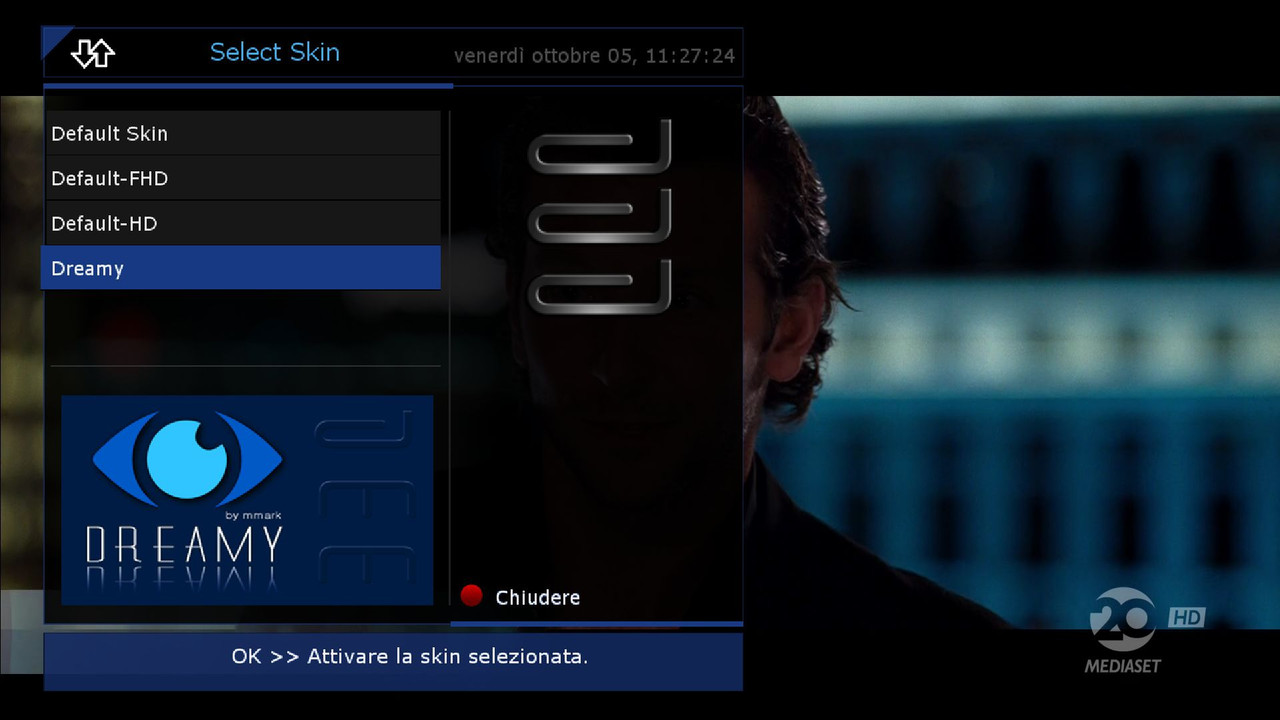
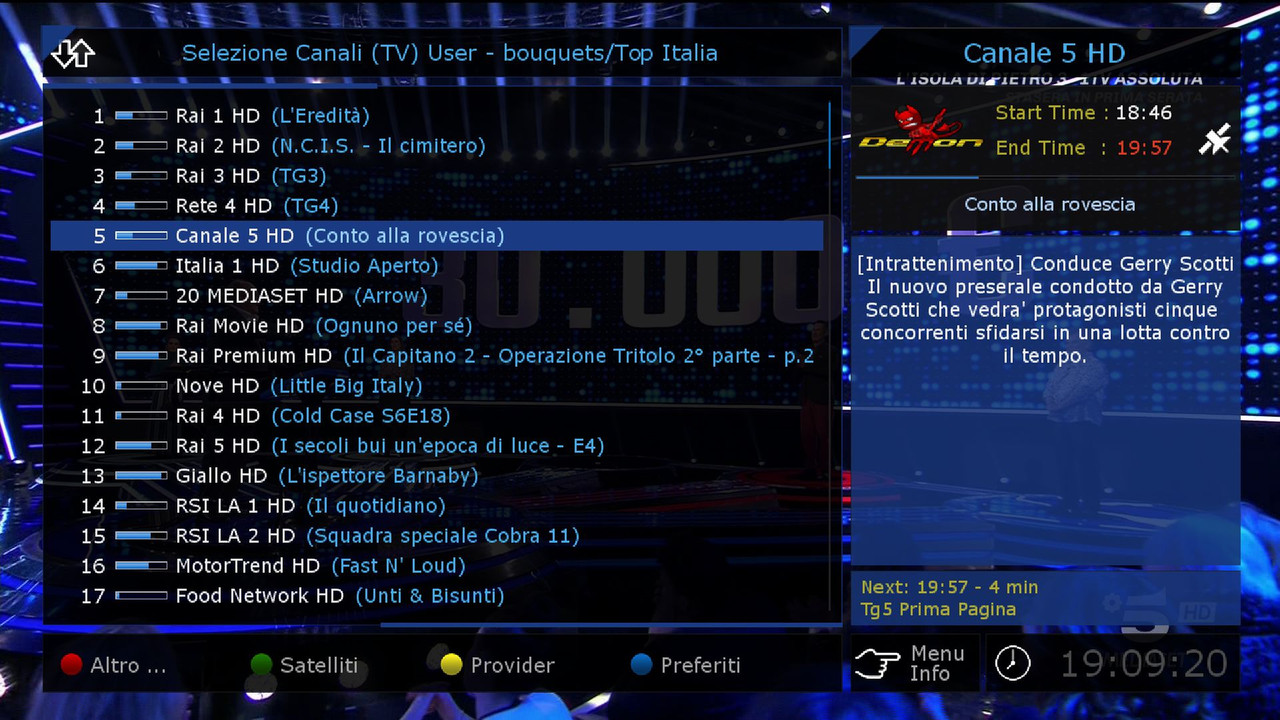
Skin Default HD
if you want to change
go in
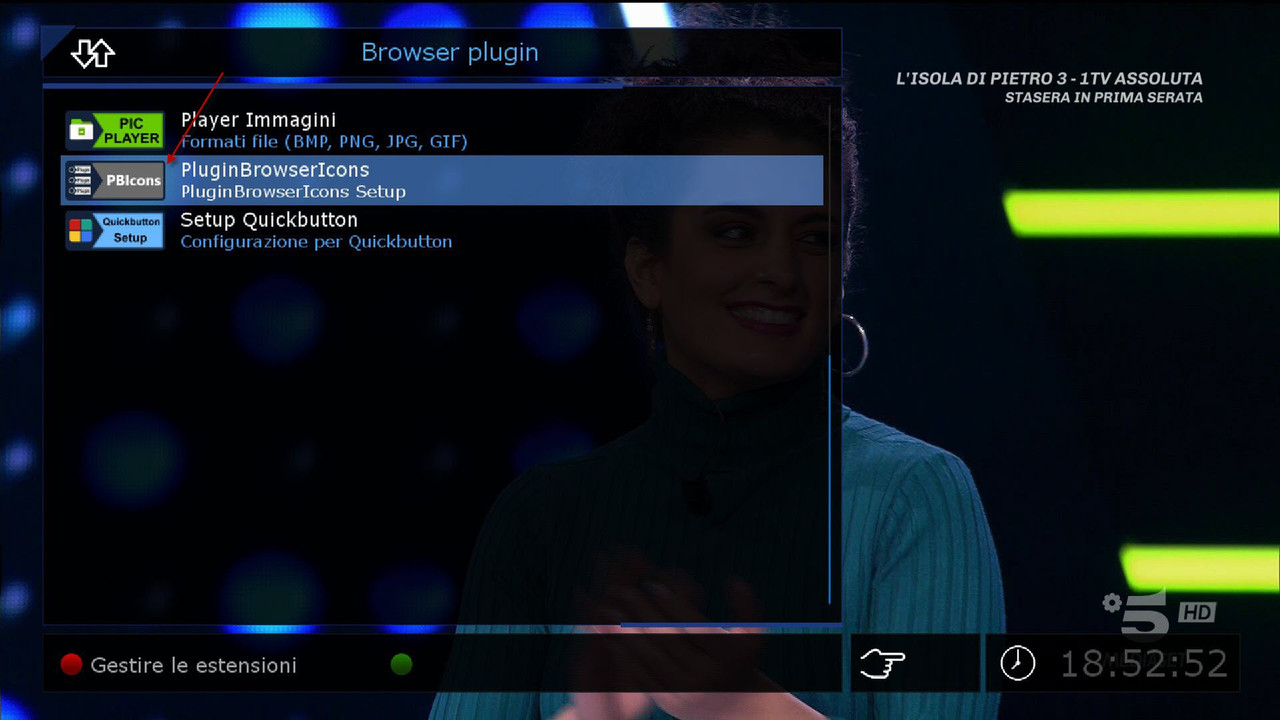
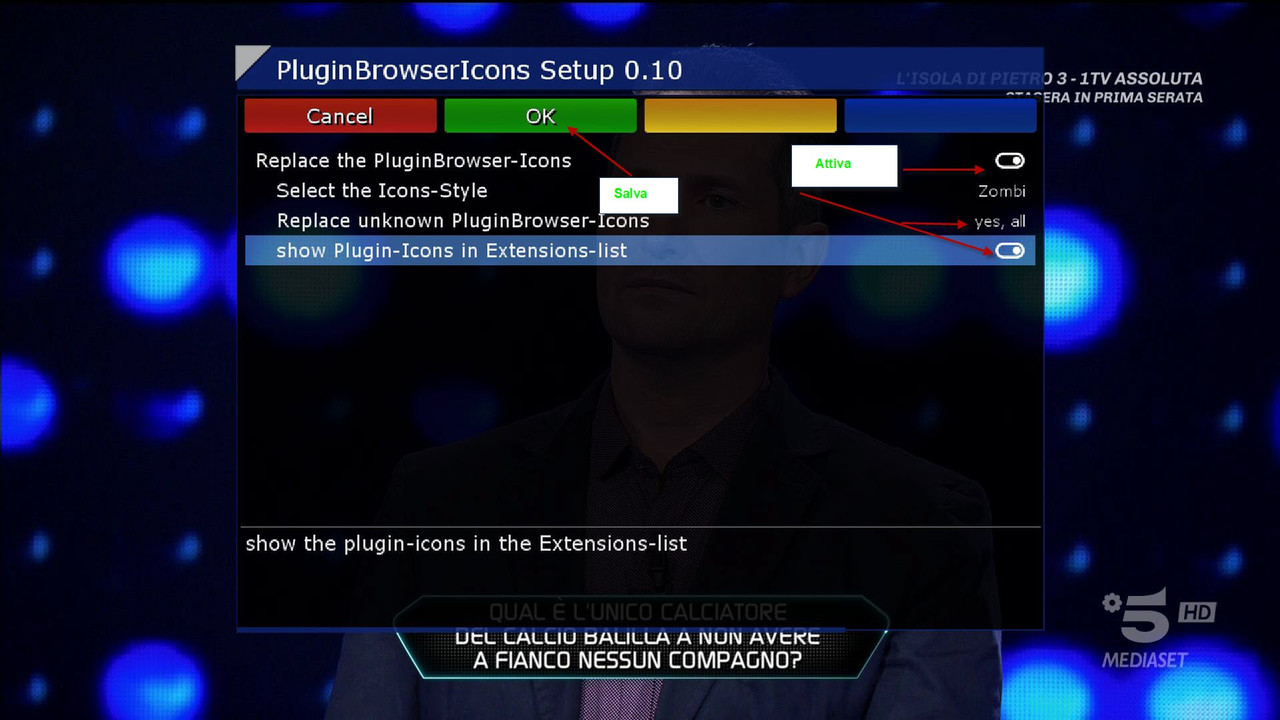
Menu, Setup, Audio and Video.Skin.. insert the Dreamy
-------------------------------------------------------------------------------
-
Update Image 8.4 OE2.5 dm7080
-----------------------------------------
Download settings dal menu-Plugin-oppure dal tasto blu
DemonSetting
-------------------------
Date: 2020-12-03 14:33:40.145747
Distro: opendreambox 2.5.0
Drivers: 3.4-4.0-dm7080-20190502-r0.0
Enigma2: 4.3.2r14-r0.0
Kernel: kernel-image-3.4-4.0-dm7080, kernel-image-vmlinux.bin-3.4-4.0-dm7080, kernel-image-vmlinux.bin 3.4-r1.1
MD5: bd9da9a20bfbba517a8d3723690f5896
Machine: Dreambox DM7080
SHA256: 9b7104c8e41021e17699e3d8c9732ba5fed1dc8b5e69c2843e4e2aad01c2 24b2
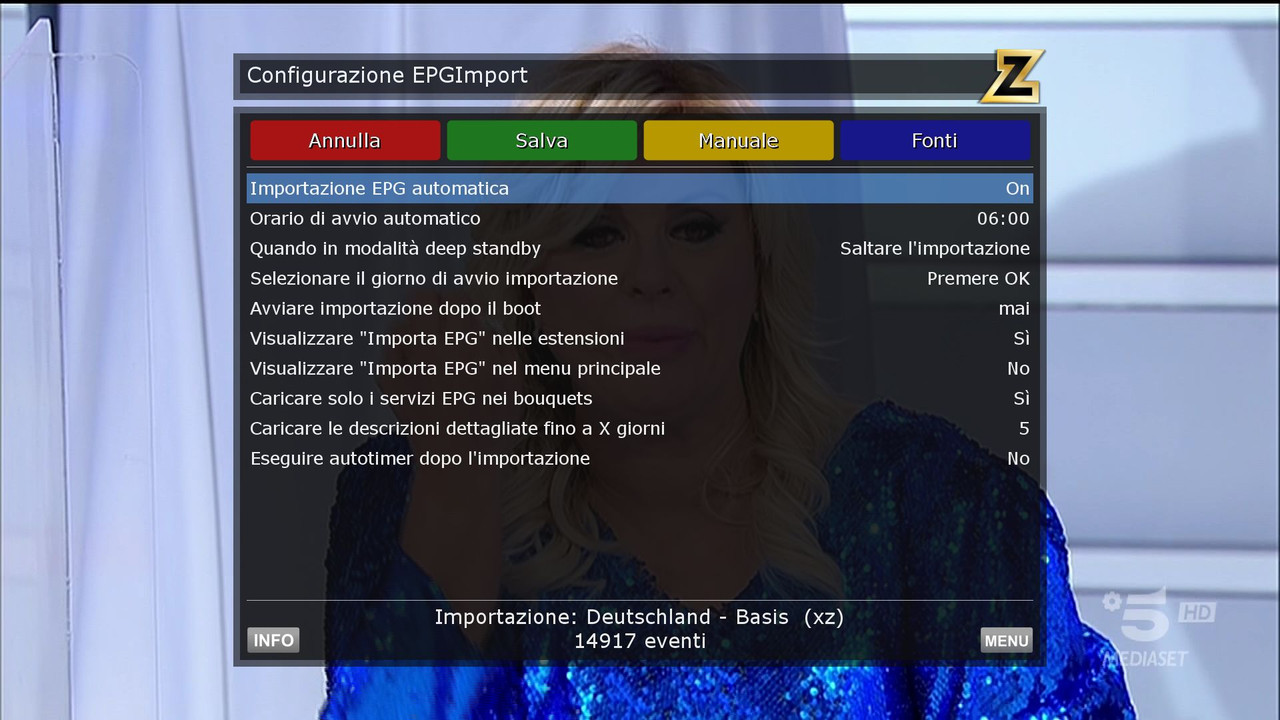
New Epg Config
New EPG Import
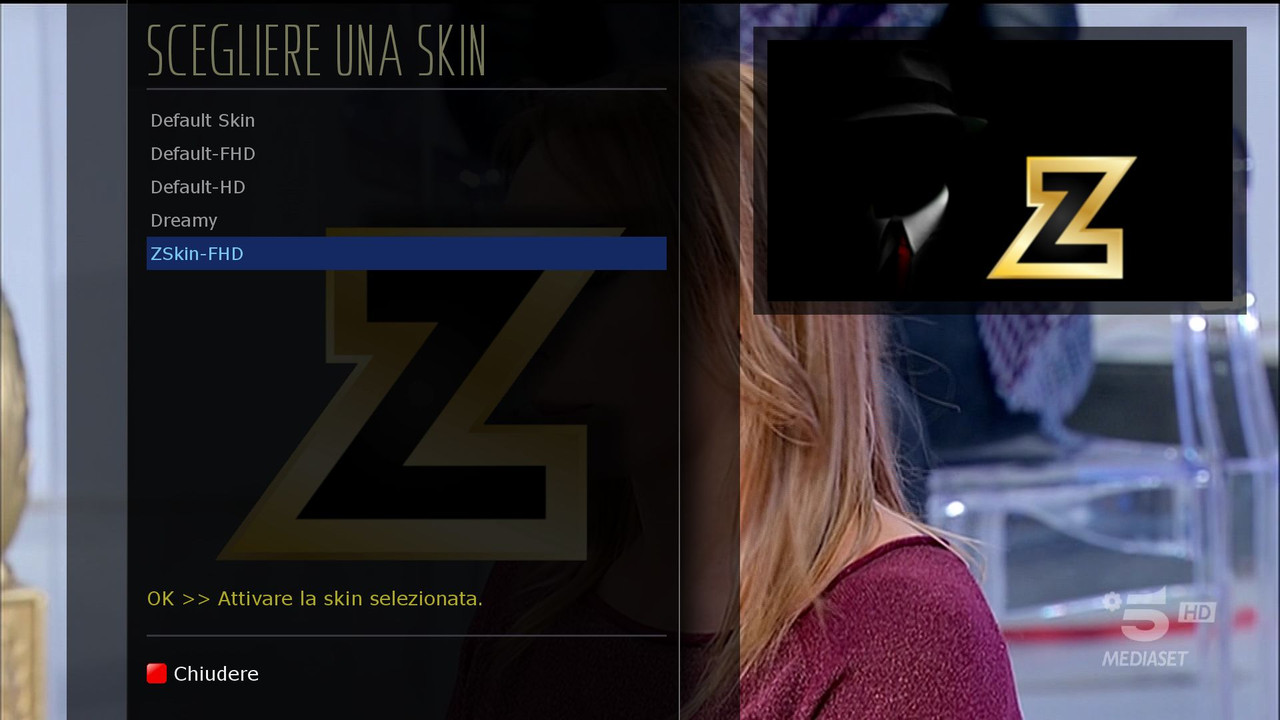
Skin Default HD
if you want to change
go in
Menu, Setup, Audio and Video.Skin.. insert the Dreamy ZSkin-FHD
-
Update Image 8.6 OE2.5 dm7080
--------------------------------------
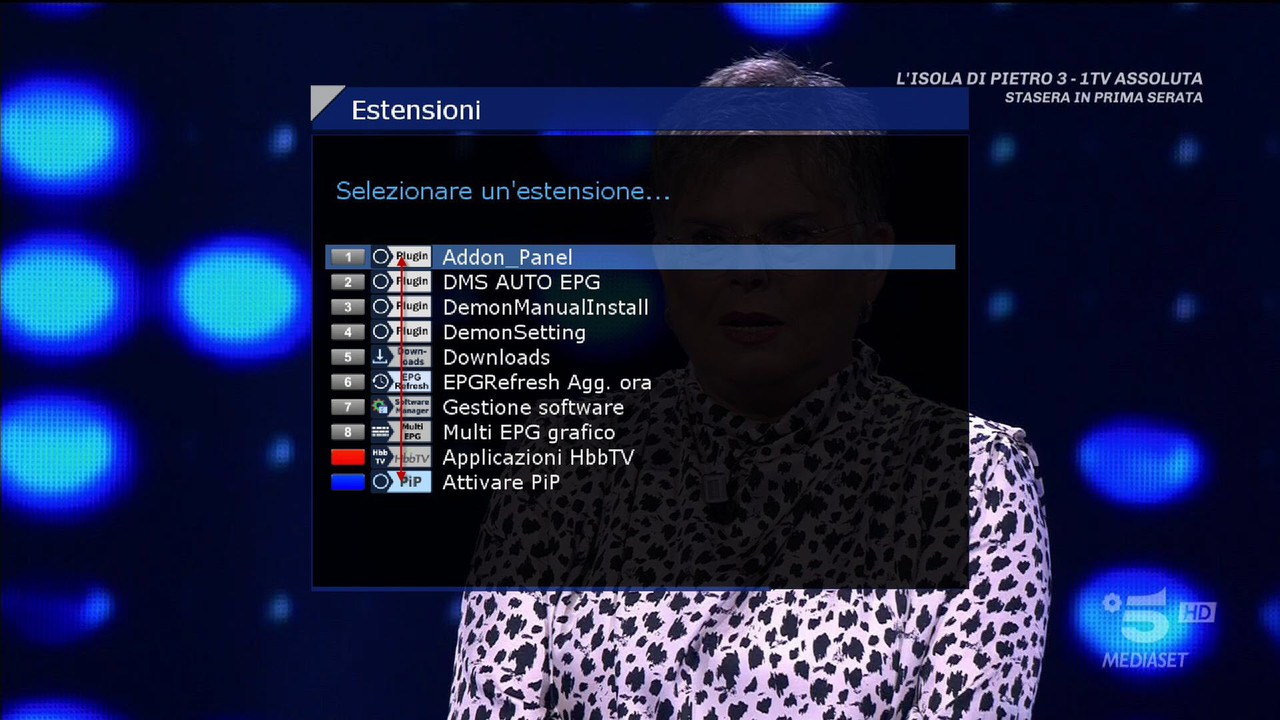
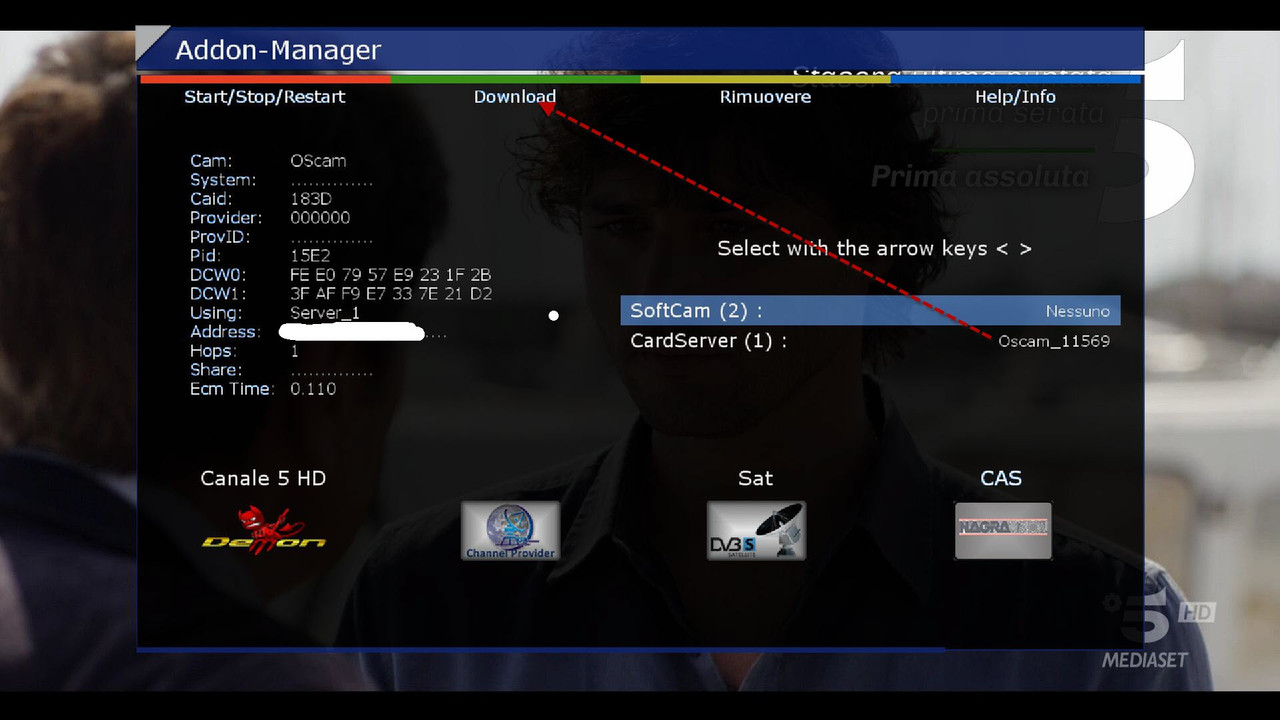
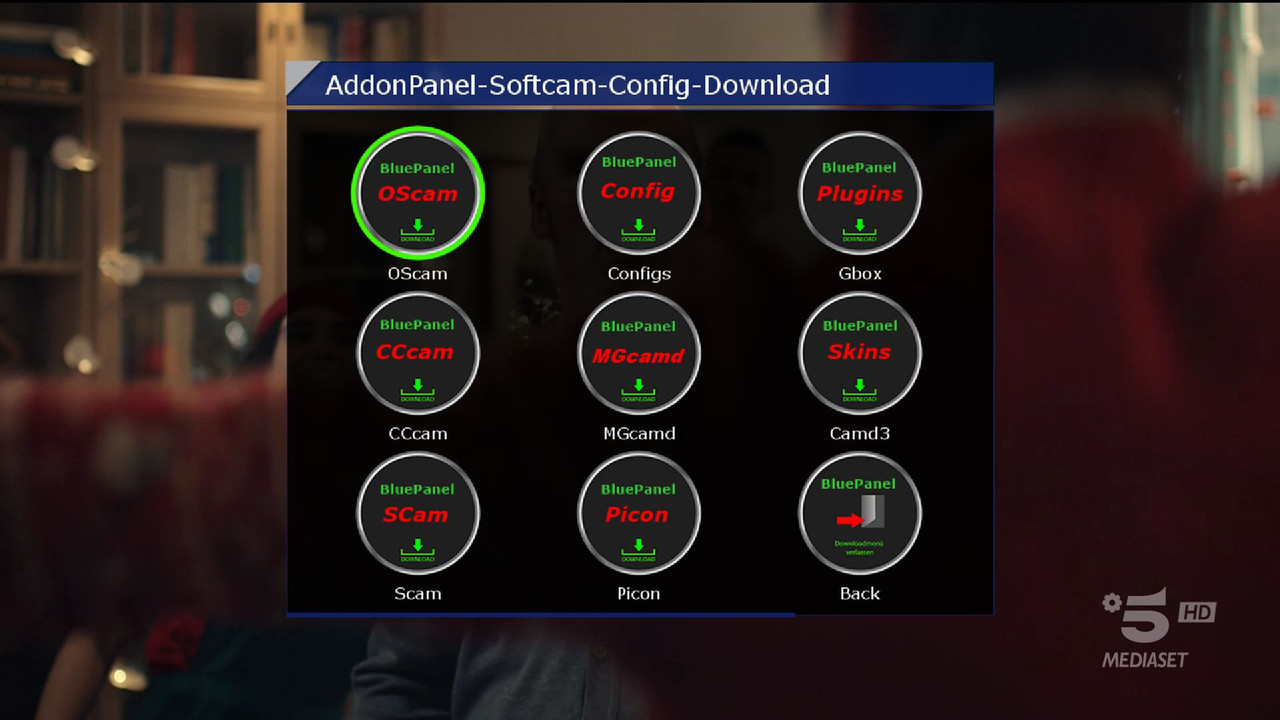
Download oscam
Exit the panel
Return and activate the oscam
------------------------------------
var/tuxbox/config/OScam
------------------------------
Download Emu Setting Blue Button CPMIPS
-------------------------
Date: 2021-09-05 14:21:03.881233
Distro: opendreambox 2.5.0
Drivers: 3.4-4.0-dm7080-20190502-r0.0
Enigma2: 4.3.2r14-r0.0
Kernel: kernel-image-3.4-4.0-dm7080, kernel-image-vmlinux.bin-3.4-4.0-dm7080, kernel-image-vmlinux.bin 3.4-r1.1
MD5: bc7da1f0a30fd5dd09484fe3268f5b92
Machine: Dreambox DM7080
SHA256: e4097f90ada80e7a9966a344eee70f8e59dac83db5cbf1b77f 2754edc5063b6b
Firmware images and flashing support for the Dreambox DM7080 HD.
Download backup and flashing images for the Dreambox DM7080 HD Enigma2 satellite receiver. Get help installing firmware, recovery and first-time setup.