

i am not neither google (for any youtube changes) neither plugins author , so in both ... i don't know what could be happen in the future...

YouTube Plugin by taapat
-
- YouTube
- peter.721970
- Thread is marked as Resolved.
-
-
thx so much my friend you help me alot
-

1)first you have to create Api Keys.
2) and than replace the default in "YouTubeUi.py
3) and than replace only the YoutTubeUi.py in the receiver.
making only one of the above, nothing happens...
A long but instructive tutorial: https://seo-michael.co.uk/how-…be-api-key-id-and-secret/ - it requests some patience!
QuoteDisplay MoreHow to Create Your Own Youtube API Key, ID and Secret
MJD on Feb 26, 2020 0 Comments Comments
WARNING - THIS IS A LONG GUIDE. BUT HAVE A BIT OF PATIENCE AND YOU'LL GET THROUGH IT
Below is a guide for creating your own Youtube API Key with ID and Secret. The reason for doing this is to eliminate any YouTube over quota limit messages you may get in Kodi and also allow access to your subscriptions etc.
Go to developers.google.com & login to your Google account (you probably already will be but this step is added just to ensure you are)
Now go to console.developers.google.com
Click on Create Project in the top left
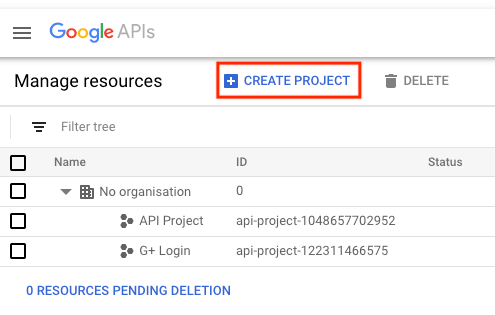
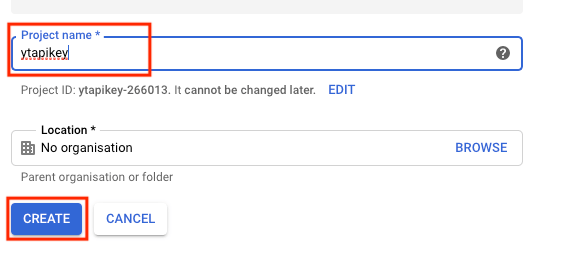
You will now see a box labelled Project name. Give it a simple name you can easily recognise and then click Create
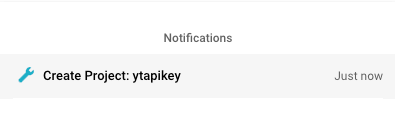
Wait for the notification (top right) saying the project has been created
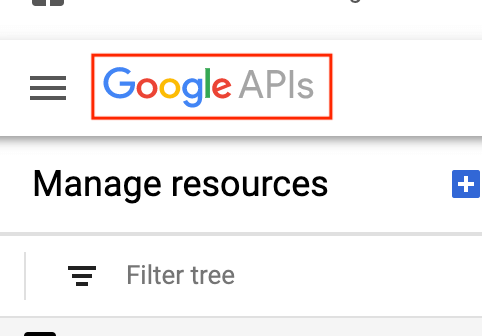
Now click on the Google APIs logo in the top left
Select Library from the left hand menu
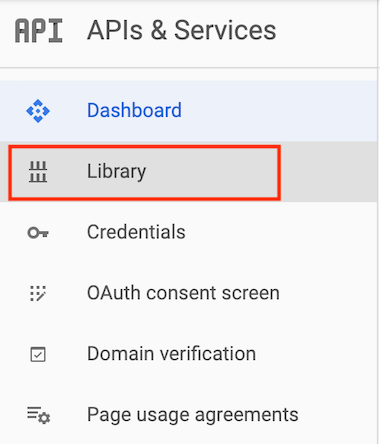
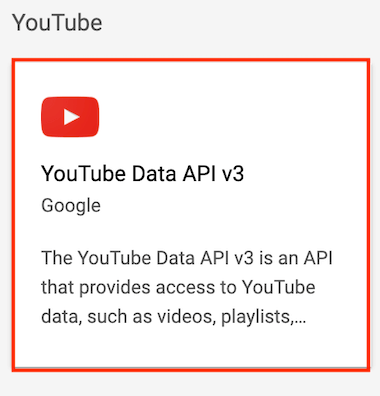
Scroll down and select YouTube Data API vX
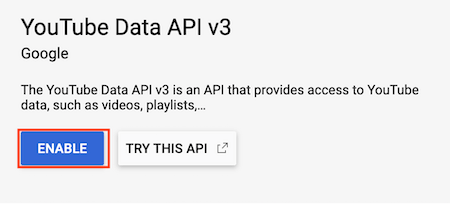
Select Enable on the next screen
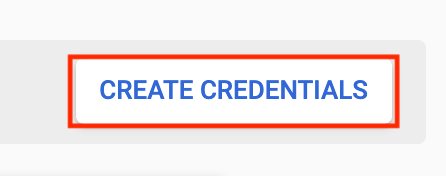
Select Create Credentials on the right hand side of the screen
Click on the Dropdown Box
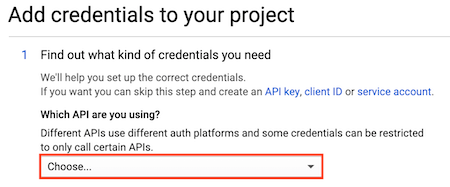
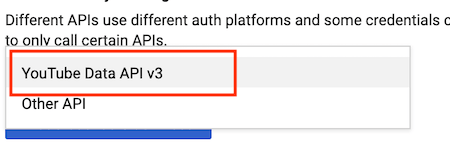
Select YouTube Data API vX
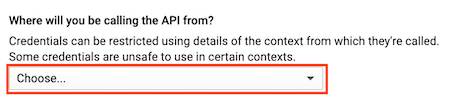
Now click on the Where will you be calling the API from dropdown box
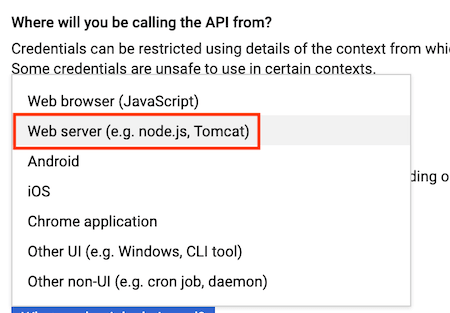
Select Web Server
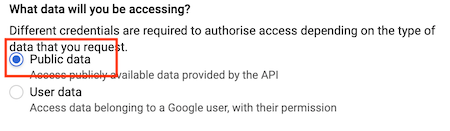
In the What data will you be accessing box check Public Data
Now click on What credentials do I need?
You will now see your API key. Click on Copy on the right hand side and then click done

Now you have it copied save it to a text file as we need to now get the ID & secret
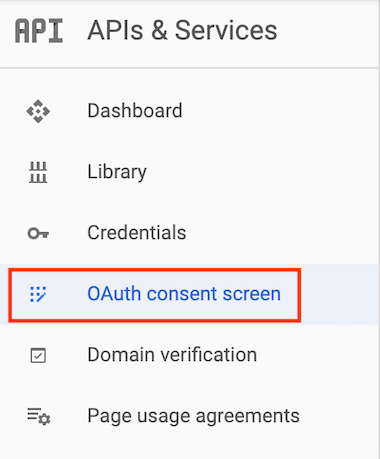
After clicking done you will be back at the screen where we clicked on Library. Look on the left hand side again and click on OAuth consent screen
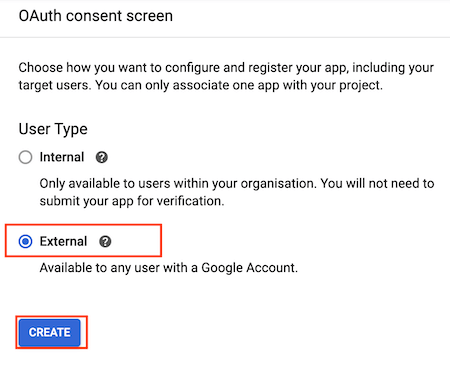
Click External and then Create
Enter a name (just use the same name as you did at the beginning)
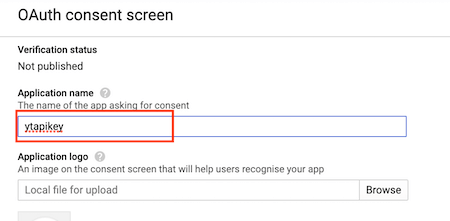
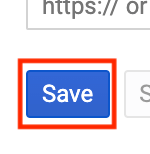
Scroll to the bottom and click Save
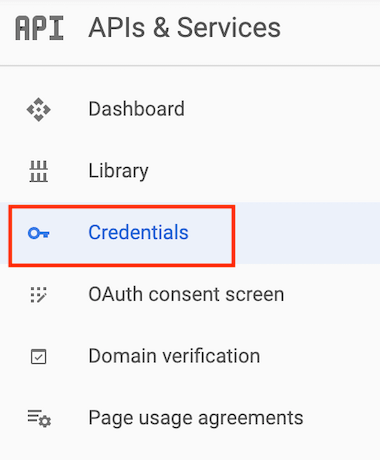
Now click on Credentials in the left hand menu
Now click Create Credentials in the top left

Select OAuth Client ID
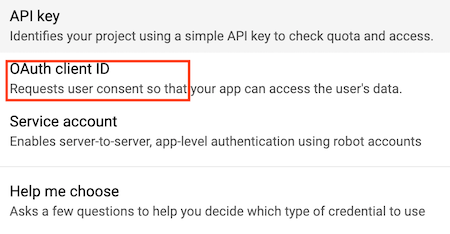
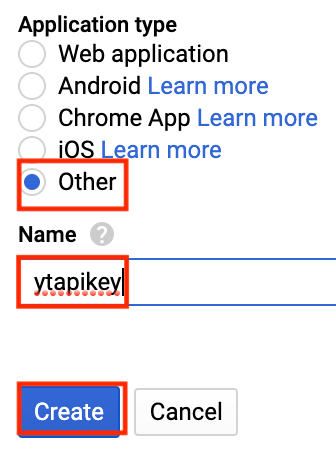
Select Other give it a Name (use the same name as we did before) and click Create
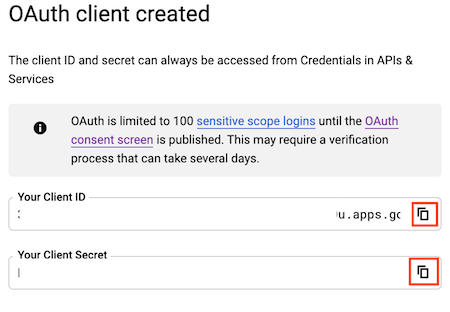
You will now see a box with your Client ID and Secret. Copy both and add to the text file where we saved the API key before
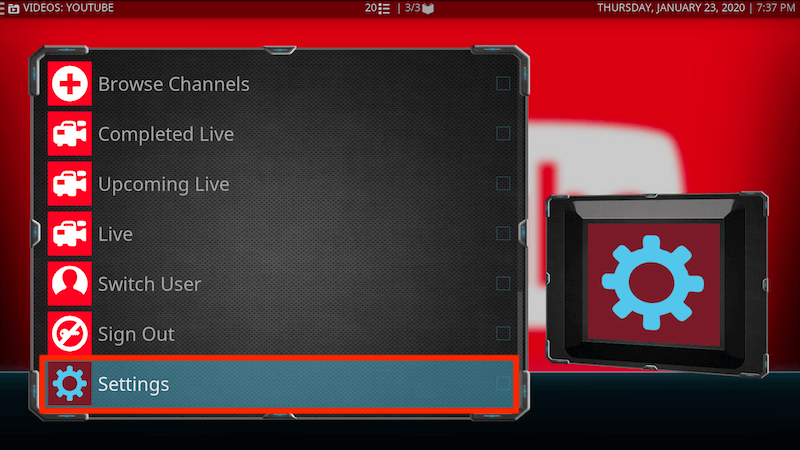
Now open YouTube on Kodi
Scroll down to Settings
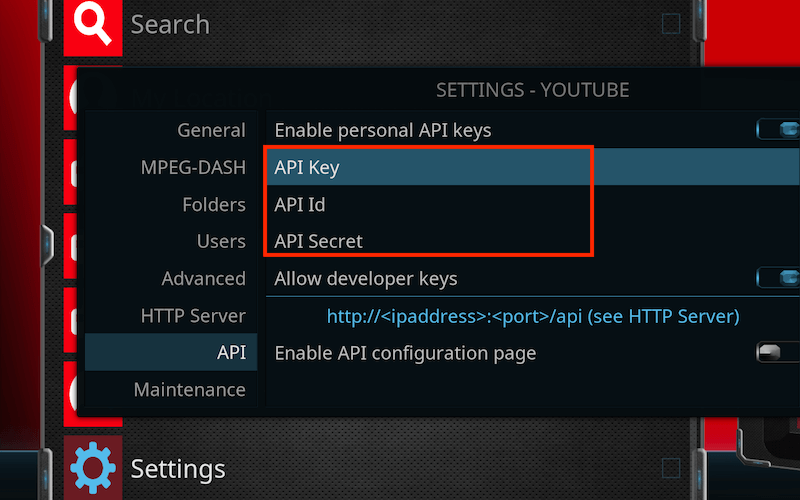
Highlight API in the left hand menu
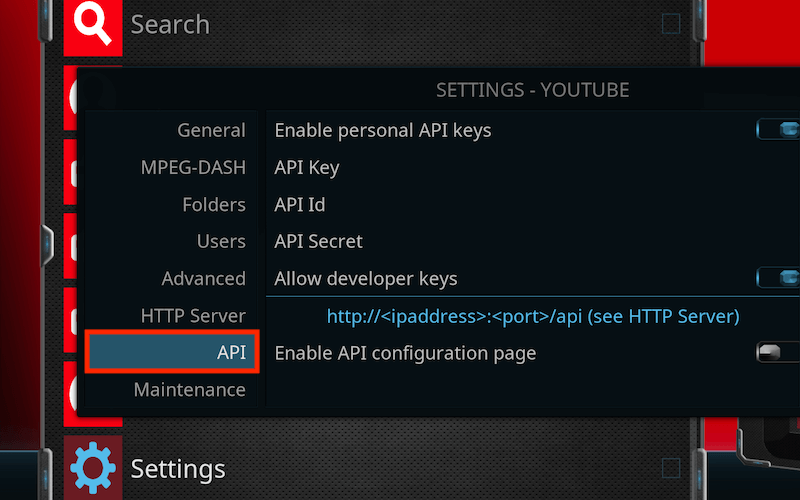
Now paste your API, Client ID and Secret in the corresponding boxes on the right and then click OK
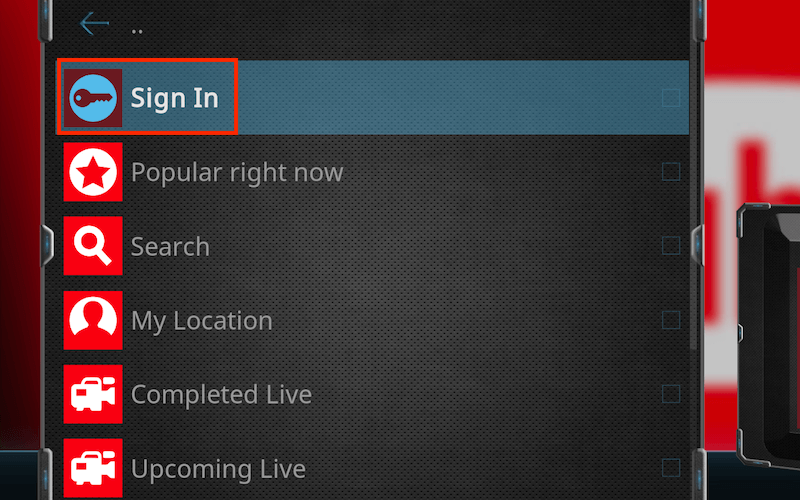
Now click on Sign In in the YouTube app on Kodi
You will now see a message saying you need to sign in twice to your Google account
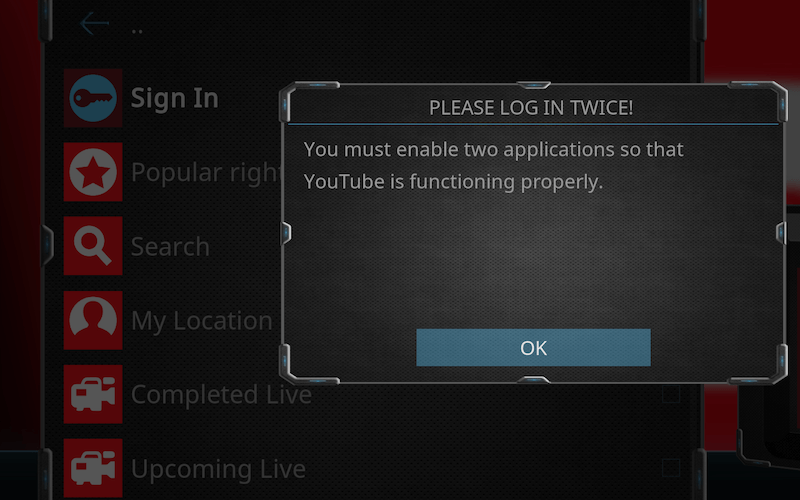
Click ok and it will give you a code. Go google.com/device and enter the code. Then click on your account and verify it.
A new code will then appear in the YouTube app so repeat the process
When you enter the second it will say you cannot do this as the app is not verified. But it is you who created this so you can trust it. So in your browser (I'm using Chrome) click on Advanced
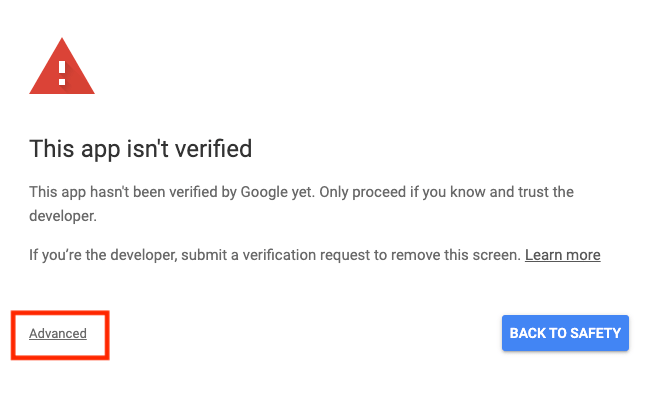
Now click on Go to 'nameofkey' and allow your API access
You will now be signed into YouTube and be able to access all your lists/likes etc.
-
enigma2-plugin-extensions-youtube_h1+git427+dfa62c4-r0.0_all
-YouTubeUi: add some aditional checks on YouTube.key reading
-Add possibility of read API keys from file …
You can save file YouTube.key in folder /etc/enigma2 and use for own API keys
-
 Quote from RazeDisplay More
Thank you Gorsky
I had a look in YouTubeUi.py and i saw that :
So i think leaving plugin untouched and creating the file Youtube.key in /etc/enigma2/ is enough, non?
Regards
Excellent catch! Exactly what needs to be done!
YT plugin makes a YouTube.key file in etc/enigma2, which must be edited with your newly created API details (3 of them):
API_KEY=xxxxxxxxxxxxxxxxxxxxxxxxxxxxxx
YOUTUBE_API_CLIENT_ID=xxxxxxxxxxxxxxxxxxxxxxxxxxxxxxxxxxxxxxxxxxx.apps.googleusercontent.com
YOUTUBE_API_CLIENT_SECRET=xxxxxxxxxxxxxxxxxxxxxxxxxxxxx
Tested, all working, both in Enigma2 > Kodi > YouTube addon and in
Enigma2 > YouTube plugin!
Cool! :)
-
i ve installed u r youtube pluins on zegmma h9s but it is not workin on openpli 7.2
-
And we are supposed to read the tea-leaves as to what you did or didn't do (right)?!?
If it's working on all other images - change yours...
-
dear gorski it can not exctract the video url this is my main problem
-
Then, you did not do as you were supposed to do and hence maybe it actually works, even in old OpenPLi?
7-zip is freeware and it should be able to handle compressed files....
But why do you need it? Here's the procedure:
1) Create your API, as described.
2) Install the ipk manually.
3) Edit the key file.
4) Restart!
Done!
-
i create api key but cant find these 2 other in my google account
YOUTUBE_API_CLIENT_ID
YOUTUBE_API_CLIENT_SECRET
-
-
Then, you didn't do it carefully... Go back and finish it properly.
Select Other give it a Name (use the same name as we did before) and click Create
You will now see a box with your Client ID and Secret. Copy both and add to the text file where we saved the API key before
Good luck!
-
thanks gorski
now i done it with ur given instructions.
tapaat youtube is working now after editing etc/enigma2 file
now i want to edit file for kodi.
i m using kodi18 in pure2 6.3 version.
what is the file name in usr/lib/enigma2/python/plugins/extentions/kodi ?
i have to edit plugin.py or plugin.pyo ?
-
No idea. I did it manually, adding them in Settings of YT plugin...
So, you tell me, heh... ;)
-
#
Hi
I installed the latest version. It got worse.
See the LOG that I attach.
I appreciate help.
Thanks.
#
-
-
#
Hi gorski
I uninstalled everything.
I installed the version again in:
http://taapat.ho.ua/enigma2-pl…t433+6550219-r0.0_all.ipk
See the LOG that I attach.
I appreciate help.
Thanks.
#
-
No idea, I'm not a coder, you're not using PurE2, it's DBB - which I do not have and quite frankly I hate - which might need special format for plugins, so.... sorry...
-
-
Was the plugin in .deb format?
-
-
Your hub for Enigma2 multimedia plugins.
Discover top Enigma2 multimedia plugins. Access downloads and support for the latest media players, audio tools, and file management utilities.





