FileZilla Client

There are 71 replies in this Thread which was already clicked 16,928 times. The last Post () by scouser97.

  • FileZilla Client v3.66.3 -beta1 Released

    Download FileZilla Client

    best regards

    DR-10

    Edited 5 times, last by DR-10 ().

  • FileZilla Server v1.8.0 Released

    Quote

    New Update:11.12.2023

    Bugfixes and minor changes:

    The autoban feature no longer bans clients with correct credentials that cannot log in due to exeeded connection limits..

    Report correct timestamps of mount points in directory listings

    Fixed regression introduced in 1.8.0 resulting in "Do not require authentication" not working..

    Download FileZilla Server v1.8.0

    best regards

    DR-10

    Edited once, last by DR-10 ().

  • FileZilla Server v1.8.1 Released

    Download FileZilla Server v1.8.1

  • FileZilla Client v3.66.5  Released

    Download FileZilla Client

    best regards

    DR-10

    Edited once, last by DR-10 ().

  • FileZilla Client v3.67.0  Released

    Download FileZilla Client

  • FileZilla Server v1.8.2 Released

    Download FileZilla Server v1.8.2

  • Download FileZilla Client

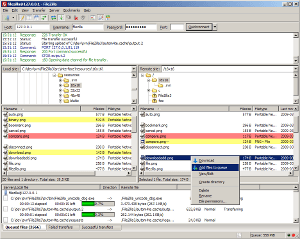
    Screenshot

    The latest stable version of FileZilla Client is 3.67.1

    Please select the file appropriate for your platform below.

    Windows (32bit x86) Operating system logo

    FileZilla_3.67.1_win32.zip Show file details

    FileZilla_3.67.1_win32-setup.exe Show file details (recommended)

    The 32bit versions of Windows 8.1 and 10 are supported.

    Windows (64bit x86) Operating system logo

    FileZilla_3.67.1_win64-setup.exe Show file details (recommended)

    FileZilla_3.67.1_win64.zip Show file details

    The 64bit versions of Windows 8.1, 10 and 11 are supported.

    macOS (Intel) Operating system logo

    FileZilla_3.67.1_macos-x86.app.tar.bz2 Show file details

    Requires macOS 10.13.2 or newer

    macOS (Apple Silicon) Operating system logo

    FileZilla_3.67.1_macos-arm64.app.tar.bz2 Show file details

    Requires macOS 10.13.2 or newer

    Linux (64bit x86) Operating system logo

    FileZilla_3.67.1_x86_64-linux-gnu.tar.xz Show file details

    Built for Debian 10.0 (Buster) 64bit edition. It is highly recommended to use the package management system of your distribution or to manually compile FileZilla if you are running a different flavour of Linux.

    Linux (32bit x86) Operating system logo

    FileZilla_3.67.1_i686-linux-gnu.tar.xz Show file details

    Vu Solo 4K Running OpenBlackhole 5.1


    MultiSat


    Panasonic 55" 4k OLED Model TX-55902B


  • FileZilla Server v1.9.0-rc1 Released

    Download FileZilla Server

  • FileZilla Server v1.9.0 Released

    Download FileZilla Server

  • FileZilla Server v1.9.3 Released

    Quote

    New Update:17.10.2024

    Bugfixes and minor changes:

    - Fixed a regression causing the automatic renewal of the Let's Encrypt® certificates to not work properly..

    - UI: fixed regression causing the Administration Interface port of the last successful connection to not be properly restored..

    - UI: fixed a bug where the TLS key appeared to be lost in the interface if certificate generation failed, even though the key was still retained on the server..

    Download FileZilla Server

  • FileZilla Client v3.68.0-rc1 Released

    Download FileZilla Client

  • FileZilla

    Features Screenshots Download Documentation FileZilla Pro RemoteDriveDownload FileZilla Client

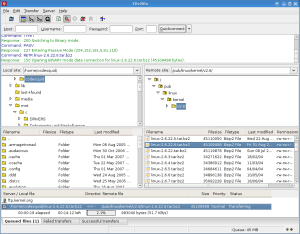
    Screenshot

    The latest stable version of FileZilla Client is 3.68.0

    Please select the file appropriate for your platform below.


    Linux (64bit x86) Operating system logo

    FileZilla_3.68.0_x86_64-linux-gnu.tar.xz


    Windows (64bit x86) Operating system logo

    FileZilla_3.68.0_win64-setup.exe Show file details (recommended)

    FileZilla_3.68.0_win64.zip Show file details


    Vu Solo 4K Running OpenBlackhole 5.1


    MultiSat


    Panasonic 55" 4k OLED Model TX-55902B


  • Download FileZilla Client

    Screenshot

    The latest stable version of FileZilla Client is 3.68.1

    Please select the file appropriate for your platform below.

    Linux (64bit x86) Operating system logo

    FileZilla_3.68.1_x86_64-linux-gnu.tar.xz Show file details

    Built for Debian 10.0 (Buster) 64bit edition. It is highly recommended to use the package management system of your distribution or to manually compile FileZilla if you are running a different flavour of Linux.

    Windows (64bit x86) Operating system logo

    FileZilla_3.68.1_win64-setup.exe Show file details (recommended)

    FileZilla_3.68.1_win64.zip Show file details

    Vu Solo 4K Running OpenBlackhole 5.1


    MultiSat


    Panasonic 55" 4k OLED Model TX-55902B


  • FileZilla Server v1.9.4 Released

    Quote

    New Update:11.11.2024

    Bugfixes and minor changes:

    - Fixed a regression causing the setting 'do not require authentication' to get lost when restarting the server. Note: To see the effect of this fix, administrators must manually reapply the 'do not require authentication' setting for affected users. After this adjustment, the setting will persist as expected..

    - MSW: Added NETWORK_SERVICE as a allowed user for the config dir ownership..

    Download FileZilla Server

Your hub for Enigma2 tools and utilities

Get downloads, support, and toolboxes for configuration and management software on Windows, Linux, and Android. Find essential Enigma2 tools for all platforms. Access downloads, support, and utilities for Windows, Linux, and Android to manage your receiver.

Participate now!

Don’t have an account yet? Register yourself now and be a part of our community!