recommend to turn off include CI assignment completely
then it works fine with two recordings
in common interface assignment select CAid 0X500
remember multichannel support set it to no




recommend to turn off include CI assignment completely
then it works fine with two recordings
in common interface assignment select CAid 0X500
remember multichannel support set it to no
Hello everyone. Could you please tell me how to display the weather icon on the DM 900 receiver's LCD screen (OpenATV 7.6 image)?
Previously I output it in a file skin display.xml like this:
<widget alphatest="blend" position="290,0" render="MSNWeatherPixmap" size="85,85" source="session.OAWeather" zPosition="1">
<convert type="OAWeather">weathericon,current</convert>
</widget>
It doesn't work like that now.
Hi
Dreambox-ONE
Image - openatv-7.6.0-dreamone-20251021
When moving with this package, you get a crash.
Eutelsat 7 West A / Nilesat 201 / Nilesat 301 @ 7.0°W
11277 V - DVB-S/QPSK - 27500 - 5/6
Attached is a copy of the crash.
Is there a solution for this?
Attached is a copy of the crash.
reattach the file, it won't download
Thanks for the information. I tried what you suggested, but the weather icon still doesn't appear on the display.
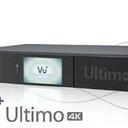
You must have OAWeather installed and the whole screen defined like this (taken from my Vu+ Ultimo4K) :
<!-- OAWEATHER -->
<screen name="OAWeatherOverviewSummary" position="0,0" size="800,480">
<widget position="10,135" render="OAWeatherPixmap" scale="1" size="270,270" source="session.OAWeather" transparent="1" zPosition="1" >
<convert type="OAWeather">weathericon,current</convert>
</widget>
</screen>
Please fix the image feed for the Dreambox 920. I’ve tried about twenty times because I want to install a plugin, but the feed problems didn’t let me — I barely managed to install it.
root@dm920:~# opkg update && opkg install --force-overwrite /tmp/*.ipk
Downloading https://feeds2.mynonpublic.com/7.6.0/dm920/3rdparty/Packages.gz.
Updated source 'openatv-3rdparty'.
Downloading https://feeds2.mynonpublic.com/7.6.0/dm920/all/Packages.gz.
Updated source 'openatv-all'.
Downloading https://feeds2.mynonpublic.com/7.6.0/dm920/cortexa15hf-neon-vfpv4/Packages.gz.
Updated source 'openatv-cortexa15hf-neon-vfpv4'.
Downloading https://feeds2.mynonpublic.com/7.6.0/dm920/dm920/Packages.gz.
Updated source 'openatv-dm920'.
Downloading https://feeds2.mynonpublic.com/7.6.0/dm920/dm920_3rdparty/Packages.gz.
Updated source 'openatv-dm920_3rdparty'.
Downloading https://raw.githubusercontent.com/oe-alliance/enigma2-settings-feed/gh-pages/Packages.gz.
Updated source 'enigma2-settings-feed'.
Downloading https://raw.githubusercontent.com/oe-alliance/picons-feed/gh-pages/Packages.gz.
Updated source 'oe-alliance-picon-feed'.
Downloading https://feeds2.mynonpublic.com/7.6/preview/preview-dm920/Packages.gz.
Updated source 'openatv-preview-dm920'.
Downloading https://feeds2.mynonpublic.com/7.6.0/STATIC/static-cortexa15hf-neon-vfpv4/Packages.gz.
Updated source 'openatv-static-cortexa15hf-neon-vfpv4'.
Downloading https://feeds2.mynonpublic.com/7.6.0/STATIC/static-dm920/Packages.gz.
Updated source 'openatv-static-dm920'.
Refusing to load file '/tmp/enigma2-plugin-extensions-ipaudio_7.4_all-for-VTI-&-Opensource.ipk' as it matches the installed version of enigma2-plugin-extensions-ipaudio (7.4).
error: opkg_solver_install: No candidates to install /tmp/enigma2-plugin-extensions-ipaudio_7.4_all-for-VTI-&-Opensource.ipk (null)!
Configuring enigma2-plugin-extensions-ipaudio.
======================= Installing IPAudio 7.4 ==========================
tar (child): ipaudio-7.4.tar.gz: Cannot open: No such file or directory
tar (child): Error is not recoverable: exiting now
tar: Child returned status 2
tar: Error is not recoverable: exiting now
==========================================================================
Some dependencies need to be downloaded from feeds...
==========================================================================
error: opkg_lock: Could not lock /run/opkg.lock: Resource temporarily unavailable.
error: opkg_cmd_exec: Command failed to capture privilege lock: Resource temporarily unavailable.
Installing gstreamer1.0-plugins-good-mpg123...
error: opkg_lock: Could not lock /run/opkg.lock: Resource temporarily unavailable.
error: opkg_cmd_exec: Command failed to capture privilege lock: Resource temporarily unavailable.
Installing gstreamer1.0-plugins-good-equalizer...
error: opkg_lock: Could not lock /run/opkg.lock: Resource temporarily unavailable.
error: opkg_cmd_exec: Command failed to capture privilege lock: Resource temporarily unavailable.
Installing gstreamer1.0-plugins-good-ossaudio...
error: opkg_lock: Could not lock /run/opkg.lock: Resource temporarily unavailable.
error: opkg_cmd_exec: Command failed to capture privilege lock: Resource temporarily unavailable.
Installing gstreamer1.0-plugins-base-adder...
error: opkg_lock: Could not lock /run/opkg.lock: Resource temporarily unavailable.
error: opkg_cmd_exec: Command failed to capture privilege lock: Resource temporarily unavailable.
Installing gstreamer1.0-plugins-base-volume...
error: opkg_lock: Could not lock /run/opkg.lock: Resource temporarily unavailable.
error: opkg_cmd_exec: Command failed to capture privilege lock: Resource temporarily unavailable.
#########################################################
#  gstreamer1.0-plugins-base-volume not found in feed   #
#         IPAudio has not been installed                #
#########################################################
error: pkg_run_script: package "enigma2-plugin-extensions-ipaudio" postinst script returned status 1.
error: opkg_configure: enigma2-plugin-extensions-ipaudio.postinst returned 1.
root@dm920:~#This has nothing to do with the feed from the OpenATV image.
You’re installing a bad IPK file from the /tmp folder:
enigma2-plugin-extensions-ipaudio_7.4_all-for-VTI-&-Opensource.ipk
This IPK calls opkg again in a pre-script. That means: delete it from your /tmp folder, and the developers of the IPK should read the instructions on how opkg works instead of unleashing something like this on users.

Detta har ingenting att göra med flödet från OpenATV-bilden.
Du installerar en felaktig IPK-fil från mappen /tmp:
enigma2-plugin-extensions-ipaudio_7.4_all-for-VTI-&-Opensource.ipk
Denna IPK anropar opkg igen i ett förskript. Det betyder: ta bort den från din /tmp-mapp, och utvecklarna av IPK:n borde läsa instruktionerna om hur opkg fungerar istället för att släppa lös något liknande på användarna.
Captain, why don't you create an Opena TV image on the SD card, like Opena TV 7.3 used to be, so we can install it on the Dreambox Two.
Why does Captain have to do it for you? You can do it yourself. There is a script that allows you to do it.

Why does Captain have to do it for you? You can do it yourself. There is a script that allows you to do it.
What do you mean by installing the script on the SD card?
I hope it does not contradict the rules of the forum. Look here:
I hope it does not contradict the rules of the forum. Look here:
I know about dumbo and I'm not interested in gutemine because I don't want to put it on my dreambox. You didn't understand me, just create an Opena TV image that is installed on the SD card via balenaEtcher, just like you could install Opena TV 7.3. That's what I meant, not via the dumbo script.
Dumbo is a script made by Gutemine, but you don't need to install anything from GM to use it. It's free to use. You might not have known about this. But if you're not interested, forget it.
I'm not interested in that through Gutemina. I wouldn't put anything from it in my receiver. This is simpler and very easy to install on an SD card if you did it like before on Opena TV 7.6. image
Please fix the image feed for the Dreambox 920. I’ve tried about twenty times because I want to install a plugin, but the feed problems didn’t let me — I barely managed to install it.
Can you install ipks on a dreambox. I thought it used .deb only????
 Display More
Please fix the image feed for the Dreambox 920. I’ve tried about twenty times because I want to install a plugin, but the feed problems didn’t let me — I barely managed to install it.
Can you install ipks on a dreambox. I thought it used .deb only????
Of course, there is an image based on the OpenEmbedded Alliance Core that runs on the Dreambox 920, and there are also DreamOS images, meaning it supports both cores.


Supporting the Enigma2, satellite and IPTV community since 2010.
Independent • Community Driven • Established 2010