CiefpTMDBSearch

There are 45 replies in this Thread which was already clicked 5,508 times. The last Post () by biko.

  • ..:: CiefpTMDBSearch 1.7 ::..


    What's new in version 1.7

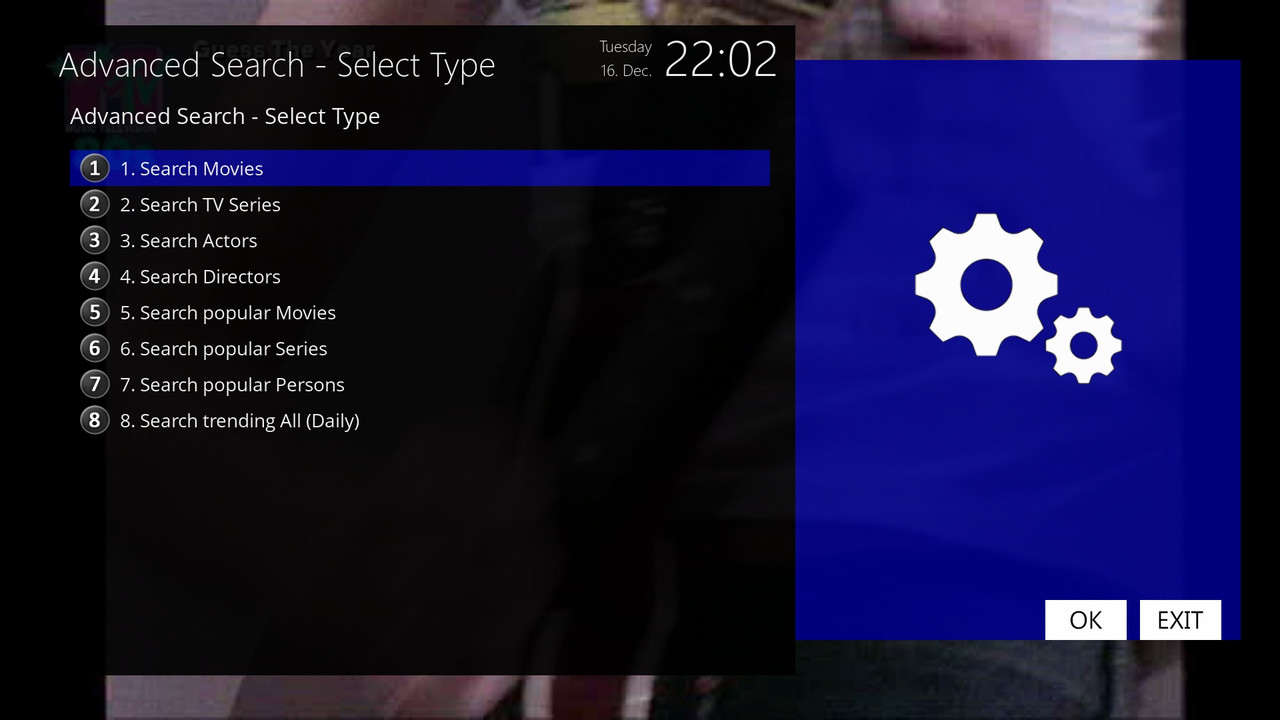
    Four new options have been added to the Advanced Search menu:


    Search popular Movies

    – Shows the 20 most popular movies currently on TMDB (long term popularity).

    – The list contains: movie name, year of release, TMDB rating and stars.

    - Clicking on the film opens a full view with the poster, description, actors, etc.

    Search popular Series

    – Shows the 20 most popular series currently on TMDB.

    – Display: name of series, year of start, rating and stars.

    – Selection opens a detailed view of the series.

    Search popular persons

    – Shows the 20 most popular people (actors, directors, etc.).

    – Display: person's name, field (eg Acting/Directing), short list of famous movies/series, popularity with stars.

    - Click to open the person's profile with biography, filmography and poster.

    Search trending All (Daily)

    – Shows the 20 most current titles and people per day (mixed – movies, series and people),

    just like the "Trending" section on the TMDB home page.

    - It is updated daily and shows what is currently most in focus (new hits, viral series, current actors).

    – Display:

    • Movies: [Mov] Title (year) ★★★★★ 7.8

    • Series: [Ser] Title (year) ★★★★★ 8.5

    • Persons: [Person] Name Surname • Acting ★★★★ 45.2

    – Selection opens the corresponding detailed view (movie/series/person profile).


    The rest


    All displays are limited to 20 results for speed and visibility (as on the TMDB site - first page).

    Ratings are shown with stars for faster viewing.

    Selection of description language is supported (via plugin settings).


    Online installation via plugin


    ..:: CiefpSettings ::..

    1-0-1-1FE-1B-2C0-E080000-0-0-0-20251216220214.jpg

  • what would be really good, when you search for movies and you input "term" you get a choicebox with "terminator", "Terminator 2", "Terminator: Genisys", "Terminator 3"... just like on the web site

  • ..:: CiefpTMDBSearch ::..

    Two upgrades to the plugin


    What was added in 1.8


    Search Top Rated Movies – 20 best rated movies of all time

    Search Top Rated Series – 20 best rated series


    Now the plugin has all the key TMDB sections: Popular, Trending and Top Rated – a real TMDB browser in Enigma! 🔥


    What's new in version 1.9


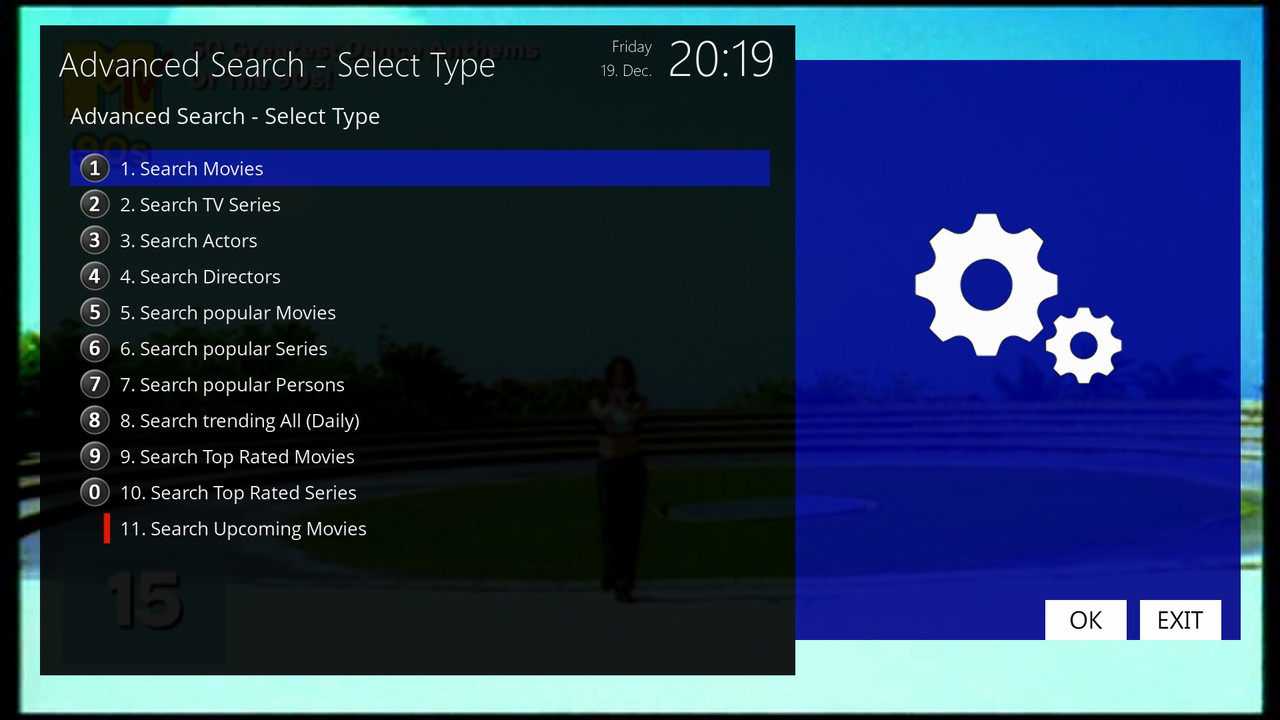
    11. Search Upcoming Movies

    – Shows 20 upcoming movies that will soon be released in cinemas or on streaming (sorted by release date – closest first).

    – Display in the list:

    [Upc] Movie title (19.12.2025) ★★★★☆ 7.5

    – The release date is formatted better (day.month.year).

    – Rating and stars (if it already exists based on votes/trailers).

    - Click to open the full view of the film (poster, description, actors, trailer if available).

    1-0-1-1FF-1B-2C0-E080000-0-0-0-20251219201901.jpg

  • The header shouldn't be displayed now because I switched the skin to fullhd.

    The way it is now, it should be displayed. It's better like this in fullhd, many of you use various images and also various skins that are not the default on those images.

    I can't adjust the plugin for various skins. That should be done by those who make skins to adapt their skin to various plugins. My plugin is primarily intended to work with the default skin. I'm not saying it won't work with other skins, but I don't have time to test it.

  • the title is there up more higher so you can´t see it, if you don´t define the title and border graphics (flags="wfNoBorder") the center, center is ok (for full hd screen), if you want the title as well you have to leave the space for it as I suggested here RE: CiefpTMDBSearch , with smaller screens there is no problem, the title will fit (like in settings screen), by the way you can try an option position="fill", you don´t need position and size then

    Edited once, last by mrvica ().

  • Can you add a function that automatically loads the information when the plugin starts, without having to press ‘Auto EPG’ every time?

  • 📊 CiefpTMDBSearch 2.1

    New:

    Seasons and Episodes, the plugin can now display all seasons and their episodes for series.

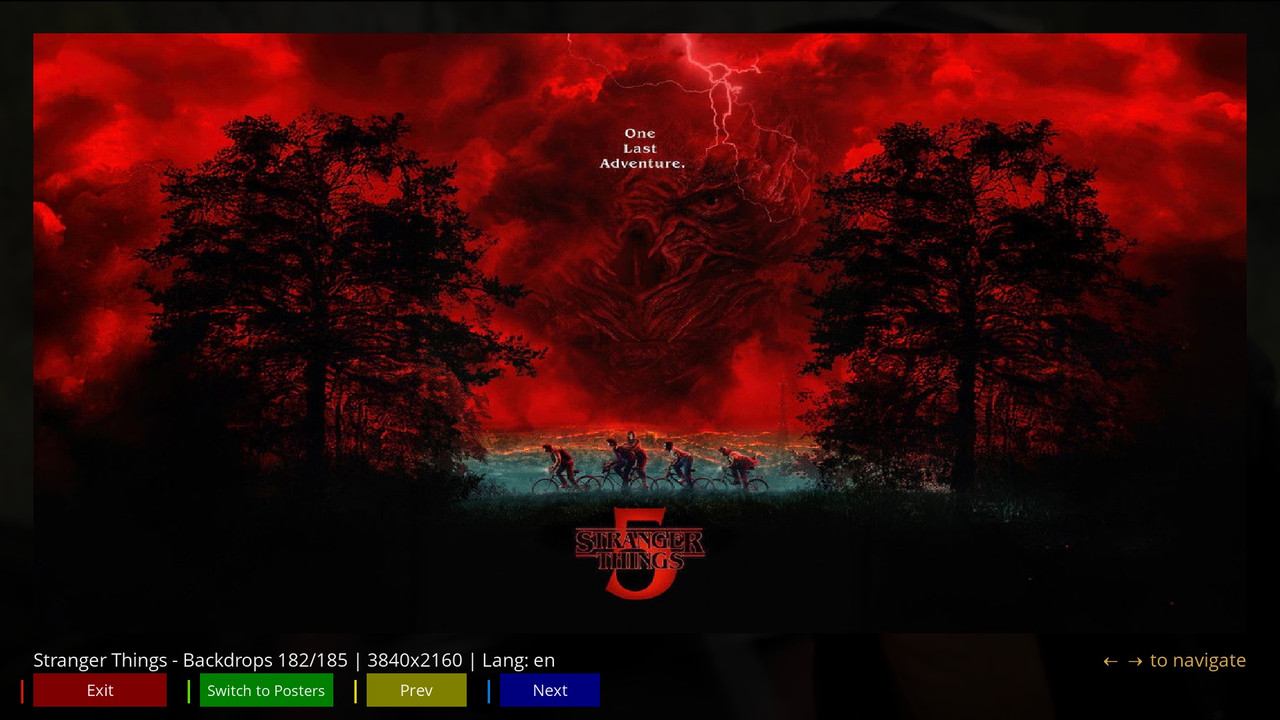
    The plugin now also has a gallery to display all available posters and backdrops images.


    The plugin now has:

    ✅ Auto EPG search - automatic recognition of the current program

    ✅ Advanced search - movies, series, actors, directors

    ✅ Popular/Trending lists - what is currently popular

    ✅ Cast Explorer - cast research

    ✅ Seasons and Episodes - detailed overview of TV series and episodes

    ✅ TMDB and IMDB ratings - additional information

    ✅ Backdrop Gallery - preview of background images

    ✅ Poster Gallery - preview of posters

    ✅ Settings - API keys, language, cache


    🖼️ Quick guide: How to use the poster and backdrop viewer

    The new gallery is easy to use. Here is a quick guide:


    Accessing the gallery:

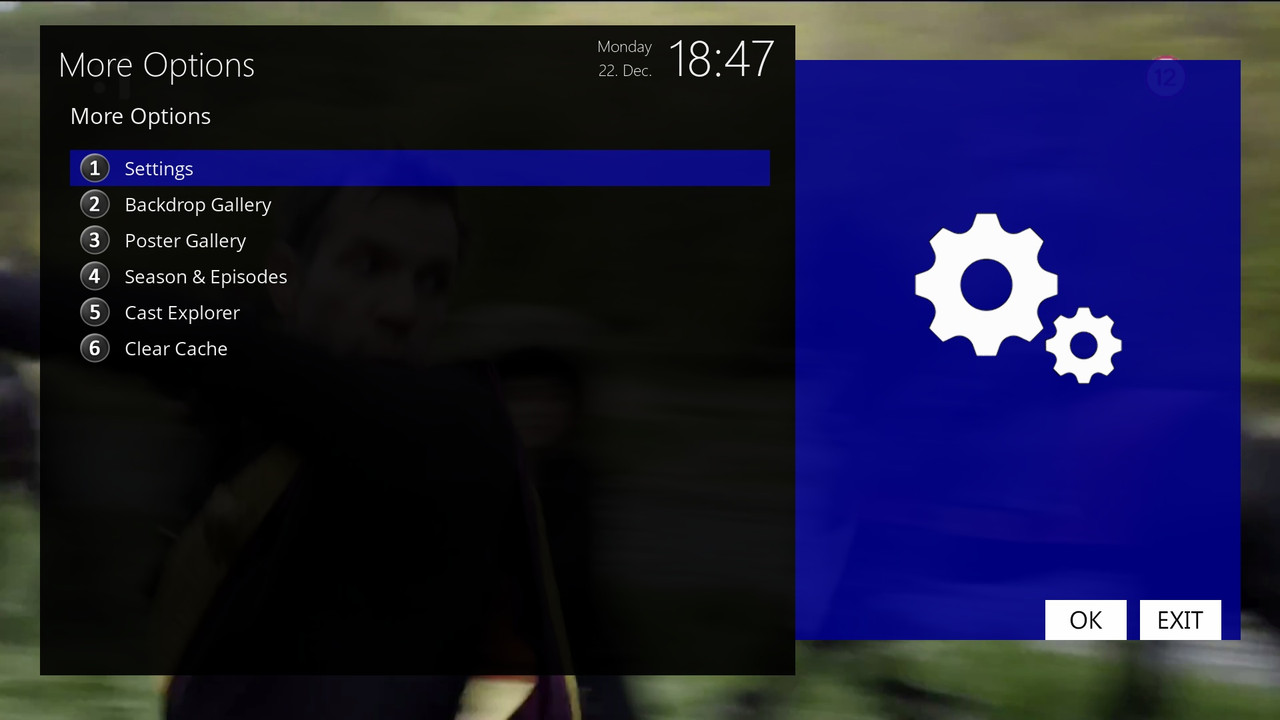
    After loading the movie or series data, press the MENU button on your remote control.

    In the menu, select the 🖼️ Backdrop Gallery or 🎬 Poster Gallery option.


    Gallery navigation:

    Use the YELLOW and BLUE buttons (or the left/right arrows) to move through the images.


    The GREEN button takes you back to the home screen or switches between the backdrop and poster galleries (if available).

    The status bar at the top shows which image you are out of a total (e.g., "6/185").


    Close the gallery:

    Press the RED button or OK/Exit to return to the main plugin screen.


    💡 Tips and notes

    Caching: Images are automatically downloaded and saved to your chosen cache folder (set in Settings). This speeds up the display the next time you open them.

    Language settings: In Settings, you can change the language for the descriptions (language). This also affects the language of the data you get from the TMDB database.

    Performance: If the plugin starts to work slowly due to a full cache, you can clear it via MENU > More Options > 🗑️ Clear Cache.

    The new gallery is a great addition that allows users to fully experience viewing the visual content of a movie or series.


    ..:: CiefpSettings ::..


    1-0-19-3F3-AF1-BB-E080000-0-0-0-20251222184729.jpg


    1-0-19-3F3-AF1-BB-E080000-0-0-0-20251222184744.jpg

  • Can you add a function that automatically loads the information when the plugin starts, without having to press ‘Auto EPG every time

    I´ve integrated it for myself, useful If you start the plugin with hotkey, furthermore with CH+/CH- you can switch channels inside the plugin with automatically loading infornations you can start the plugin from channel selection menu as well (just press Menu key in channel selection), if ciefp doesn´t mind I can upload plugin.py, I just make suggestions, idea just occured to me, I don´t mean to belittle his work

  • Can you add a function that automatically loads the information when the plugin starts, without having to press ‘Auto EPG every time

    I´ve integrated it for myself, useful If you start the plugin with hotkey, furthermore with CH+/CH- you can switch channels inside the plugin with automatically loading infornations you can start the plugin from channel selection menu as well (just press Menu key in channel selection), if ciefp doesn´t mind I can upload plugin.py, I just make suggestions, idea just occured to me, I don´t mean to belittle his work

    I have nothing against new ideas, of course we can add it to the next version. I do everything openly, all my plugins are open, I receive all suggestions that will improve the plugin.

Enigma2 Multimedia Plugins

Discover top Enigma2 multimedia plugins. Access downloads and support for the latest media players, audio tools, and file management utilities.

Participate now!

Don’t have an account yet? Register yourself now and be a part of our community!