


Supervisors and members of our forum dear
We turn now explain the operation of the TNT channels in the image of Pli-Jade
Aldirimbucs in 500 by emo Gbox
Way too easy
Important Note: The use of image Pli-Jade Xline in the following explanation
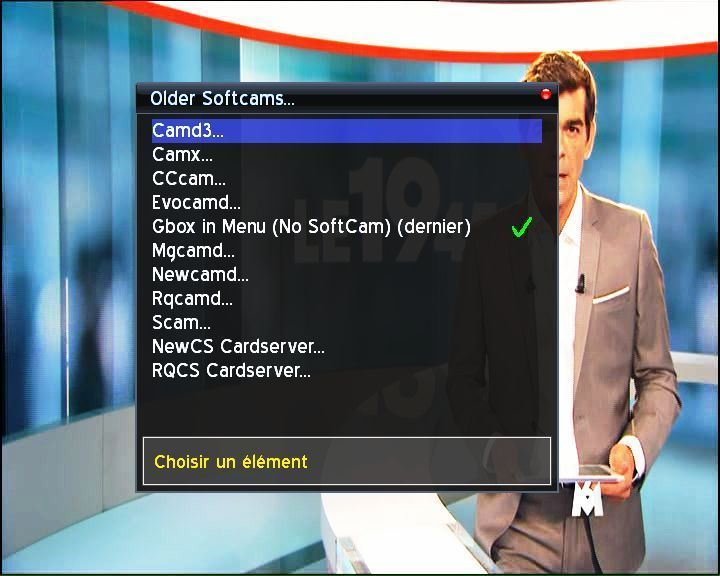
Phase I: Install Plugins Dreambox Gbox on the remote
download> softcams / cardservers> gbox
As shown in the picture
Phase II:
After the end of the installation, we come to an important stage and is to download the following file
Contains the bin and the two key Nrzlema by DCC as follows:
1. Decompress the file zip. Annex
2. Dreambox Control Center by passed the content of the bin file to var / bin chmod Baldereym were seven hundred fifty-five (Attribut)
3. Dreambox Control Center by the content passed to the file var var / key Baldereym
Important Note: File does not matter - SS -
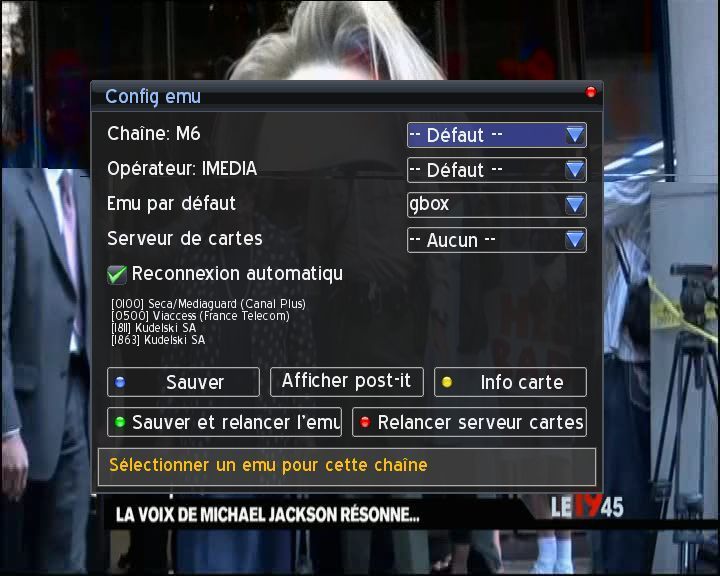
4. did Emu GBox b Boutton Blue
as in the picture
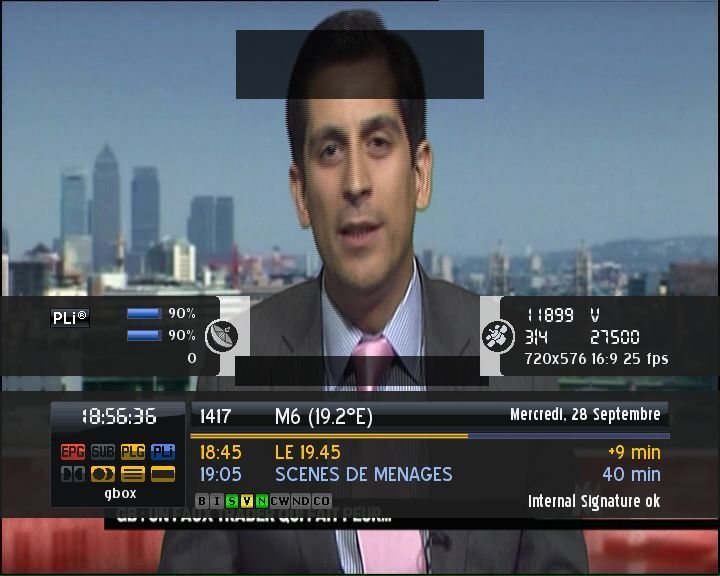
And here are images of the functioning


e1-gbox-git800-gemini.zip"]e1-gbox-git800-gemini[/URL]



