


[01] Install vdr-addon
If you have this already skip this step
[02] Configure Vdr-addon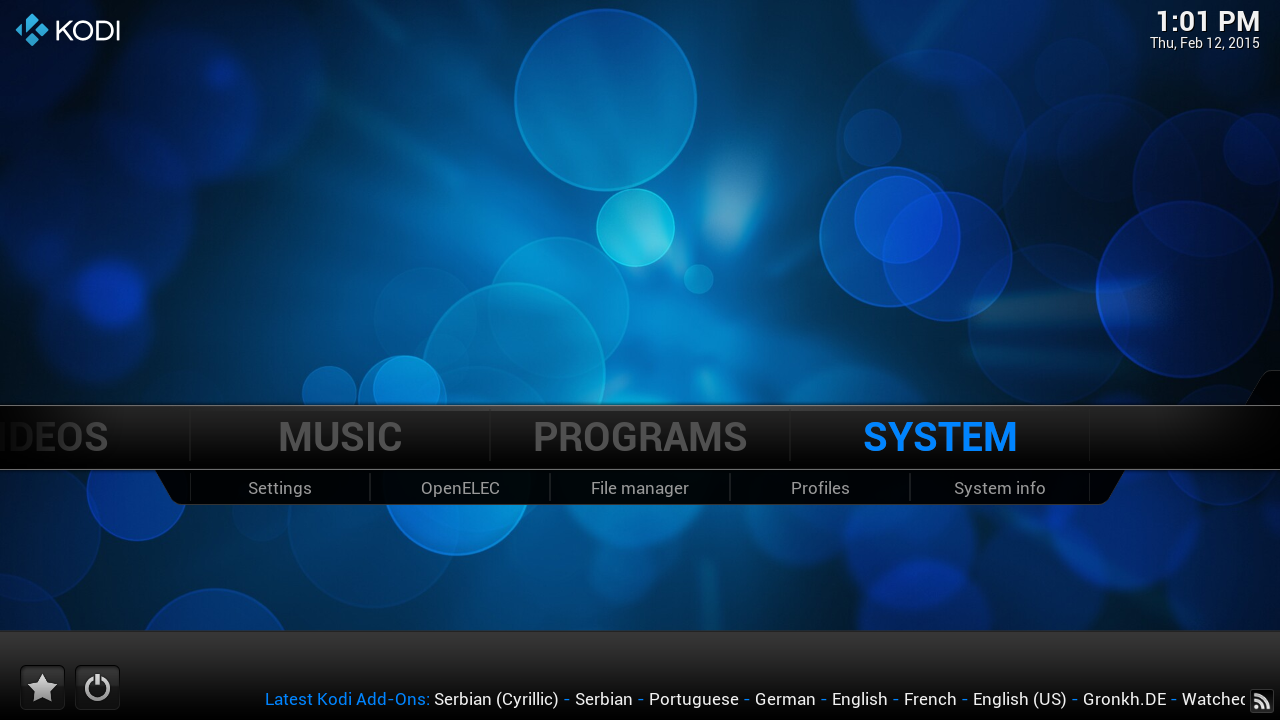
click on "system"

click on "Add-ons"
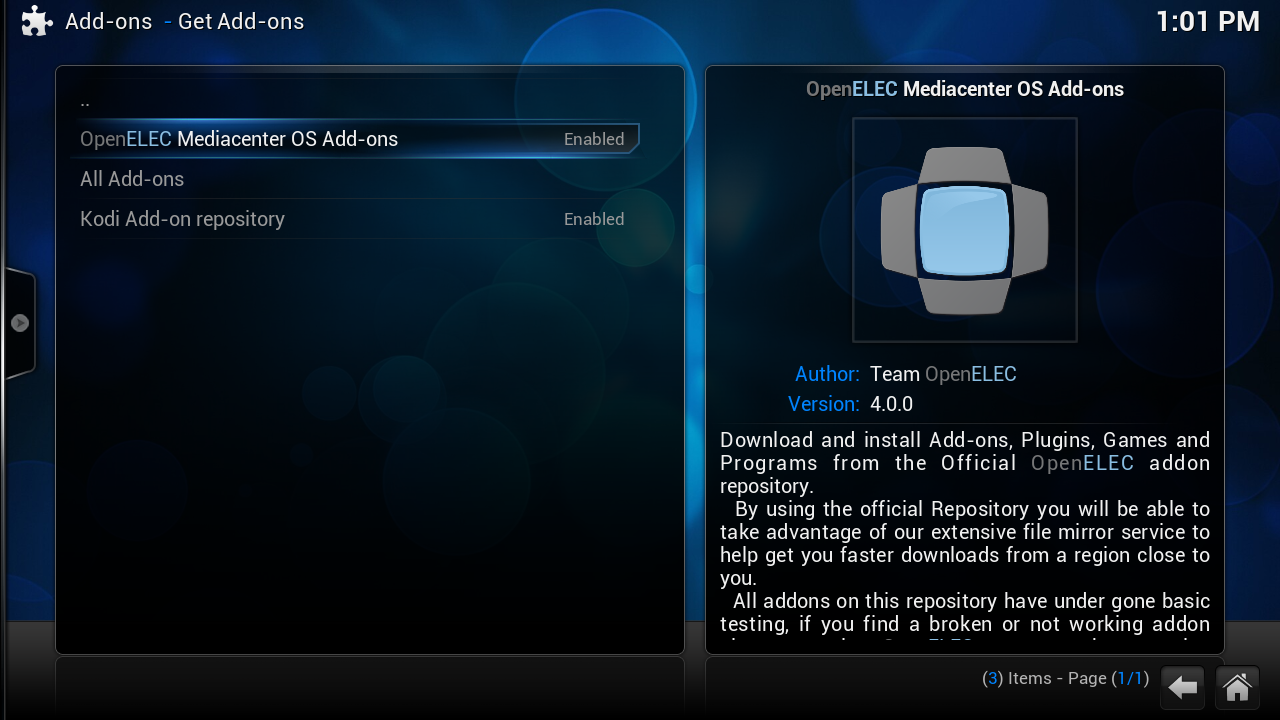
Click on "OpenELEC Mediacenter OS Add-ons¨
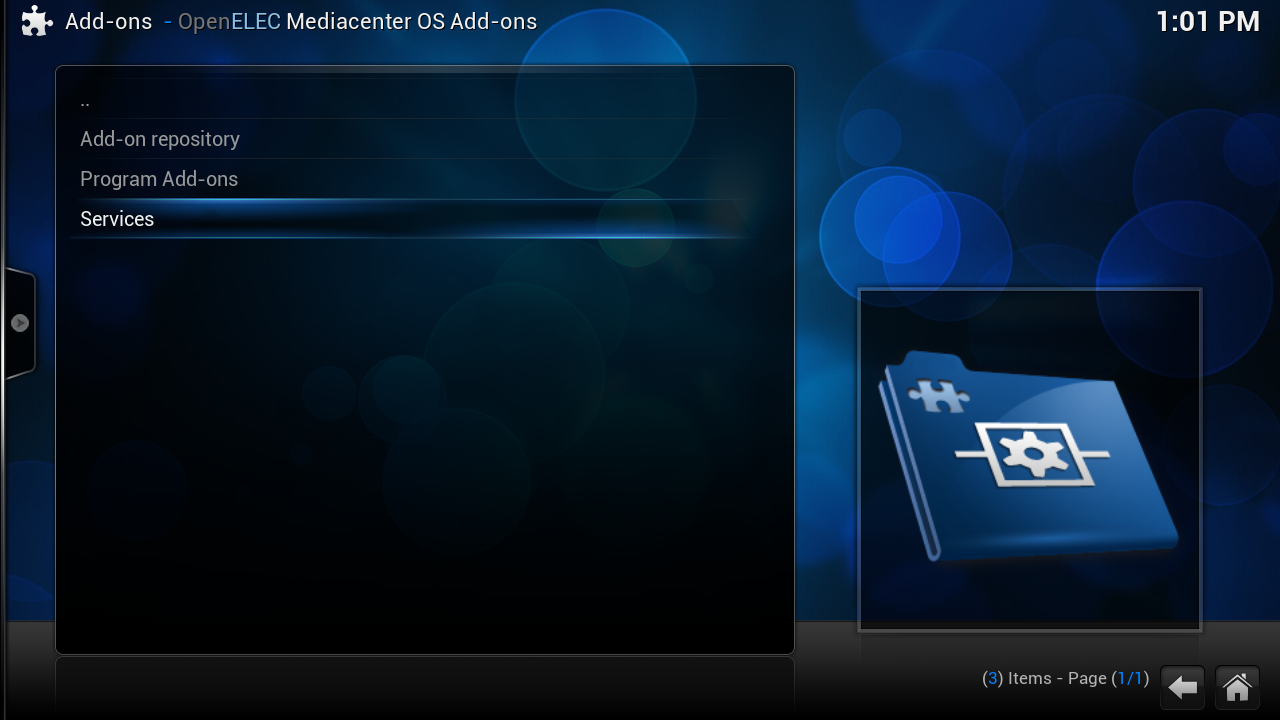
click on "Services"

click on "vdr-addon"
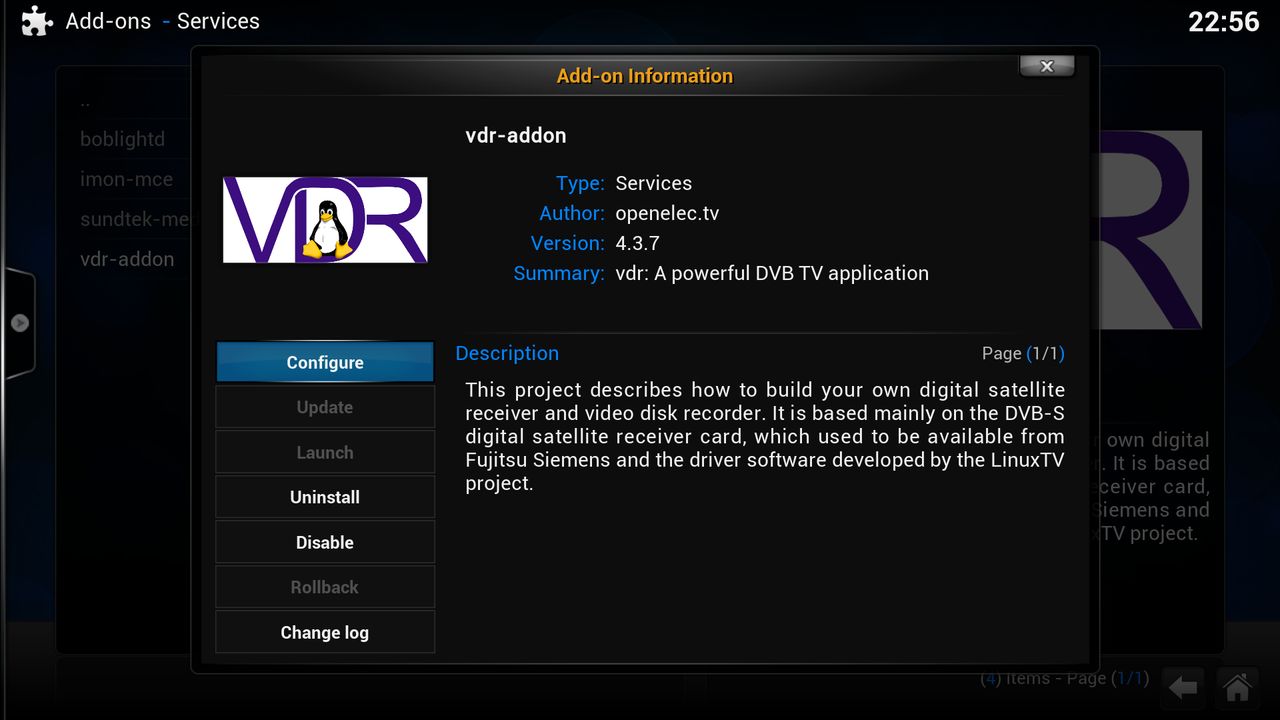
click on configure
[03] DVB Configure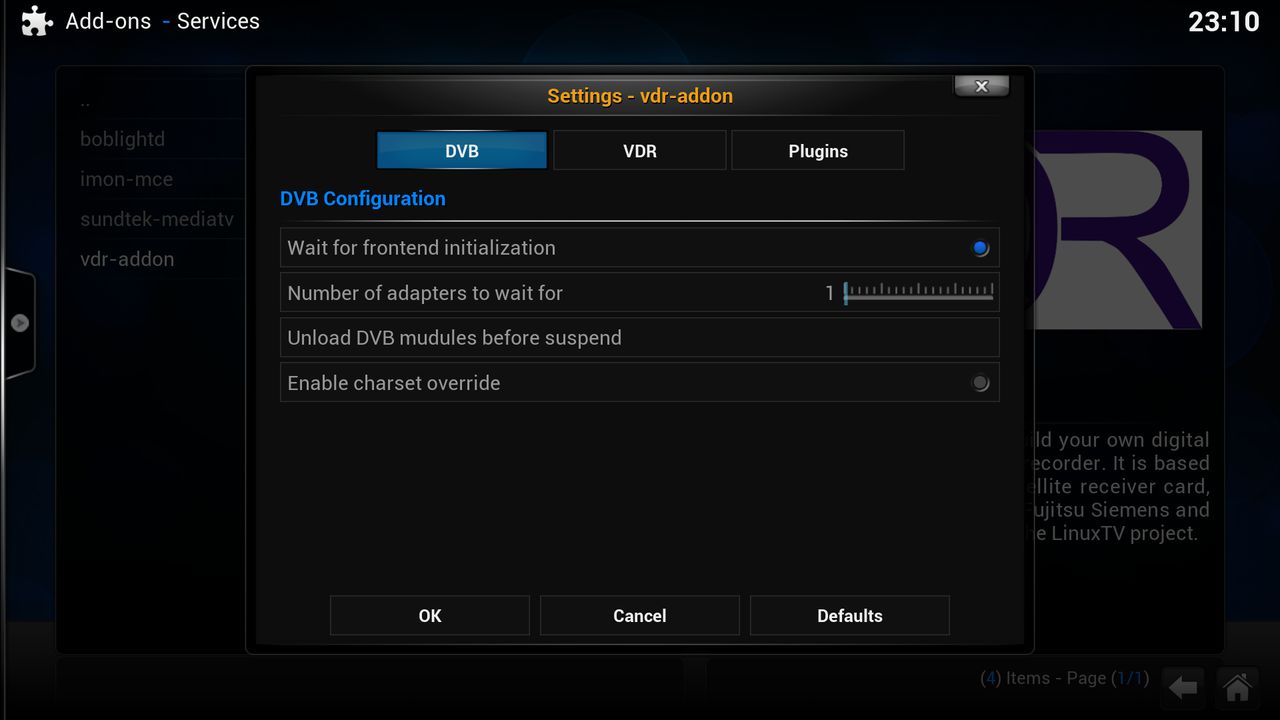
[04] VDR Configure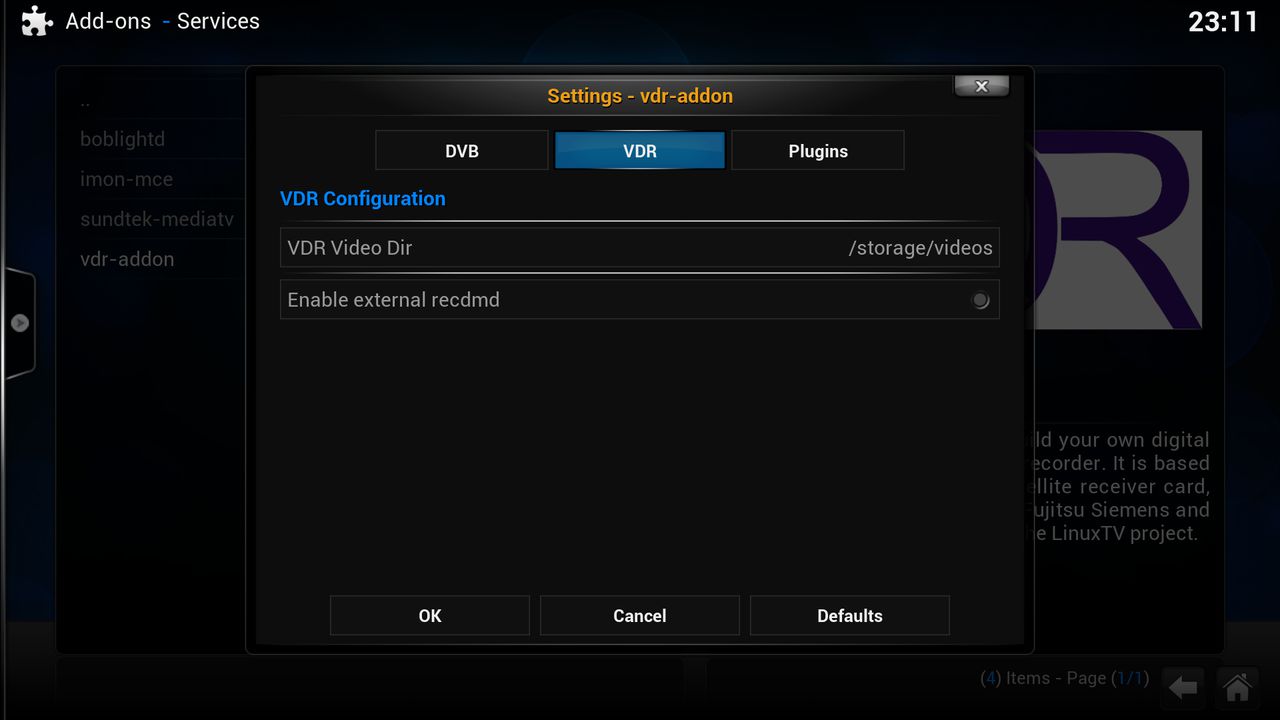
[05] Vdr Plugin's Configure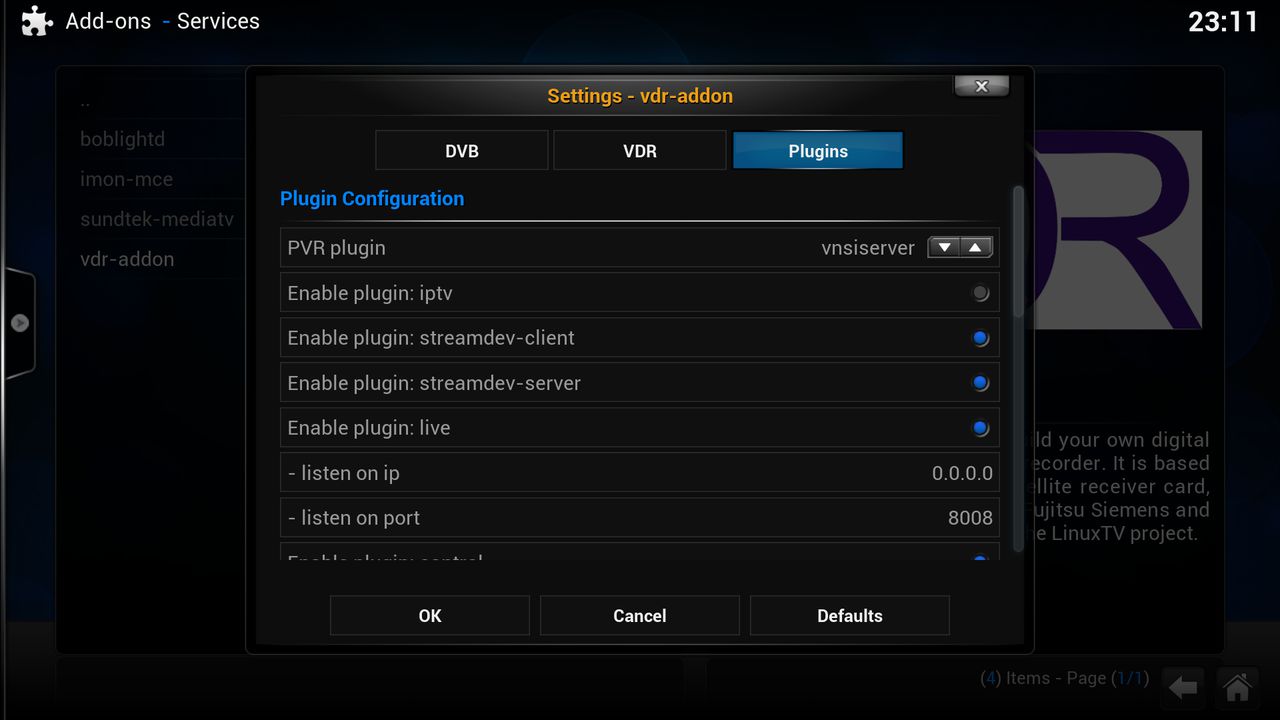
PVR plugin
Enable plugin: iptv Integrated IPTV offerings in the VDR
Enable plugin: streamdev-client Streaming-Server/Client
Enable plugin: streamdev-server Streaming-Server/Client
Enable plugin: live Live Interactive VDR Environment
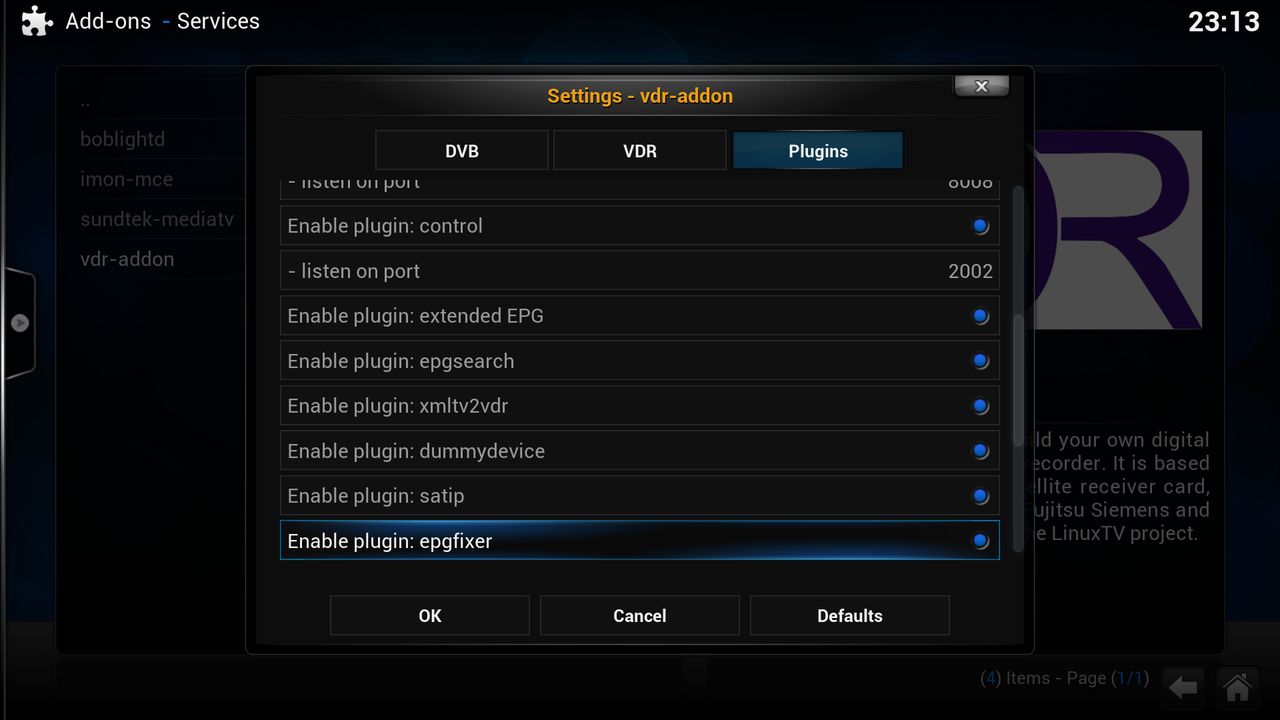
Enable plugin: control Edition of the OSD on a Telnet terminal
Enable plugin: externded EPG
QuoteThe plugin loads EPG information for other providers (2-10 days). Thus, the program information from Premiere, Media Highway 1 and 2, Sky Uk Sky Italy, Freesat and NagraGuide are also displayed in the vdr EPG menu.
Enable plugin: epgsearch Advanced EPG search and automatic creation of timers
Enable plugin: xmltv2vdr Import EPG data in VDR
Enable plugin: dummydevice Dummy output device
Enable plugin: satip ?
Enable plugin: epgfixer Processing of EPG content with RegExp
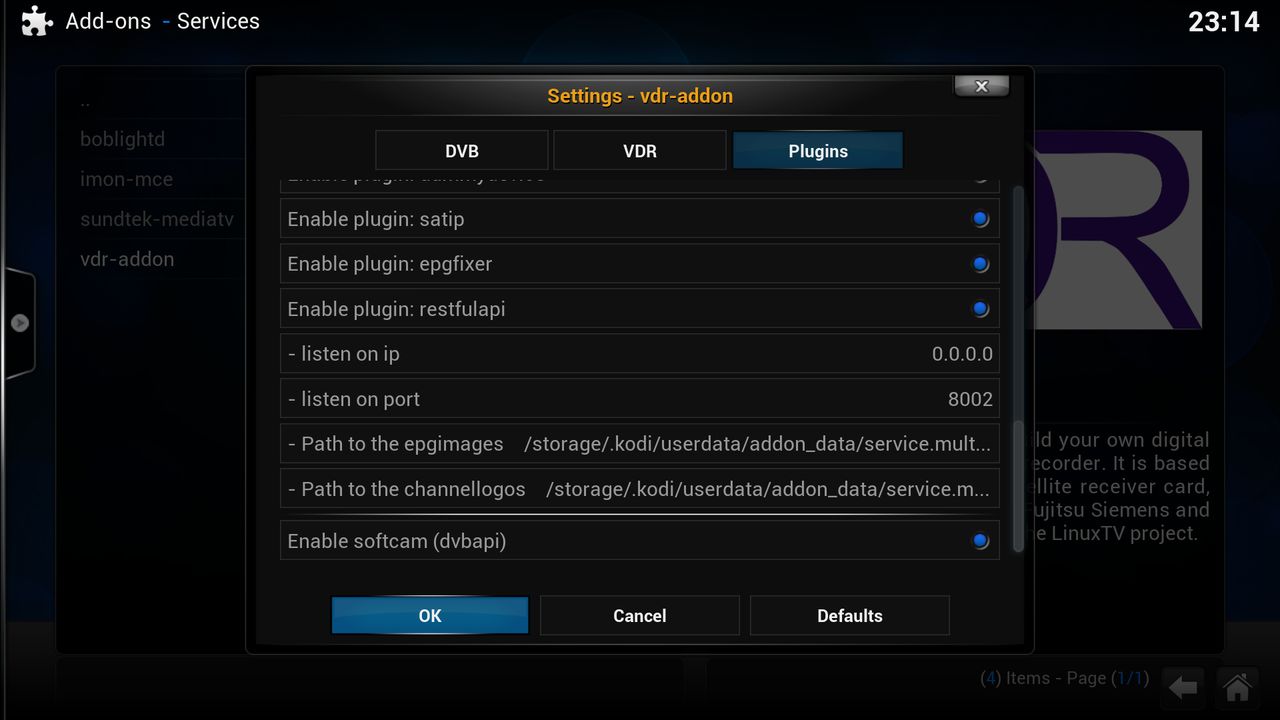
Enable plugin: restfulapi Provides a RESTful API to access VDR data ready
Enable plugin: softcam (dvbapi) Software-Conditional Access Modul
sorry all links are in germans



