Get E2 on your wetek
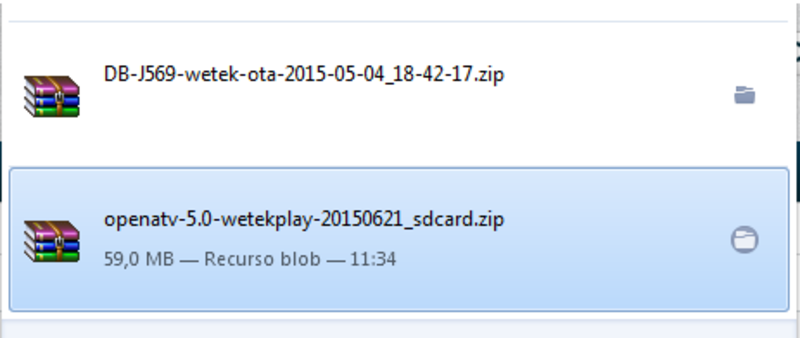
To install OpenATV on mSD card, just need to download:
Now, very easy
Open the OpenATV zip you just downloaded
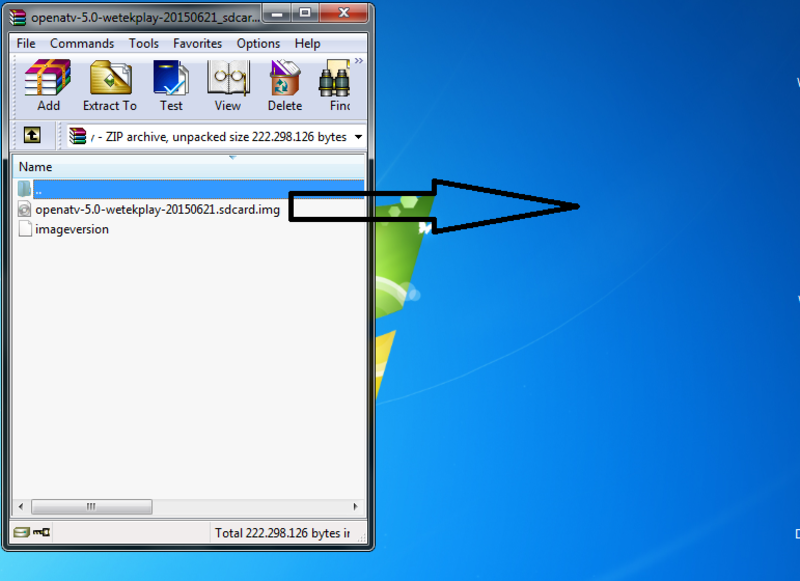
Just unzip it, i copied to my desktop
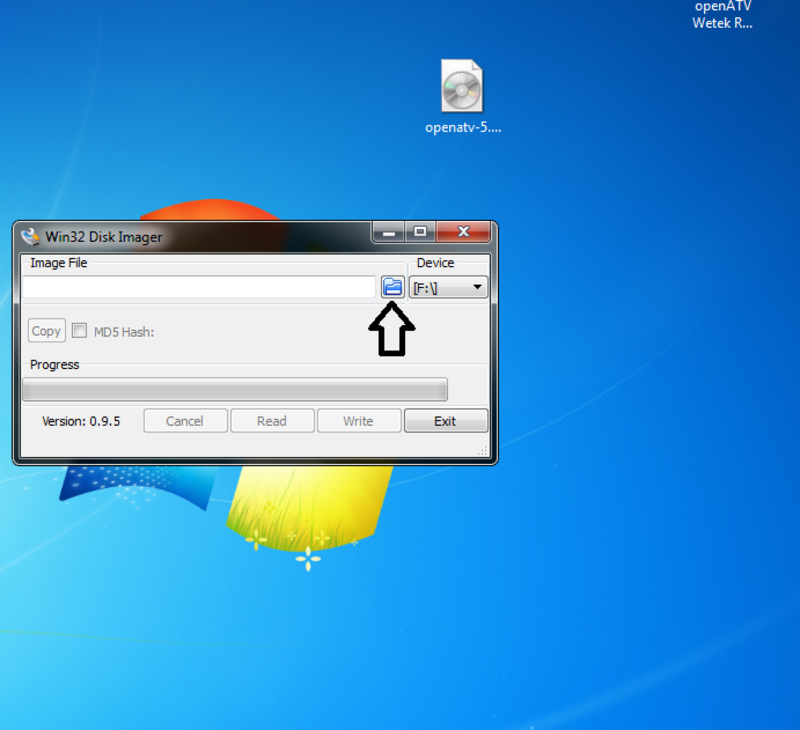
Install Win32DiskImager, then open it, and click on the folder like the picture below
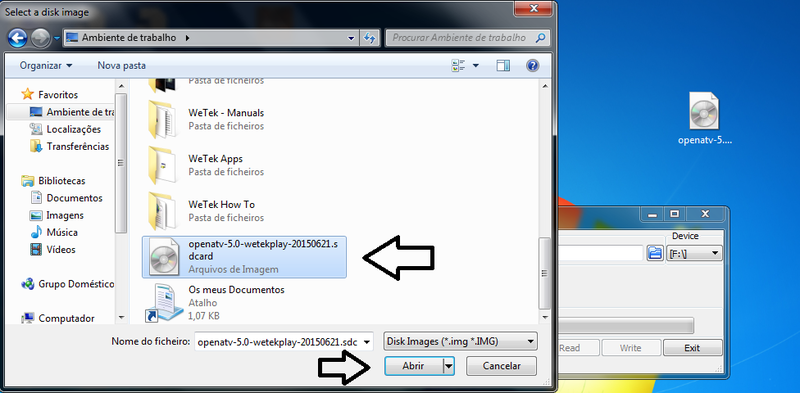
Select the OpenATV Image
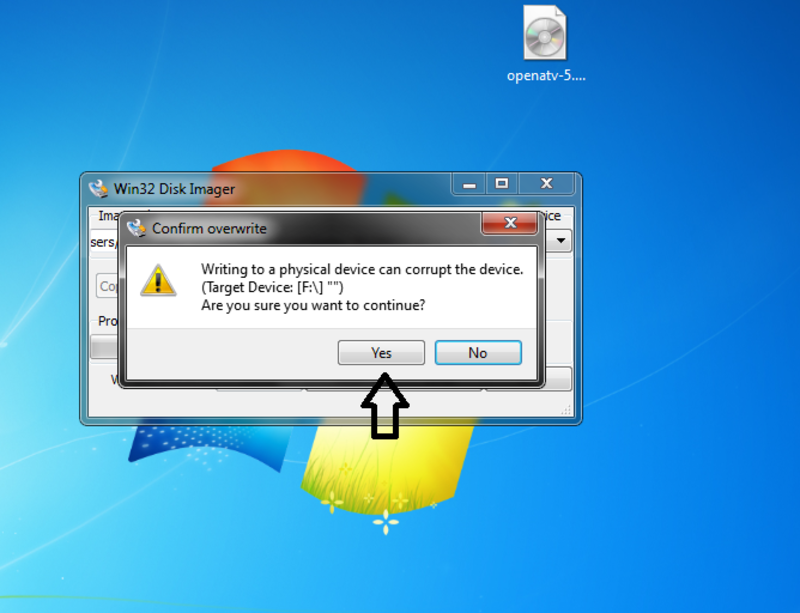
Here, you can click on yes (this will format your mSD card)
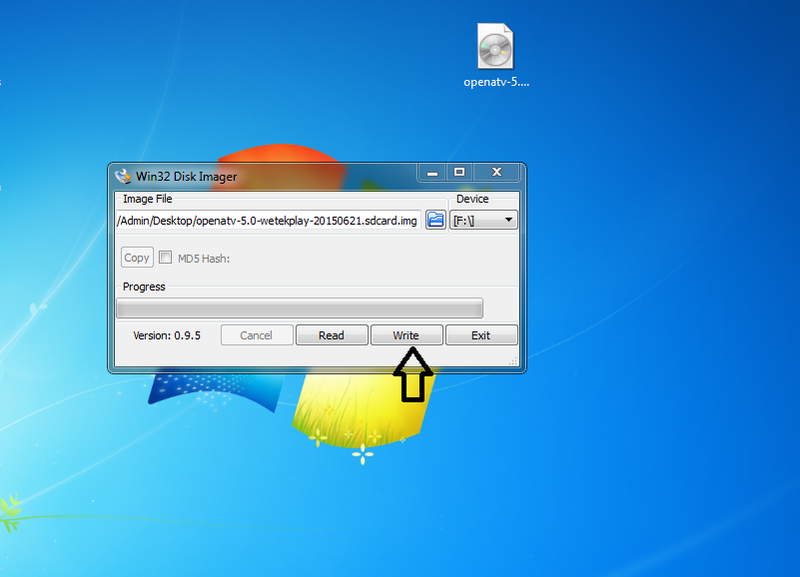
Click in Write
Just wait until it's finished
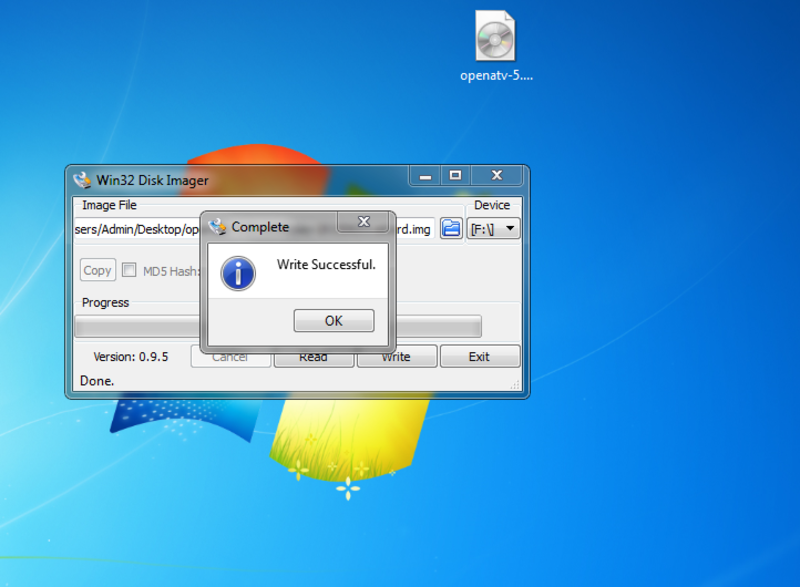
That's it, just put you mSD card on WeTek, and enjoy :D
Best Regards