Are you extracting the file before sending it in, you need to.
There are 2 files there make sure the one you are attempting to install is not the skin
Posts by master G
-
-
Hi Gary,
You have many subjects in there so i will keep this short.
The box is not plug & play but all the info/help you need is here.
If you mastered the cable scene you have no problems here, if you get stuck please don't be afraid to ask that's what we are here for. -
We will close this thread now, any problems fatlad please let us know.
-
Sounds like you have entered the values in usuals settings incorrectly,since its only 3 sats personally i would use discesq mode to maximize signal on all sats.
-
Ftp to tmp then Green/Yellow/ manual install ipk package, no need for chmod permissions it should be there,
-
Yes it will be fine mate.
-
Its ok now guys, a new dns account did the trick, the old was still showing errors even after re registering it from scratch.
-
You can have more than one without any problems.
-
Unless you post it here i have no way of knowing what those lines were for, the best advice i can give you is to continue using the cfg file you backed up on notepad.As for adding peers its your server you can add as many as you need.
-
i managed to log in by resetting password in tspanel and then i changed the password via telnet using passwd command.. im in!
but, when viewing the cccam.cfg, there were about 40 lines, a lot of them never had a 'hash' in front of them so im assuming they were active.. on notepad i saved the old active one installed and pressed the arrow left (from pc to box), it replaced the old .cfg file with just one line (the one i had before) is this ok? or do i need to reflash the box again now? as iv lost all the .cfg lines?!! thanx
No need to reflash as there is no problem with the box, did you backup your cccam.cfg before flashing?
If yes just ftp it in to your box, if not its a hard lesson learnt for you i guess & you will need to contact each of your peers. -
dflash_0.98
02-07-11 Fixed File
by gutemine -
So, I have now edited times thanks to open source the latest EPG refresh so that you can specify whereabouts on nem NEN station in seconds. Idea: seconds are enough to refresh to, ergo, for rapid refresh has just one time so NEN seconds remaining.
And looking up for you and for me, for, to modify a Überisicht times fast:
Three steps: (Step 1: Plug modify halt, step 2: ne own name for the mod select Step 3: save the modification as ipk halt).
To 1 Idea and just have to implement, and plug that meets just something not so edited that it can hold.
to second Idea to rename names: For updates, so before, "plugins" using the name geupgedatet and overwritten. Ergo you edited just once a plugin A and so it is just overwritten once. Rename it to stop it and it says plugin B, it also remains.
to third First she sucks you of this plugin2ipk.tar.gz
skin2ipk and plugin2ipk Tool
Then it just makes ma following:
This plugin2ipk.tar.gz about NEN FTP client into the / tmp of the Dreambox bring (kA, like what if this copy to the dreambox is in the FAQs, or become active, otherwise I think also ***watcher NEN nice FAQ to rotate, so NEM in video documents how to stop NEN ftp-client should use, and telnet. That's just the times when you want to install IPKS, you can thus choose not to use this feed.).
cd / tmp
gunzip / tmp/plugin2ipk.tar.gz
tar-xvf / tmp/plugin2ipk.tarWell into Plugin2ipkVerzeichnis, the program can be run only from holding "his" directory:
cd / media/hdd/plugin2ipk
Now comes:
B 1.0 ./plugin2ipk.sh your name mipsel
(1.0: your version of your name,: your creative modname, mipsel: halt the archtiektur, do not know how the db is exactly when, mipsel e2 is just always so).
So the thing is just so clever, looks directly to the right Extionsordner.
Result is just in time ne-install ipk media/hdd/plugin2ipk
Now simply talk in the forum IHAD upload it and let others have fun and simply count them once the download counts big grin.
Have fun!
PS: thanks to the developers of the plugin and edited ipk-build-tool and as a halt.
PS2: I've now spent much time trying to explain how you can do that now. Sure, you should know just hard times and it is not. In the end it's about the idea and I think this is slow to refresh EPG seconds or less "cool". So you can always stop when start also NEN "fast" refresh. And a minute hold times longer than is necessary.
- EPGRefreshS entry
- When operating without ritzMo's EPGRefresh, there should be no difficulty in E2 software updates -
Check the ip of your box has not changed, can you access the vu web interface?
Also try vuplus as the password. -
Hi fatlad,
When you login to dyndns website, do you see your dns listed under manage hosts. -
Its an IPK file so follow this guide HERE. Reboot then look in the extensions menu.
-
CAM pack for Egami images 02.07.2011
THERE ARE SEVERAL CAM PACKS INCLUDED IN THIS FILE - INSTALL WHICH ONE(S) SUIT YOUR NEEDS - THESE CAM PACKS WORK ON BOTH THE XTREND ET5000 AND XTREND ET9000.
Instructions for install and activation:
Transfer by FTP the emu file that you want to use (.tar.gz format) into the /tmp directory of your ET9000 STB.In Egami image, press the Green button [Egami Green panel].
Then press the Red button [Egami options manager]Select: Manual Egami Addons installation
You will be prompted to select the pack that you want to install.
Once installed go and configure it like you want.
Press the Blue button [Egami Blue Panel] and use the left or right arrow to change Common interface to the emu name that you want to autostart.
Both Common Interface and emu will work at the same time. -
Here are working configs for Tring using Mgcamd + Oscam for updating the monthly entitlements.
Oscam files can be found in folder;
/var/tuxbox/config (Enigma1)
/etc/tuxbox/config (Enigma2)
Mgcamd files can be found in folder;
/var/keys/
IPK attached for easy install BlackHole image.mg_cfg
PHP
Display More# EMM messages # 00 don't show any EMMs (default) # 01 show only valid EMMs # 02 show valid and bad EMMs with complete data display M: { 01 } # ECM messages # 00 don't show anything about ecm # 01 normal mode, show pids processed, decoded ecm and cw # 02 verbose mode, show valid and bad ECMs with data C: { 02 } # AU # 00 disable, no emm pids processed # 01 enable, emm pids always processed for soft-au and shared cards # 02 auto, emm started only if channel cant be decoded # 03 process emm pids for network cards update only A: { 01 } # key update (sum 01 or 02 with 04) # 01 update only new keys, default setting # 02 update all keys (used for valid PMK checking) # 04 enable TPS au # + tps SID, which pmt pid contains au pid U: { 01 } 0x12c0 # config files folder (softcam, autoroll, ignore/priority) # 00 files in /var/keys # 01 files in /tmp T: { 00 } # network mode, use summ for several clients # 00 no network (default) # 01 newcamd netclient # 02 radegast netclient # 04 camd3 netclient # 08 gbox netclient # 32 cccamd netclient, card list saved as /tmp/cccamd.info # (ECM only, supported server version up to 2.1.1, later not work) G: { 01 } # network retry, use summ for several options # 00 disable # 01 retry every new ecm # 02 try to connect to offline shares every Q: seconds # 04 try to detect and fast reconnect to lost (and not used atm) server # + XX messages number and YY seconds to reconnect # mg will reconnect to server, if no answer to last XX ecm/keepalive or # if no answer for last ecm or keepalive sent for YY seconds # set to 0 to disable N: { 07 } 5 30 # network ecm timeout in seconds K: { 05 } # newcamd dead routes connect retry, sec Q: { 600 } # network shares priority # 00 gbox, newcamd, cccamd, radegast, camd3 (default) # 01 camd3, radegast, cccamd, gbox, newcamd # 02 cccamd, newcamd, camd3, gbox, radegast P: { 00 } # on screen display type # 00 No OSD (default) # 01 neutrino # 02 enigma # 03 relook # + user password for http auth O: { 00 } username password # on screen display Options, summ of: # 01 show emu ecm # 02 show network shares messages # 04 show decoding failed / fta # 08 show emm keys update # + web port to use for osd S: { 03 } 80 # Log option, summ of: # 00 off # 01 network udp log # 02 log to console # 04 file, appended ! delete it by yourself, before it eat all your hdd # + IP udp-port log-file-name L: { 02 } 172.16.1.1 28007 /tmp/mgcamd.log # keep ecm cache, seconds # every cache entry takes 28 bytes, so 24h cache will take *only* 240-400kb of memory, # for openbox/elanvision users with remote shares make sense to set it higher than default value, # to not hammer cards while timeshifting or playing crypted recordings. E: { 15 } # cache option, summ of: # 00 Off (default) # 01 Ecm pids cache, store pids used to decode in /tmp/ca_cache.list at exit, load at startup, same syntax as restore.list # 02 Ecm data cache, remember CW for (E:) time # 04 Emm cache for network cards, do not resend the same emm twice, cache not cleared until restart H: { 07 } # reread files, summ of: # 00 No (default) # 01 reread config file on channel change (including priority and ignore, but not replace/cache) # 02 reread SoftCam.Key on channel change # 04 reread SoftCam.Key if file changed R: { 04 } # debug, summ of # 00 off (default) # 01 debug ecm # 02 debug emm # 04 debug network ecm # 08 debug network emm # 16 debug network login # 32 show mem/cpu stats every 1 min # 64 add timestamp to log messages D: { 00 } # box type # 00 autodetect, change only if you think wrong type detected. # 01 dbox2 # 02 dreambox # 03 triple-dragon # 04 relook # 05 openbox # 06 dreambox/mips # 08 stapi/kathrein # 09 stapi/ipbox # 11 stapi/openbox B: { 00 } # map all 180x nagra caids to 1801 # default is 01 F: { 00 }newcamd.list
PHPCWS_KEEPALIVE = 300 CWS_INCOMING_PORT = 21000 CWS = 127.0.0.1 10001 linuxsat support 01 02 03 04 05 06 07 08 09 10 11 12 13 14 lan newcsoscam.conf
PHP
Display More[global] nice = -1 WaitForCards = 1 ClientTimeout = 5 CacheDelay = 120 logfile = /var/log/oscam.log [newcamd] Key = 0102030405060708091011121314 Port = 10001@0BAA:000000 [webif] httpport = 16002 httpuser = root httppwd = xxx httprefresh = 10 httpallowed = 127.0.0.1,192.168.0.0-192.168.255.255oscam.server
PHP
Display More[reader] label = Tring enable = 1 protocol = internal device = /dev/sci0 pincode = 1234 services = caid = 0BAA detect = cd mhz = 368 cardmhz = 368 ident = group = 2 emmcache = 1,3,2 ecmcache = 1 lb_weight = 100oscam.user
-
Reflash is needed if you cant access the menus, but as you can then factory reset will work the same as reflashing the image, you will lose all your settings so backup you cam configs before you try it. With all the trouble you`ve been having it would probably be a good idea to start over again. I would upload an Enigma2 channel list, it will take seconds compared to all the time it takes scanning. Once you try it you wont bother scanning again. If usuals still isnt working for you then try manually finding the satellites. Use the strongest transponders to find those satellites so you get the best signal.
28.2E-10773H 22000 BBC-1.
19.2E-11597V 22000 BBC World.
13E-11642H 27500 Bloomberg Europe.
Keep us updated with how you get on buddy.. -
When you try the unplug and hold power method it will say on the led if its ferrari or sim201 version.
-
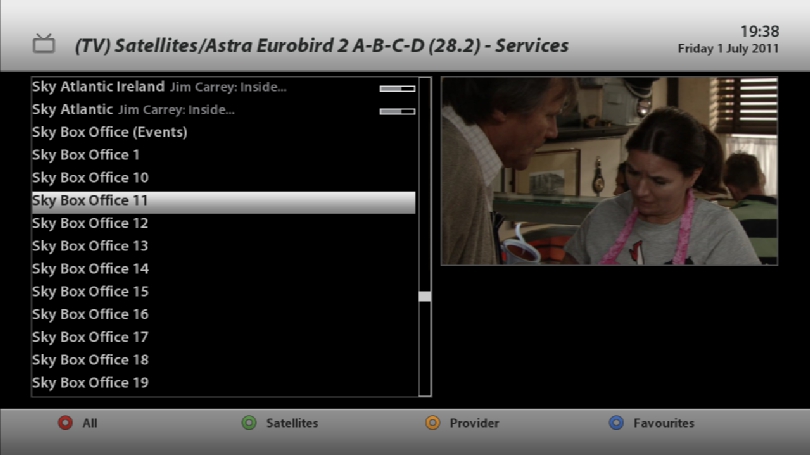
Not exactly sure which one but check through the list of box office channels, it will be on one of these.