


Sport Portal 1.1
Posts by master G
-
-
i had this in cccam cfg
DEBUG : YES
DISABLE EMM : yes
EXTRA EMM LEVEL : no
i assume that this was not good enoth ?.
h have just installed oscam how can i be sure that emm's are blocked before putting my card back in ??In CCcam the only way to be sure to block all emm is by a bline e.g
B: /dev/sci0 07
07 blocks all, other options for bline are.
00 - nothing
01 - sa blocked
02 - ua blocked
04 - ga blockedfor oscam server set these in oscam server config
blockemm-u = 1
blockemm-s = 1
blockemm-g = 1
blockemm-unknown = 1 -
Light modified startscript of NN for new CuBiC e? Image !
1. Download CCcam 2.1.3 from CuBiC-Addons!
2. FTP connection to your Box!
3. Copy the Oscam you prefer to usr/bin!
4. Rename Oscam..... to oscam and chmodd 755
5. Copy attached startscript to usr/camscript and chmodd 755
6. Goto var/tuxbox and create folder config
7. Copy your oscam-configs in there!
8. Start cam and enjoy! -
Persian Prince Proudly Presents
PPanel 6.2 Clean & Full
Clean = No Support For Keys-SoftCams
Full = Supports 26 Emulators & All KeysGood Luck
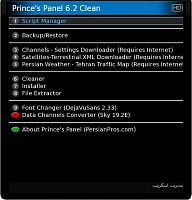
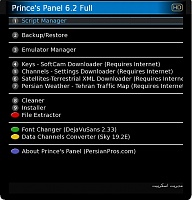
-
If you are not sure you are on the backup image then i would suggest looking at your configs again.
How to install CCcam and Oscam Tring card -
If you are using the tring ready backup i made then you wont have to change a thing.
-
Put it in the internal reader chip side down using Oscam+CCcam 2.1.3..
-
Sorry i thought you wanted to stop people using that package.
Like you said add it to the c line instead and it will block receiving the package from your peers. -
To get entitlements put the card in the conax cam chip side up and leave it on tring sports for a minute or so.
Check the entitlements while the card is in the cam by doing this,
Menu, Setup, Common interface, Subscription status, you should have this;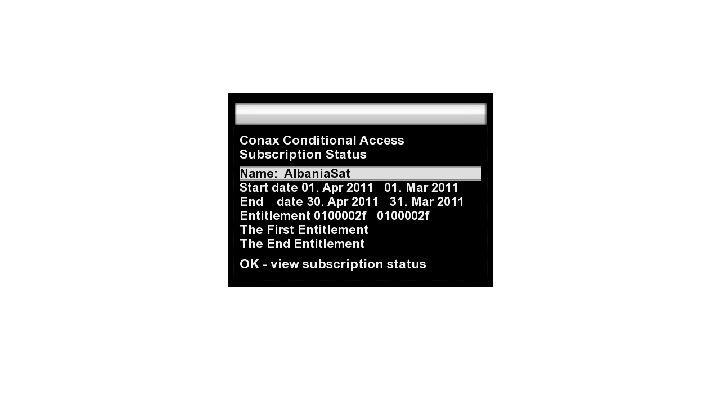
Make sure the card is chip side down in the internal reader or the Vu+DUO..
-
Green - Has local card
Blue - Doesnt have a local
Red - Peer is offline -
Nemesis 2.2 svn78 mod lucifier/lonas patched boot sim201 ssl82
Image nemesis version 2.2 svn78 patched boot sim201 ssl82 with the following characteristics:
- Patched to boot sim201 ssl82 not need to enter boot after installation
- Patched drivers for tuner clone (thanks to lonas)
- Patched to clone web interface works perfectly.
- Added patched vcl working perfectly.
- Added updated channel list astra April.
- Added emu sbox
- Added Mbox + newcs
- Added cccam 2.2.1
- Added Spanish language
- Changed bootlogo.mvi
- Added extra.url for download emus
- Added flashing-backup
- Pass dcc and telnet : lonas
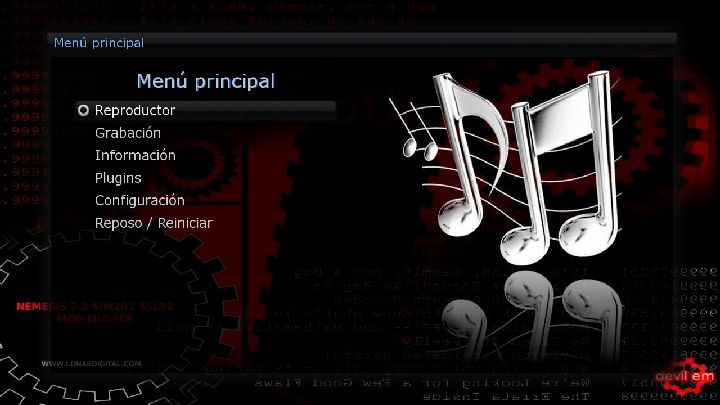
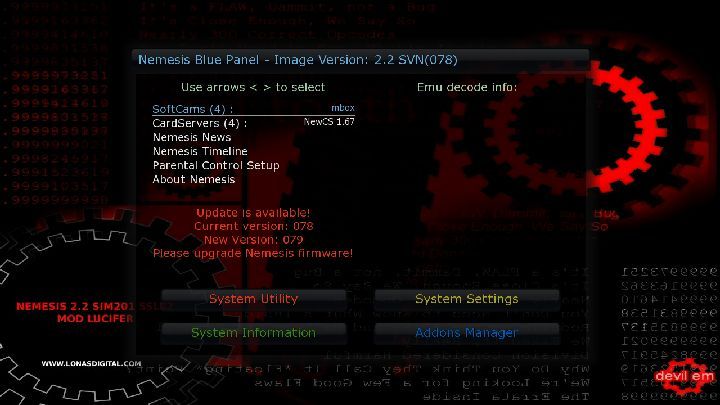
Nemesis 2.2 svn78 mod lucifier/lonas patched boot sim201 ssl82
-
I bought a cheap D-link dir-615 virgin router from fleebay for less that ?15.
I downloaded some open source Firmware for the device called DD-WRT www.dd-wrt.com | Unleash Your Router and flashed the router.
I then followed this video to set the router up to be it's own wireless bridge and wireless repeater, feeding off my main router's wireless.
Now I am the very happy owner of a wireless N bridge which feeds my VU+ Duo in the other room. -
-E1 DREAMBOX settings@likra 29.4.2011
update all
*** link,C+Holland,Meo TV,...
HD new ch.ROTOR
8SAT
5SAT
4SAT
2SAT -
Try this daveangel, F: user pass 3 0 0 { 0:0:2,100:0 }
-
Eventually found some info on these they are not actual clones...they use a NXP chipset (similar to Technomate TM800HD) they do not run Dreambox code or images, and you can use only the clone manufacturers standard image so cannot run enigma, the case looks like a legitimate Dm500HD.
Glad you have it sorted anyway & thanks for the info big kid. -
If it is a 500 hd clone then you probably have a very decent box there mate, how much did you pay for it?
-
Its a dm500hd clone aint it?
If it was i dont think it would be saying load clines via usb in the manual. -
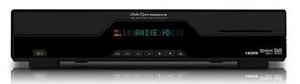
Nice looking box, but im afraid i know nothing about them, I will now move this post to other receivers where you will have a far better chance of getting the help you need.
Good luck with it
-
The difference is that with a dreambox you do not add lines with usb, what you need to do is install cccam on the dm500hd then edit the installed cfg file using an ftp programme or cccam lines manager.
before this goes any further, is this your box?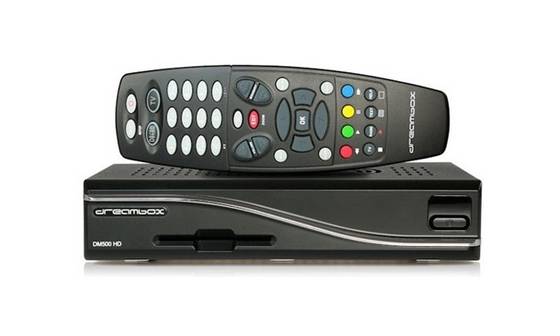
-
How are you trying to load this cline, it should be pasted into your cccam.cfg file if your box is dm500 hd.

