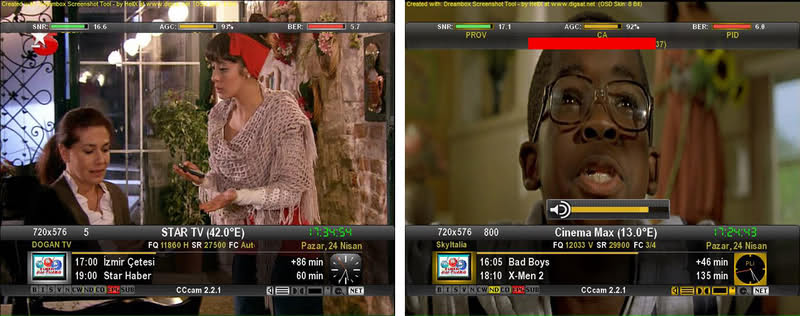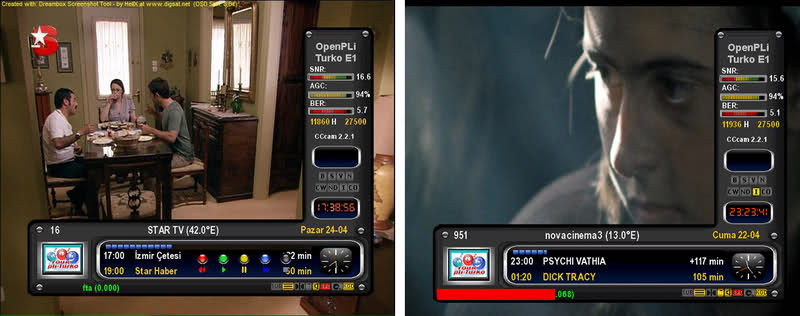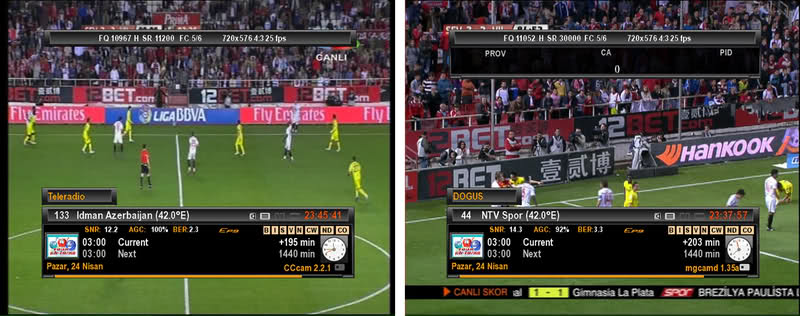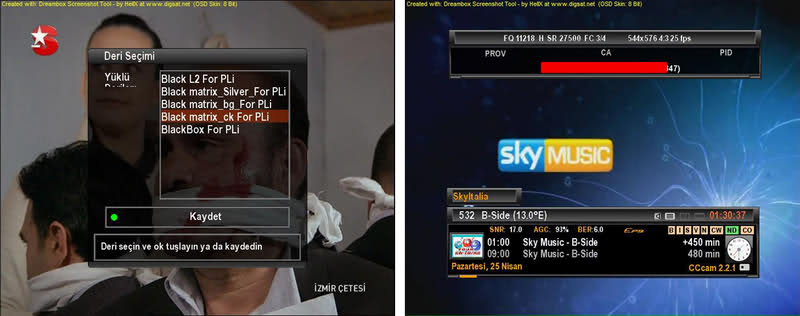
Posts by master G


    Contains Oscam & CCcam 2.1.3 with configs included to update entitlements from self only.


    Ecm showing as nan fix applied.


    Latest Catseye E2 Settings File 75 East -58 West 22.04.2011 applied.


    Password = vusolo


    Based on Official Version 5.8a Image


    This Release Includes:


    -Vu+ drivers: 20110426
    Fix timeshift problem
    -New Skin Matrix10 Black & White SE
    - Double Epg system (Black Hole native epg and Crossepg plugin)
    - Update E2 and Plugins
    - Update OE tree
    - Fix Fancontrol plugin problem
    - Reduce booting time(about 15 percent).
    - Enhance overall NAND performance.
    - For other details, please take a loot at git log.
    - Fix LPCM Sound problem in vob and media playback
    - Fix EOS detection problem in media playback
    - Fix some CI modules recognition problem
    - Reduce booting time(Needs a image update)
    - Change SRC_URI of driver


    WARNING: This Image has the latest drivers and CAN NOT be installed in multiboot.
    The image MUST be installed in the flash.
    Black Hole can not support images not installed in the flash.


    This latest version of the Black Hole series has been entirely rewritten and improved in the code for maximum stability and performance.


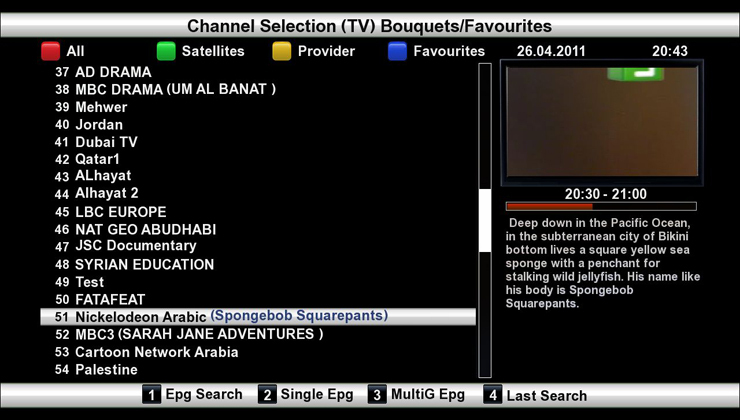
    Please note that of all images Black Hole now has the best epg system:
    - Integrated OpenEpg
    - Rytec dedicated epg.dat
    - New system epg.dat outside.
    This last feature gives the possibility to various forums or communities to create their favorite EPG data files and load them into a web space.
    Community members can then download it from our servers.
    This feature provides other benefits such as:
    Increase download speed of EPG
    Download EPG from any channel
    Schedule the download of EPG decoder even during standby
    Users can customize the providers using Add / Remove function


    Main functions of the buttons on the remote


    OK button = Skin with simple information
    OK button x 2 = Extra Info Skin
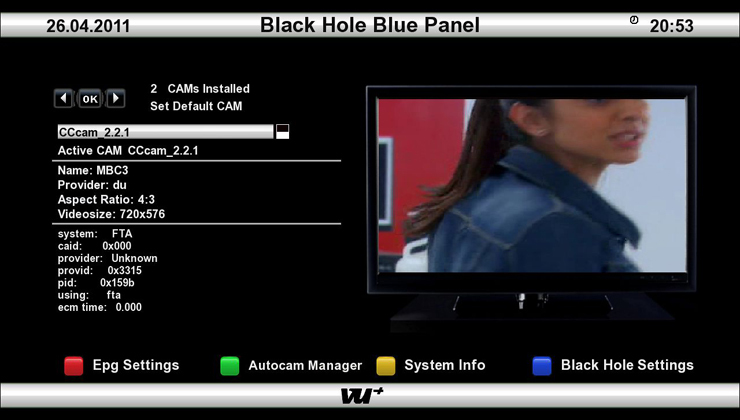
    Blue button = Black Hole Blue Panel
    Blue button and then Red button = Black Hole Epg Panel
    Blue button and then Yellow button = System Monitor Panel
    Blue button long press = Extensions
    Yellow button = Time Shift
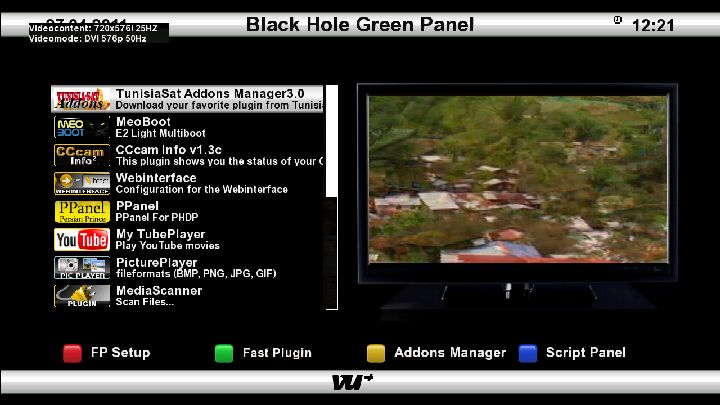
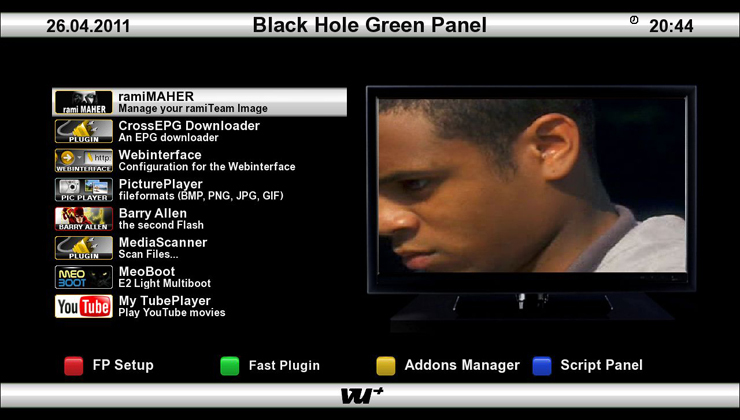
    Green button = Black Hole Green Panel
    Green button long press = Subservices
    Green button and then Red button = Fast Plugin Setup
    Green button x 2 = Fast Plugin
    Button Red = Start Record


    Addons


    Green button and then Yellow button takes you to:-
    Dedicated server for BlackHole addons
    Download and install additional packages from the Black Hole server


    Infobar / OSD


    Analog Clock Enigma2
    Channel orbital location


    Advanced Tuner Info: Sr Freq Pol Fec
    Signal SNR, BER
    Infobar picons


    Characteristics of BlackHole Panels
    Blue Panel
    Extra Settings


    Black Hole Cron Manager (Manage schedules)
    OSD Settings (OSD configuration)
    Manager Kernel Modules (Kernel module operator)
    Inadyn Settings (Configure Inadyn)
    Swap File Settings (Configure File Swap)
    Hard Disk Settings (Configure Hard Drive)
    Black Hole Mount Wizard (Mount points)
    OpenVPN Panel ( OpenVPN Panel)
    Samba / CIFS Panel ( Samba Panel)
    NFS Server Panel ( NFS server Panel)
    Telnet Panel ( Telnet Panel)
    FTP Panel ( FTP Panel)
    Usb Tuner Panel


    Info Panel
    1 - E2 Setting (Enigma2 configurations)
    2 - Service Information (information system)
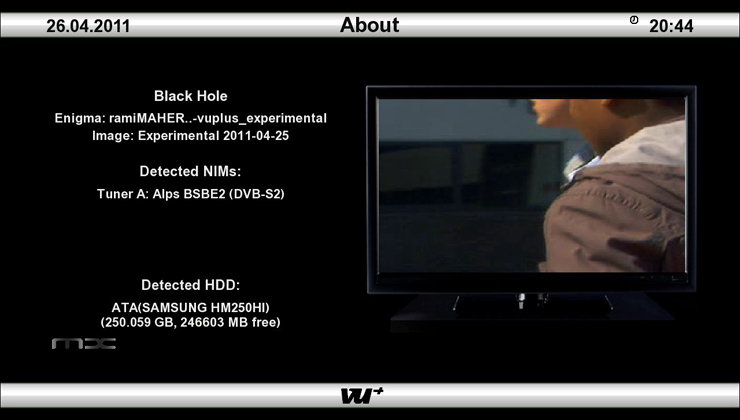
    3 - About (info)
    Memory (Memory)
    Space (capacity)
    CPU (processor)
    Process (process)


    EPG Panel
    Global settings (global settings EPG)
    Setting Provider (ISP settings)


    Green Panel


    Fast Plugin Setup (Configure quick access to your favourite plugin)


    Fast Plugin (Access your favourite plugin)


    Addons (added)
    Addons Download Manager (Manager for package downloading)
    Installation manual packages (Manual installation of Black Hole packages)
    Manual Install IPK packages (Manual installation of IPK packages)
    Addons Uninstall Panel (Uninstalled packages)
    Black Hole Statistics (See connections, top downloads and more)



    Button Mappings


    OK button = Skin with simple information
    OK button x 2 = Extra Info Skin
    Blue button = Black Hole Blue Panel
    Blue button and then Red button = Black Hole Epg Panel
    Blue button and then Yellow button = System Monitor Panel
    Blue button long press = Extensions
    Yellow button = Time Shift
    Green button = Black Hole Green Panel
    Green button long press = Subservices
    Green button and then Red button = Fast Plugin Setup
    Green button x 2 = Fast Plugin
    Button Red = Start Record


    Addons


    Green button and then Yellow button takes you to:-
    Dedicated server for BlackHole addons
    Download and install additional packages from the Black Hole server


    Whats New ?


    This image is Tring ready with Oscam and N line in CCcam.cfg.
    CCcam 2.1.3
    Oscam
    Latest CCcam Channel info
    Latest CCcam Providers
    SGTFlipFlop ENiGMA2 21.04.11 (Multi)
    SGTFlipFlop ENiGMA2 21.04.11 Picons (usr/share/enigma2)
    Cooltvguide Coolman V2.2.2
    Shoutcast
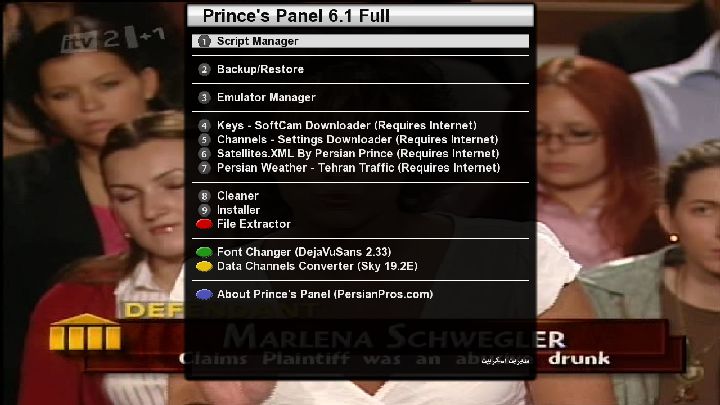
    Prince's Panel Full 6.1 By Persian Prince (OE 1.6)
    Tunisiasat addons manager 3.0


    Screenshots


    PASSWORD:
    vuplus


    Enjoy
    Linuxsat-support Team

    Hi My Friends,


    Here is my new backup....


    Enjoy....


    New Features Added in this Backup:


    Cardreaders:
    Sbox 0.0.4-8-2
    Cccam 2.2.1
    Cccam 2.1.3
    Cccam 2.1.3


    Camscripts:
    Cccam 2.2.1
    Sbox 0.0.4-8-2
    Sbox + Cccam 2.2.1
    Sbox + Cccam 2.2.3


    Scripts Thx to terrorman


    With cccamchannel update
    With cccamproviders update


    Settings Vhannibal Dual (Hotbird 13/Astra 19) 23.04.2011
    Terrestrial xml TDT Spain added
    Picons By Lichers update (usr/share/enigma2/picon)


    Plugins Added:
    Tunissiasat Addons Manager 3.0
    Satangels ***updater 1.4
    Cccam Info 1.3C


    Other Scripts
    Backup Blackhole USB
    Scripts Satangels


    Download USB (57,2 MB)


    Download NFI (57,2 MB)

    Persian Prince Proudly Presents


    PPanel 6 + 26 Emulators


    enigma2-cam-persianpros-avatarcam_0.1-r1_mipsel.ipk
    enigma2-cam-persianpros-camd_3.908L-r1_mipsel.ipk
    enigma2-cam-persianpros-cccam_2.2.1-r1_mipsel.ipk
    enigma2-cam-persianpros-dreamcrypt_1.2.3-r1_mipsel.ipk
    enigma2-cam-persianpros-evocamd_2.17-r1_mipsel.ipk
    enigma2-cam-persianpros-firecam_0.1-r1_mipsel.ipk
    enigma2-cam-persianpros-gbox_2.25-r1_mipsel.ipk
    enigma2-cam-persianpros-gboxnet_1.0-svn790-r1_mipsel.ipk
    enigma2-cam-persianpros-hypercam_2.12Full-r1_mipsel.ipk
    enigma2-cam-persianpros-mbox_0.6-0010-r1_mipsel.ipk
    enigma2-cam-persianpros-mgcamd_1.35a-r1_mipsel.ipk
    enigma2-cam-persianpros-mpcs_0.52.0-r1_mipsel.ipk
    enigma2-cam-persianpros-newcs_1.67-r1_mipsel.ipk
    enigma2-cam-persianpros-opencam_2.1.1-r1_mipsel.ipk
    enigma2-cam-persianpros-oscam_1.0-svn5070-r1_mipsel.ipk
    enigma2-cam-persianpros-rqcamd_1.31-r1_mipsel.ipk
    enigma2-cam-persianpros-rqcs_1.11-r1_mipsel.ipk
    enigma2-cam-persianpros-rqechoclient_1.06-r1_mipsel.ipk
    enigma2-cam-persianpros-rqsssp_1.04-r1_mipsel.ipk
    enigma2-cam-persianpros-sbox_0.0.4-8-2-r1_mipsel.ipk
    enigma2-cam-persianpros-scam_3.60-r1_mipsel.ipk
    enigma2-cam-persianpros-scemu_1.8-r1_mipsel.ipk
    enigma2-cam-persianpros-spcsnasscamd_2.5.32-r1_mipsel.ipk
    enigma2-cam-persianpros-vizcam_1.12-r1_mipsel.ipk
    enigma2-cam-persianpros-vucrypt_1.1.1-r1_mipsel.ipk
    enigma2-cam-persianpros-wicard_1.08-r1_mipsel.ipk


    Good Luck

    Seems there is a problem, i found this on another board, hope it helps.


    Download CrossEPG attched "enigma2-plugin-systemplugins-crossepg-oe1.6_0.6.0-svn-177_mipsel.ipk".


    Transfer with FTP to the /tmp directory.


    using the Gemini File Manager --> /tmp --> highlight the file "enigma2-plugin-systemplugins-crossepg-oe1.6_0.6.0-svn-177_mipsel.ipk" and press the Green Button (Install) to install.


    Reboot the box.


    Initial Configuration "CrossEPG" should appear under both menu>setup and under menu>plugins).


    with a compatible editor edit the file /usr/bin/enigma2.sh


    and before the line LD_PRELOAD=/usr/lib/libopen.so.0.0 /usr/bin/enigma2


    add this line


    /usr/crossepg/crossepg_epgmove.sh


    enter menu>setup >crossepg>configure
    set storage device ...... Preferably hardisk (i had trouble with this )
    preferred lamedb ..... mainlamedb
    enable csv import ..... no
    force epg reload on reboot.....no
    download on tune......yes
    scheduled download .....every hour
    show as plugin ......yes
    show as extention ......yes


    exit configure


    and select menu>setup >crossepg>openTVproviders


    press yellow (download)
    then select your provider/sat i selected Sly uk open tv(astra2 on 28.2)


    In Gemini Blue panel --> settings --> EPG:
    Make sure the top EPG options are all off. In the bottom panel use:
    File cache ..... on
    change the filename ...... epg.dat
    location ..... /media/hdd
    Automatically save ..... off.


    YOU HAVE TO CHANGE THE CACHE FILE NAME TO EPG.DAT, otherwise it will not work.


    Restart again


    now goto menu>setup >crossepg>download now.
    it will run and retrive epg data


    Restart again


    now goto menu>setup >crossepg>download now.it will run and retrive epg data again.


    now you should have full epg


    check via epg or menu>infomation>EPG


    t shoud read something like this :
    116965 Events in 716 services
    EPG used 6.0mb memory


    if your using mutiple providers and sat's it will be larger.


    Credit to 2685Danny

    Tool to manage cardsharing servers cccam newcamd


    The program is intended to add newcamd and cccam servers for the receivers Radar Emulator with enigma II. The program also has the ability to include feeds to blogs with free servers so it can make the entire process without leaving the program.


    Features:


    - Insert and remove servers and CCcam Newcamd your decoder.
    - See new servers with built-in RSS feed.
    - Add new servers effortlessly Newcamd thanks to automatic parsing feeds.


    In the zip you have the instructions. Java needed


    Gracias a nakiostudio


    I need feedback for future new versions. Thanks


    Radar Manager Tool

    CCcam 2.1.3 + OSCam 1.00 build 4863


    For Gemini image's (E1)


    * CCcam 2.1.3
    * OSCam 1.00 #build 4863


    * Start script for CCcam
    * Start scripts for CCcam & OSCam


    * Uninstall script for all


    How install:


    Copy e1-CCcam_2.1.3_OSCam_1.00.tar.gz to tmp folder, and manual install.

    This image already has all the necessary configs, once flashed insert your card and use cccam info or cs studio to check all is working.