Posts by pheonix

    you would first need to be on a TV channel that has HbbTv content before you can use it, you will see a Icon displayed on the infobar telling you when your on such a channel ( there mostly on 19.2 east as the uk have no such channels at present ).


    and no you do not need to install any other plugins every thing is included in the one package via the image feeds.

    Full updated changelog.


    OE-Alliance AutoBouquetsMaker updates and changelog

    Code
    https://github.com/oe-alliance/oe-alliance-plugins/commits/master/AutoBouquetsMaker


    11.12.2012
    -[AutoBouquetsMaker] add new plugin.
    -[AutoBouquetsMaker] fix translation support.

    16.12.2012
    -[AutoBouquetMaker] fix bad numeration with *** uk interactive channels fixes #23)
    -[Translations] DE updated thanks Ralf.

    17.12.2012
    -[AutoBouquetMaker] some code clean up.


    02.01.2013
    -Fix radio channels numeration with ***uk
    -Fix "keep all bouquets" feature who sometime keep an empty bouquet


    17.01.2013
    -[skinning] update image locations to allow them to be skinned, and as all 'SCOPE_CURRENT_SKIN' fall back to 'skin_default' location if no image in found current skin.


    03.02.2013
    -add support for SCOPE_ACTIVE_SKIN.


    05.03.2013
    -[AutoBouquetMaker] split NI & ROI regions into it own provider as it not really a region but a provider. thanks to 'abu baniaz' for the idea and informing us.


    26.03.2013
    -[AutoBouquetMaker] fix for new BBC One HD and BBC Two HD channels.

    24.03.2013
    -[OnDemand] BBC iPlayer Play Stream Update
    -Currently if we don't find the preferred stream quality or lower an error message is thrown and nothing is played even if a playable stream is found.
    -We are now going to play the available stream now anyway even if it doesn't match the preferred quality setting but a message will be displayed to notify you that this has happened.


    another Quick Teaser.


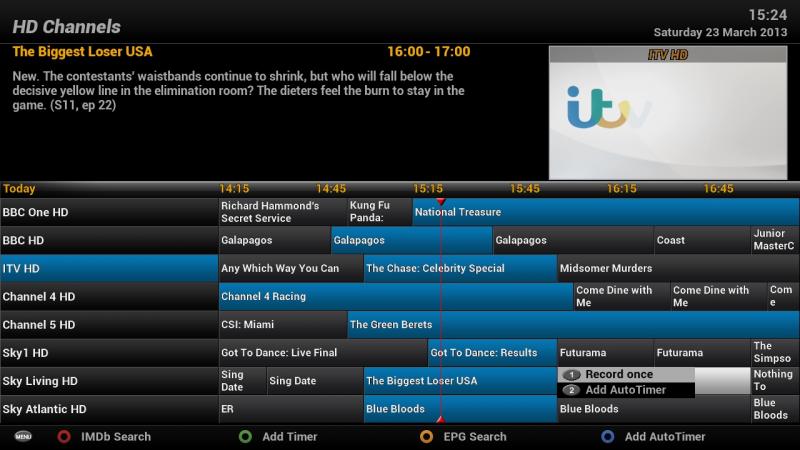
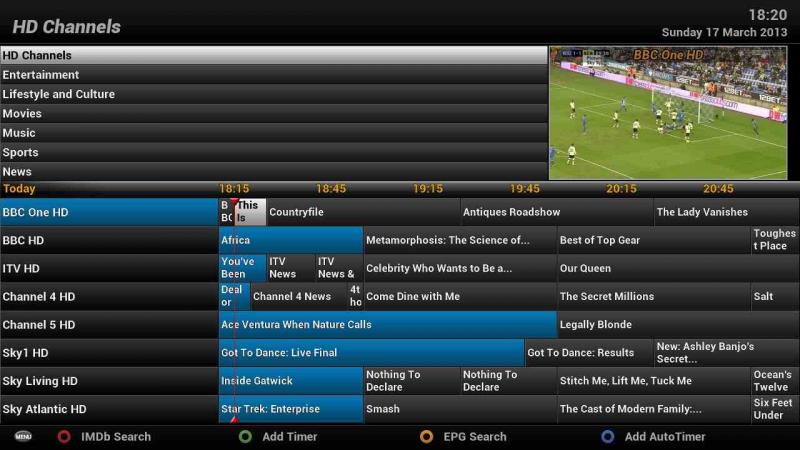
    The first picture shows the older Graphical EPG with the Program synopsis in the top left corner of the picture, the second picture shows the new Graphical EPG with a navigable Bouquet list in the same location. you can switch between the two simply by pressing the "TV" button while in the Graphical EPG.


    This is still all very early days but looking very good and a credit to andy's hard work.


    Older Graphical EPG with program synopsis


    New Graphical EPG with Bouquets list


    for starters you cant online update from build 205 to such a high build as it will break certain critical parts of the image, also if you have TSpanel installed this is known to break USB and network mounts in ViX. so manually install a fresh image without restoring any backups or settings and do not install TSpanel.

    Cant really go into too much detail as this is all still very early days but i though i'd just post a few snaps of the upcoming EPG and recording function enhancements coming soon to the ViX image. Andy has once again pulled a blinder on this one and pretty much rewritten the entire EPG from the ground up in the process.


    Hope you like it.


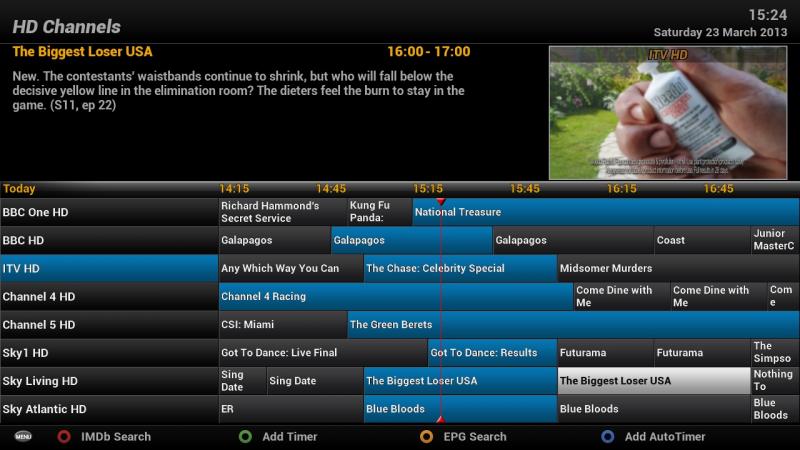
    this what you get if normal EPG screen.


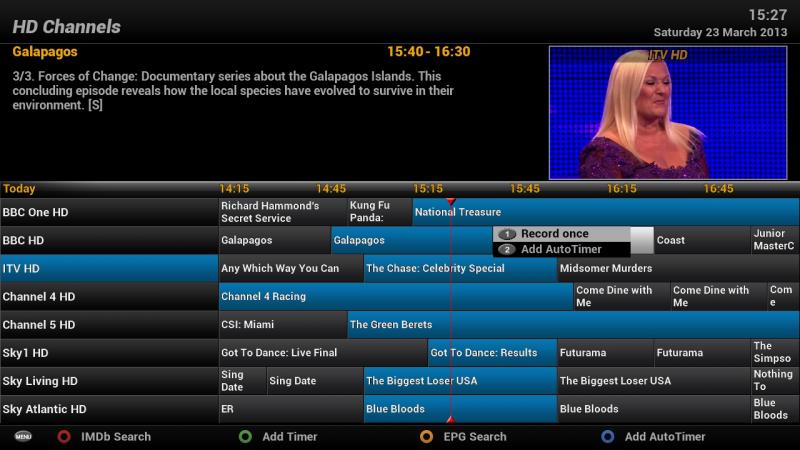
    this what you now get when pressing REC button.


    the menu now follows the cursor around the screen.


    More to follow but i cant show every thing yet ( wont be long though ).

    OnDemand can now be added to the new 2.0.2 BH images with the following Telnet command as all dependencies are now within their feeds.


    init 4 && opkg update && opkg install enigma2-plugin-extensions-ondemand && init 3


    please note i'm not sure if this is the very latest version with ABC iview included as i have not tested it yet.

    22.0.3.2013
    -[OnDemand] Add ABC iView Player
    -New player for our Oz users, Currently only available to users in Oz I'm afraid.
    -[OnDemand] Update Credits-I forgot to add credits to Andy Botting for his great work on the XBMC ABC iView Add-on.
    -[OnDemand] Update to ABC iView-I left a debug piece of code for exception handling in the plugin by accident. This would have prevented any categories from returning.

    ok Guys i'm here with begging cap in hand to solicit the help of a few friendly Australian Crash Test bunnies, to test a new addition to the OE-Alliance OnDemand player.


    In our continued strive to better the OnDemand plugin for our worldwide user base, our Code Guru's ( Thanks Mac ) have worked up a very early Alpha version based on the XBMC ABC-iView plugin, but for obvious reasons we need help testing it actually works ( we currently only have one Beta tester based down under ).


    Please bear in mind that this is very early in the Alpha test stage and it is only for the OE-Alliance OnDemand player ( ViX image ) at present as thats the image Mac builds on, but we really do need help with this.


    so if you live in Australia, use the ViX image and have OnDemand installed ( can be downloaded from the image feeds ) can please give this a run out and let us know what if any thing happens.


    Much appreciated .

    Delete the extension folder from device by connecting via FTP software (like Filezilla) and restart the device after deleting.


    Path is: usr/lib/enigma2/python/Plugins/Extensions/


    That is not a good idea as doing this will delete every single plugin in the extensions section, best to go into the extensions folder and delete the specific plugin.

    When you say a virgin set up what do you mean exactly?


    i mean virgin as in nothing added, ie no third party plugins such as TSpanel. but looking at your thread on WoS your running 3.0-204, try the latest build as this one is over 6 months and 460 builds out of date.


    for the latest build go to OpenViX Downloads and flash that, but do not restore any backups.

    There is a file browser plugin that will allow you to do exactly this via the receiver it self, I downloaded it from the ViX feeds a couple of weeks ago for a guy who needed it on the BH image, ignore the Ultimo part thats just there because i downloaded it from my ultimo. try it and see if it works ( not sure if it will but the guy i downloaded it for said it worked for him on the latest BH image ).

    I must spend some time exploring my menu


    nahh dont worry about it, hell i'm a senior member of the team who make this image and even i dont know / cant remember what every option or menu does. plus this is exactly what these forums are here for, so if you have questions just ask.

    Depends on which image, for example in ViX you just go into the network sub section and click on samba, your then asked if you want to install it, the same is true of many other network based plugins which were removed from the base image to save space.

    So in dumb ass terms for me you would pay for a genuine subscription and just share it with friends and family on a small server?


    pretty much yes, quite a few people i know use their own sub but never share it as they actually prefer to use a receiver of their choice that they have more control over than the ones offered by the service provider.

    for a startup kit this is pretty reasonable, the other cables etc i'm fairly sure you could source from your own junk pile if needed. ( i know i tend to accumulate all kinds of cables in my own ).


    Code
    http://shop.cyntech.co.uk/products/raspberry-pi-case-and-power-bundle