
SKYMovies Harry Potter 11934 V



SKYMovies Harry Potter 11934 V
Version 1.0:RC9
QuoteFix: FOCUS-Archiv Suche
thx @ kashmir
LCD4Linux 4.6 r4

QuoteUpdate 2015/10/30
Farbe Netatmo-Module (+CO2-Innenmodul); Fix: WebIF "kopiere nach On"
Update: 2015/10/31
iFlatFHD FullHD v2.20
QuoteDisplay MorePrerequisite VTI 9.x.x
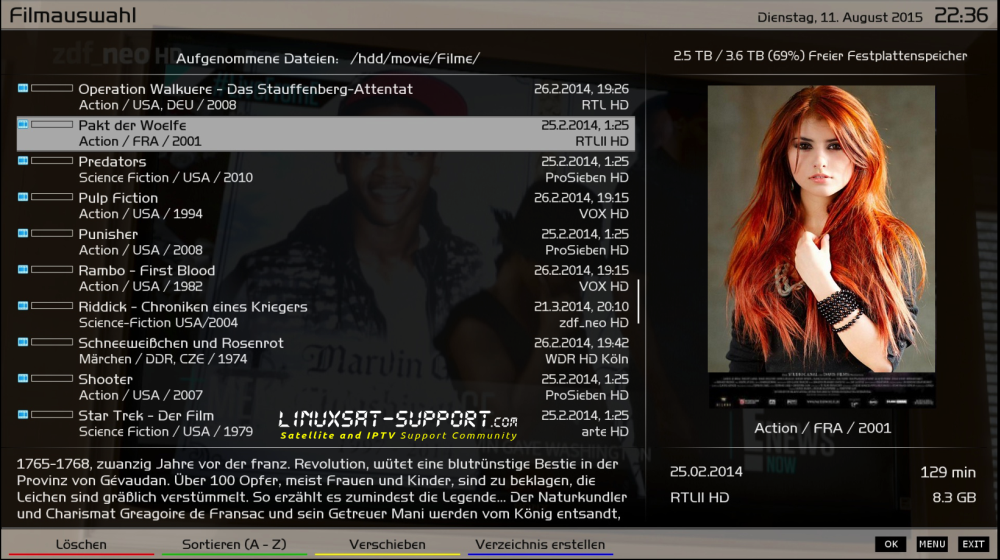
- Fix - Movie List - parameter (thanksekremtt, @ gordon55)
- Fix - EMCMovieInfoPreview - Buttons
- Fix - About screen - More information (VTI 9.0 Prerequisite)
- Fix - FanControl2Plugin Screen - Buttons wrong size
- Fix - Fritz Display Calls - adjusted width (for FAX display)
- Fix - Simple Channel Selection - serviceItemHeight = "40"
- Fix - EPGSearch
- Fix - Channel Selection "Name" is replaced by "Description"
- Align "Media Info" on the Skin
The EMC in the feed was replaced version: git 20151003
- Fix - EMCMenü - adjusted width
- Under "Pro"
Adjusted series Recorder 3.2.2 + Update Screen - - Fix
- Foreca - (thanks gordon55 for submission)
Create Image Backup forecast

v1.55
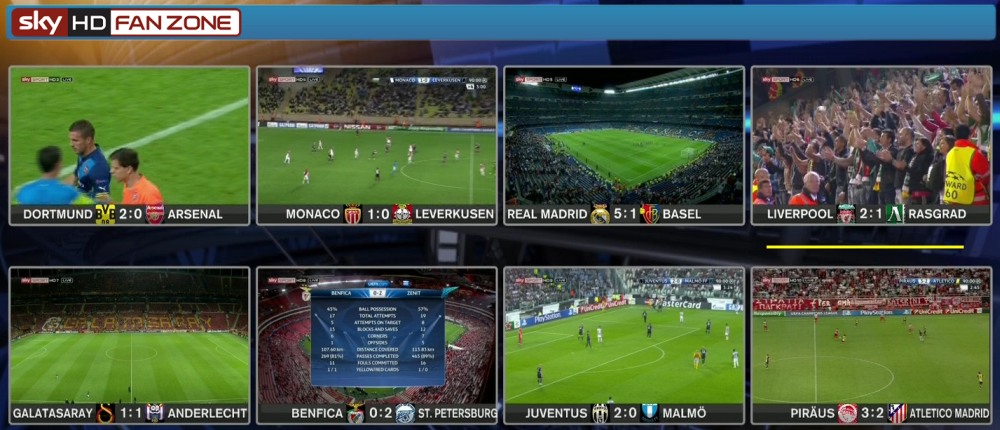
QuoteWho uses a Full HD Skin can download the file and then unzip the zip file and all 3 files then:
"/ usr / lib / enigma2 / python / Plugins / System Plugins / SkyFanZone"
Copy.
The file permissions must be set to "644".
The position of the yellow bar may have to be adapted to your TV even in the pos.cfg
SerienRecorder 3.2.2
Changes:
The colors are no longer defined in the plugin, but are taken from the skin of the Box
Support for UHD Skins
bug fixes:
Cover reloaded
Auto-update problems fixed on boxes with DreamOS
No more crash if log path is no longer available
Keys Display now works correctly again

Update: 2015/10/29
WeTek OpenELEC Setting & Full Backup 2015/10/27 by ozkaradag

This replacement of the differences from the previous one.
Openelec 25-10 Guru compilation and final version has been updated to the latest COD 15.2.
Settingt the Turksat, Hotbird, W3 and Astra19 set.
There TVH system, Tuner B did too active.
The Channel is loaded Thawtes my friend.
VD is set to the 4 satellite system is passive, but there is no Channel Listing.
Resolution: 720p. (some TV because I did not 1080p)
FTP and SSH password openelec.
Theme: Unity.
Eminence, Aeon Nox Maniac, Avalon, Chrome and contact is also added Confluence Mode, System> You can change the view.
***** Are installed. Wetekip to enter your account: ***** 8887 at the files tab. Simply add the server.
All things are up to date with the date 22-10-15.
PowerVR wildcard Emu is installed, the control wetekip for 8888 should enter from.
In addition, the card-reader plugin installed.
Attachments:
1Channels.
Football Today.
Genesis.
Navix.
Seyirturk.
Supercartoons.
Wecloud.
YouTube.
S-opcast.
VNC.
Transmission (is passive status).
PVR IPTV Client. Passive form and is set Mezon IPTV to activate System> Add-ons> Extensions> PVR must enable Clients to enter.
PVR Enigma2 Client.
Pulser.
P2P Streams.
Elite Torrents.
TuneIn.
Playlist Loader.
6-7 contraption was added. They were locked, because the video menu. Password: 9876
Digital C'lock Screensaver.
Addon Installer.
Aznko was M3U XML Converter.
In addition, storage / IPTV list of folders is added to 5 different types of foreign-platform IPTV List, Playlist to open the Loader can watch PVR IPTV Client or Video> From Files.
XOM Repurchase added.
Zip to remove the FTP storage / backup, threw the folder Applications> openelec> System Restore from the backup will be enough to press on.
This sdkart needs to be at least 8GB for backup.
Yours ......
Use at your own risk
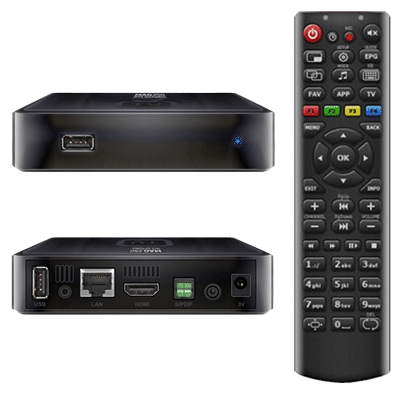
How to enter the BIOS setup (bootloader menu) MAG-200/250?
Power off STB MAG200/250.
Press and hold the «menu» on the remote (or the power button on the front panel).
Without releasing the «menu» (or the power button on the front panel) Power on STB MAG200/250.
If there is no image on the screen maybe your TV doesn't support PAL system.
If there is no image then complete next steps:
Unplug power of STB
Press and hold “Menu” button on RC (direct your RC to STB)
Plug power on STB with holding “Menu” button
Hold “Menu” button during 10 seconds.
Switch PAL - NTSC with single press on red button “F1” on RC.
How to see the firmware version and device information?
To enter in BIOS menu.
Choose «Upgrade Menu» and press “right” on the remote control. If this step is missing, go to next step (this step can be absent if the second copy of bootloader doesn't on).
“Device info” and press “right” on the remote control:
“Vendor” - Manufactory identifier.
“Model” - Model identifier.
“Ver. Hardware” - Version of network board realization.
“Serial Number” - Serial number.
“MAC address” - Physical address of network interface.
“Loader Info” and press “right” on the remote control:
“Version Number” - Bootloader version (if the second bootloader is on, then you will see the second bootloader version).
“Date & Time” - Date and Time of bootloader version.
“Image info” press “right” on the remote control:
“Version” - Software version.
“Description” - Full version description.
How to reset BIOS MAG-200/250 to factory settings?
Enter The BIOS.
choose “Def. Settings”.
press the right.
confirm by pressing the “OK”.
Select “Exit & Save” to save and exit. STB will reboot automatically.
Maybe, it will be necessary to change boot mode: “NAND”, “NAND2” or “DHCP”.
Change boot mode DHCP/NAND/NAND2.
Change boot mode DHCP/NAND/NAND2
Enter The BIOS.
Select “Upgrade Menu” , right click on the remote control.
Select “Boot Mode” and pressing the remote control right to set the boot mode DHCP, NAND or NAND2.
Select “Exit & Save” and press on the remote control to the right.
Confirm “OK”.
and here is the pdf for all to read
-------------------------------------------------------------------------------------------------------------
After the reset (Def. Settings)....
After you factory reset your box, dhcp and tftp loading is the default.
To get back to booting correctly unplug and plug back in the box, then menu into bios again.
Once there go to "Boot Mode" and right arrow to change it to "NAND" or NAND2"
Then scroll down to "Exit & Save" and right arrow, then "OK" to save and reboot.
Mine did an update after it rebooted, so let the update load and it will reboot again by itself.
It will boot into where you see "Home Media", IPTV Channels" "Internet Bookmarks" Etc. screen when finished- just like when you first plugged it in out of the box.
Please note that any time you press the "OK" remote button in the bios, give it time to work because it takes a few seconds.
Merlin 3 OE 2.0 dm800se 20151025 ramiMAHER#ssl84D / sim2

QuoteDisplay MoreMerlin3:
- BoxInfo: new type FanInfo
- EMIL: updates and bugfixes
-- RefToMovieName: follow changes for EMIL
- TagBouquetService: show tick immediately after adding the service
- PiconCleaner: fix indentation error reported by oldboke
- SecondInfoBarMe: fix typo in folder name
- ChannelSelection: fix the following crashes:
-- Plugins with own ChannelSelection
-- change tagBouquetServices config after using a plugin with its own ChannelSelection
- ChannelNumber: fix when enable multiple bouquets is set to No
- PiconMapper: fix possible crash
- Default-HD-grey.ME: adjustments for GraphMultiEPG
- GraphMultiEPG: add missing colour assignments
- SecondInfobarme: remove dot in folder name (this was quite likely the issue...
Display MoreTr version Mega 2. download link
Eng version still uploading 1 hour left
- - - Updated - - -
Eng version 1.download link
Mega download 2.link will be updates 2-3 hours later after upload finished
Codehttp://www.tvimages.com/upload/index.php?action=downloadfile&filename=WeTek-PBNIGMA-VX-5.1_backup_25102015eng_mach1.rar&directory=WeTek-Enigma2/E2Backups-Eng&
- - - Updated - - -
Eng version 2.download mega link
Please improve links
KravenVB 2.6.0
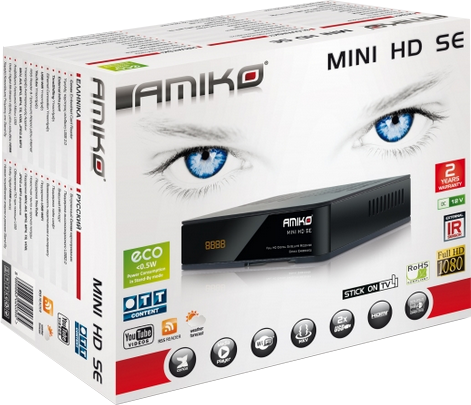
AMIKO MiniHD SE 2.2.14
DreamUP 1.3.3.12

here you get close shop


Golden Media UNI-BOX 2
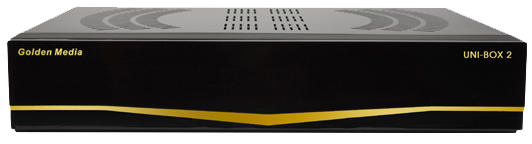
Firmware v1.6.92


