Posts by robijay
-
-
-
-
OSEmu-r296-all
OSEmu
======Here is a working sample for a simple (micro) emu.
It includes the basic needed cs357x (camd35 UDP) functionality, and is very simple and compact.Build:
======- Put a SoftCam.Key file into the source code directory (for example from skystar.org).
Note: This does not apply for Mac OSX and Android, SoftCam.Key cannot be integrated on these systems at the moment.
- Run `make` to compile OSEmu.Info: If you want to cross-compile OSEmu search for the "simpleemu" script by gorgone.
Run:
====- (optional) OSEmu does not require, but will make use of "SoftCam.Key" if available.
"SoftCam.Key" is searched in:
- /var/keys
- The folder specified with the "-c <folder>" option.- You may use the program with the following options:
-a <user>:<password> (set the cs357x user and password) [REQUIRED]
-p <portnumber> (set the cs357x port) [REQUIRED]
-c <folder> (set the folder where SoftCam.Key is searched)
-b (start OSEmu in background/daemon mode)
-v (log debug information)
-l <logfile> (write logs to this file)
-e (enable emm au)
- Viaccess3: Needs M0 key; oscam clients must be version r10584 or newer, and the OSEmu reader must have set "emmcache = 1,1,2,1".
- Irdeto2: Needs M0 and M3/4/5/6 key
- PowerVU: Needs AU key
-L (only allow local connections from localhost)
-i (show OSEmu version info and exit)
-r <stream source port>:<relay port> (enables stream relay server)
-s <stream source host> (set stream relay source server host; default: 127.0.0.1)
-t <stream source user>:<strean source password> (set stream relay source user and password; default: none)Examples:
/usr/bin/OSEmu -a user:password -p 11000 -b
/usr/bin/OSEmu -a user:password -p 11000 -b -c /usr/keys -l /var/log/osemu.log -e
/usr/bin/OSEmu -a user:password -p 11000 -b -r 8001:17999OSCam reader config for OSEmu
=============================[reader]
label = OSEmu
protocol = cs357x
device = 127.0.0.1,11000
user = user
password = password
caid = 0D00,0D02,090F,0500,1801,0604,2600,FFFF
ident = 0D00:000000,000004,000010,000014,000020,0000C0,0000C4,0000C8,0000CC;0D02:000000,00008C,0000A0,0000A4,0000A8;090F:000000;0500:000000,030B00,023800,021110,007400,007800;1801:000000,007301,001101;0604:000000;2600:000000;FFFF:000000;
group = 1
emmcache = 1,1,2,1BISS/ConstCW config
===================Syntax for keys in SoftCam.Key: (key number can be '00' or '01')
F <service id><ecm pid> <key number> <key>Example:
service id: 2222
ecm pid: 1111
key: 0102030405060708F 22221111 00 0102030405060708
Important:
The correct ecm pid is only available when using oscam dvbapi.
For example:
oscam (dvbapi) <-> OSEmu
oscam (dvbapi) <-> oscam <-> OSEmu
When using another client like cccam, the ecm pid seen by OSEmu will always be '1FFF'
For example:
cccam <-> oscam <-> OSEmu
cccam <-> OSEmu
In this case the above example key line needs to be changed to:
F 22221FFF 00 0102030405060708When using cccam clients for BISS/ConstCW create a second reader with no ident line:
[reader]
label = OSEmu-BISS
protocol = cs357x
device = 127.0.0.1,11000
user = user
password = password
caid = 2600,FFFF
group = 2PowerVU config
==============Keys in SoftCam.Key:
P <srvid> <nb> <key>
example:
P 1234 01 11223344556677For channels with same srvid: (UPDATED!!!)
Channel #1: P 1234 01 11223344556677
Channel #2: P 1234 01 11223344556677
Channel #3: P 1234 01 11223344556677
AU keys:
P <srvid> <UA> <key>
example:
P 1234 11223344 11223344556677For PowerVU the Stream Relay must be used:
IMPORTANT:
The stream relay needs a fast CPU. Not every STB is fast enough.
If you encounter problems like suttering, likely your CPU is too slow.For OSEmu it is required that the "Include ECM in http streams" setting is enabled.
If your image supports it (openpli, openatv), you can find it here:
OpenWebif -> Settings -> Customize
If your image does not support it, the only option is to use oscam-emu.
OSEmu's stream relay will NOT work without "Include ECM in http streams".
Switch to oscam-emu if the option is not available.Channel Config:
1. Go to the OpenWebif and click on the "Stream" button for the channel you want to add.
2. Download and save the .m3u file.
3. Open the .m3u file with a text edior and get the stream link. It looks like this:
http://stb:8001/1:0:19:0123:3EF:1:C00000:0:0:0:
4. Replace the port (8001) with the relay port (default: 17999) and the host name ("stb") with 127.0.0.1
http://127.0.0.1:17999/1:0:19:0123:3EF:1:C00000:0:0:0:
5. Add the new stream link to your channel list (for example with DreamBoxEdit)IMPORTANT:
Do NOT use the correct Transponder ID/Network ID/Namespace for the stream link.
Use Transponder ID: "11", Network ID: "22" and Namespace: "33".
Set Service Type to "1", and enter the correct Service ID for the channel.Note:
When using DreamBoxEdit:
A. Go to the list in the middle "Bouquet details".
B. Right click on a channel, select "IPTV and other streaming services", select "Add".
C. Select "DVB/TS".
D. Chosse a name and use the new stream link as URL.
E. Use the "Service ID" of the original channel. You can find it in the left list ("Services")Drecrypt2 info:
===============OSemu cannot support Drecrypt2 because no client will send the overcrypt EMMs to it.
Support for Drecryp2 is available in oscam-emu. -
-
Latest OSCam for vuplus solo 4k/ultimo 4k/uno 4k, mutant hd51/52, AX 51/52, Xtrend ET11000/12000, Spycat 4K, Edision 4k, Octagon 4k
This file has been configured with both internal readers working for UK Freesat card and Tivusat Card.
Thanks Dumnonia
-
[BKP]OpenHDF Zgemma Star H2
Linuxsat-support Winter Edition
Backup date 02/11/2015
New Kernel 4.0.1
New Driver 02/10/2015
Last Update 29/10/2015
Splash Screen by robijay
Bootlogo by robijay
Spinner from Arctic Skin
Setting Whannibal Dual Feed 13+19,2+Dtt Italy (configure your tuner default is 13+19,2)
Language: English (system setup and select your language)
Password FTP and Telnet: linuxsat-supportCams configuration, Ports & Passwords
CCcam Web Info port: 16001
Username: root
Password: linuxsatDoscam Web Info Port: 8888
Username: admin
Password: linuxsatOscam Web Info Port: 16002
Username: admin
Password: linuxsatFile directory:
Doscam config & softcam.key directory: /var/tuxbox/config/doscam25
Oscam config & softcam.key directory: /var/tuxbox/config/oscam
CCcam config directory: /var/etc


Panel
LINUXSAT SUPPORT PANEL 1.2 FULL HDPlugin
AUTOBOUQUETS E2 (NEW VERSION)
IPTV PLAYER 84.09.00.00
MEDIAPORTAL 7.2.6
MEDIAINFO 2.7
COOL TV GUIDE 7.3.0
XMLTV IMPORT RYTEC
ISETTINGE2 3.3.5
WEATHER MSN
AND MORE..........Emu
CCCAM 2.30
DOSCAM 0.25
OSCAM SVN 11070 (LATEST UPDATE 02/11/2015)
CCCAM INFO
OSCAM INFOSkin
METRIXHD 3.0 MOD FOR HDF (DEFAULT)
ORIGINAL -
Only with jafhar supersim bud
-
OSEmu-r289-all
OSEmu
======Here is a working sample for a simple (micro) emu.
It includes the basic needed cs357x (camd35 UDP) functionality, and is very simple and compact.Build:
======- Put a SoftCam.Key file into the source code directory (for example from skystar.org).
Note: This does not apply for Mac OSX and Android, SoftCam.Key cannot be integrated on these systems at the moment.
- Run `make` to compile OSEmu.Info: If you want to cross-compile OSEmu search for the "simpleemu" script by gorgone.
Run:
====- (optional) OSEmu does not require, but will make use of "SoftCam.Key" if available.
"SoftCam.Key" is searched in:
- /var/keys
- The folder specified with the "-c <folder>" option.- You may use the program with the following options:
-a <user>:<password> (set the cs357x user and password) [REQUIRED]
-p <portnumber> (set the cs357x port) [REQUIRED]
-c <folder> (set the folder where SoftCam.Key is searched)
-b (start OSEmu in background/daemon mode)
-v (log debug information)
-l <logfile> (write logs to this file)
-e (enable emm au)
- Viaccess3: Needs M0 key; oscam clients must be version r10584 or newer, and the OSEmu reader must have set "emmcache = 1,1,2,1".
- Irdeto2: Needs M0 and M3/4/5/6 key
- PowerVU: Needs AU key
-L (only allow local connections from localhost)
-i (show OSEmu version info and exit)
-r <stream source port>:<relay port> (enables stream relay server)
-s <stream source host> (set stream relay source server host; default: 127.0.0.1)
-t <stream source user>:<strean source password> (set stream relay source user and password; default: none)Examples:
/usr/bin/OSEmu -a user:password -p 11000 -b
/usr/bin/OSEmu -a user:password -p 11000 -b -c /usr/keys -l /var/log/osemu.log -e
/usr/bin/OSEmu -a user:password -p 11000 -b -r 8001:17999OSCam reader config for OSEmu
=============================[reader]
label = OSEmu
protocol = cs357x
device = 127.0.0.1,11000
user = user
password = password
caid = 0D00,0D02,090F,0500,1801,0604,2600,FFFF
ident = 0D00:000000,000004,000010,000014,000020,0000C0,0000C4,0000C8,0000CC;0D02:000000,00008C,0000A0,0000A4,0000A8;090F:000000;0500:000000,030B00,023800,021110,007400,007800;1801:000000,007301,001101;0604:000000;2600:000000;FFFF:000000;
group = 1
emmcache = 1,1,2,1BISS/ConstCW config
===================Syntax for keys in SoftCam.Key: (key number can be '00' or '01')
F <service id><ecm pid> <key number> <key>Example:
service id: 2222
ecm pid: 1111
key: 0102030405060708F 22221111 00 0102030405060708
Important:
The correct ecm pid is only available when using oscam dvbapi.
For example:
oscam (dvbapi) <-> OSEmu
oscam (dvbapi) <-> oscam <-> OSEmu
When using another client like cccam, the ecm pid seen by OSEmu will always be '1FFF'
For example:
cccam <-> oscam <-> OSEmu
cccam <-> OSEmu
In this case the above example key line needs to be changed to:
F 22221FFF 00 0102030405060708When using cccam clients for BISS/ConstCW create a second reader with no ident line:
[reader]
label = OSEmu-BISS
protocol = cs357x
device = 127.0.0.1,11000
user = user
password = password
caid = 2600,FFFF
group = 2PowerVU config
==============Keys in SoftCam.Key:
P <srvid> <nb> <key>
example:
P 1234 01 11223344556677For channels with same srvid: (UPDATED!!!)
Channel #1: P 1234 01 11223344556677
Channel #2: P 1234 01 11223344556677
Channel #3: P 1234 01 11223344556677
AU keys:
P <srvid> <UA> <key>
example:
P 1234 11223344 11223344556677For PowerVU the Stream Relay must be used:
IMPORTANT:
The stream relay needs a fast CPU. Not every STB is fast enough.
If you encounter problems like suttering, likely your CPU is too slow.For OSEmu it is required that the "Include ECM in http streams" setting is enabled.
If your image supports it (openpli, openatv), you can find it here:
OpenWebif -> Settings -> Customize
If your image does not support it, the only option is to use oscam-emu.
OSEmu's stream relay will NOT work without "Include ECM in http streams".
Switch to oscam-emu if the option is not available.Channel Config:
1. Go to the OpenWebif and click on the "Stream" button for the channel you want to add.
2. Download and save the .m3u file.
3. Open the .m3u file with a text edior and get the stream link. It looks like this:
http://stb:8001/1:0:19:0123:3EF:1:C00000:0:0:0:
4. Replace the port (8001) with the relay port (default: 17999) and the host name ("stb") with 127.0.0.1
http://127.0.0.1:17999/1:0:19:0123:3EF:1:C00000:0:0:0:
5. Add the new stream link to your channel list (for example with DreamBoxEdit)IMPORTANT:
Do NOT use the correct Transponder ID/Network ID/Namespace for the stream link.
Use Transponder ID: "11", Network ID: "22" and Namespace: "33".
Set Service Type to "1", and enter the correct Service ID for the channel.Note:
When using DreamBoxEdit:
A. Go to the list in the middle "Bouquet details".
B. Right click on a channel, select "IPTV and other streaming services", select "Add".
C. Select "DVB/TS".
D. Chosse a name and use the new stream link as URL.
E. Use the "Service ID" of the original channel. You can find it in the left list ("Services")Drecrypt2 info:
===============OSemu cannot support Drecrypt2 because no client will send the overcrypt EMMs to it.
Support for Drecryp2 is available in oscam-emu. -
-
-
Serien Recorder 3.2.2
changes:
- The colors are no longer in the plugin defined but is taken from the skin of the Box
- Support for UHD Skinsbug fixes:
- Cover can be reloaded
- Auto-update problems fixed on boxes with DreamOS
- No more crash if log path is no longer available
- Key display now works correctly againthx @ MacDisein
-
Mediaportal 7.2.6
Thx @ all Dev´s
-
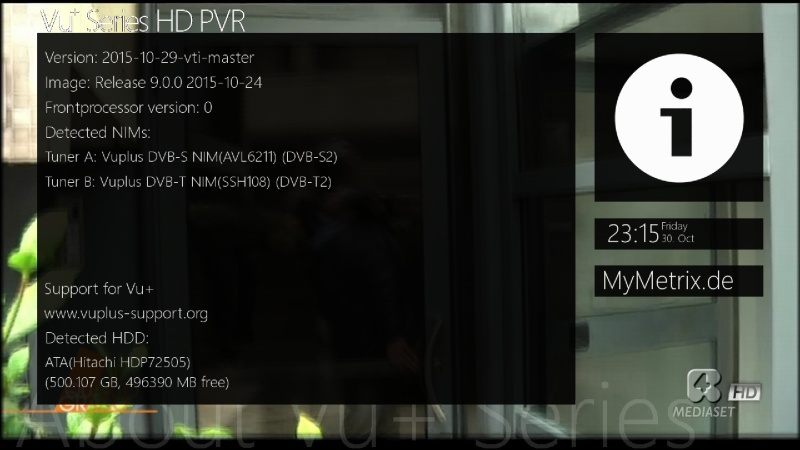
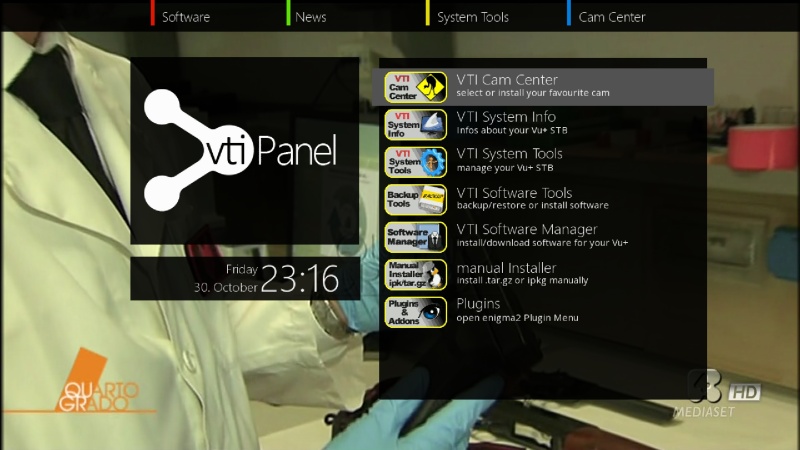
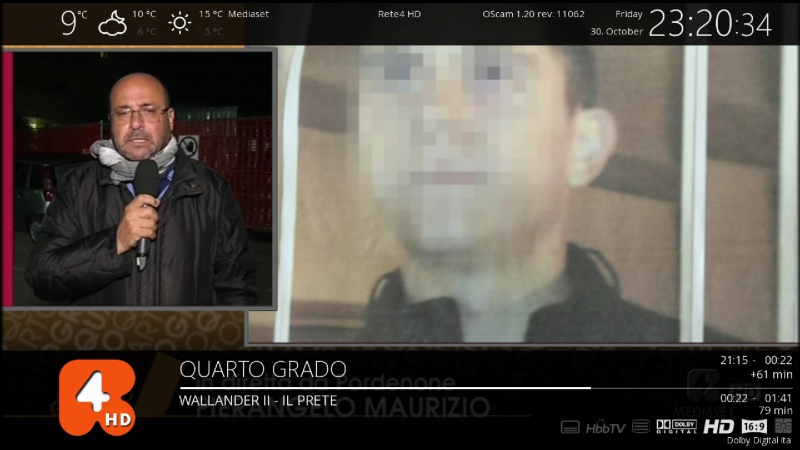
[BKP]VTI 9.0.X Vu+Duo2 Linuxsat Edition
Backup date 30/10/2015
Kernel 3.13.5
Last Update 29/10/2015
Splash Screen VTI by robijay
Bootlogo by robijay
Spinner Loading
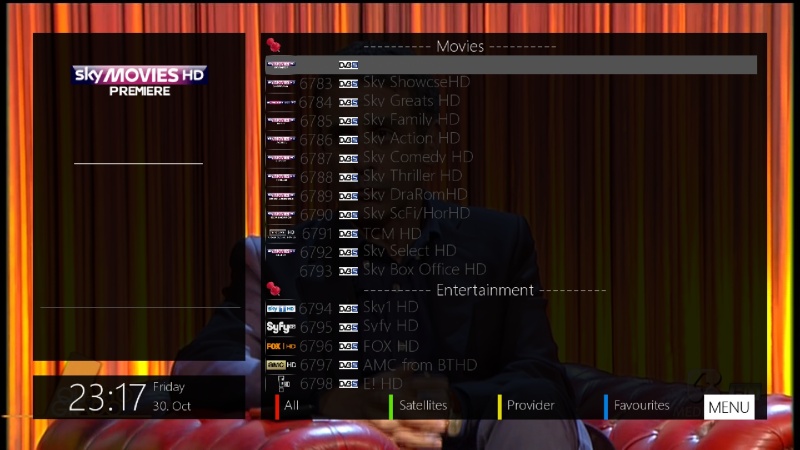
Setting Whannibal Quadrifeed 13,0+19,2+23,5+28,2
Language: English
Password FTP and Telnet: linuxsatCams configuration, Ports & Passwords
CCcam Web Info port: 16001
Username: root
Password: linuxsatDoscam Web Info Port: 8888
Username: admin
Password: linuxsatOscam Web Info Port: 16002
Username: admin
Password: linuxsatFile directory:
Doscam config & softcam.key directory: /etc/tuxbox/config/doscam25
Oscam config & softcam.key directory: /etc/tuxbox/config
CCcam config directory: /etc


Whats Included ?
VTI Image Version 9.0.XPanel
LINUXSAT SUPPORT PANEL 1.2 FULL HDPlugin Bouquets
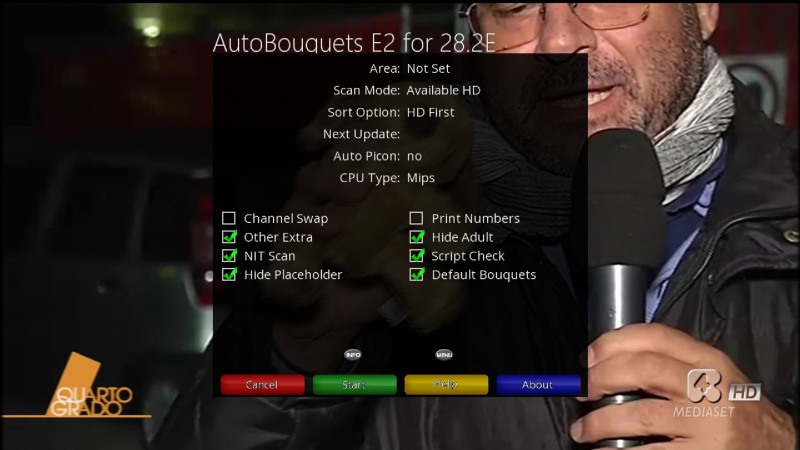
AUTOBOUQUETS FOR 28,2 (NEW VERSION)
VHANNIBAL NGSETTING 1.1Addons
XBMC LAUNCHER
Repositories & Addons For XBMC Launcher Can Be Downloaded From Our Addons Panel
EPG IMPORT RYTEC
MEDIAPORTAL 7.2.5
COOL TV GUIDE 7.3.0
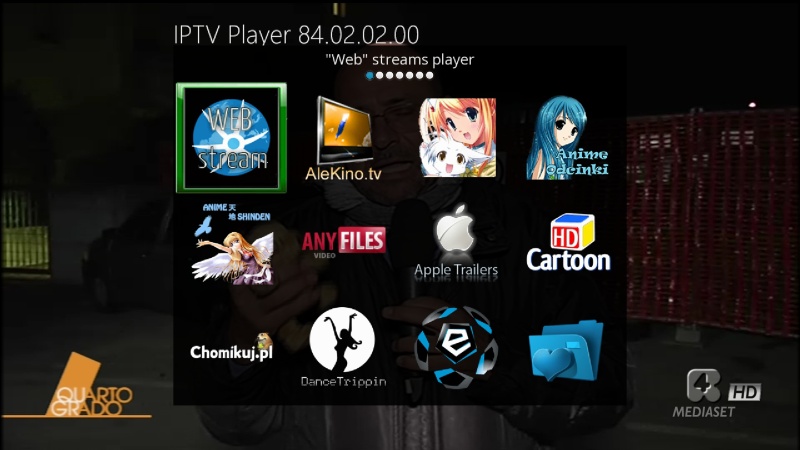
IPTV PLAYER 84.02.02.00
LIVE FOOTBALL 5.8
FULL FLASH BACKUP ON USBB/HDD
FULL FLASH BACKUP TO USB
VLC PLAYER
MEDIAINFO 2.7
OPENVPN PLUGIN FOR VTI
XBMC WEATHER
AND MORE..........Emu
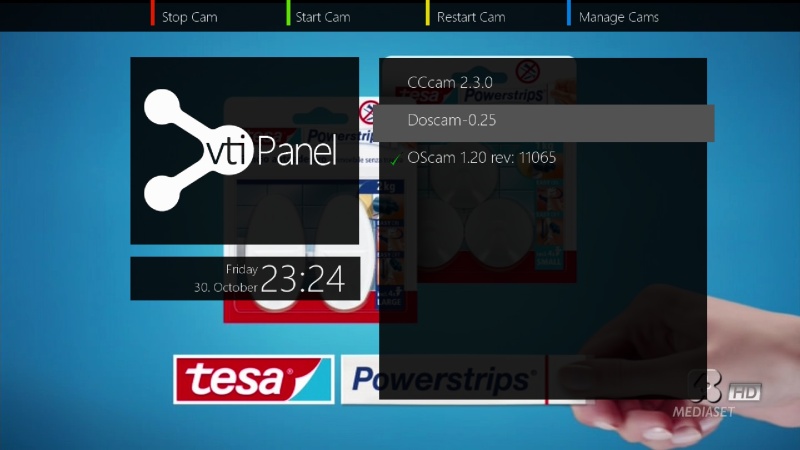
OSCAM 11065 (LATEST RELEASE)
DOSCAM 0.25
CCCAM 2.30
OSCAM BUTLER
CCCAM INFOSkin
ATILEHD
STYLE FHD
MUTESPECTATOR
MTERIXHD-MOD 2.6 PRO (DEFAULT)Picons
13,0+19,2+23,5+28,2 (INCLUDED, THX MMARK AND OKTUS) -
Sly to unveil 4K STB next month?
October 30, 2015Sky is set to unveil its next generation Sly STB on November 18th. A cryptic invite to a product launch invites journalists to “see how we’re changing TV again”, and introduces the hashtag #SetTVFree.
Tentatively dubbed “SkyQ”, the STB is reported to offer multi-screen viewing so family members can each watch different shows on varying screens, allowing up to 4 different channels to be watched (or recorded) simultaneously. The box should also offer live TV and catch-up streaming in the same place so jumping between the two will appear seamless. The box will be 4K ready and will also support HDR and HFR to make it future-proof.
A teaser video can be viewed here:
-
From BH addons feed
-
Try to reinstall the bootloader.
-
OSEmu-r286-all
OSEmu
======Here is a working sample for a simple (micro) emu.
It includes the basic needed cs357x (camd35 UDP) functionality, and is very simple and compact.Build:
======- Put a SoftCam.Key file into the source code directory (for example from skystar.org).
Note: This does not apply for Mac OSX and Android, SoftCam.Key cannot be integrated on these systems at the moment.
- Run `make` to compile OSEmu.Info: If you want to cross-compile OSEmu search for the "simpleemu" script by gorgone.
Run:
====- (optional) OSEmu does not require, but will make use of "SoftCam.Key" if available.
"SoftCam.Key" is searched in:
- /var/keys
- The folder specified with the "-c <folder>" option.- You may use the program with the following options:
-a <user>:<password> (set the cs357x user and password) [REQUIRED]
-p <portnumber> (set the cs357x port) [REQUIRED]
-c <folder> (set the folder where SoftCam.Key is searched)
-b (start OSEmu in background/daemon mode)
-v (log debug information)
-l <logfile> (write logs to this file)
-e (enable emm au)
- Viaccess3: Needs M0 key; oscam clients must be version r10584 or newer, and the OSEmu reader must have set "emmcache = 1,1,2,1".
- Irdeto2: Needs M0 and M3/4/5/6 key
- PowerVU: Needs AU key
-L (only allow local connections from localhost)
-i (show OSEmu version info and exit)
-r <stream source port>:<relay port> (enables stream relay server)
-s <stream source host> (set stream relay source server host; default: 127.0.0.1)
-t <stream source user>:<strean source password> (set stream relay source user and password; default: none)Examples:
/usr/bin/OSEmu -a user:password -p 11000 -b
/usr/bin/OSEmu -a user:password -p 11000 -b -c /usr/keys -l /var/log/osemu.log -e
/usr/bin/OSEmu -a user:password -p 11000 -b -r 8001:17999OSCam reader config for OSEmu
=============================[reader]
label = OSEmu
protocol = cs357x
device = 127.0.0.1,11000
user = user
password = password
caid = 0D00,0D02,090F,0500,1801,0604,2600,FFFF
ident = 0D00:000000,000004,000010,000014,000020,0000C0,0000C4,0000C8,0000CC;0D02:000000,00008C,0000A0,0000A4,0000A8;090F:000000;0500:000000,030B00,023800,021110,007400,007800;1801:000000,007301,001101;0604:000000;2600:000000;FFFF:000000;
group = 1
emmcache = 1,1,2,1BISS/ConstCW config
===================Syntax for keys in SoftCam.Key: (key number can be '00' or '01')
F <service id><ecm pid> <key number> <key>Example:
service id: 2222
ecm pid: 1111
key: 0102030405060708F 22221111 00 0102030405060708
Important:
The correct ecm pid is only available when using oscam dvbapi.
For example:
oscam (dvbapi) <-> OSEmu
oscam (dvbapi) <-> oscam <-> OSEmu
When using another client like cccam, the ecm pid seen by OSEmu will always be '1FFF'
For example:
cccam <-> oscam <-> OSEmu
cccam <-> OSEmu
In this case the above example key line needs to be changed to:
F 22221FFF 00 0102030405060708When using cccam clients for BISS/ConstCW create a second reader with no ident line:
[reader]
label = OSEmu-BISS
protocol = cs357x
device = 127.0.0.1,11000
user = user
password = password
caid = 2600,FFFF
group = 2PowerVU config
==============Keys in SoftCam.Key:
P <srvid> <nb> <key>
example:
P 1234 01 11223344556677For channels with same srvid:
Channel #1: P 1234 01 11223344556677
Channel #2: P 11234 01 11223344556677
Channel #3: P 21234 01 11223344556677
AU keys:
P <srvid> <UA> <key>
example:
P 1234 11223344 11223344556677For PowerVU the Stream Relay must be used:
IMPORTANT:
The stream relay needs a fast CPU. Not every STB is fast enough.
If you encounter problems like suttering, likely your CPU is too slow.For OSEmu it is required that the "Include ECM in http streams" setting is enabled.
If your image supports it (openpli, openatv), you can find it here:
OpenWebif -> Settings -> Customize
If your image does not support it, the only option is to use oscam-emu.
OSEmu's stream relay will NOT work without "Include ECM in http streams".
Switch to oscam-emu if the option is not available.Channel Config:
1. Go to the OpenWebif and click on the "Stream" button for the channel you want to add.
2. Download and save the .m3u file.
3. Open the .m3u file with a text edior and get the stream link. It looks like this:
http://stb:8001/1:0:19:0123:3EF:1:C00000:0:0:0:
4. Replace the port (8001) with the relay port (default: 17999) and the host name ("stb") with 127.0.0.1
http://127.0.0.1:17999/1:0:19:0123:3EF:1:C00000:0:0:0:
5. Add the new stream link to your channel list (for example with DreamBoxEdit)IMPORTANT:
Do NOT use the correct Transponder ID/Network ID/Namespace for the stream link.
Use Transponder ID: "11", Network ID: "22" and Namespace: "33".
Set Service Type to "1", and enter the correct Service ID for the channel.Note:
When using DreamBoxEdit:
A. Go to the list in the middle "Bouquet details".
B. Right click on a channel, select "IPTV and other streaming services", select "Add".
C. Select "DVB/TS".
D. Chosse a name and use the new stream link as URL.
E. Use the "Service ID" of the original channel. You can find it in the left list ("Services")Drecrypt2 info:
===============OSemu cannot support Drecrypt2 because no client will send the overcrypt EMMs to it.
Support for Drecryp2 is available in oscam-emu. -
Italysat7 Zgemma 2S SVN 7.0.205
NOT POSSIBLE TO UPDATE FROM REMOTE CONTROL, MUST REFRESH
- Updated Driver Gigablue
- Fixed Swap
- Fixed Feeds
- Re-added to the menu "Software Update"
- Fix crash if sudden active parental controlThx to Bobsilvio
-
Italysat7 Zgemma H2 SVN 7.0.205
NOT POSSIBLE TO UPDATE FROM REMOTE CONTROL, MUST REFRESH
- Updated Driver Gigablue
- Fixed Swap
- Fixed Feeds
- Re-added to the menu "Software Update"
- Fix crash if sudden active parental controlThx to Bobsilvio