Posts by KiddaC


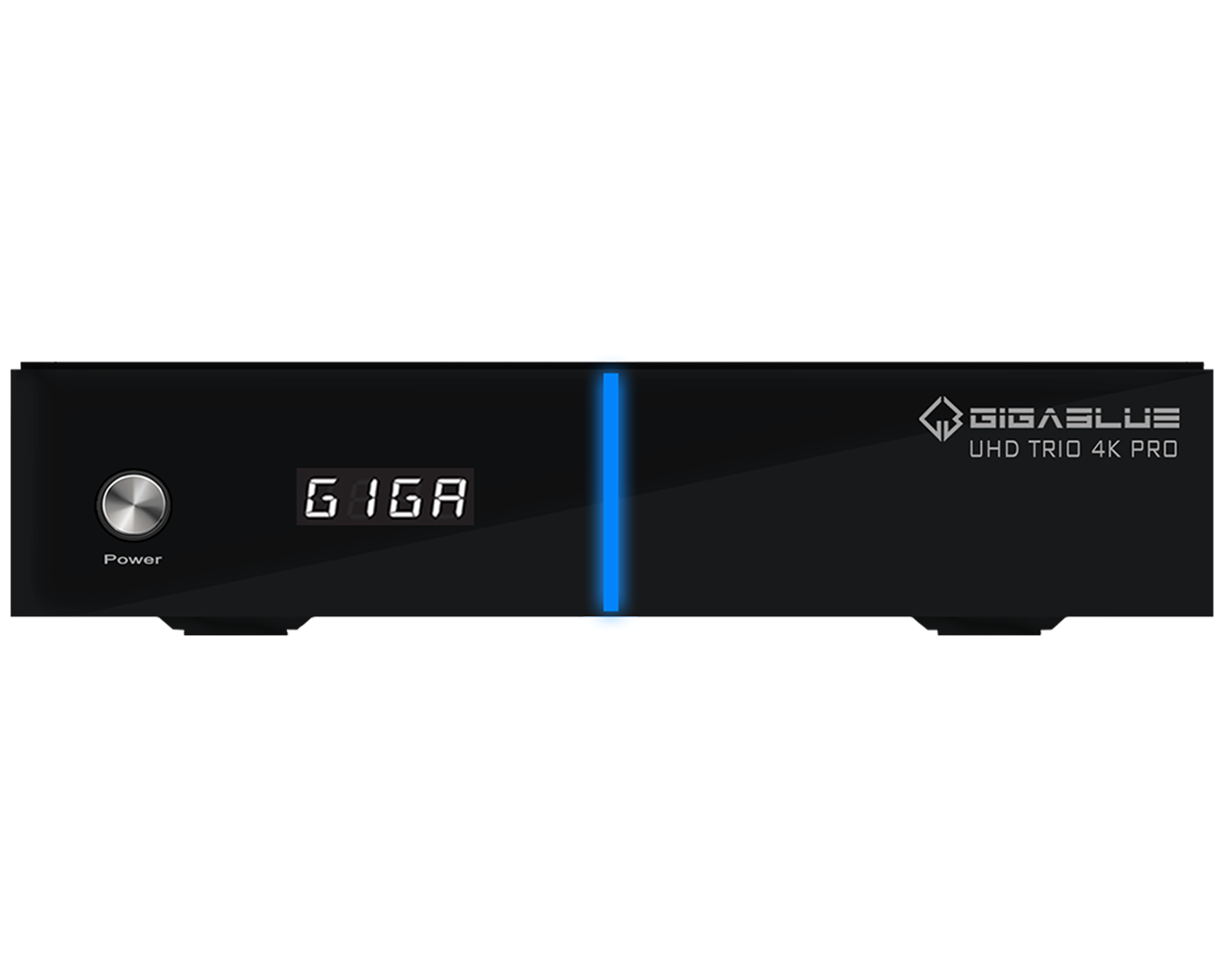
    GigaBlue UHD Trio 4K PRO - Combo Tuner, W-LAN 1200Mbps
    GigaBlue UHD Trio 4K PRO / 1x DVB-S2x & 1x DVB-C/T2 Tuner Neues Design, kompakter und mehr Power Die neue GigaBlue UHD Trio 4K Pro besitzt 1 x…
    store.gigablue.de


    GigaBlue UHD Trio 4K PRO / 1x DVB-S2x & 1x DVB-C/T2 tuner

    New design, more compact and more powerful

    The new GigaBlue UHD Trio 4K Pro has 1 x DVB-S2x tuner and is also expanded with a DVB-C/T2 hybrid tuner. And thus usable as a combo variant. The model offers all the necessary options for smooth and qualitative TV and multimedia enjoyment.


    Characteristics

    • Faster CPU: ARM Cortex A53, Quad Core 64Bit, 15,000 Dmips
    • 8GB eMMC Flash / 1GB Ram DDR3 SD RAM
    • 4 digits / 7 segments
    • S/PDIF audio output optical (digital)
    • H.265 HEVC
    • 2 x USB (1x USB 3.0 &1x USB 2.0)
    • 1 x HDMI 2.1
    • Gigabit LAN (10/100/1000 MBit/s)
    • Integrated WiFi 1200Mbps
    • BT RCU
    • WebKit Browser
    • ChromeOS
    • 1 x SD card reader
    • 1 x S/C card reader slot
    • 1 x DVB-S2X tuner, MIS (multi-stream)
    • 1 x DVB-C/T2 Tuner H.265 HEVC
    • 1 x RS232 service interface
    • WebKit Browser
    • ChromiumOS, HbbTV
    • Blind scan, SW update via Internet, OTA update
    • SAT>IP Client, Multiroom, Multiboot
    • Time shift, permanent timer function
    • EPG (Electronic Program Guide) support
    • Appearance of the user interface can be customized in many ways (skin support)
    • Expandable with many free plugins (apps)
    • unlimited channel list for tv and radio
    • Support of bouquet lists (favorite lists)
    • OSD in many languages
    • Free apps available for iOS and Android
    • Very fast switching times


    • Video Decoding:
      • Video compression HVEC / H.265, MPEG-2 / H.264 and MPEG-1 compatible
      • Video standard PAL G/ 25 Hz, NTSC
      • Aspect ratio 4:3 / 16:9
      • Letterbox for 4:3 TV sets
    • Digital output:
      • Sampling frequencies 32 kHz, 44.1 kHz, 48 kHz
      • S/PDIF out optical (AC3)
      • Audio compression MPEG-1 & MPEG-2 Layer I and II, MP3
      • Audio mode dual (main/sub), stereo
      • Sampling frequencies 32 kHz, 44.1 kHz, 48 kHz, 16 kHz, 22.05 kHz, 24 kHz


    I am just talking to myself at the moment. Talking to the rubber duck. So not after any replies. :)

    So looking at choiceList.py on openatv github. Jbleyel put the RT_VALIGN_CENTER in when experimenting (nov 30 2021). Then reverted his commit and removed it (Dec 1 2021). 3 months later IanSav put it back in again (Mar 28 2022). *sigh*. This element has a parameter offset, so putting in anything other than top aligned or left aligned is going to break skinning choiceList.py

    This has gone unnoticed from me for a year due to me having no desire to update to openatv 7.* due to all the crazyness going on. It worked perfectly on openatv 6.4.

    Their error that one. Not mine.

    It might just be unique to which ever build you installed. Did you install a very very early openatv 7.2 build. Nobody else is reporting it.
    I am using openatv 7.2 myself. No issues.

    I actually don't understand why openvix are actually using name="config" in their multiboot screen.
    Never used it, but to me its either a list element or a choicelist element.

    pasted-from-clipboard.png

    and looking on github. It is defined as a choicelist.

    self["config"] = ChoiceList(list=[ChoiceEntryComponent("", ((_("Retrieving image slots - Please wait...")), "Queued"))])

    SO they are probably actually wrong there. As its probably the name config buggering things up
    There is no paramaters for "config", so we use textoffset. But as this is also actually defined as a choicelist (which there are params), then they are clashing. I can fix this screen just putting the params back and removing the offset. As this is a vix only screen.

    But then I got to try and work out where openatv have buggered up with the parameters. It is a bit of a mess.

    I don't know, i can't keep up with all these changes.


    lists that should be list but are choicelists

    Configs that should be configs but maybe not configs.

    Choicelists that are configs.

    Quickselects which are openatvs version of choicelists.


    Who fucking knows.


    List -> a list of things
    Choicelist -> and list that can be selected with a button
    Config -> a selection of config choices, yes/no, inputs etc etc.
    Quickselect - not even a thing. Its a choicelist. Stop feeding lazy people that want buttons for selecting lists elements in a list. It is literally quicker to scroll up and down a list than look down at your remote to find a red button or a number button.

    Parameters originally used so skinners could set offsets and sizes globally.

    This is why looking back through this thread, I pretty much gave up on skin work as soon as all this python 3 chaos started.

    I will work it all out eventually. But its a nightmare, and causing me and others a lot of unnecessary stress.

    I still don't know why you didn't have it though. Unless installing/removing a particular plugin might have caused you an issue.

    Right, just reading back through this thread. (fun read)

    Willo3092 mentioned the multiboot screen issue. i.e the double buttons. here in Jan 2023 :see no evil monkey: :hear no evil monkey: :speak no evil monkey:


    Why has the choicelist screens vertically alignment now buggered up. Because openatv have broken things again adding offset or center alignment to some elements that have historically always been offset by the skin parameters.
    in skin.xml in slyk q skin which I just updated. I removed the top offset to accomodate openatvs amends. Not realising this would break layout on all other images. (grr).

    This is the losing battle we are now fighting. Nobody is on the same page. Nobody even cares about years worth of code.

    pasted-from-clipboard.png

    I am just going to undo those parameters and but them back to what they used to be. Openatv layouts can then be wrong (which will now be pretty much bottom aligned.) As its them that broke things.

    "difflib" is (should be) a default python 3 library.


    I have a very recent openatv 7.2 build on my box at the moment.


    Checking to see if this "difflib" module exists. And it does


    Checking to see if the "get_close_matches" element exists. And it does.


    pasted-from-clipboard.png

    So why you don't seem to have it, is a mystery.

    You can always try and install or reinstall it with this putty/telnet command


    opkg  install python3-difflib


    or

    opkg --force-reinstall install python3-difflib

    or maybe just install latest version of openatv 7.2 for your box.
    https://images.mynonpublic.com…ndex.php?open=pulse4kmini

    Well it all depends on what you use your box for.
    Most modern plugin will need modern software images.

    Me personally as a plugin designer and skinner have decided I am no longer supporting older python 2.7 images.
    So that means anything older than openatv 7 will probably not be able to update any of my plugins in the near future,


    But if the plugins you are using are still working, then you don't have to keep updating to newer images.

    It is entirely up to you as the user.


    Your box is a little old now and not very powerful compared to modern boxes. (great box in its day though) Maybe time to put some money aside for a new box.


    But if you are not clear of the update process I have a setup guide here.
    OpenATV 7.* setup guide by KiddaC

    A box stopping at 49% is usually a skin error.

    Have you changed the skin. If so which skin are you using.


    Its usually very easy to fix by ftp'ing into your box or using windows network folder. Deleting the rogue skin folder and then the box will load up default or metrix skin.


    Skin folders live here

    /usr/share/enigma2/


    you also might have crash logs when this happens.
    As found in

    /home/root

    Just logged into github after my extended break.

    I see chaos is brewing again with my version numbers. Only been doing this nearly 7 years.

    I also just noticed quite a few other comments and requests that I will get to shortly.
    Got a huge backlog of work to get through, not helped now that I got openatv 7.2 on my box.


    ...and yes this thread is going to turn into a complete whinge fest while I sort all this crap out.

    ok just spent hours trying to work out why some of my screens no longer work.


    openatv, have made some skin elements mandatory. WTF.
    Its up to us as skinners what elements we include in the screens. Not forced to put a load of unnecessary crap because they say its mandatory.


    Warning: Skin screen 'LocationBox' rejected as it does not offer all the mandatory widgets 'fileheading, quickselect'!


    Most ridiculous thing I have ever seen.

    time for some hacks of putting things in a 0,0 and size 0,0. This is why for the last 2 years I haven't updated from 6.4.

    jenseneverest yes. Android now gone. So no old buggy android firmware. No waiting for the dual boot screen. Reboot gui takes about 5 seconds. Whoppee.

    m.ghattas my box is (was) a dinobot 4k. Not the dinobot 4k se. So I used an Anadol eco 4k recovery image. And at the moment everything is working perfectly.

    I don't think you can use what I used on your box.

    I dont think anadol or axas have an equivalent of the dinobot 4k se.
    If you want to risk the same file on your SE. Its up to you. But you might completely break things. Disclaimer. I told you not to. :)
    https://www.opena.tv/anadol-4k…l-anadol-4k-recovery.html