Versione 1.1.0
Changelog:
- fix try timer x DreamOS cvs (test)
- fix setting Milenka61,Manutek, Morpheus883
- added Mmark Picons (test)
- new skin fhd hd
- fix Multilist
- skip to tvManager if exist
- major fix


Versione 1.1.0
Changelog:
- fix try timer x DreamOS cvs (test)
- fix setting Milenka61,Manutek, Morpheus883
- added Mmark Picons (test)
- new skin fhd hd
- fix Multilist
- skip to tvManager if exist
- major fix

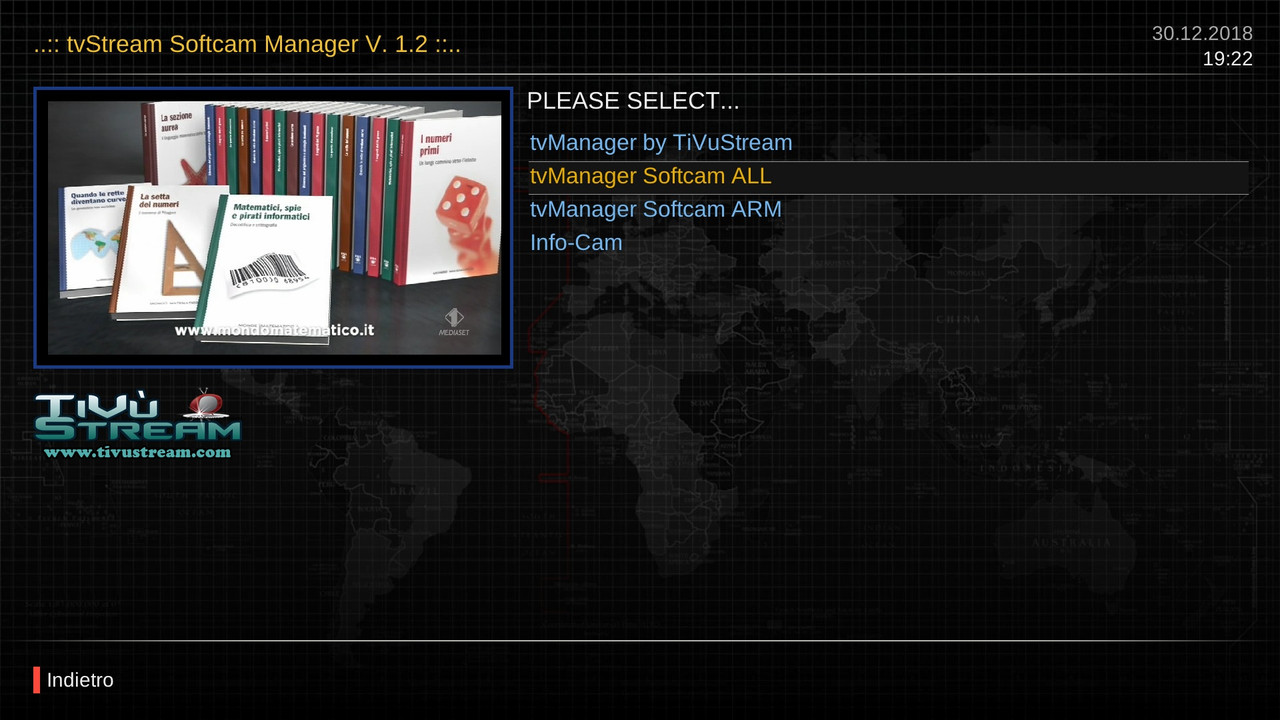

Version 1.2
Changelog
- fix try timer x cvs (test)
- add menu get c*ine
- new skin fhd hd
- minor fix
HOME
-- Button Blu update softcam.key
-- Button Menu : insertion Cli*e in Oscam - CCam – Ncam in configuration file
MENU CONFIG
It is used to insert a Host / port / user / password of a Line.
Button Yellow get from server link (2 server free)
---- Link select server to download Cli*e
-- Button GET (YELLOW) get from server free to the CONFIG (Link1 or Link2)
-- Button WRITE NAME-CAM (GREEN) save to file (Oscam – Cccam - Ncam) - The current config (will insert the configuration edited with each press)
-- Button Restore (BLUE) reset select CAM in its original state, or make A new file for CCcam - Ncam - Oscam :
+ if it is not present in the path, the plugin creates it from the plugin folder (/usr/lib/enigma2/python/Plugins/Extensions/tvManager/data/)
+ enter your personal configuration file into
/usr/lib/enigma2/python/Plugins/Extensions/tvManager/data/
Of course it only works with the cam downloaded from the tvManager panel
Folder:
-/etc/CCam.cfg
-/etc/tuxbox/config/oscam.server
-/etc/tuxbox/config/ncam.server
###########################################italian
HOME
-- Tasto BLU per aggiornamento softcam.key
-- Tasto Menu per la configurazione di inserimento Cli*e in Oscam - CCam - Ncam
MENU CONFIG
Serve per inserire un Host/porta/user/password di una Linea.
Volendo (tasto Giallo) si può prenderla direttamente da 2 siti online free
Con Link si seleziona il sito dal quale scaricare la Cli*e
-- Tasto GET (GIALLO) per RIEMPIRE IL CONFIG inserisce una Cline free nella configurazione presa da internet (Link1 o Link2)
-- Tasto NOME-CAM-SELEZIONATA (VERDE) per inserire nel file configurato (Oscam - CCcam - Ncam) la configurazione corrente (inserirà la configurazione editata ad ogni pressione )
-- Tasto Reset (BLU) per resettare la CAM SELEZIONATA allo stato originale, o crearne uno nuovo per CCcam - Ncam - Oscam :
+ se non è presente nel percorso, il plugin crea un file di cofig prelevandolo dalla cartella del plugin (/usr/lib/enigma2/python/Plugins/Extensions/tvManager/data/)
+ inserite il vostro file personale di configurazione in /usr/lib/enigma2/python/Plugins/Extensions/tvManager/data/
Naturalmente funziona solo con le cam scaricate dal pannello tvManager
Percorsi:
-/etc/CCam.cfg
-/etc/tuxbox/config/oscam.server
-/etc/tuxbox/config/ncam.server
TRY FOR TEST
adult are fixed.. news screen for iptvfree.
v.1.5
I think that pcd is not available at the moment, try if I did well, unfortunately the site has changed many things.
If it works then pcd will settle in the addonList
if it does not work do not get angry with me, I do not know this well
:)
Try
extract to /usr/lib/enigma2/python/Plugins/Extensions/KodiLite/plugins
and Like if works
Version .0.8.2
Add Plugin install Generator Attached
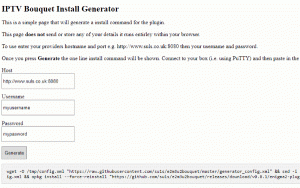
You can also download a generator that will let you enter your details and generate a one line install command with the plugin preconfigured. Right click on the following link select ‘save link as’ and then save to your PC – generator download. You can then run the generator by opening the downloaded file.
Open your plugins menu, there should now be a plugin named ‘IPTV Bouquet Maker (IPTV for Enigma2 – E2m3u2bouquet plugin)’
for Eg.
to put the list in a file.xml I had also tried this for a future research, but it takes minutes and minutes, a lot of time to use this
find def _request(self, url):
and and insert this later
print "urlinfo:", urlinfo
try:
                r1 = urlinfo.replace('enigma2.php','get.php')
                print "r1 = ", r1
                r2 = '&type=m3u_plus&output=ts'
                urlX = r1 + r2
                req = urllib2.Request(urlX, None, {'User-agent': 'Mozilla/5.0 nStreamVOD 0.1',
                 'Connection': 'Close'})
                xmlstream = urllib2.urlopen(req, timeout=NTIMEOUT).read()
                tmp = '/usr/lib/enigma2/python/Plugins/Extensions/XCplugin/Favorit/tmp.xml'
                if os.path.exists(tmp) == False:
                    os.path.dirname(tmp)
                stri = 0
                if xmlstream.splitlines()[0].find('#EXTM3U') > -1:
                    tmp = open(tmp, 'w')
                    tmp.write('<?xml version="1.0" encoding="UTF-8" ?>\n')
                    tmp.write('<Choice>\n')
                    while stri < len(xmlstream.splitlines()[1:]):
                        stri = stri + 1
                        line = xmlstream.splitlines()[stri]
                        if line.find('#EXTINF:') > -1:
                            # #EXTINF:-1 tvg-id="Rai1.it" tvg-name="Rai 1 HD" tvg-logo="" group-title="Italiani Live",Rai 1 HD
                            line = line.replace('group-title=','')
                            tmp.write('\t<namechanel>%s</namechanel>\n' % line.replace('#EXTINF:', '').replace('0', '').replace('1', '').replace(',', ''))
                        if line != '' and line.find('#EXTINF:') == -1:
                            tmp.write('\t\t\t<urlserv>%s></urlserv>\n' % line)
                    tmp.write('</Choice>\n')
                    tmp.close()

            except Exception as ex:
print 'REQUEST fav Exception'the result is that download the whole list,naturally the namechanel is long, but too much time is needed, and then I had left.
Now modify it with your favorit path but it is right to make understand
:derpthink:
hehe
greetings brother
I have not expressed myself yet, what you do is all nice and working, but you are an artist, a qualified and prepared person and I respect you, I learned a lot from you.
Now, coming back to the plugin, how can you use this variable?
do you want to make it as a favorite or can you use it for a movie search?
On startup, if you can do, def get_list, you could create a .xml with all the channels for the search,
Now you would do 2 buttons:
-favorites: favorite screens
-search: screen search
But my time is always less, and I would not have the ground and the mind to do all that
Let's see what comes out of it. Thanks bro

ps.
for add to favorit
edit keymap.xml
find and replace this
<key id="KEY_TV" mapto="listUpdate" flags="m" />
with
<key id="KEY_TV" mapto="ok_Favoris" flags="m" />
and add thisin plugyn.py to self['actions'] of -- class xc_Main
'ok_Favoris' : self.ok_Favoris,
Hello
Post any discussions/errors or requests for new addons here:- https://linuxsat-support.com/thread/122361-requests-for-kodilite-addons-and-general-discussions/
New and updated addons (install via KodiLite ->Install addons -> KodiLite list) :-
-IPTV
plugin.video.infinitylegion-1.3.3
Please press the Like button if your choice works and you want it to be maintained. Thanks.
Regards,
please send M7Replay again the old man does not work anymore Please :(
M7Replay??
this plugin work fine
regards
rename Movie to MovieOld
and test it
from telnet
df -h
put response
delete folder Movie
if it does not exist the plugin creates it
:)
i want to change it to media/hdd/movie/XC
definitely does not read your mount, if you have a /media/hdd does not find it
Do you have a Nas?
The mount does it automatically: if you find it you see it in the config settings
has 2 settings:
- settings for xc folder: use the default setting -> /etc/enigma2/xc
- settings for movie: Automatic mount + /tmp/movie
you can not assign the xc folder to media / movie / xc
There are 2 different things in the plugin
from telnet by this command df -h
and placed here, maybe you use a nas
If you use the nas you have to proceed like this
To insert a Nas
with Notepad ++ open plugin.py in the plugin folder
find
if '/dev/sd' in line or '/dev/disk/by-uuid/' in line or '/dev/mmc' in line or '/dev/mtdblock' in line:
and suspend with #
#if '/dev/sd' in line or '/dev/disk/by-uuid/' in line or '/dev/mmc' in line or '/dev/mtdblock' in line:
if this is your folder NAS??
pthmovie.append ('/media/net/NAS/')
find..
system ('mkdir / tmp / movie')
pthmovie.append ('/ tmp /')
replace..
system ('mkdir /tmp/movie')
pthmovie.append ('/ tmp /')
pthmovie.append ('/media/net/NAS/')
regards
Hi, tested with opanatv 6.2 image and after somes minutes, crash and blue screen, go to trash....lol....
give me a crash_log
Hi Buddy
Please edit this line in skin_plugins.xml
<screen flags="wfNoBorder" name="VlcServerListScreen" position="fill">
    <panel name="PigTemplate" />
    <!--
    <eLabel text="Select a VLC-Server Profile" position="30,7" size="1830,75" backgroundColor="secondBG" transparent="1" zPosition="1" font="Regular;36" valign="center" halign="left" />
    -->
    <widget name="serverlabel" position="780,105" size="1110,54" font="Regular;27" />
    <widget name="serverlist" position="885,219" size="900,462" itemHeight="42" scrollbarMode="showOnDemand" />
  </screen>
and this
<!-- DreamboxExplorer -->

  <screen name="DreamExplorerII" position="fill" title="Dream-Explorer" flags="wfNoBorder">
    <panel name="PigTemplate" />
    <panel name="KeyMenuInfoTemplate" />
        <!--
    <eLabel text="Delete" position="242,1033" size="370,38" backgroundColor="black" zPosition="1" transparent="1" font="Regular;34" halign="left" />
    <eLabel text="Rename" position="678,1033" size="370,38" backgroundColor="black" zPosition="1" transparent="1" font="Regular;34" halign="left" />
    <eLabel text="Move/Copy" position="1114,1033" size="370,38" backgroundColor="black" zPosition="1" transparent="1" font="Regular;34" halign="left" />
    <eLabel text="Bookmarks" position="1550,1033" size="370,38" backgroundColor="black" zPosition="1" transparent="1" font="Regular;34" halign="left" />
        -->
    <widget name="filelist" position="780,100" size="1110,912" scrollbarMode="showOnDemand" />
</screen>:fingers crossed:
GeniIptv not supported..
if possible, make a log debug from telnet and send it to PM
why do not you use the xclite 2.0 version?
if you need to convert the bouquet you can also use the plugin that recommended you MasterG or KiddaC's JediMaker plugin
regards