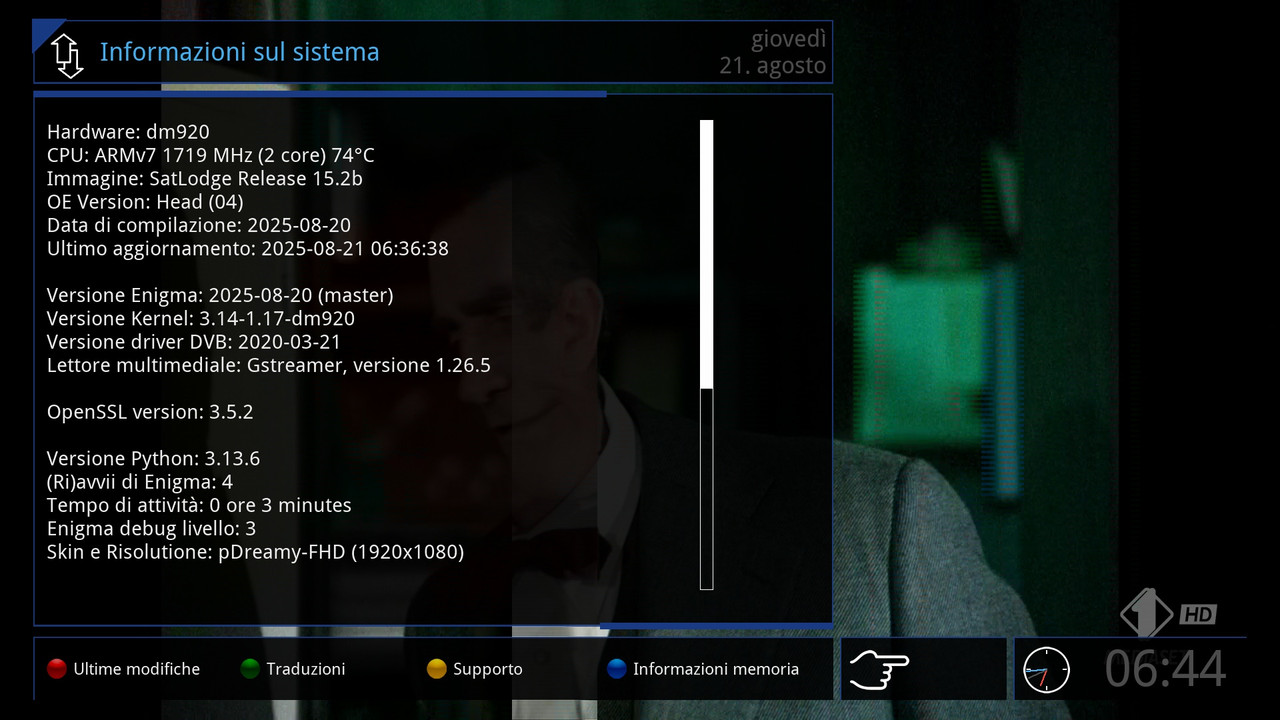
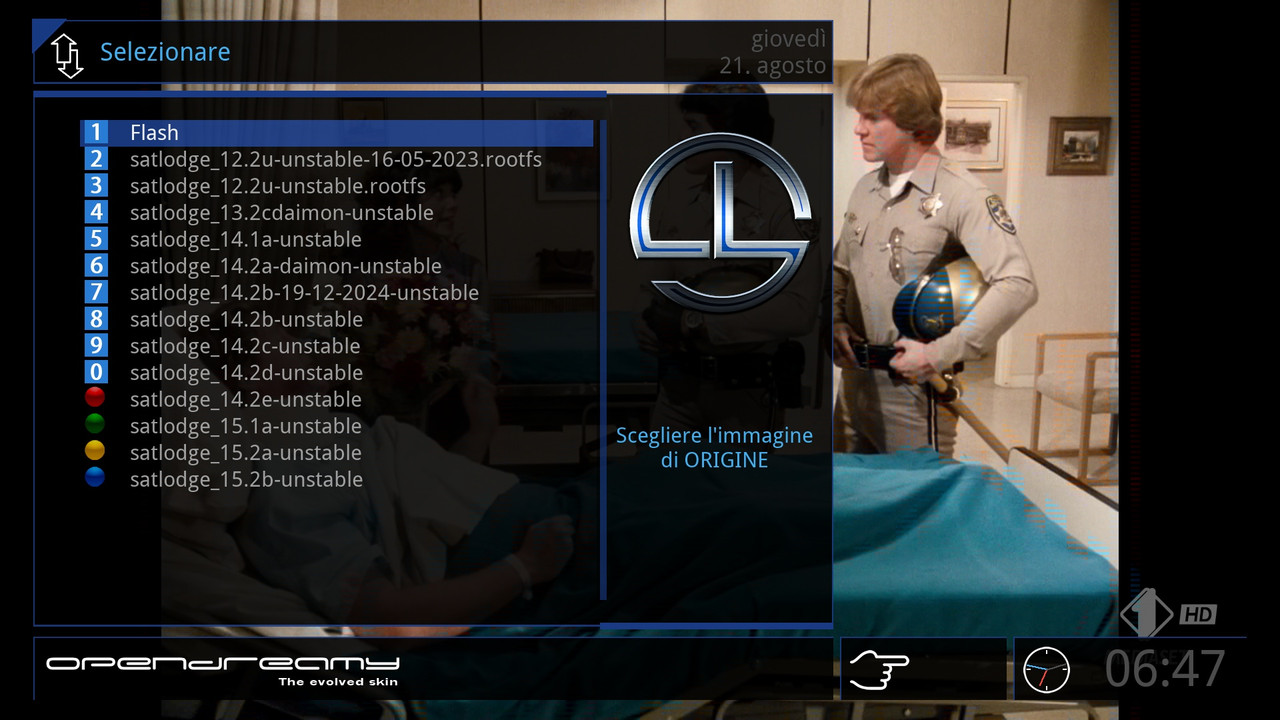
It turned out that the image feed was missing the required libraries, so I switched to the OpenPLi py3 Homebuild feed, where the necessary libraries were successfully installed.
2025-08-26_141424.jpg
/var/lib/opkg

/usr/lib/opkg

/etc/opkg
root@dm920:~# opkg install transmission transmission-client python3-transmission                                  -rpc python3-beautifulsoup4 xz
Installing python3-transmission-rpc (7.0.11) on root
Downloading https://raw.githubusercontent.com/openigma/feed/master/cortexa15hf-n                                  eon-vfpv4/python3-transmission-rpc_7.0.11-r0_cortexa15hf-neon-vfpv4.ipk.
Upgrading libgcc1 (15.1.0-r0) to libgcc1 (15.2.0) on root
Downloading https://raw.githubusercontent.com/openigma/feed/master/cortexa15hf-n                                  eon-vfpv4/libgcc1_15.2.0-r0_cortexa15hf-neon-vfpv4.ipk.
Upgrading libstdc++6 (15.1.0-r0) to libstdc++6 (15.2.0) on root
Downloading https://raw.githubusercontent.com/openigma/feed/master/cortexa15hf-n                                  eon-vfpv4/libstdc++6_15.2.0-r0_cortexa15hf-neon-vfpv4.ipk.
Installing transmission-client (4.1.0) on root
Downloading https://raw.githubusercontent.com/openigma/feed/master/cortexa15hf-n                                  eon-vfpv4/transmission-client_4.1.0-r0_cortexa15hf-neon-vfpv4.ipk.
Installing transmission (4.1.0) on root
Downloading https://raw.githubusercontent.com/openigma/feed/master/cortexa15hf-n                                  eon-vfpv4/transmission_4.1.0-r0_cortexa15hf-neon-vfpv4.ipk.
Configuring libgcc1.
Configuring libstdc++6.
Configuring python3-transmission-rpc.
Configuring transmission-client.
Configuring transmission.
 Adding system startup for /etc/init.d/transmission-daemon.
Starting transmission-daemon
4194304
1048576
root@dm920:~#
Display More
root@dm920:~# wget -q --no-check-certificate http://dreambox4u.com/dreamarabia/Transmission_e2/Transmission_e2.sh -O - | bash
A newer version of Transmission (4.1.0-r0) is already installed. Proceeding with additional installation.
Downloading new files.
--2025-08-26 14:01:04--  http://dreambox4u.com/dreamarabia/Transmission_e2/Transmission.tar.xz
Resolving dreambox4u.com... 66.96.149.18
Connecting to dreambox4u.com|66.96.149.18|:80... connected.
HTTP request sent, awaiting response... 301 Moved Permanently
Location: https://dreambox4u.com/dreamarabia/Transmission_e2/Transmission.tar.xz [following]
--2025-08-26 14:01:04--  https://dreambox4u.com/dreamarabia/Transmission_e2/Transmission.tar.xz
Connecting to dreambox4u.com|66.96.149.18|:443... connected.
HTTP request sent, awaiting response... 200 OK
Length: 6281744 (6.0M) [application/x-tar]
Saving to: ‘/tmp/Transmission.tar.xz’

/tmp/Transmission.tar.xz     100%[============================================>]   5.99M  1.57MB/s    in 4.1s

2025-08-26 14:01:09 (1.47 MB/s) - ‘/tmp/Transmission.tar.xz’ saved [6281744/6281744]

removing old files.
Extracting files.
Plugin installed successfully!
root@dm920:~#
Display More
There are some issues with the plugin display on the image; it needs adjustment. Please have a look, my brother Radouane, thank you.
Sat lodge py3 DM920
I have tested several skins, but the issue remains the same
1_0_19_14A_2648_D5_820000_0_0_0_20250826142028.jpg1_0_19_14A_2648_D5_820000_0_0_0_20250826142039.jpg
1_0_19_14A_2648_D5_820000_0_0_0_20250826142046.jpg1_0_19_14A_2648_D5_820000_0_0_0_20250826142053.jpg
1_0_19_14A_2648_D5_820000_0_0_0_20250826142100.jpg1_0_19_14A_2648_D5_820000_0_0_0_20250826142108.jpg
1_0_19_14A_2648_D5_820000_0_0_0_20250826142115.jpg1_0_19_14A_2648_D5_820000_0_0_0_20250826142124.jpg
1_0_19_14A_2648_D5_820000_0_0_0_20250826142228.jpg1_0_19_14A_2648_D5_820000_0_0_0_20250826142243 (1).jpg
The video does not play, and the message appears, but the bin cannot be installed.
2025-08-26_143815.jpg