


damn cant get this to work grrrrrrrrrrrrrr, i get to were it asks for a password????????????????
Posts by mutz nutz
-
-
I done it caz and got a fortune cookie .................it said haaaaaaaaaa you english so silly ;)
-
Yup i will give it a few days as every man and woman and there dog will be hammering the servers ;) cant wait to do my 4s and ipad2 f me ma!!!!
-
Gotta love cat n mouse m8................ 1 goes another one takes it's place, pretty much like drug dealers.......one goes to jail another takes his place!!
-
Megaupload, one of the internet's largest file-sharing sites, has been shut down by officials in the US. The site's founder have been charged with violating piracy laws. Federal prosecutors have accused it of costing copyright holders more than $500m (£320m) in lost revenue. The firm says it was diligent in responding to complaints about pirated material. Investigators denied a link to recent protests against proposed piracy laws, according to the Wall Street Journal. The US Justice Department said that Kim Dotcom, formerly known as Kim Schmitz, and three others were arrested in New Zealand at the request of US officials. It added that two other defendants were still at large.

"This action is among the largest criminal copyright cases ever brought by the United States and directly targets the misuse of a public content storage and distribution site to commit and facilitate intellectual property crime," said a statement posted on the FBI's website.
The charges included copyright infringement, conspiracies to commit racketeering, copyright infringement and money laundering. A federal court in Virginia ordered that 18 domain names associated with the Hong Kong-based firm be seized. Search warrants have been executed in nine countries. Before it was shut down the site posted a statement saying: "The fact is that the vast majority of Mega's internet traffic is legitimate, and we are here to stay. If the content industry would like to take advantage of our popularity, we are happy to enter into a dialogue. We have some good ideas. Please get in touch."
On Wednesday, thousands of websites took part in a "blackout" to protest against the Stop Online Piracy Act (Sopa) and the Protect Intellectual Property Act (Pipa). Industry watchers suggest this latest move may feed into the wider debate.
"Neither of the bills are close to being passed - they need further revision - but it appears that officials are able to use existing tools to go after a business alleged to be inducing piracy," said Gartner's media distribution expert Mike McGuire.
"It begs the question that if you can find and arrest people who are suspected to be involved in piracy using existing laws, then why introduce further regulations which are US-only and potentially damaging."
-
Display More
Did you flash your Solo with a Duo image by mistake? If so -
I'm not sure if this will work but you could try and see ( you will need a null modem cable!) -
Switch the box off at the back
Open putty and choose a serial connection - speed must be set to 115200 and choose the COM port.
Turn the box on, you should see some text scrolling on the putty screen.
Now use the ctrl + c key to stop the booting.
copy the following line in the screen:boot -z -elf flash0.kernel: 'rootfstype=jffs2 root=/dev/mtdblock0 rw mem=0x8000000 bcmrac=3`
The box now reboot from the flash, so watch your box.
Then open telnet and put in the following line.flash_eraseall /dev/mtd5
and after that, the following line
reboot -f
If all that goes well you can hopefully flash with your desired Solo image!
Have you followed sandmans tutorial?
-
You must have at least 56MB of memory and 650MB of hard disk space to perform a normal installation m8
-
-
Mutz nutz-Black Hole Vu+ Solo 1.7.0 Multiboot Full Backup
There are 2 big news items in this Black Hole release.
- Meoboot Version 1.0
- Full Backup utility
1) Meoboot version 1.0 is a NEW VERSION entirely recoded for kernel 3.1.1 images.
This version of Meoboot is 50% faster than the old version and only compatible with images that share the new kernel 3.1.1.
As you know the new kernel 3.1.1 based images have a new filesystem (Ubifs).
Meoboot can extract a Ubifs filesystem and install a full image in about 4 minutes on Vu+ boxes and is much faster than old versions at startup.
WARNING: THERE IS AN IMPORTANT CHANGE IN MEOBOOT 1.0: This version of Meoboot accepts images in USB.zip format and NOT in NFI format. This is because images in USB format are easier to find and much more readily available.
WARNING2: This version of Meoboot accepts only 3.1.1 kernel based images.
2) New Full Backup Utility.
This new Black Hole utility will complete the Black Hole tools. You can find it in the main menu. The Black Hole Full Backup will allow you to backup all your images in the original USB.zip format. This means that after you make a backup you can restore it in it's entirety, you flash your set top box with your own backup.
This new feature is based on the original script of Pedro_Newbie.What is New ?
Oscam6253-CCcam 2.1.3
New Skin Army MooD HD
Default Lcd skin with picons support by Matrix10
Drivers: 04.jan.2012
Dvbapp updated to o7.jan.2012
Genuine Vuplus plugin
Vuplus plugins updated
Meoboot 1.0
Bh Full Backup
Latest Catseye settings 75e-58w
TSpanel 4.5
Cool Tv guide
Ecm/Nan fixWARNING: This Image has the latest drivers and CAN NOT be installed in multiboot.
The image MUST be installed in the flash.
Black Hole can not support images not installed in the flash.This latest version of the Black Hole series has been entirely rewritten and improved in the code for maximum stability and performance.
Please note that of all images Black Hole now has the best epg system:
- Integrated OpenEpg
- Rytec dedicated epg.dat
- New system epg.dat outside.
This last feature gives the possibility to various forums or communities to create their favorite EPG data files and load them into a web space.
Community members can then download it from our servers.
This feature provides other benefits such as:
Increase download speed of EPG
Download EPG from any channel
Schedule the download of EPG decoder even during standby
Users can customize the providers using Add / Remove functionMain functions of the buttons on the remote
OK button = Skin with simple information
OK button x 2 = Extra Info Skin
Blue button = Black Hole Blue Panel
Blue button and then Red button = Black Hole Epg Panel
Blue button and then Yellow button = System Monitor Panel
Blue button long press = Extensions
Yellow button = Time Shift
Green button = Black Hole Green Panel
Green button long press = Subservices
Green button and then Red button = Fast Plugin Setup
Green button x 2 = Fast Plugin
Button Red = Start RecordAddons
Green button and then Yellow button takes you to:-
Dedicated server for BlackHole addons
Download and install additional packages from the Black Hole serverInfobar / OSD
Analog Clock Gui
Channel orbital locationAdvanced Tuner Info: Sr Freq Pol Fec
Signal SNR, BER
Infobar piconsCharacteristics of BlackHole Panels
Blue Panel
Extra SettingsBlack Hole Cron Manager (Manage schedules)
OSD Settings (OSD configuration)
Devices Manager
Kernel Modules Manager(Kernel module operator)
Inadyn Settings (Configure Inadyn)
Swap File Settings (Configure File Swap)
Hard Disk Settings (Configure Hard Drive)
Black Hole Mount Wizard (Mount points)
OpenVPN Panel ( OpenVPN Panel)
Samba / CIFS Panel ( Samba Panel)
NFS Server Panel ( NFS server Panel)
Telnet Panel ( Telnet Panel)
FTP Panel ( FTP Panel)
UPnP Client Djmount
UPnP Server MediatombInfo Panel
1 - Gui Setting (Gui configurations)
2 - Service Information (information system)
3 - About (info)
Memory (Memory)
Space (capacity)
CPU (processor)
Process (process)EPG Panel
Global settings (global settings EPG)
Setting Provider (ISP settings)Green Panel
Fast Plugin Setup (Configure quick access to your favourite plugin)
Fast Plugin (Access your favourite plugin)
Addons (added)
Addons Download Manager (Manager for package downloading)
Installation manual packages (Manual installation of Black Hole packages)
Manual Install IPK packages (Manual installation of IPK packages)
Addons Uninstall Panel (Uninstalled packages)
Black Hole Statistics (See connections, top downloads and more)Credits
Thanks to Pedro_Newbie for Backup script
Thanks to the group of Beta Testers.
Thanks to Rytec for providing us with the server with all epg.dat files.
Thanks to MaxZ4 for Integrated EPG loader.
Thanks to Skaman for Cross EPG
Thanks to Lukkino (VDR-Italy) for the source code of OpenTV.
Thanks to Reinh@rd for the file satellites.xml.
Thanks to ambrosa (Pli Board) for ready-to-go A867 driver patch -
AirPlay streaming iOS & Andrroid
AirPlay is a Enigma2 plugin which parts of Apple's AirPlay protocol implemented.
AirPlay enables images, videos and audio to be sent to wireless from an iPhone / iPad / iPod touch to your set top box Enigma2.Thus it is possible for example in the youtube app on an iPhone or iPad out to select a video and let this play about a box.
Or, for example To send your photos to your box and to visualize them directly on the TV.
Even under Android, Apple's Airplay protocol on apps such as be used with doubleTwist AirSync.
This plugin is still very young, and certainly not yet mature.
But we are certainly willing to do all our best to improve this plugin.As some of you may know I'm from the Duckbox scene and unfortunately, I do not have this plugin on Dreambox to Dreambox hardware test. These must then serve a sh4 my Receiver.
DonDavici has already incorporated into the project and tinkered a GUI through which we can now set the name. He will certainly be happy to test on your Dreambox!
The source code unterleigt ger GPLv2 and can be viewed by clicking here
Demo complacent? click
Notes:
- I have changed in version 0.1.3 the option for the interface. Possible need for installation of 0.1.3 in the settings once the device entry for the LAN / WLAN will be modified and saved- The plugin is available for MIPSEL and SH4! Please download the correct version on the eighth!
- Some encrypted data transfer and can not be reproduced. This includes, unfortunately, AirPlay Mirroring
Changelog
0.1.3:
- cleanups
- Small changes to go so hopefully ZeroConfig wlan also0.1.2:
- bugfixing0.1.1:
- Added GUI
0.1.0:
- First Release -
also remember to backup your settings ;)
-
to me it sounds as if you have not updated you bootloader as i was having the same issue until i updated bootloader and then flashed with the new Bh 1.7.0!!!
-
Barry Allen 6.0.6 Manual english
Thx
romeo-golf -
Hope so as i get my 4s tmoz and a ipad2 to jb :D
-
Hier ist das Changelog für die 6.0.5 Releaste BA Version.
* Das ist jetzt wieder ein Releaster Kit und kein Testkit der nach kurzer Zeit schon abläuft, damit sind aber wie üblich jetzt alle früheren Versionen von BA nicht mehr unterstützt.
* Diese Version läuft NUR mehr mit dem original Loader #84 von DMM (bei der 7025 kann man es daher NUR mehr mit dem Schummel ipk für Loder 84 benutzen das auch hier anhängt)
* Diese Version von BA wurde DRASTISCH entrümpelt - der kit ist dadurch VIEL kleiner und schlanker und trotzdem sollten alle aktuellen Sachen noch funktionieren.
* Was ich erstmals rausgeschmissen habe, weil es schon einige Zeit disabelt ist und keiner mehr danach gefragt hat, ist das shellscript auch in anderen Sprachen laufen zu lassen, das BA Plugin und das BA Webif haben natürlich weiterhin den vollen Sprachsupport.
* Das Multiboot Download Center ist auch endgültig rausgeflogen, nachdem OoZoon seinen ganzen Feed als Webseite anbietet macht das keinen Sinn mehr - RIP.
* bzip2 wurde auch rausgeworfen, weil die MB_*.tar files ja jetzt unkomprimiert gemacht werden, womit es nicht nötig ist das ipk im kit mitzuschleppen, wer bzip2 braucht hat es eh auf dem Softwarefeed der meisten Images.
* Die get lastest BA kit option um zu schauen ob es einen neuen BA kit gibt ist auch rausgeflogen, weil der ist ja auch auf der OoZooN Homepage so wie es im about steht.
* Weil wir im Neues Bootlogo Thread das Problem haben den Barry Allen Schriftzug für ein neues Bootlogo richtig zu positionieren habe ich ALLE Bootlogos raus gemacht bis auf ein schwarzes - so wie in den Kaufhäusern wo die Schaufensterpuppen beim Neudekorieren erstmals in Schwarze Plastiksäcke gesteckt werden. Ich habe sowieso schon überlegt die ganzen Logos und Fonts in ein eigenes Themepack kit für BA auszulagern, bzw. kann ja jeder entsprechende tar.gz oder ipks vom /media/ba/logos und /media/ba/fonts machen.
* man kann jetzt mit disable bootlogo die Bootmanager logos auch ganz disabeln, dann wird als Hintergrund des BA Bootmenus das Bootlogo vom Flash gezeigt.
* Der Bootmanager sollte jetzt auf ALLE /dev/input/event* reagieren, man muss daher nichts mehr umstellen, egal welche Fernbedienung man verwendet (alt/neu/DMM Keyboard). Daher ist auch die Einstellung dafür im Plugin entfernt, weil nicht mehr nötig - RIP.
* Das Umstellen des Farbmodus (RGB, ...) beim bootmenu ist rausgeflogen, bei Anschluss über HDMI braucht man das eh nicht mehr und wenn jemand auf der 7025 ein Problem damit hat kann man es ja auch im Bios umstellen.
* Es gibt jetzt ein Autoswap Feature - sobald man auf /media/ba mit BA ein swapfile erstellt hat (minimale Größe ist jetzt 128MB) wird dieses beim booten in ALLEN images (auch im Flash) automatisch beswapped ganz ohne fstab oder ähnlichem.
* Bei allen Boxen ausser der 7025 wird das enigma2 Restart beim auspacken/sichern von Images bei der installation disabelt, enigma2 läuft also durch - genau deswegen wird aber jetzt beim Backupen auch nach dem Swapfile verlangt.
* Als 'kleine Hilfe' für die neuen Images ohne fixes Harddisk mounten habe ich eingebaut dass wenn man ein neues BA image das ERSTE mal bootet wenn da noch keine Settings drinnen sind dann wird das /dev/sda1 (was meistens die Harddisk ist) im BA Image auf /media/hdd gemountet damit man während dem Settup Wizzard beim ersten boot die Settings von dort restoren kann. Sobald settings im image sind wird dies aber NICHT mehr getan, was aber wenn man das mounten der Harddisk in den Settings sauber abgespeichert hat ja kein Problem mehr sein sollte.
* Filessystemcheck des BA devices wird jetzt wenn man vom Flash gebootet ist gemacht wenn man in telnet bainit 90 eingibt, wobei alle Zahlen > 89 das bewirken um weitere Verwirrung zu vermeiden.
* verwendet man KEIN OoZooN Image (oder ein anderes Image wo die Loop device Treiber fix im Kernel sind) im Flash oder instralliert es nicht auf einer 7025 dann MUSS man das kernel-module-loop ipk im Flash Image nachinstallieren, sonst wird BA NICHT funktionieren !!!
* bainit ist jetzt ein Binary und KEIN Shellscript mehr und das wird auch so bleiben !!!
Und die neue Anleitung von romeo-golf für Barry Allen 6.0 gibt es hier:
-
Themex went tits up last year i think m8 and i only had that card for 3 months but supplier gave me a sct card at reduced price which was good of him tbh.
-
Based on OpenPLi-2.1-beta-dm800se-20120103 by gjstroom

For clones Sunray sr4 [DM800HDse] sim2.10 only
installation in internal flash or in multiboot
Drivers original Second stage loader 84b
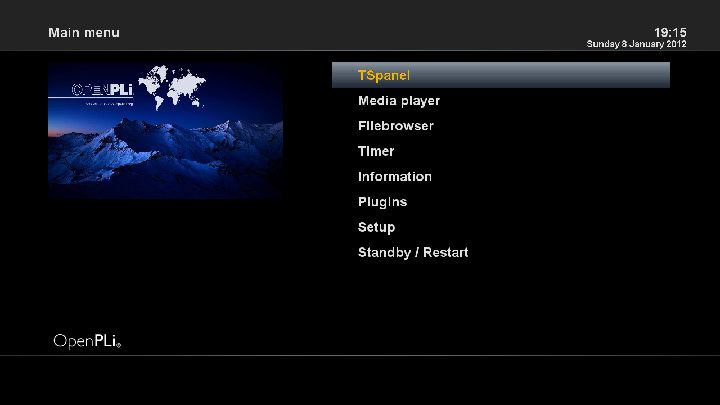
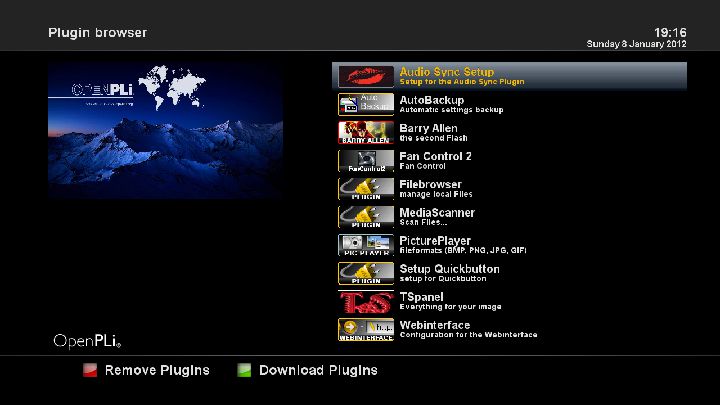
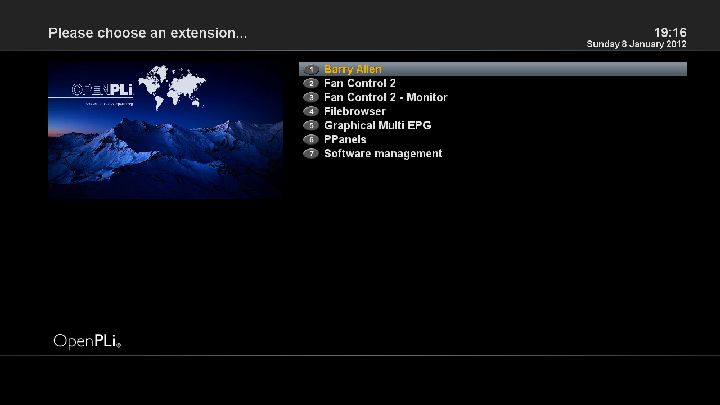
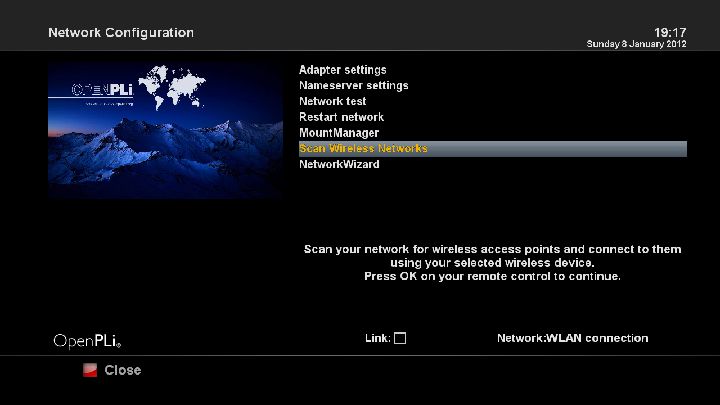
Notes:
1. About DVB-T tuner i have readme in atachment
2. also is ready advance tuner in image for serch if you like test it before add your channel settings
OpenPLi-2.1-Sunray sr4-[DM800se]-20120103-sim2.10-ssl84b-by sat gr.rar
-
Black Hole Vu+ Solo 1.7.0 Multiboot Full Backup
There are 2 big news items in this Black Hole release.
- Meoboot Version 1.0
- Full Backup utility
1) Meoboot version 1.0 is a NEW VERSION entirely recoded for kernel 3.1.1 images.
This version of Meoboot is 50% faster than the old version and only compatible with images that share the new kernel 3.1.1.
As you know the new kernel 3.1.1 based images have a new filesystem (Ubifs).
Meoboot can extract a Ubifs filesystem and install a full image in about 4 minutes on Vu+ boxes and is much faster than old versions at startup.
WARNING: THERE IS AN IMPORTANT CHANGE IN MEOBOOT 1.0: This version of Meoboot accepts images in USB.zip format and NOT in NFI format. This is because images in USB format are easier to find and much more readily available.
WARNING2: This version of Meoboot accepts only 3.1.1 kernel based images.
2) New Full Backup Utility.
This new Black Hole utility will complete the Black Hole tools. You can find it in the main menu. The Black Hole Full Backup will allow you to backup all your images in the original USB.zip format. This means that after you make a backup you can restore it in it's entirety, you flash your set top box with your own backup.
This new feature is based on the original script of Pedro_Newbie.What is New ?
New Skin Army MooD HD
Default Lcd skin with picons support by Matrix10
Drivers: 04.jan.2012
Dvbapp updated to o7.jan.2012
Genuine Vuplus plugin
Vuplus plugins updated
Meoboot 1.0
Bh Full BackupWARNING: This Image has the latest drivers and CAN NOT be installed in multiboot.
The image MUST be installed in the flash.
Black Hole can not support images not installed in the flash.This latest version of the Black Hole series has been entirely rewritten and improved in the code for maximum stability and performance.
Please note that of all images Black Hole now has the best epg system:
- Integrated OpenEpg
- Rytec dedicated epg.dat
- New system epg.dat outside.
This last feature gives the possibility to various forums or communities to create their favorite EPG data files and load them into a web space.
Community members can then download it from our servers.
This feature provides other benefits such as:
Increase download speed of EPG
Download EPG from any channel
Schedule the download of EPG decoder even during standby
Users can customize the providers using Add / Remove functionMain functions of the buttons on the remote
OK button = Skin with simple information
OK button x 2 = Extra Info Skin
Blue button = Black Hole Blue Panel
Blue button and then Red button = Black Hole Epg Panel
Blue button and then Yellow button = System Monitor Panel
Blue button long press = Extensions
Yellow button = Time Shift
Green button = Black Hole Green Panel
Green button long press = Subservices
Green button and then Red button = Fast Plugin Setup
Green button x 2 = Fast Plugin
Button Red = Start RecordAddons
Green button and then Yellow button takes you to:-
Dedicated server for BlackHole addons
Download and install additional packages from the Black Hole serverInfobar / OSD
Analog Clock Gui
Channel orbital locationAdvanced Tuner Info: Sr Freq Pol Fec
Signal SNR, BER
Infobar piconsCharacteristics of BlackHole Panels
Blue Panel
Extra SettingsBlack Hole Cron Manager (Manage schedules)
OSD Settings (OSD configuration)
Devices Manager
Kernel Modules Manager(Kernel module operator)
Inadyn Settings (Configure Inadyn)
Swap File Settings (Configure File Swap)
Hard Disk Settings (Configure Hard Drive)
Black Hole Mount Wizard (Mount points)
OpenVPN Panel ( OpenVPN Panel)
Samba / CIFS Panel ( Samba Panel)
NFS Server Panel ( NFS server Panel)
Telnet Panel ( Telnet Panel)
FTP Panel ( FTP Panel)
UPnP Client Djmount
UPnP Server MediatombInfo Panel
1 - Gui Setting (Gui configurations)
2 - Service Information (information system)
3 - About (info)
Memory (Memory)
Space (capacity)
CPU (processor)
Process (process)EPG Panel
Global settings (global settings EPG)
Setting Provider (ISP settings)Green Panel
Fast Plugin Setup (Configure quick access to your favourite plugin)
Fast Plugin (Access your favourite plugin)
Addons (added)
Addons Download Manager (Manager for package downloading)
Installation manual packages (Manual installation of Black Hole packages)
Manual Install IPK packages (Manual installation of IPK packages)
Addons Uninstall Panel (Uninstalled packages)
Black Hole Statistics (See connections, top downloads and more)Credits
Thanks to Pedro_Newbie for Backup script
Thanks to the group of Beta Testers.
Thanks to Rytec for providing us with the server with all epg.dat files.
Thanks to MaxZ4 for Integrated EPG loader.
Thanks to Skaman for Cross EPG
Thanks to Lukkino (VDR-Italy) for the source code of OpenTV.
Thanks to Reinh@rd for the file satellites.xml.
Thanks to ambrosa (Pli Board) for ready-to-go A867 driver patchDISCLAIMER
THE BLACK HOLE IMAGE IS BASED ON THE OFFICIAL FIRMWARE PUBLISHED BY VU+ AND IN ACCORDANCE WITH THE LAW IT CONTAINS ONLY SYSTEM ADDITIONS & GRAPHIC CHANGES.
THE BLACK HOLE IMAGE DOES NOT CONTAIN ANY EMULATOR, K E Y S, SOFTCAMS OR OTHER SYSTEM FOR VIEWING PAY - TV WITH OR WITHOUT A PAID SUBSCRIPTION.
LASTLY, THE BLACK HOLE IMAGE DOES NOT CONTAIN ANY SYSTEM TO DOWNLOAD PLUGINS OR EMULATORS FROM EXTERNAL SERVERS OR SOFTWARE THAT MAY BE USED FOR ILLEGAL PURPOSES SUCH AS CARD SHARING.
LICENSE (TERM OF USE)
THE BLACK HOLE IMAGE IS ISSUED FOR THE FREE USE FOR ALL USERS PROVIDED THAT IT WILL NOT BE CHANGED IN ANY WAY AND THAT IT WILL ONLY BE USED FOR LAWFUL PURPOSES.
ANY CHANGES OR ADDITIONS TO BLACK HOLE IMAGE THAT INVOLVE UNLAWFUL USE OF THE IMAGE SUCH AS CARD-SHARING AND EMULATORS ARE NOT ALLOWED AND CAUSE THE REVOKE OF THIS LICENSE.
This is free hobbyist software and it comes with absolutely no warranty. Use it at your own risk. -
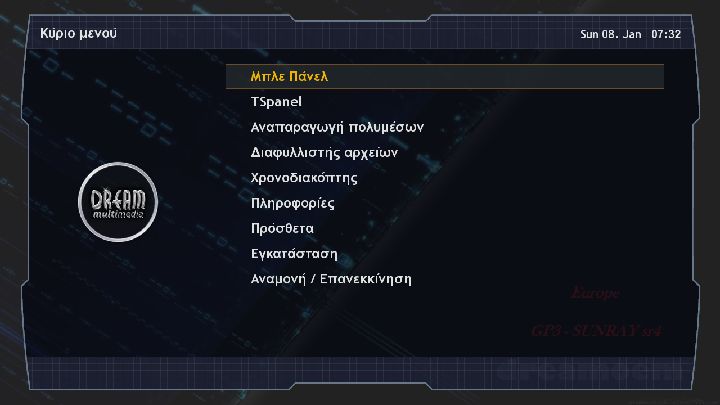
For clones Sunray sr4 [DM800HDse] sim2.10 onlyinstallation in internal flash or in multiboot
Drivers original Second stage loader 84b
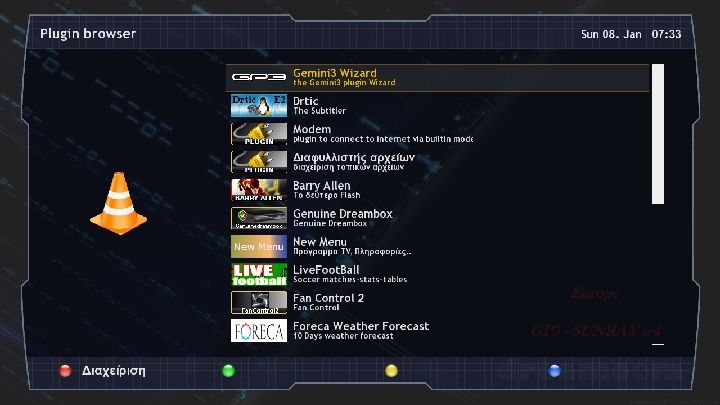
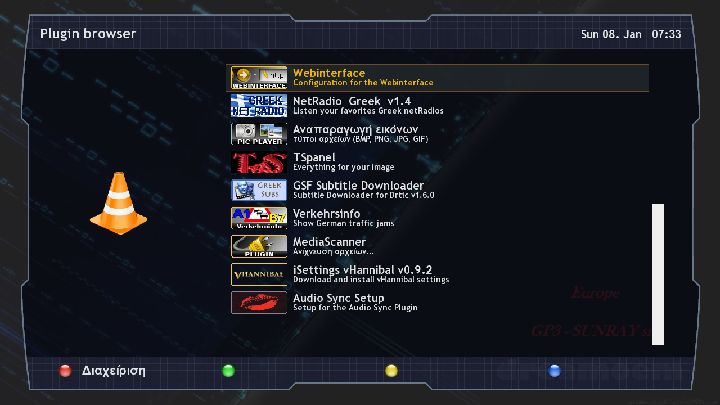
Thanks to all the authors for all the usefull plugins :
1)mcelliot_g for :
VME v8.0 code full Greek
enigma2 mo file
HandelGotDBol files
and enigma2-greek-sources-crossepg
2)GSF Team for enigma2 GSF Subtitles Downloader v1.6.0(Latest v1.6.0) for OE 1.6
3)kastorasgr for enigma2-plugin-extensions-greeknetradio
4)Sat Dream Gr Team for enigma2-plugin-extensions-newmenu_3.0
5) mfaraj57 for Tspanel and livefootball
6) Foreca gr plugin by SatDreamGr
7)Thanks my friend riyad66+ for nice bootlogo
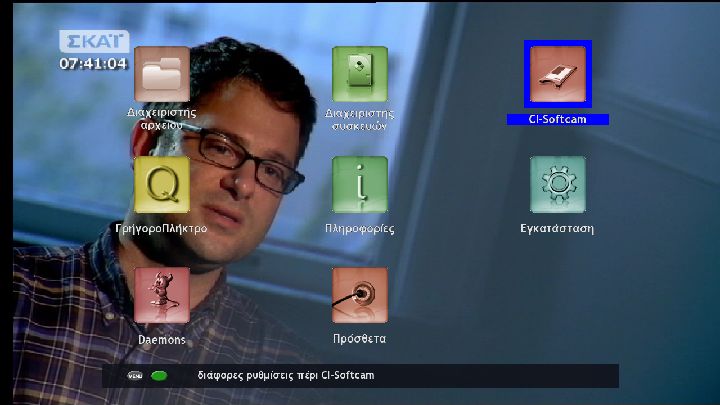
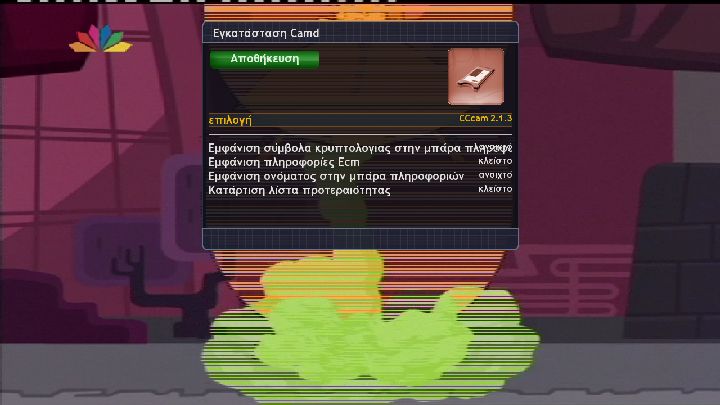
Notes:
1. About DVB-T tuner i have readme in atachment
2. in this Greek image there are installed setting by Vhannibal and i add folder greek dvb-t just choose your advance tuner and you have active all Greek dvb-t channels
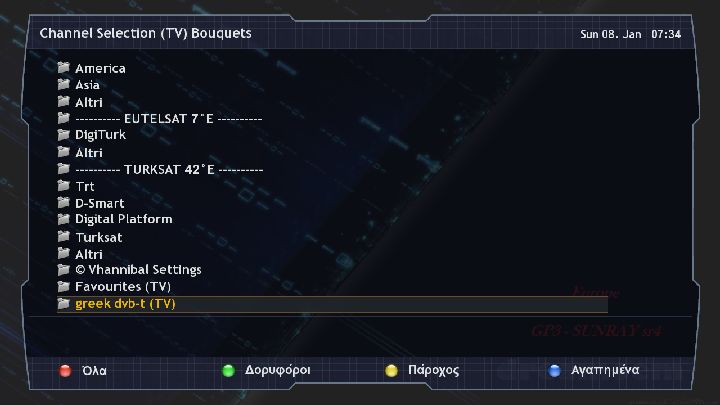
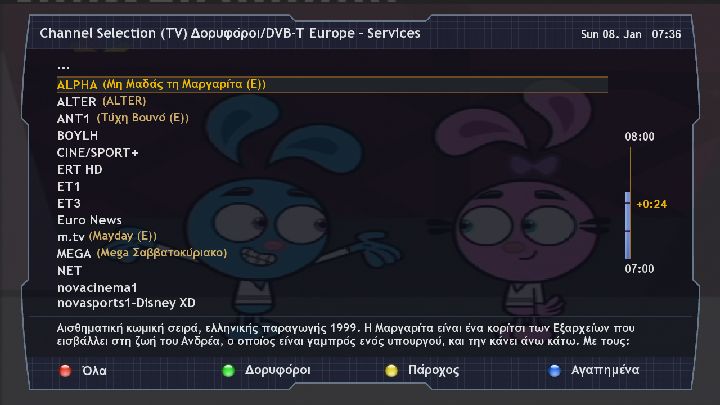
Do not forget saving your settings from software manager before flashing any new image!!!!
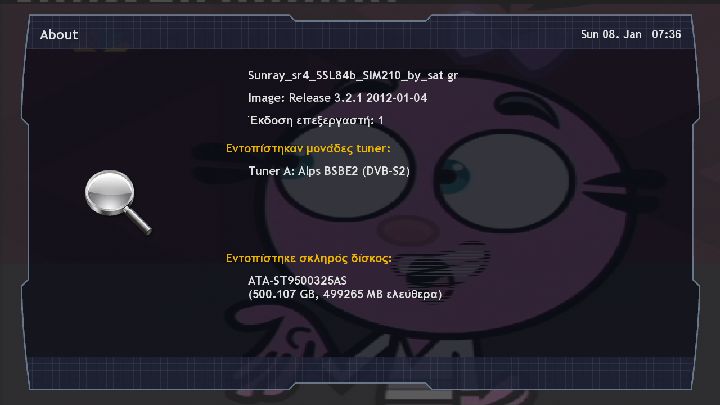
GP3-Sunray sr4-[DM800se]-Greek-sim2.10-ssl84b-by sat gr.rar
Have fun sat gr
-
emu -cccam 2.3.0 -cccam 2.2.1 -mgcamd 1.38 Enigma2: 10/11/2011 (3.2.1a)
Drivers: ferrari 800se : 09/11/2011 Second Stage : 84-ssl86F Skin : "STELLAR" by PORTO Plugins : 04/01/2012 extra: - Crossepg 0.6.2 - Server update dedicato - Server addons dedicato - DE-EPG (al momento v.1.02) EPG scaricabile da Dream Elite !! -
Dream Elite Manager (al momento v.2.31) - Device Manager (al momento v.2.10) - Avvio/Stop servizi - Gestione servizi al boot - Download di lingue aggiuntive - Network browser - Network mount manager - Driver smargo - Driver pcsc 1.8.1 - Driver ccid 1.4.5 - Driver DTT per USB tuner gestiti attraverso usbtuner - Avvio automatico Swap al boot - Gestione tuner DVB-T canali in chiaro attraverso usbtuner (grazie a.key di ihad forum) - Gestione drivers DVB-T attraverso usbloader (grazie a SifTeam) - Aggiunta compatibilita' con Barry Allen 6.03 o maggiore (Grazie Gutemine) Dream Elite Manager 2.31 - Download estensioni - Installazione manuale - Disinstallazione - DeEPG: download epg da server DE (13°E, 28,2°E) - Esecuzione script - Crypt URL extra server - Emu start/stop Device Manager - Mount/Umount periferiche - Formattazione periferiche - Gestione file di swap Funzione tasti Button OKx1 = Infobar Light Button OKx2 = Infobar Extra Button Blue = Dream Elite Manager Button Blue x2 = Dream Elite Addons Manager Button Blue-Long-Push = Extensions Button Blue+Yellow = Script Executer Button Blue+Green = Url Cript Button Red = Start Record Button Yellow = Time Shift Button Green-Long Push = Plugins Browser Button Green+Red = Extensions Menagement

