

Posts by glenviewjf
-
-
-
Ferrari-SSL83F-Nemesis2.4-dm8000-e2-OE(1.6)-SVN(099r1)
 Quote
QuoteMode 2
QuoteDisplay More
- Webinterface
- Mediaplayer + Timeshift
- VLC
- Wlan
- DTS Surround
- CrossEPG
- Extra.url
- Ferrari AddOns ManagerTimeline 099r1
secondstage is SSL83FUpdate bootlogo
Fix crash on Timer function
Update LED Manager plugin to 0.2
Re-add epgblacklist on Enigma Experimental (Mode 2)
Update enigma2-pluginsYou can run this image in two mode:
Mode 1: Enigma2 3.2
Blindscan Support (Tuner: BCM4505, BCM4506, Alps BSBE1 C01A/D01A)
No CrossEPG patch
No LCN Scanner patch
No Full USB-DTT features
Full Enigma2 3.2 featuresKnown bugs on 3.2 with USB-DTT Pen inserted
Problem with crypted channels
Problem to play recorded movieMode 2: Enigma2 Experimental
No Blindscan Support
CrossEPG patch
LCN Scanner patch
More Enigma2 binary patch
Full USB-DTT featuresAfter flashing, the image start in Mode 1: Enigma2 3.2
If you want change Mode, you can choose enigma2 to run via Blue Panel:Blue->Yellow->Configure Console/RC/Enigma->Select Enigma Version
Restart Enigma2More languages
Blue - Blue - Packet Management - enigma2-locale-xx
-
buio2005 Qbox Mini HD ToolBox v 1.1

.exe file

°Dreamset 2.35
°Dreamset 2.35 x64
°Oscam2CCcam
°Oscam Mega Pack
°Filezilla 3.5.2 ( Latest )opening folder

- BackUp / Images :
°Arthur BKP_QBOXHd_MINI_v0.0.59
°QboxHD Mini 060 przemo-g,sunshin,daniel1544
°qboxhd_mini_update_NightlyBuild_0.1.0
°qboxhd_mini_update_SatStation_0.0.3
°qboxhd_mini_update_SifEE_0.3.1
°W@rkraft backup sif extreme edition v 0.0.2__
°Original Stone FW 0.0.59
°Original Stone FW 0.0.60 beta
__°Radar 422
°Radar manager v 0.7
__°Latest BootLoader
°BackUp Utility
°QBox Updater v 1.1.0Web Link
°Go TO Q.U.T.
SIZE 521 MB
enjoy !
regards mates !!
DOWNLAOD:
-
Display More
Hi Glenviewjf
no! and iv put my card back in the sly box and is saying to upgrade you package to HD contact them .
i have the full HD Package or did have strange.thanks for you time.
Erazer
I wonder could it be an entitlements issue?
-
EagleboxHD Softcam 24/11/11
*Bulsat I***** only 39 east updated
-
If your database should get corrupted, resulting in a black screen and the inability to reflash by menu or by normal rom.bin - load this file.
It can not be used as a patch because it will clear everything from your database on every reboot.
Having loaded this rom.bin, flash a full patch as normal.Thanks to ^Aquila^
-
-
Display More
Hi All
I hAVE VU+ and i seem to have lost all HD Channels on the main box just a black screen all other channels are working (none HD)
anyone point me in the right area to look?Thanks as always
ErazerIs BBC HD working??
-
Yes it will be fine..
If you get an error with it, flash the latest bootloader before hand..
It is clone safe anyways..
-
can you add bouquets to this receiver like the ordinary eagle box using dcc any help is much appreciated also were can you get the cccam for it
No its a bit like the spiderbox and the openbox..
Closed souced linux, so it has its own channel lists different from everything else..
And cccam is integrated in the firmware..
-
Code
Display MoreWe recommend a current release or experimental image.Who should use a different image in case of problems please contact the relevant people. Most functions can be found in the Gemini-Wiki. Gemini-Wiki How do you get the Gemini3 on his box is here. Function Buttons: * Plug the Gemini Blue blue panel * The remaining buttons can be freely assigned with our Quick button function New: * Only minor adjustments to Bluetooth plugin Fixes and updates: * Language and translations. Thanks to all who keep sending us your changes. Important: * GP3 requires an image of> = 3.2, an update of Python is not carried out (are problems when exiting Enigma). * For the 7025 will perform the GP3 but an update of Python, since there are no 3.2er image. Attention to Skinner: * 3 new device icons (dev_camera.png, dev_computer.png, dev_phone.png) Extras: * Addon and Plugin Server * Cryptinfos the sender (assuming efficient GeminiPlugin Skin) * Manager to manage many daemons / Server (BP-> daemon) * Visual improvements such as HD-Skin, additional icons (GeminiPlugin ready skins can be recharged via the BP.) * Manager for formatting, setting up or integration of devices (BP-> Device Manager) * Own apps for example Dreamnetcast, eTorrent, NFS server, just to name a few * Detailed information about your Dreambox (BP-> Information) * EPG search (BP -> Extensions -> EPG search) * File-Manager, a lot of formats, regardless of whether images, footage, Torrents, scripts or DVDs (BP-> File Manager) Important: If the Gemini3 been updated, please always start new Enigma. Anyone who installs the plugin or NFS GeminiTools / updated, please start the new box. It is recommended picons to outsource EPG-Cache-Cache and the Gemini on a medium and not to leave it in Flash. This plugin does not contain any keys or softcams. Backups or other modified Images are not and we will not be supported! Download Installation Wizard can be found HERE Update from old versions of software management Thank you and have fun Your Gemini-Team -
Plugin SoftCam.keys by Serjoga
Plugin to download the actual keys on the network at this moment for Enigma2. Thanks for this geat job
2boom!!!
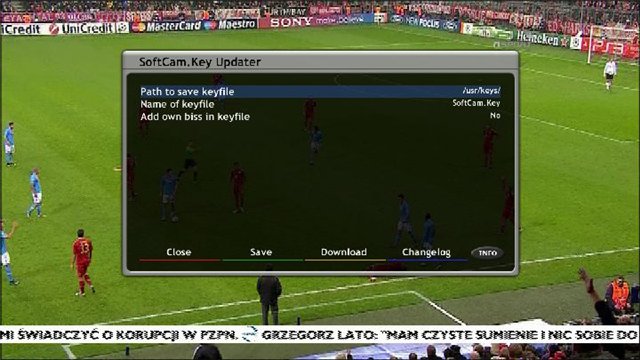
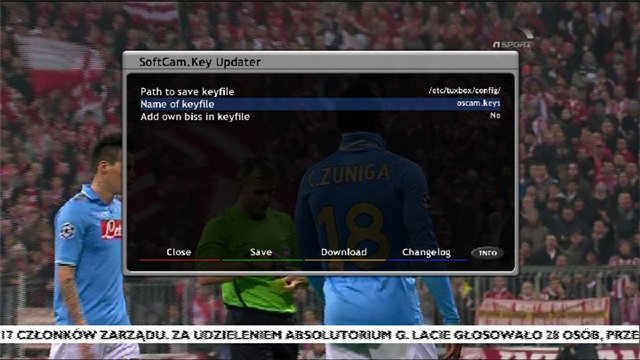

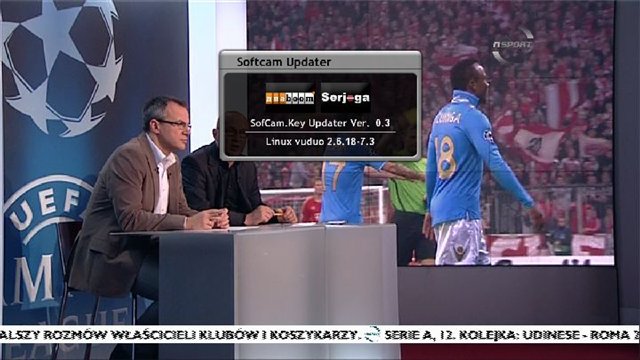
The plugin is designed to load Softcam.Key in the right place at the receiver,
possible different paths to the keys and file names softcam.key or oscam.key can add to the main sofcam and their keys for good own.biss file located in the plug, if you select any appropriate options integrated into the main softcam.
The file itself is created Serjoga and maintained Dear 2boom in the first version featured on many satman, for which
thanks for helping them!! -
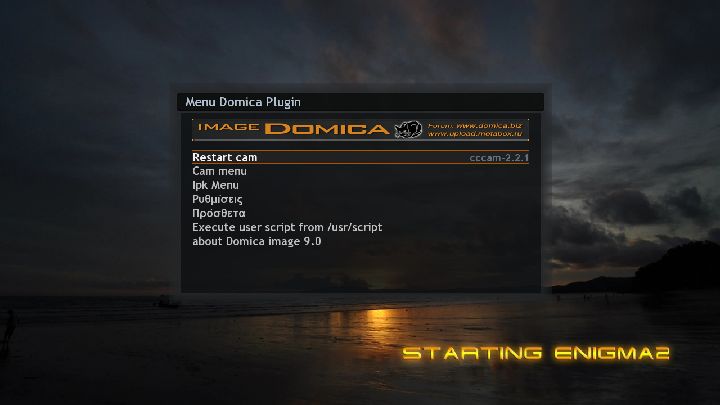
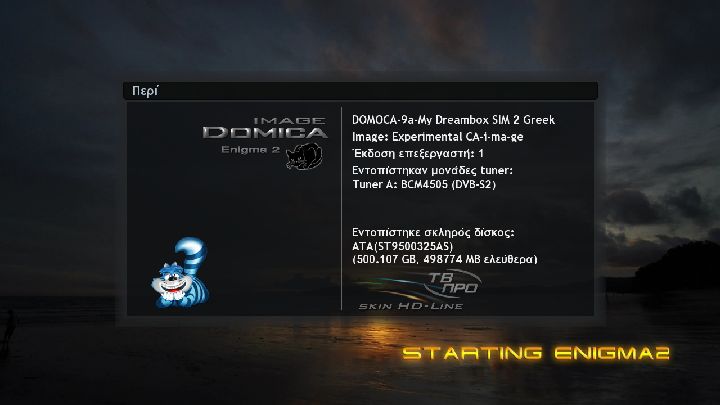
DOMICA-9-Greek Mod-DM500hd-sim2.10-ssl84-My Dreambox SIM 2 Greek
Thanks to all the authors for all the usefull plugins :
1)mcelliot_g for :
VME v8.0 code full Greek
enigma2 mo file
HandelGotDBol files
and enigma2-greek-sources-crossepg
2)GSF Team for enigma2 GSF Subtitles Downloader v1.6.0(Latest v1.6.0) for OE 1.6
3)kastorasgr for enigma2-plugin-extensions-greeknetradio
4)Sat Dream Gr Team for enigma2-plugin-extensions-newmenu_3.0
5) mfaraj57 for Tspanel and livefootball
For sim2.10 Dreambox 500hd ONLY
latest drivers - ssl 84
Use in internal flash or in multiboot
Here is some fotos
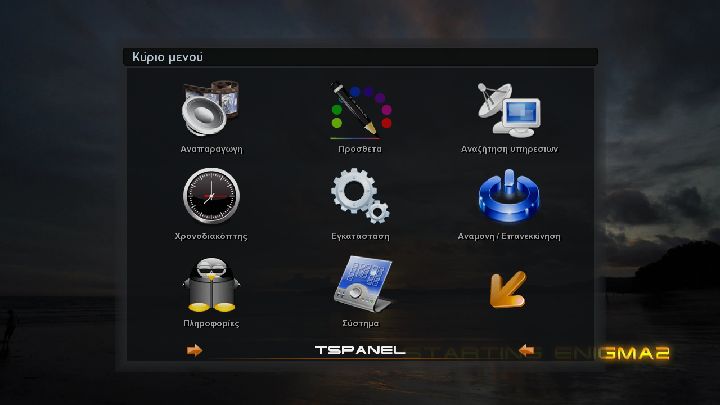
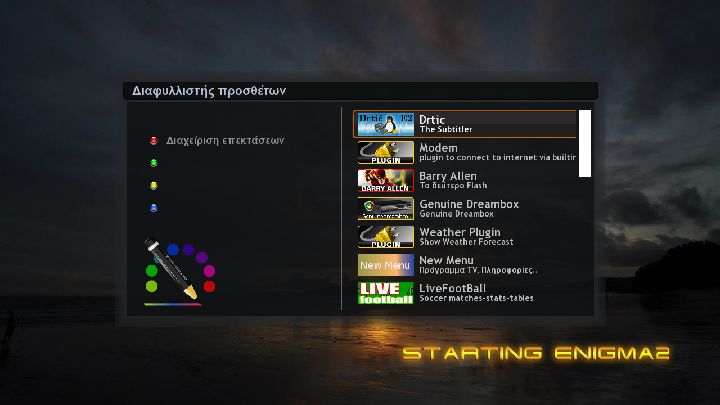
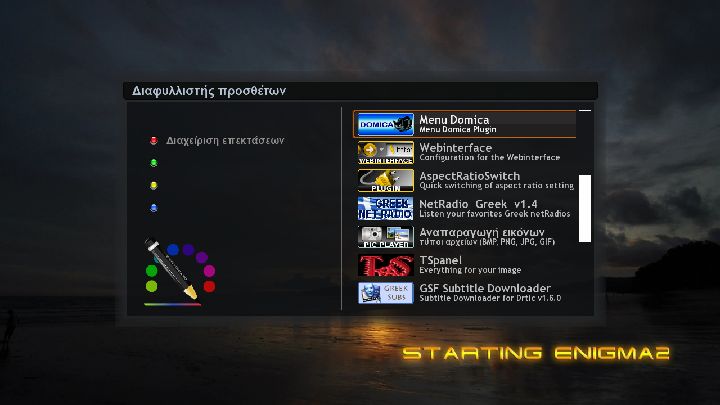
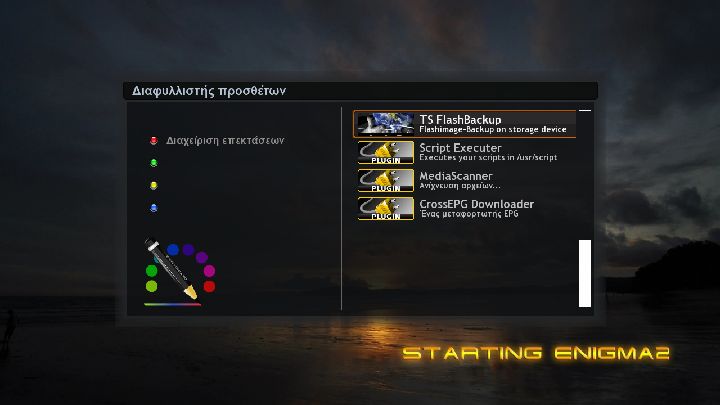
Do not forget saving your settings from software manager before flashing any new image
Have fun My Dreambox SIM 2 Greek
-
:) :) :) ha like Sly uk :) :) :) what would be the best use of my standard sly dish and openbox s11? im a complete newbe but learning fast and dont know anyone wit a paid subscribtion ?
As said stay well clear of Payservers, we do not tolerate them or the use of them on this forum...
You're better off looking into setting up a small server with an old pc or a server reciever and getting quality shares from people on the forum and you will have no glitching..
-
Timeline 100r7 (next step)
QuoteDisplay MoreUpdate Plugin StayUP, Fix load epg on Mode 1
Fix Mode 2 on dm7020hd now enigma run in both mode 1 & 2
Update skin default
Load EPG in a cache without restart Enigma2 on E2 3.2.1 (Thank's Dr.Best)
No plugin epgloader need!!!! Plese do not install it!!!!
If you have epgloader plugin in your box, please remove it, before upgradeUpdate Linux Kernel (Small fix)
Update bootlogo
Update dreambox-dvb-modules to 2011109 dm500hd, 800, 800se, 8000
Update dreambox-dvb-modules to 2011121 dm7020hd
Update Mode 1 enigma2 to 3.2.1
Partially rewrited Green Panel (Epg Control Center)
Fix crash on Mode 2 on System Info (Yellow and Blue Button)
Fix crash on Mode 2 using new setting created by Blindscan (I hope :))
Fix loading kernel module for rt3070 based WIFI Adapter
Fix skin to support new Harddisk Manager
Update Italian translation
Update enigma2-plugins
After updating, and reboot, you do mount HDD with new Harddisk Manager!Menu->Setup->System->Harddisk
Quote -
Timeline 100r7 (next step)
QuoteDisplay MoreUpdate Plugin StayUP, Fix load epg on Mode 1
Fix Mode 2 on dm7020hd now enigma run in both mode 1 & 2
Update skin default
Load EPG in a cache without restart Enigma2 on E2 3.2.1 (Thank's Dr.Best)
No plugin epgloader need!!!! Plese do not install it!!!!
If you have epgloader plugin in your box, please remove it, before upgradeUpdate Linux Kernel (Small fix)
Update bootlogo
Update dreambox-dvb-modules to 2011109 dm500hd, 800, 800se, 8000
Update dreambox-dvb-modules to 2011121 dm7020hd
Update Mode 1 enigma2 to 3.2.1
Partially rewrited Green Panel (Epg Control Center)
Fix crash on Mode 2 on System Info (Yellow and Blue Button)
Fix crash on Mode 2 using new setting created by Blindscan (I hope :))
Fix loading kernel module for rt3070 based WIFI Adapter
Fix skin to support new Harddisk Manager
Update Italian translation
Update enigma2-plugins
After updating, and reboot, you do mount HDD with new Harddisk Manager!Menu->Setup->System->Harddisk
Quote -
Timeline 100r7 (next step)
QuoteDisplay MoreUpdate Plugin StayUP, Fix load epg on Mode 1
Fix Mode 2 on dm7020hd now enigma run in both mode 1 & 2
Update skin default
Load EPG in a cache without restart Enigma2 on E2 3.2.1 (Thank's Dr.Best)
No plugin epgloader need!!!! Plese do not install it!!!!
If you have epgloader plugin in your box, please remove it, before upgradeUpdate Linux Kernel (Small fix)
Update bootlogo
Update dreambox-dvb-modules to 2011109 dm500hd, 800, 800se, 8000
Update dreambox-dvb-modules to 2011121 dm7020hd
Update Mode 1 enigma2 to 3.2.1
Partially rewrited Green Panel (Epg Control Center)
Fix crash on Mode 2 on System Info (Yellow and Blue Button)
Fix crash on Mode 2 using new setting created by Blindscan (I hope :))
Fix loading kernel module for rt3070 based WIFI Adapter
Fix skin to support new Harddisk Manager
Update Italian translation
Update enigma2-plugins
After updating, and reboot, you do mount HDD with new Harddisk Manager!Menu->Setup->System->Harddisk
Quote -
Timeline 100r7 (next step)
QuoteDisplay MoreUpdate Plugin StayUP, Fix load epg on Mode 1
Fix Mode 2 on dm7020hd now enigma run in both mode 1 & 2
Update skin default
Load EPG in a cache without restart Enigma2 on E2 3.2.1 (Thank's Dr.Best)
No plugin epgloader need!!!! Plese do not install it!!!!
If you have epgloader plugin in your box, please remove it, before upgradeUpdate Linux Kernel (Small fix)
Update bootlogo
Update dreambox-dvb-modules to 2011109 dm500hd, 800, 800se, 8000
Update dreambox-dvb-modules to 2011121 dm7020hd
Update Mode 1 enigma2 to 3.2.1
Partially rewrited Green Panel (Epg Control Center)
Fix crash on Mode 2 on System Info (Yellow and Blue Button)
Fix crash on Mode 2 using new setting created by Blindscan (I hope :))
Fix loading kernel module for rt3070 based WIFI Adapter
Fix skin to support new Harddisk Manager
Update Italian translation
Update enigma2-plugins
After updating, and reboot, you do mount HDD with new Harddisk Manager!Menu->Setup->System->Harddisk
Quote -
Timeline 100r7 (next step)
QuoteDisplay MoreUpdate Plugin StayUP, Fix load epg on Mode 1
Fix Mode 2 on dm7020hd now enigma run in both mode 1 & 2
Update skin default
Load EPG in a cache without restart Enigma2 on E2 3.2.1 (Thank's Dr.Best)
No plugin epgloader need!!!! Plese do not install it!!!!
If you have epgloader plugin in your box, please remove it, before upgradeUpdate Linux Kernel (Small fix)
Update bootlogo
Update dreambox-dvb-modules to 2011109 dm500hd, 800, 800se, 8000
Update dreambox-dvb-modules to 2011121 dm7020hd
Update Mode 1 enigma2 to 3.2.1
Partially rewrited Green Panel (Epg Control Center)
Fix crash on Mode 2 on System Info (Yellow and Blue Button)
Fix crash on Mode 2 using new setting created by Blindscan (I hope :))
Fix loading kernel module for rt3070 based WIFI Adapter
Fix skin to support new Harddisk Manager
Update Italian translation
Update enigma2-plugins
After updating, and reboot, you do mount HDD with new Harddisk Manager!Menu->Setup->System->Harddisk
Quote


