Posts by mach1

    Every sdcard has different memory size sometimes ı take from a 8gb sdcard backup try to write another it cant be written its says not enough bytes memory we make a list since months ago like this


    Samsung 16gb pro
    Total space = 14.8GB (15,995,502,592 BYTES)


    Sandisk 16gb extreme
    Total space = 14.8GB (15,923,150,848 BYTES)


    Sandisk 8gb ultra
    Total space = 7.39 GB (7,939,817,472 BYTES)


    Sandisk 8gb standart
    Total space = 7.39 GB (7,939,817,472 BYTES)


    Sandisk 1gb
    Total space = 942MB ( 987,995,200 BYTES)


    Toshiba 8gb
    Total space = 7.41 GB ( 7,960,788,992 BYTES)


    Noname 8gb
    Total space = 7.60 GB ( 8.170,504,192 BYTES)


    Kingston 4gb
    Total space = 3.69 GB ( 3,972,005,888 BYTES)


    Toshiba 4gb
    Total space = 3.62 GB ( 3,896,508,416 BYTES)


    Kinston 2gb
    Total space = 1.83 GB ( 1.973,092.352 BYTES)


    Toshiba 16 GB


    Total space = 14.6 GB ( 15,697,510,400 BYTES)


    4GB madein taiwan noname sdcard
    Total space = 3.74 GB ( 4,019,191,808 BYTES)


    Sandisk 16gb ultra
    Total space = 14.8GB (15,923,150,848 BYTES)


    Sandisk 16gb standard
    Total space = 14.8GB (15,911,788,544 BYTES)


    Samsung 16gb
    Total space = 14.9 GB ( 16,012,804,906 Bytes)


    Toshiba 16 GB class 10
    14.6 GB total space(15.711.862.784)bytes
    Sandisk Ultra 8 GB class 10
    7.39 GB total space (7.939.817.472) bytes


    TOSHIBA 40MB/s hc ı taıvan 8gb
    -7.739.768.832 bayt 7,20 gb


    sandisk ultra 8 gb
    7.937.196.032 bayt 7,39 gb


    Toshiba 8gb High Speed Professional
    Total space = 7,23 GB ( 7,772,045,312 BYTES)


    Toshiba 16b High Speed Professional
    Total space = 14.5 GB ( 15,569,256,448 BYTES)


    So if we take backup from 1 2 4 and write to 8gb 16 np but same size cards can be sometimes have problem always writing to 1 memory size upper sdcard is better..


    With core ok just tested with solo 4k no video no audio vu+ solo4 mediaplayer cant play anything right what a shame :(


    XXX 4k videos downloaded from pay site naughtyamerica core can play all solo4k again failed no picture no audio at all ...

    passwd works fine for me ı change every time standart powerboard password for example just now 21 dated sw ı change it no problem at all


    .--.
    |o_o |
    |:_/ | PB-TEAM 2015
    // ""
    (| | )
    dP /'_ _/`' dP
    88 "___)=(___/ 88
    d8888P dP dP dP. .dP 88d888b. .d8888b. dP. .dP
    88 88 88 `8bd8' 88' `88 88' `88 `8bd8'
    88 88. .88 .d88b. 88. .88 88. .88 .d88b.
    dP `88888P' dP' `dP 88Y8888' `88888P' dP' `dP
    http://www.pb-powerboard.com
    Openpli - Kernel 3.10.93 (22:33:22).Have a N.I.C.E. day on wetekplay
    pbnigma 5.1 wetekplay


    wetekplay login: root
    Password:
    * * * * * * * * * * * * * * * * * * * * * * * * * * * * *


    >> Powered by PB-Powerboard with pli source code


    * * * * * * * * * * * * * * * * * * * * * * * * * * * * *
    root@wetekplay:~# passwd
    Enter new UNIX password:
    Retype new UNIX password:
    passwd: password updated successfully
    root@wetekplay:~#

    oscam.user


    [account]
    user = localuser
    user group = 1,2,3,4,5,6


    this one is for your local user u use that


    if u want to share from your receiver to other users u must open user accounts like that with username and password


    [account]
    user = username
    pwd = password
    group = 1,2


    - - - Updated - - -


    if u want to change webif username password open oscam.conf file
    [webif]
    httpport = 8888
    httpuser = admin
    httppwd = admin


    put there what port or username password u want and save it then restart oscam ..


    - - - Updated - - -


    İf u want to security u can enter only your local pc ipnumber u connect to webif then noone can connect to your oscam webif from outside u too :)
    oscam.conf file


    [webif]
    httpport = 8888
    httpuser = admin
    httppwd = admin
    httpallowed = 127.0.0.1,192.16.8.1.100 for example your pc ip is 192.168.1.100

    oscam.server


    [reader]
    label = Newcamd1
    enable = 1
    protocol = newcamd
    key = 0102030405060708091011121314
    device = serverurlorip,portnumber
    user = user
    password = pass
    group = 1


    [reader]
    label = Newcamd2
    enable = 1
    protocol = newcamd
    key = 0102030405060708091011121314
    device = serverurlorip,portnumber
    user = user
    password = pass
    group = 2


    oscam.user


    [account]
    user = localuser
    user
    group = 1,2,3,4,5,6


    [account]
    user = username
    pwd = password
    group = 1,2


    oscam.conf


    [dvbapi]
    enabled = 1
    boxtype = dreambox
    user = localuser

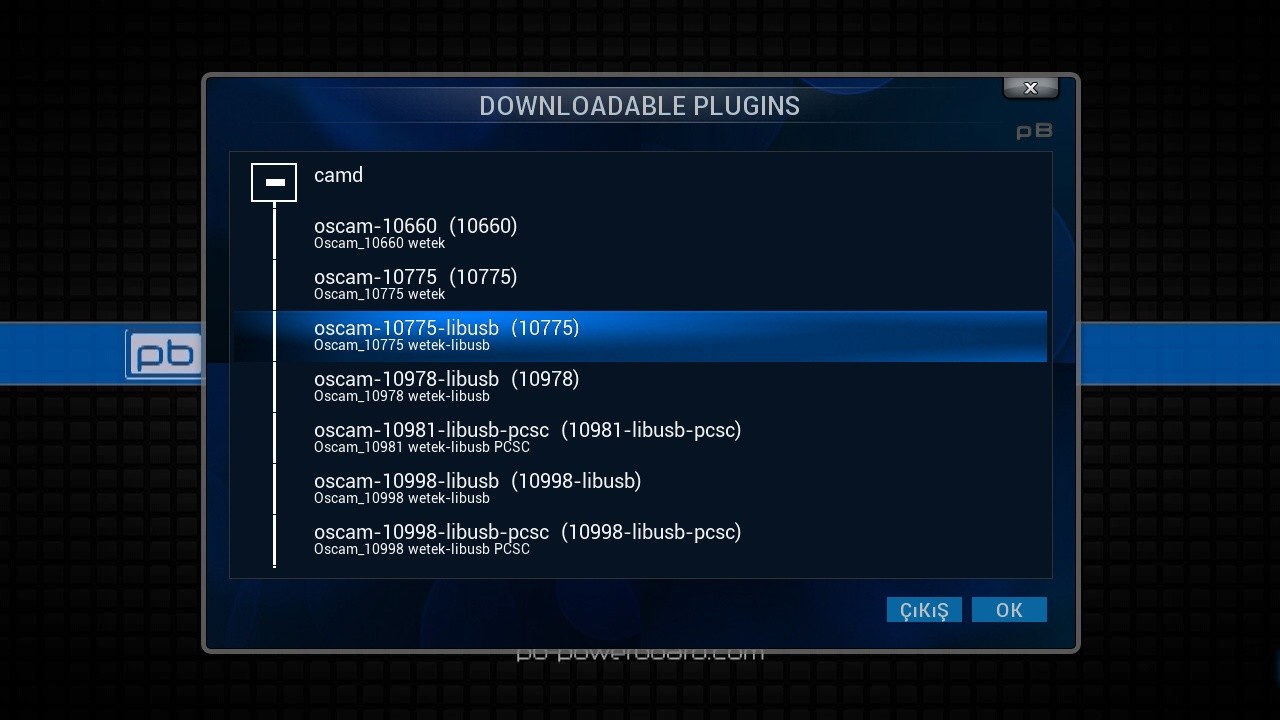
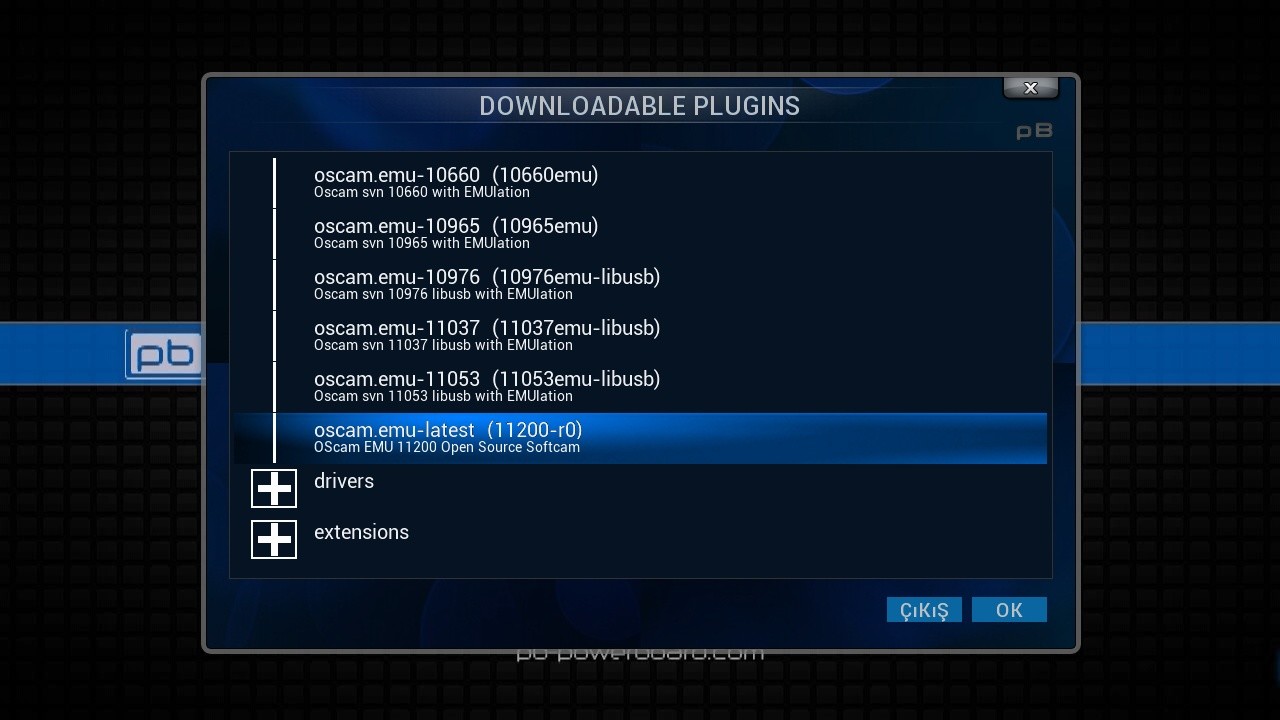
    Oscam latest files on pbnigma camd feed only install oscam bin and start script connect to your wetek with ftp root powerboard
    oscam bin file is usr/bin/cam
    oscam script file is usr/script/cam/oscam_emu if u open that file u see where installed oscam for config files looks
    /usr/bin/cam/oscam_emu -S -c /etc/tuxbox/config_emu &
    so oscam looks to /etc/tuxbox/config_emu folder for config files
    download from above pbnigma collection thread for example 11178oscam zip file and open it from there take all config files and send them manuelly created /etc/tuxbox/config_emu folder
    then restart oscam connect to webif then files-oscam.server u must put your CW N lines there
    if your line not only one CWS multiple like that port 5000:5015 for example 15 port u must enter to oscam.server one bye one 15 dfferent newcamd lines u must add not like newcamd or mgcamd 1 line ...