


CiefpSatellitesXmlEditor 1.0
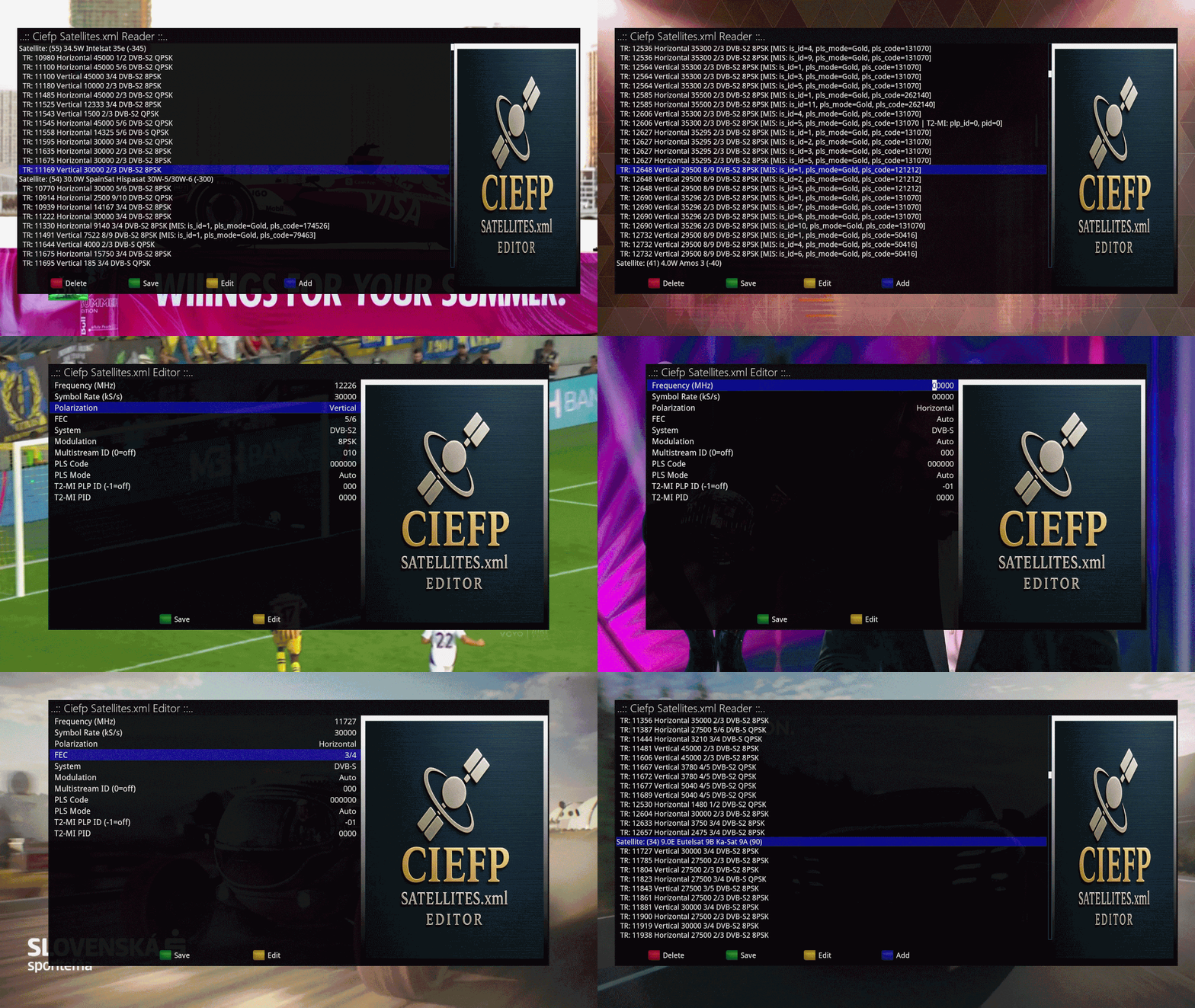
It is used to view and edit the satellites.xml file,
which is used in satellite set-top boxes to define satellites and transponders.
Main plugin functionalities:
Overview of satellites.xml content:
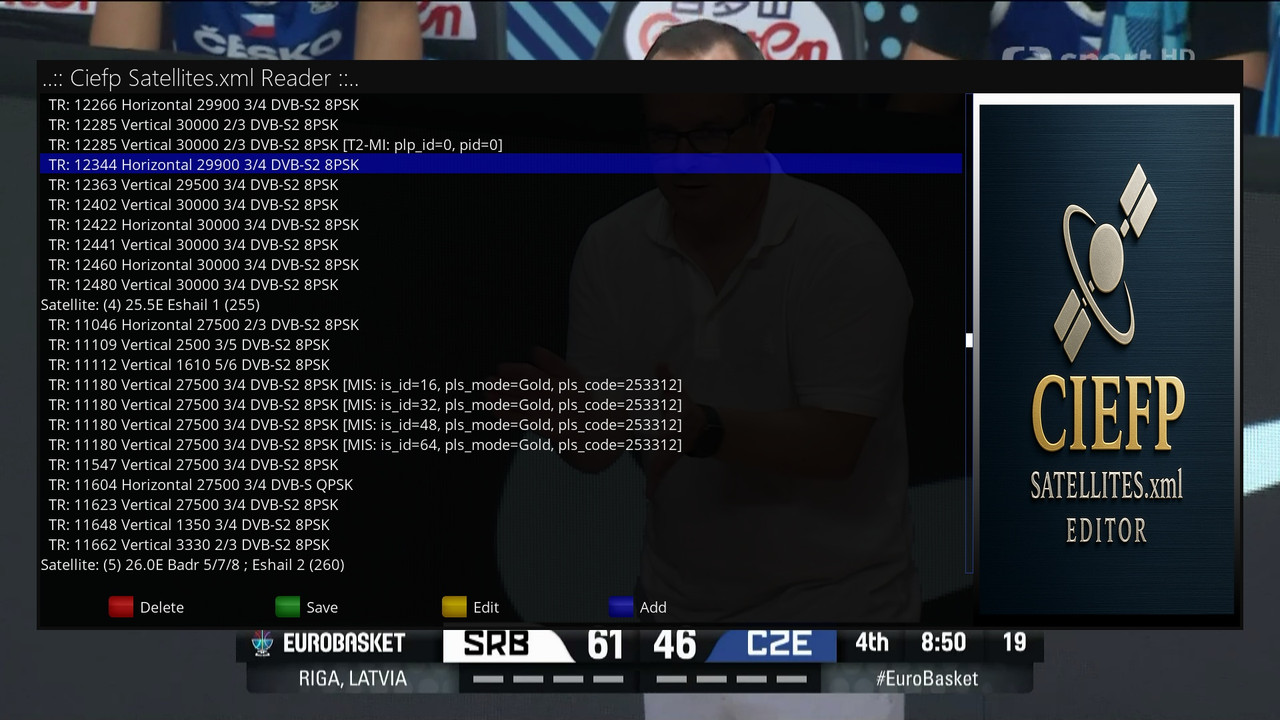
- Displays a list of all satellites with their positions.
- Below each satellite displays all its transponders (frequency, polarization, symbol rate, FEC, system, modulation).
- Additionally displays optional parameters such as Multistream (is_id, pls_code, pls_mode) and T2-MI (t2mi_plp_id, t2mi_pid).
Editing existing transponders:
- Allows you to change all important transponder parameters via the configuration screen.
- Updates values directly in the XML structure.
Adding new transponders:
- Can add a new <transponder> element within the selected satellite.
Deleting elements:
- The "Delete" button allows you to delete a satellite or transponder from the list.
Saving changes:
- When the "Save" button is pressed, the changes are written back to the satellites.xml file.
- The XML file is nicely formatted and contains a comment with the date it was last edited.
User interface:
Two screens:
- Reader – for viewing the entire file.
- Editor – for detailed editing of individual transponders.
Technical implementation:
The plugin is written in Python for the Enigma2 platform.
- It uses xml.etree.ElementTree to work with XML.
- It uses xml.dom.minidom to display XML nicely.
- Parameters such as polarization, FEC, system, etc. are mapped to human-readable names.
- Frequency and symbol rate values are automatically multiplied/divided by 1000 for easier manipulation.
..:: CiefpSettings ::..


-
Version 1.3
- ciefp
- 11.45 kB
- 11 Downloads
📡 CiefpSatellitesXmlEditor v1.3
🌟 NEW IN VERSION 1.3
🔄 DVB-T/T2 SUPPORT
Tuner auto-detection - The plugin automatically recognizes whether you are watching a satellite (DVB-S/S2) or terrestrial (DVB-T/T2) channel
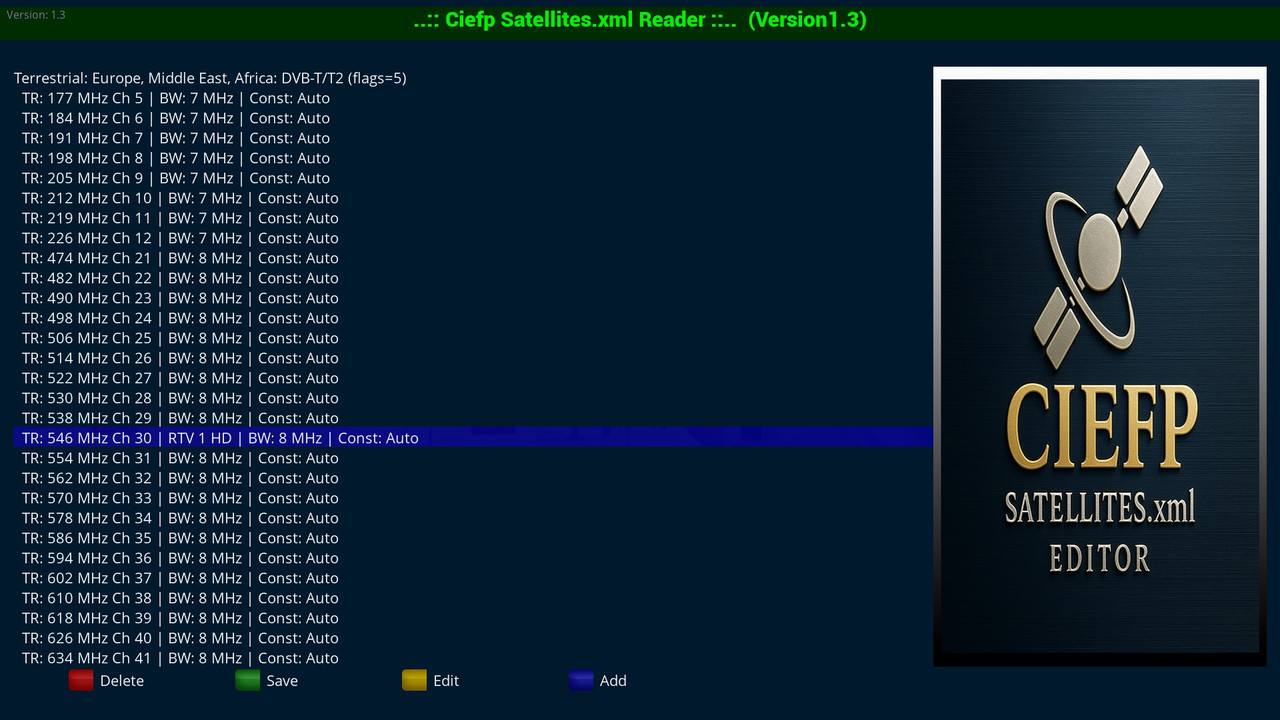
Terrestrial.xml support - Loads and displays /etc/tuxbox/terrestrial.xml for DVB-T/T2 channels
Smart view - Customized display of parameters for each tuner type:
DVB-S/S2: Frequency, Polarization, Symbol Rate, FEC, System, Modulation
DVB-T/T2: Frequency, Channel (Ch 21-69), Bandwidth, Constellation
📺 SMART CHANNEL VIEW
Current channel only - Shows the channel name ONLY for the frequency you are currently on
Auto-focus - Automatically focuses the list on the active frequency
Match scoring - Smart algorithm for finding the current frequency (frequency, bandwidth, constellation)
📋 DVB-T PARAMETERS
Bandwidth: 8 MHz, 7 MHz, 6 MHz, 5 MHz, Auto
Constellation: QPSK, 16-QAM, 64-QAM, 256-QAM, Auto
Code Rate: 1/2, 2/3, 3/4, 5/6, 7/8, 8/9, 3/5, 4/5, Auto
Guard Interval: 1/32, 1/16, 1/8, 1/4, Auto
Transmission Mode: 2K, 8K, 4K, 1K, 16K, 32K, Auto
Hierarchy: None, 1, 2, 4, Auto
Inversion: Off, On, Auto
🔍 SCAN OPTION
Blue Button (Scan) - Opens the Enigma2 Signal Finder
Quick Access - Direct access to signal information for the current channel
Signal check - Display of SNR, AGC, BER and other parameters
🛠️ EDITING FILES
Edit transponders - Change all parameters (frequency, symbol rate, FEC, etc.)
Add new - Add new transponders with all parameters
Delete - Easily delete unnecessary transponders
Save - Automatic saving in both locations:
/etc/tuxbox/satellites.xml (or terrestrial.xml)
/etc/enigma2/satellites.xml (for satellite only)
🎨 USER INTERFACE
Intuitive view - Clearly structured list with all parameters
Channel view - Automatic mapping of frequencies to TV channels (Ch 21-69)
Navigation - Easy navigation through the list
Color buttons:
Red: Delete transponder
Green: Save changes
Yellow: Edit transponder
Blue: Add new / Scan
📂 SUPPORTED FILES
/etc/tuxbox/satellites.xml - Satellite transponders
/etc/enigma2/satellites.xml - Satellite transponders (backup)
/etc/tuxbox/terrestrial.xml - Terrestrial transponders (DVB-T/T2)
⚡ PERFORMANCE
Fast loading - Optimized for large XML files
Efficient scanning - No unnecessary system load
Current focus - Auto-focus on active frequency
🔧 TECHNICAL DETAILS
Version: 1.3
Platform: Enigma2 (OpenPLi, OpenATV, OpenVision, etc.)
Python:3.x
Supported tuners: DVB-S, DVB-S2, DVB-T, DVB-T2
🚀 USAGE
Open the plugin from the Plugins menu
The plugin automatically detects the tuner type and loads the appropriate XML file
The list shows all transponders with parameters
The current channel is highlighted and focused
Uses color buttons to manage transponders
ℹ️ Note: For DVB-T/T2 channels, the plugin shows the name of the active channel ONLY for the frequency you are currently on.
ALL other frequencies are displayed without channel names for clarity and performance.
📧 CiefpSettings
📅 Date: July 2026
-
Version 1.1
- ciefp
- 5.17 kB
- 56 Downloads
### CiefpSatellitesXmlEditor 1.1 ###
Added features
Focus on active transponder.
If the active frequency is in the xml file list, the selection bar will focus on that line
if the frequency is not in the xml file list, the selection bar will focus on the active satellite
Sorting new transponders by frequency.
When new transponder frequencies are added, they are written in their right place
in the old version, the correspondence was done at the very end of the xml part for a specific satellite
Saving in two locations.
In addition to the previous xml file location: /etc/tuxbox
I also added /etc/enigma2 as a location for saving the xml file
-
Version 1.0
- ciefp
- 3.85 kB
- 55 Downloads
