


🎬 CiefpOpenSubtitles Plugin v1.1
Subtitle search & download plugin for Enigma2-based set-top boxes (OpenATV,PurE2,OpenPLi, etc.) — supporting OpenSubtitles.com and OpenSubtitles.org.
✅ Key Features:
🔍 Search subtitles for movies and TV series by title
🌐 Dual-site support:
OpenSubtitles.com (via free API key — recommended)
OpenSubtitles.org (via username/password login)
🗣️ Multi-language support: enter language codes (e.g. sr,hr,en or srp,hrv,eng)
⬇️ Automatic download & save to user-defined directory
🔄 Multi-language download mode — fetch subtitles in all configured languages for a given title
🛠️ Fully configurable via settings screen:
Save path
Download delay (to respect API rate limits)
Language priority (first match vs. all languages)
Auto-renaming to match video files (e.g. MovieName.sr.srt)
📱 How to Use:
Launch the plugin from Extensions menu.
Choose "Search Movies" or "Search Series".
Press YELLOW to open the virtual keyboard and type the title.
Press GREEN to start the search.
Navigate results with arrow keys.
Press BLUE or OK to download the selected subtitle.
Subtitle is saved automatically (default: /media/hdd/subtitles/).
💡 Note: For OpenSubtitles.com, you need a free API key
(register at https://www.opensubtitles.com).
🛠️ v1.1 — What’s New:
Added site selection: .com (API) vs .org (login)
Improved result sorting (by year ↓, then downloads ↓)
Multi-language download support
Auto-matching of downloaded subtitles to existing video files
UI optimized for 16:9 screens (1600×800)
Enhanced text readability & MetrixHD skin compatibility
Why use CiefpOpenSubtitles?
⭐ The best series search - more accurate results than other plugins.
🌐 Support for OpenSubtitles.com (API Key) and OpenSubtitles.org (login).
🎬 Automatic mapping of subtitles to video files.
🛠️ Fully configurable - languages, path, delay, priority.
📱 Ease of use - simple interface, fast search.
🛠️ Save API Key, Username and Password
In the main menu of the plugin, select API Key / Login (blue/OK).
For .com (recommended – faster and better):
Press GREEN (Edit API Key).
Enter the API key from opensubtitles.com (free account > API tab > Create new key).
It is saved automatically in the file: /etc/enigma2/ciefpopensubtitles/opensubtitles_apikey.txt
(format: apikey=xxxxxxxxxxxxxxx).
For .org (older system):
Press YELLOW (Edit Login).
Enter username, then password from opensubtitles.org.
It is saved automatically in the file: /etc/enigma2/ciefpopensubtitles/opensubtitles_login.txt
(format:
user=yourusername
pass=yourpassword).
🇬🇧 How to get an API key (OpenSubtitles.com)
Go to https://www.opensubtitles.com
Click "Login" (or "Sign Up" if you don’t have an account)
After login, go to: Account → API
Click "Generate API Token"
Copy the generated API Token (e.g. abc123xyz456)
Enter it in the plugin:
Extensions → OpenSubtitles → Settings → API/Login → API Token
🔐 The API token is personal — do not share it.
..:: CiefpSubtitles ::..
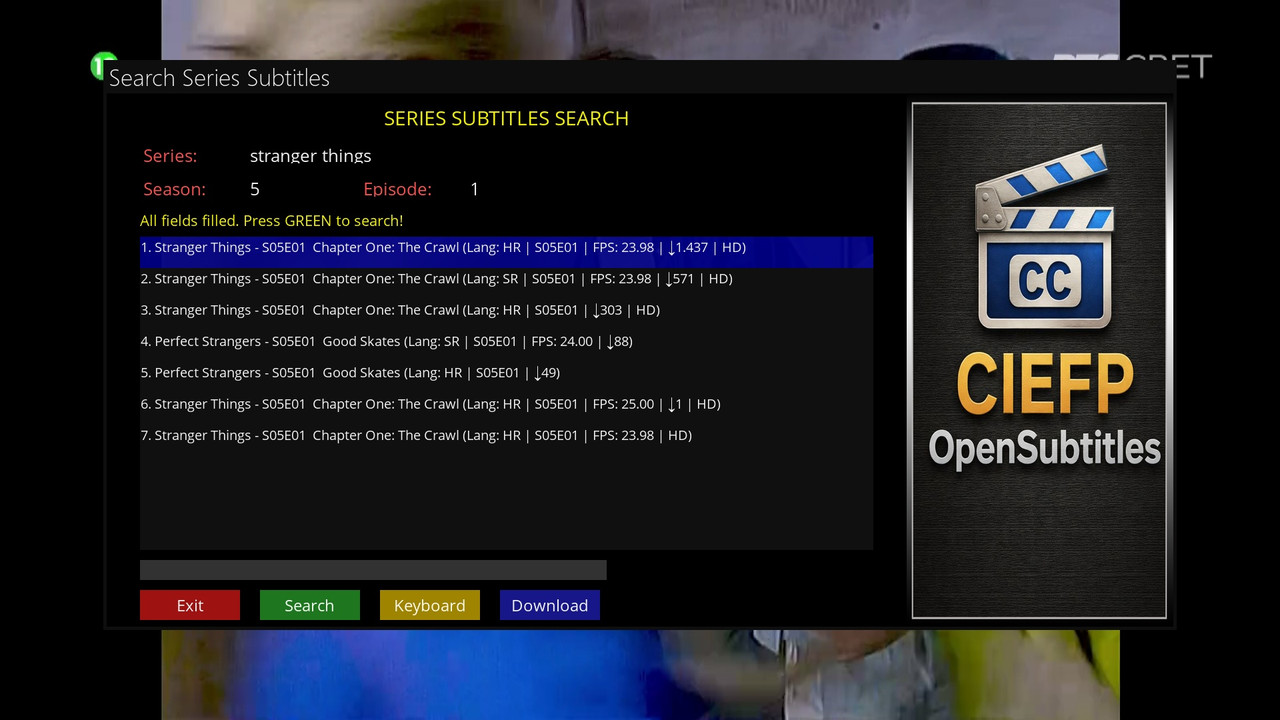


-
Version 1.4
- ciefp
- 27.42 kB
- 108 Downloads
..:: CiefpSubtitles ::.. v1.4
- CHANGES AND NEW FUNCTIONALITIES
MAIN NEWSPAPERS:
✅ LANGUAGE DISPLAY - Now you can clearly see which language is in question in the search results (SRP, HRV, BOS, etc.)
✅ CLEAR DEBUG FILES - New option to delete all debug HTML files from the /tmp folder
✅ MULTI-SELECT IN FILE EXPLORER - You can select multiple files and delete them at once
✅ EXTRACTION OF ALL SRT FILES - Now ALL SRT files from ZIP are extracted, not only the first
DETAILED CHANGES:
1. Titlovi.com Search - Improved display:
Added clear language display (eg "A Beautiful Day... - SRP - 8.4K")
Better language code conversion
Original file names when saving
2. File Explorer - Completely revamped:
Multi-select mode (blue "Multi" button)
Select multiple files with OK button
Deleting all selected files at once
Better display of long file names
Checkmark (✓) mark for selected files
3. Debug Management:
New "Clear Debug Files" option in the main menu
Automatic deletion of debug files on exit (optional in configuration)
Display of the number of deleted files
4. ZIP Extraction - Revolutionary Improvement:
If the zip file contains multiple translations
All SRT files are now extracted from the ZIP archive
The original file names are preserved
Automatically resolve duplicates (adds _1, _2, etc.)
Detailed log of all extracted files
Display of the total number and size of saved files
5. Performance Optimization:
Faster parsing of Titlovi.com results
Better logging for debugging
Optimized memory usage
USER INSTRUCTIONS:
For Titlovi.com search:
Now you can clearly see the translation language in the results
Download will save ALL available SRT files
The files are kept with the original names
For File Explorer:
Blue "Multi Select" button - turns multi-select mode on/off
OK button - selects/deselects files in multi-select mode
Yellow "Delete" button - deletes the selected files
The number of selected files is displayed
For Debug:
In the main menu, "Clear Debug Files" deletes all debug HTML files
In Configuration you can set "Clear debug files on exit"
..:: CiefPSettings ::..
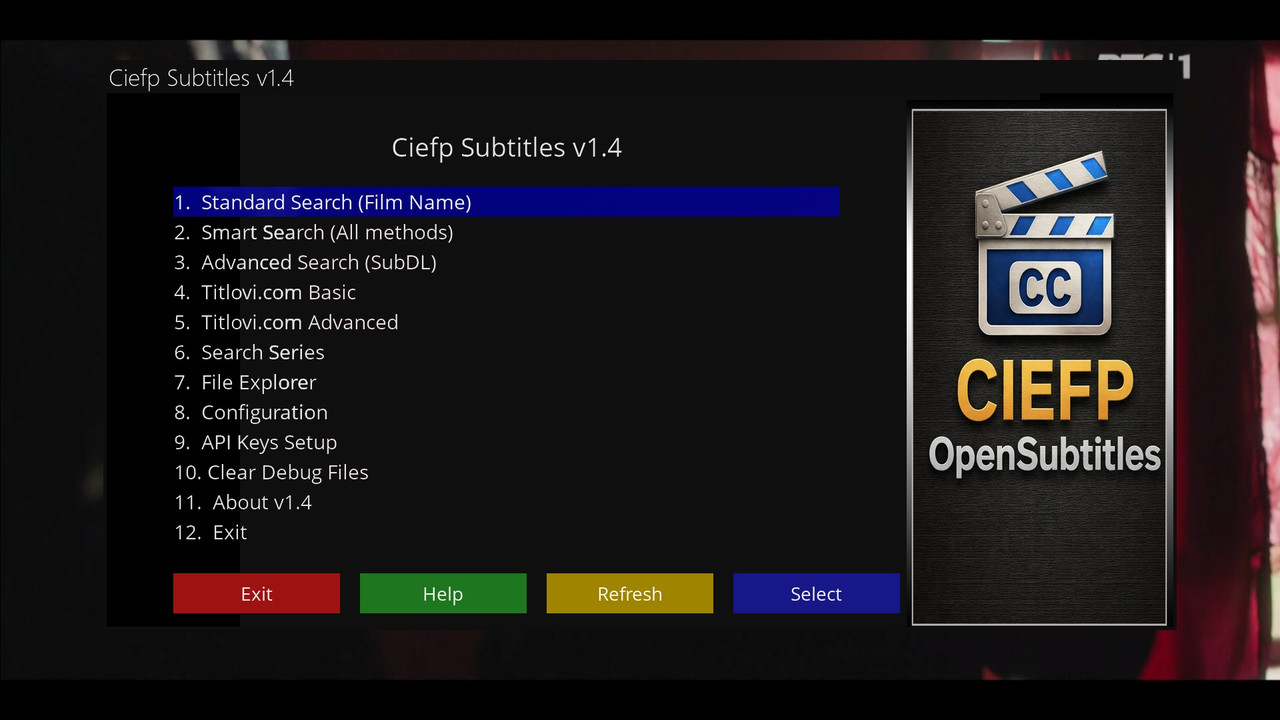
-
Version 1.3
- ciefp
- 23.08 kB
- 28 Downloads
🎯 CiefpSubtitles v1.3
New version 2 new search types
Titlovi .com Basic
Titlovi .com Advance
Both searches are focused on the Balkans, all exyu languages available.
🇷🇸 Titlovi Basic - one input field recommended for movies
it is possible to enter either the name of the movie or the IMDB ID of the movie
The IMDB ID can be found in the link on the imdb page
example: Jurassic World: Rebirth (IMDB ID: tt31036941)
🇷🇸 Titlovi Advance - more input fields
ideal for searching series
for example, enter the following data:
- Series name - example - Stranger Things
- IMDB ID - example - tt4574334
- Season - enter the number - 5
- Episode - enter the number - 1
📁 The file explorer is also new
View, delete, rename
Information about files
📌 BASIC INFORMATION
Name: Ciefp Subtitles
Version: 1.3
Platform: Enigma2 (OpenPLi, OpenATV, etc.)
Language: Python
Status: Active development
🚀 MAIN FEATURES
🌐 3 SERVICES IN ONE PLUGIN:
SubDL - Unlimited downloads, best results
OpenSubtitles.com - Global database, 5 free/day
Titlovi.com - Balkan focus, free, without API key
🔍 6 SEARCH WAYS:
STANDARD - Quick search by movie name
SMART - Auto-detection (IMDB → File → Movie)
ADVANCED (SubDL) - Manual selection of the search method
Titlovi BASIC - Simple search for Balkan subtitles
TITLOVI ADVANCED - Complete advanced search of Titlovi.com
SERIES SEARCH - Optimized for series
💡 UNIQUE OPTIONS:
✅ ONLY IN THIS PLUGIN:
SMART SEARCH - Automatically tries all methods
TITLOVI.COM INTEGRATION - The first Enigma2 plugin from Titlovi.com
3 SERVICES IN PARALLEL - Multiple results
AUTO-MAPPING - Automatically maps subtitles to video files
FILE EXPLORER - Built-in file manager for subtitles
⚙️ CONFIGURATION:
API Keys management for SubDL and OpenSubtitles
Language settings (UPPERCASE for SubDL)
Path to save subtitles
Multi-language download
Max results limit
📱 USER INTERFACE:
Professional skin with background image
Virtual keyboard integration
Intuitive navigation
Status bar with information
System help built into the plugin
🎬 SUPPORTED FORMATS:
Movies (all formats)
TV Series (with seasons/episodes)
Balkan languages (SR, HR, BS, SL, MK, BG, ME)
International languages (EN, DE, FR, ES, IT, RU, etc.)
SRT, SUB, ASS, VTT formats
🔧 TECHNICAL SPECIFICATIONS:
Code: 5000+ lines of Python
API Integrations: 3 different APIs + HTML scraping
Thread-safe: Retry mechanisms, timeout handling
Debug: Complete logging system
Compatibility: All Enigma2 distributions
🏆 ADVANTAGES:
FREE - No hidden costs
UNLIMITED - SubDL has no daily limits
BALKAN FOCUS - Titlovi.com for local subtitles
USER FRIENDLY - Intuitive interface
POWERFUL - 6 search methods in one
📈 DEVELOPMENT:
Author: Ciefp (with AI assistance)
Getting started: A simple OpenSubtitles plugin
Currently: A complex multi-service system
Future: Continuous improvement
💬 WHY IS THIS A REVOLUTIONARY PLUGIN?
For users:
For the first time, all services in one place
Balkan subtitles directly from the box
Unlimited downloads
Professional UX/UI
For developers:
An example of how to integrate multiple APIs
HTML scraping best practices
Enigma2 skin advanced techniques
Complete plugin architecture
"From a simple plugin to the most complete subtitle system on the Enigma2 platform!"
🌍 FOR USERS IN THE BALKANS: This is the FIRST AND ONLY Enigma2 plugin that directly integrates Titlovi.com - your best option for local subtitles!
🎯 FOR EVERY USER: You no longer have to choose between services - you have EVERYTHING in one plugin with the BEST search on the market!
..:: CiefpSubtitles ::..
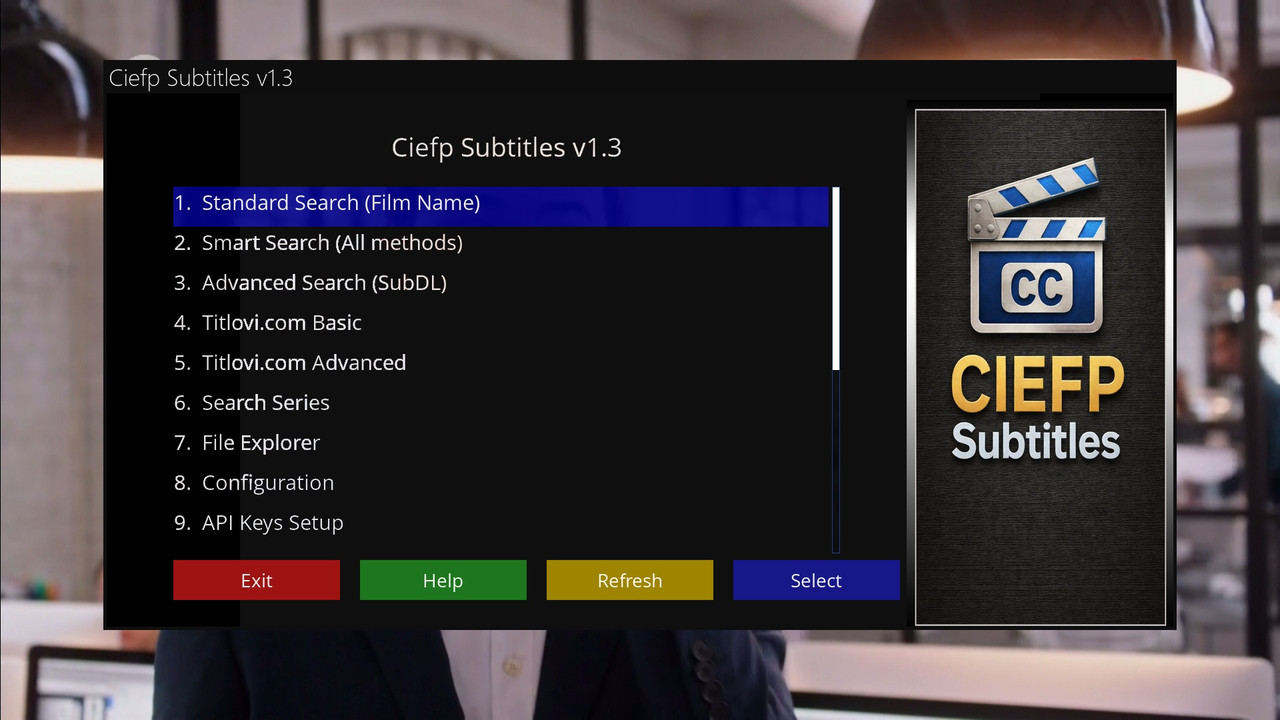
-
Version 1.2
- ciefp
- 15.64 kB
- 32 Downloads
🎬 Ciefp Subtitles Plugin v1.2
🔐 Added support for SUBDL apikey
location /etc/enigma2/ciefpopensubtitles/
file: subdl_apikey.txt
format (apikey=xxxxxxxxxxxxxxxxxx)
Version 1.2 brings three subtitle search methods (Standard, Smart, Advanced)
with a focus on better results using the SubDL and OpenSubtitles APIs.
The search is performed via the main menu of the plugin (1. Standard Search, 2. Smart Search, 3. Advanced Search).
Supports series (with seasons/episodes) and automatic download.
🔐 API key configuration (SubDL for unlimited downloads, OpenSubtitles for 5/day free) is required to work.
🌐 Languages: SR, HR, EN, etc. (uppercase letters for SubDL).
✅ ### How to Use Smart Search (New Function)
Description: Automatically tries ALL three methods in order of priority for best results:
↓IMDB ID (best if it exists in the query - see below).
↓File Name (good, use the correct file name eg "Movie.Name.2023.1080p").
↓Film Name (basically, use the name of the movie eg "Inception").
Steps:
In the main menu, select "Smart Search (All methods)".
Enter a query (YELLOW for keyboard, GREEN for search).
The results show the method (eg [IMDB] or [FILE_NAME]) with labels: ⭐ (IMDB, best), ✓ (File Name), ~ (Film Name).
Select the result (OK or BLUE) to download.
Example: Enter "tt1375666" (IMDB ID for Inception) – automatically uses the IMDB method for accurate results. If there is no result, move on to the next method.
Advantage: The best option for quick and accurate results without manual dialing.
✅ ### How to Use Advanced Search (New Function)
Description: Manually select the search method (Film Name, IMDB ID or File Name) for precise control.
Uses SubDL API only (unlimited downloads).
Steps:
In the main menu, select "Advanced Search (SubDL)".
Use the UP/DOWN arrows to change the method (eg "↑ IMDB ID ↓").
Enter a query (YELLOW for the keyboard).
Movie Name: Enter the name of the movie (eg "The Matrix").
IMDB ID: Enter "ttxxxxxx" (see below).
File Name: Enter the exact name of the video file (eg "The.Matrix.1999.1080p.BluRay.x264").
Press GREEN to search.
Select the result (OK or BLUE) to download.
Example: Select "IMDB ID", enter "tt0133093" (for The Matrix) – you get results only by IMDB ID.
Advantage: Ideal for specific cases, eg when you know the exact file or IMDB ID.
📱 ### Using the IMDB ID Option
🌐 What is IMDB ID? Unique code from the IMDb site (eg https://www.imdb.com/title/tt1375666/ → ID is "tt1375666").
How to use:
Copy "ttxxxxxx" from the IMDb link (eg tt1375666 for Inception).
In Smart Search: Enter directly (eg "tt1375666") - automatically used as priority (best results). You can add "imdb:tt1375666" or just the number.
In Advanced Search: Select "IMDB ID" method and enter "ttxxxxxx".
For series: Add SxxExx (eg "tt0944947 S01E01" for Game of Thrones).
Tip: IMDB ID gives the most accurate results because it avoids mistakes in names. Find it on IMDb.com by searching for movie/series.
🛠️ ### Improvements in Version 1.2 Compared to 1.1 ###
Compared to version 1.1 (which had only basic search by movie name and limited SubDL integration):
✅ New Search Methods: Add Smart Search (automatically tries all methods with priorities) and Advanced Search (manual method selection).
✅ Smarter SubDL Integration: Smart Search automatically extracts the IMDB ID from the query; shows the method that produced the results (eg [IMDB]);
✅ better removal of duplicates and sorting by quality (IMDB > File Name > Film Name).
✅ Better Logging and Debug: Added detailed logs (eg "[SubDL SMART] Trying IMDB ID") for easier debugging.
✅ Improved UI: Results show quality indicators (⭐, ✓, ~); better statistics (eg "IMDB:5 + File:3"); new buttons and help messages.
✅ Other: Better retry mechanism for API errors; support for multiple languages (uppercase for SubDL);
✅ optimized download (ZIP processing, extensions .srt/.vtt/.sub); unlimited download with SubDL.
✅ Performance: Faster search (max 30 results per page); better support for series (full season option).
Tip: Use Smart Search for most cases. If it doesn't work, check the API keys (YELLOW in the configuration).
🔐 The plugin is free, but API keys are required (subdl.com for unlimited).
..:: CiefpSettings ::..
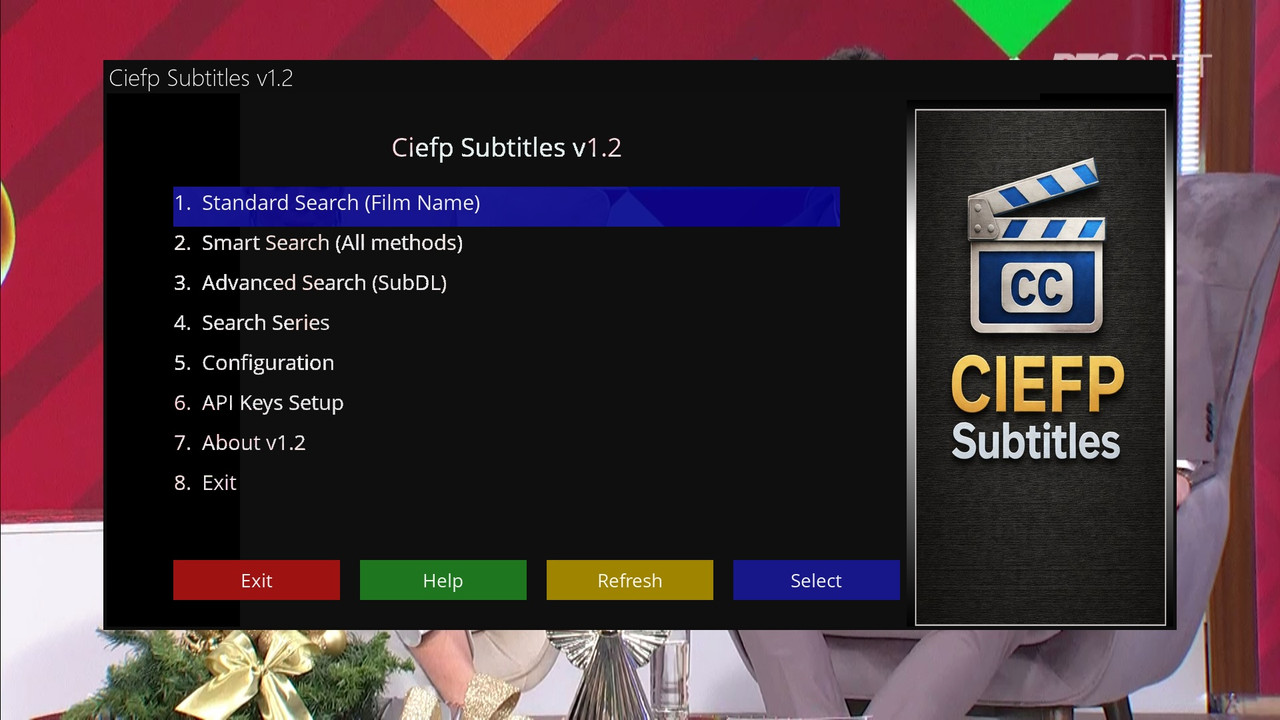
-
Version 1.1
- ciefp
- 6.82 kB
- 73 Downloads




