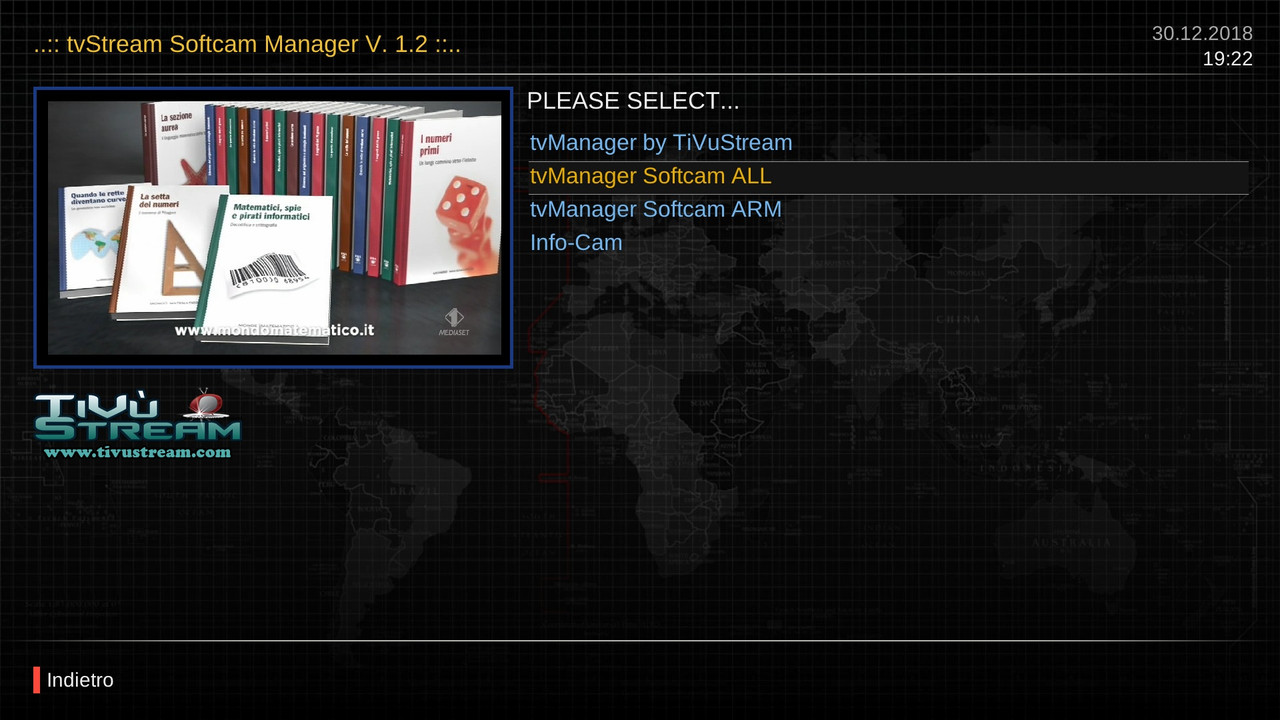
tvManager (Softcam Manager) v3.1.0 🚀

Enterprise Grade Enigma2 Softcam Management Plugin
Professional softcam management solution for Enigma2-based receivers
📖 Overview
tvManager (Softcam Manager) is a comprehensive, enterprise-grade plugin designed for Enigma2 systems that provides complete control and management of softcams. With its professional interface and robust feature set, it simplifies softcam operations while offering advanced capabilities for power users.
✨ Key Features
🎮 Core Management
- One-Click Control - Start, stop, and restart softcams effortlessly
- Multi-Cam Support - OSCam, CCcam, NCam, MGcamd, GCam, Wicardd
- Auto-Detection - Automatic detection of running cam processes
- Quick Restart - Instant softcam restart functionality
📊 Monitoring & Information
- Real-time ECM Info - Live ECM data display with formatting
- System Resources - Memory, CPU, and active cam monitoring
- Process Detection - Intelligent cam process identification
- Resource Statistics - Comprehensive system usage metrics
💾 Backup & Configuration
- Automated Backups - Timestamped configuration backups
- Restore System - Easy restoration of previous configurations
- Multi-Version Support - Manage multiple backup versions
- Config Management - Centralized control of all cam configurations
🔧 Integrated Tools
- Cam Info Panels - Built-in CCcam, OSCam, and NCam information
- Download Manager - Integrated softcam downloader with repository support
- System Cleanup - Temporary file and cache management
- Dependency Check - Automatic verification and installation of requirements
🎯 Smart Features
- Quick Shortcuts - Number key shortcuts for fast access (0-9)
- Multi-Skin Support - HD, FHD, UHD compatibility
- Cross-Platform - DreamOS, OpenPLi, OpenATV support
- Background Operations - Non-blocking command execution
🚀 Quick Start
Installation
Basic Usage
- Navigate to Softcam Manager in your Enigma2 menu
- Select your desired softcam from the list
- Start/Stop using color buttons (Green/Red)
- Access Info with Blue button for active cam details
Quick Shortcuts
| Key | Function | Key | Function |
|---|---|---|---|
| 0 | Update Softcam Keys | 5 | Restore Backup |
| 1 | CCcam Info | 6 | System Cleanup |
| 2 | OSCam Info | 8 | Help Menu |
| 3 | NCam Info | 9 | Restart GUI |
| 4 | Create Backup |
🛠 Technical Specifications
Supported Architectures
- ARM, AArch64, MIPS, Cortex, SH4
- Multi-platform compatibility
Python Compatibility
- Python 2.7.x
- Python 3.x
- Cross-version support
Image Compatibility
- OpenPLi
- OpenATV
- DreamOS
- Most Enigma2 distributions
Configuration Files Managed
/etc/CCcam.cfg/etc/tuxbox/config/oscam.server/etc/tuxbox/config/ncam.server/usr/keys/SoftCam.Key/etc/clist.list
📁 Project Structure
tvManager/
├── data/                 # Core functionality modules
│   ├── Utils.py         # Utility functions and helpers
│   ├── GetEcmInfo.py    # ECM information handling
│   ├── Console.py       # System command execution
│   └── *Info.py         # Cam-specific information panels
├── res/skins/           # Multi-resolution skin support
│   ├── hd/              # HD skins (1280x720)
│   ├── fhd/             # Full HD skins (1920x1080)
│   └── uhd/             # Ultra HD skins (2560x1440)
└── logos/ # Application images and icons🔧 Advanced Features
Resource Monitoring
# Real-time system monitoring
- Memory usage tracking
- CPU load analysis  - Active process detection
- Performance optimization
Backup System
# Automated backup management
- Configuration snapshots
- Timestamped versions
- Selective restoration
- Integrity verification
Error Handling
# Enterprise-grade error management
- Safe command execution
- Retry logic implementation
- Graceful failure recovery
- Comprehensive logging
🤝 Contributing
We welcome contributions from the community!
Development Areas
- New softcam support
- Additional skin development
- Feature enhancements
- Bug fixes and optimization
- Documentation improvements
Reporting Issues
Please use the GitHub Issues section to report bugs or request features, including:
- Detailed description of the issue
- Steps to reproduce
- System information
- Relevant log files
📄 License
This project is licensed under the GNU General Public License v3.0 - see the LICENSE file for details.
⚠️ Disclaimer
Important Legal Notice:
No video files are stored in this repository. The repository simply contains user-submitted links to publicly available video stream URLs, which to the best of our knowledge have been intentionally made publicly by the copyright holders.
If any links in these playlists infringe on your rights as a copyright holder, they may be removed by sending a pull request or opening an issue.
However, note that:
- We have no control over the destination of links
- Removing links from playlists does not remove content from the web
- Linking does not directly infringe copyright (no copy is made on this site)
- This is not valid grounds for DMCA notices to GitHub
To remove content from the web, contact the actual web host hosting the content (not GitHub or this repository's maintainers).
No Depository Links on server
👥 Credits
Core Development
- Lululla - Lead Developer & Architecture
- MMark - Skin Design & UI/UX
Special Thanks
- Open Source Community
- Beta Testers
- Feature Contributors
📞 Support
- Repository: GitHub/Belfagor2005/tvManager
- Issues: GitHub Issues
- Discussions: Community forums and Enigma2 groups
Update from telnet
wget -q "--no-check-certificate" https://raw.githubusercontent.com/Belfagor2005/tvManager/main/installer.sh -O - | /bin/sh