Skin Support - Post questions for all my skins in here.

There are 1,280 replies in this Thread which was already clicked 277,183 times. The last Post () by woodbass.

  • edit:

    sorted

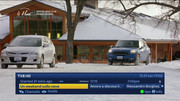
  • How do I setup this screen, its for openvix 6.6 and from memory I think its a mod that may no longer be available. Apparently the + 24 hours feature is really liked and used to check up and coming recordings.

    Press menu on that screen and you can change the buttons to what you want.


    5002_0_19_1791_7EE_2_11A0000_0_0_0_20250214134000.jpg


    5002_0_19_1791_7EE_2_11A0000_0_0_0_20250214134008.jpg


    5002_0_19_1791_7EE_2_11A0000_0_0_0_20250214134027.jpg

  • dayers, thanks but in my pic its the use of the coloured buttons, yellow to go back and blue to go forward, its used to check recordings made in advance. Kiddac gave me the solution, I was unaware the CH up and down did the same, thanks to Kiddac. There are probably quite a few features that I am unaware of as I just set boxes up and leave it at that. I have to keep them as simple as possible to navigate.

  • dayers, thanks but in my pic its the use of the coloured buttons, yellow to go back and blue to go forward, its used to check recordings made in advance. Kiddac gave me the solution, I was unaware the CH up and down did the same, thanks to Kiddac. There are probably quite a few features that I am unaware of as I just set boxes up and leave it at that. I have to keep them as simple as possible to navigate.

    Minus and plus 24 hours? Those settings I posted change the coloured buttons to do that


    5002_0_19_1791_7EE_2_11A0000_0_0_0_20250214153534.jpg


    The settings I posted change CH+/- to page up and down.


    Have a look at the options for coloured buttons others for channel up and down will also help.

  • First of all, I want to apologize to you and the whole forum. It was never my intention to demand a modification, but rather just to ask for advice on how to get started.

    Secondly, I want to thank you—you pushed me to solve the problem on my own, and after a few attempts, I managed to do it! Considering this is my first time modifying XML code (is that how you say it?), I’m really happy with the result.

    Now, I have a red icon when the VPN is disabled and a green one when it's active.

    I'm not sure if I got the spacing between the icons right—do you think it needs any adjustments? That is, if it’s something that interests you or anyone else.


    <!-- Icona VPN disattivata (rossa) -->

    <ePixmap pixmap="icons/vpn_ko.png" position="1500,963" size="36,36" scale="1" alphatest="blend" transparent="1" zPosition="1"/>


    <!-- Icona VPN attiva (verde) -->

    <widget source="session.CurrentService" render="Pixmap" pixmap="icons/vpn_ok.png" position="1500,963" size="36,36" scale="1" zPosition="2" alphatest="blend">

    <convert type="iVpn">vpn</convert>

    <convert type="ConditionalShowHide"/>

    </widget>


    <!-- Scritta "VPN" -->

    <eLabel text="Vpn" position="1543,954" size="69,57" font="Regular;39" halign="left" valign="center" transparent="1" noWrap="1" foregroundColor="skylightblue" backgroundColor="backgroundbot" zPosition="2" />


    1-0-19-46-200-1-D-EEEE0000-0-0-0-20250217155143.jpg


    Important Note for Those Interested in This Modification:


    Before proceeding, ensure you place the `vpn_ok.png` and `vpn_ko.png` icons in the following directory:

    `/usr/share/enigma2/slyk-1080-r19/icons`


    Next, you need to insert the provided code into the `s-infobar.xml` file, located here:

    `/usr/share/enigma2/slyk-1080-r19`


    Inside the `s-infobar.xml` file, look for the sections labeled:

    - `Infobar-layout1`

    - `Infobar-layout2`

    - `Infobar-layout3`

    - `Infobar-layout4`


    These sections correspond to different infobar layouts:

    - 1 = infobar layout 1 – ECM

    - 2 = infobar layout 1 - No ECM


    I inserted the created code at the end of each of these sections. After making the changes, save the file and restart your decoder.


    vpn_ok.png` and `vpn_ko.png:


    https://i.postimg.cc/PrCRQbzg/vpn-ko.png


    https://i.postimg.cc/8PxnKFZj/vpn-ok.png

  • See its dead easy with a bit of your own time and a bit of experimenting.

    and personally I would left align it to the box rather than squashing it next to info

    pasted-from-clipboard.png

    And I already have led icons in icons folder. You can use them. They are funkier

    pasted-from-clipboard.png

    ** A person who feels appreciated will always do more than what is expected **

  • Actually, it’s not difficult. You just need time, willingness, and a keen eye for detail…


    I hadn’t thought of using your icons. They are most likely even nicer to look at. As soon as I have some time, I’ll do further testing.


    I also have another modification in mind… but I’ll share it once it’s completed. I hope it will be well-received, and I’m keeping my fingers crossed that I can bring my project to life.

  • KiddaC , small request if possible Bluetooth Devices Manager screen on slyk-1080-r19 and Slyk Q is not correct but Onyx is ok.


    BT-MetrixHD.PNG

    Metrix HD = OK


    BT-Onyx.PNG

    Onyx = OK


    BT-slyk-1080-r19.PNG

    slyk-1080-r19 = Fix Needed


    BT-Slyk_Q.PNG

    Slyk_Q = Fix Needed


    Next one is a big ask if possible add Bouquet Names to Graphical EPG screens in Skly Q and Onyx I know you can see them in Channel Selection Screen but not in Graphical EPG Screen that only works on slyk-1080-r19 I could use epg tabs mod again but prefer not to as it is now not supported.


    Its not to bad if only one provider but if you have more than one and they have similar bouquets.

  • The tabrow (as I called it) still exists in all the files I think.

    Its just commented out. But I don't think that will display anything without the old epg mod.

    For example q-epg.xml

    pasted-from-clipboard.png

    But if you want to put it in your own user override files. Its the same code as channel select using "Title"

    <widget source="Title" render="Label" position="505,334" size="1415,36" font="Bold;33" foregroundColor="white" backgroundColor="mid" borderWidth="0" transparent="1" valign="center" zPosition="2"/>

    But you would have to experiment with placement.

    ** A person who feels appreciated will always do more than what is expected **

  • I dont think I can fix the bluetooth devices manager.

    Looking at the code on oe-alliance github. Its a tab. So I don't think that sky font is picking up the tab, (or it is - as they are aligned), the font is just a tiny little bit too small to push to the next tab row.
    A bit of crap way to do columns
    You might have to experiment with the skin.xml font size. and up the scale from 100. adding 1 at a time until it works :see no evil monkey: :hear no evil monkey: :speak no evil monkey:

    self.devicelist.append((d['mac_address'] + "\t" + d['name'], d['mac_address']))

    They have 2 tabs for the titles, but only 1 for the lists. :hmmmm:

    ** A person who feels appreciated will always do more than what is expected **

  • ha! that will most likely explain the issue I was facing the other week when I was using your later version of the skin


    will look into this for my box when I get a chance :)

    Mut@nt HD51 | openATV 7.5.1 | Slyk Q 1080

  • I tried editing skin.xml changing from 100 up to 110 it did not seem to make any difference


    Code
    <!-- slyk1080 fonts -->
            <font name="Regular" filename="fonts/slyk-medium.ttf" scale="110"/>
            <font name="Bold" filename="fonts/slyk-bold.ttf" scale="110"/>
            <font name="Console" filename="fonts/Inconsolata-Regular.ttf" scale="110"/>

Enhance your Enigma2 with KiddaC's creations

Download HD skins, IPTV players (X-Streamity, EStalker), bouquet tools, picon managers, and essential plugins for a complete setup. KiddaC's Enigma2 resources: skins (slyk, v-skin, onyx), IPTV plugins (Xtreamity, Jedi Maker), and utilities (E2Piconizer, ScreenNames) for customization and control.

Participate now!

Don’t have an account yet? Register yourself now and be a part of our community!