For first Shoutcast screen I used template without PIG screen
<panel name="menutemp3" />
I think it is better to show it this way for the CD cover
Thanks



For first Shoutcast screen I used template without PIG screen
<panel name="menutemp3" />
I think it is better to show it this way for the CD cover
Thanks
i will fix it no problem
Thanks for your hard work.
Is it possible to have album art of the music tracks on the screen?

Thanks for your hard work.
Is it possible to have album art of the music tracks on the screen?

For first Shoutcast screen I used template without PIG screen
<panel name="menutemp3" />
I think it is better to show it this way for the CD cover
Thanks
i added cover widget and enable show cover but no covers appears , i tried the default plugin screens and also no cover so i think it is from the source .
Please replace About Screen for openPLi (base.xml and skin.xml)
<widget name="AboutScrollLabel" font="Regular; 30" position="36,98" size="890,900" zPosition="2" halign="left" backgroundColor="mcolor2" transparent="1" />/usr/lib/enigma2/python/Plugins/Extensions/Aglare/sample/base.xml (line#298)
/usr/share/enigma2/Aglare-FHD-PLI/skin.xml (line#893)
(base.xml and skin.xml ) Replace the previous line with this line
<widget name="AboutScrollLabel" position="36,98" size="880,900" font="Regular;30" transparent="1" valign="top" split="1" dividechar=":" colposition="0" backgroundColor="mcolor2" scrollbarMode="showOnDemand" scrollbarSliderForegroundColor="mcolor5" scrollbarSliderBorderColor="mcolor2" scrollbarWidth="10" scrollbarSliderBorderWidth="1" />Please replace About Screen for openPLi (base.xml and skin.xml)
Code<widget name="AboutScrollLabel" font="Regular; 30" position="36,98" size="890,900" zPosition="2" halign="left" backgroundColor="mcolor2" transparent="1" />/usr/lib/enigma2/python/Plugins/Extensions/Aglare/sample/base.xml (line#298)
/usr/share/enigma2/Aglare-FHD-PLI/skin.xml (line#893)
(base.xml and skin.xml ) Replace the previous line with this line
Code<widget name="AboutScrollLabel" position="36,98" size="880,900" font="Regular;30" transparent="1" valign="top" split="1" dividechar=":" colposition="0" backgroundColor="mcolor2" scrollbarMode="showOnDemand" scrollbarSliderForegroundColor="mcolor5" scrollbarSliderBorderColor="mcolor2" scrollbarWidth="10" scrollbarSliderBorderWidth="1" />
I think I did it , if not in 6.2 , it will be in next version , as I am doing improvement regularly but I don't upload every one , this fix will not only improve "about" screen, but also improve system network, system memory , I was working onpenvix .
Yes you added it everywhere except the About Screen for openpli
openPLi use (screen name="About" title="About")
openvix and others OK with (screen name="AboutOE" title="Image Information")
Yes you added it everywhere except the About Screen for openpli
openPLi use (screen name="About" title="About")
openvix and others OK with (screen name="AboutOE" title="Image Information")
Yes you are right , fix it in next version
New Update
Aglare-FHD-PLI v6.3
* add support for weatherplugin , so you can choose appearance of weather in the 1ry infobar and 2ry infobar with support of OAweather or MSNweather .
* now you can choose channel list font colors from a list of available colors :
- Foreground Color
- Selected Foreground Color
- Description Color
- Selected Description Color
* add audio bitrate in infobar
* add host of the stream channel in 2ry infobar
* fix channel reference appearance in case of stream channel
* some fine adjustements
Download IPK
https://www.mediafire.com/file/6iji17ket3x4py1/enigma2-plugin-skins-aglare-fhd-pli_6.3_all.ipk/fileDownload Telnet
wget -q "--no-check-certificate" https://raw.githubusercontent.com/popking159/skins/refs/heads/main/aglarepli/installer.sh -O - | /bin/shalso , you can update from within aglare setup plugin
i added cover widget and enable show cover but no covers appears , i tried the default plugin screens and also no cover so i think it is from the source .
SHOUTcast cover now works with Aglare-FHD-PLI v6.3
Thanks again
hello odem2014 first of all thanks for the good work I have a request if in the next version you would also add the name of the Boxinfo to be seen for example vu+zero 4k octagonsf8008 etccse is it possible thanks again
open plugin aglare..
set
downlaod poster on timer ;) (eg.. 00:00)
set tmdb google imdb.. etc.. ON
if you have device.. mmc usb hdd.. automatic configure on download..
or.. give me your configuration..
from telnet digit
mount
and output here
Tested with OpenBlackHole-5.6.001-Drambox ONE working fine
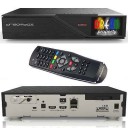
Tested with OpenBlackHole-5.6.001-Drambox ONE working fine
tell me skin name that works on your box showing AGC data
Tested with OpenBlackHole-5.6.001-Drambox ONE working fine
tell me skin name that works on your box showing AGC data
The AGC feature simply does not work on Dreambox devices from the source; it’s a driver issue
Hi
AGC data
Unfortunately, brother, I don't have any information about it. Could you please provide me with a screenshot of the skin menu so I can verify it?
Tested with OpenBlackHole-5.6.001-Drambox ONE working fine
tell me skin name that works on your box showing AGC data



