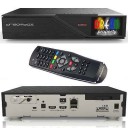
Also, the tuner does not support multi-stream, and this is a very important feature with
that is nothing new same as older quad uhd 4k (FBC Tuners)
you will need optional DVB-S2X tuner when it is available.



Also, the tuner does not support multi-stream, and this is a very important feature with
that is nothing new same as older quad uhd 4k (FBC Tuners)
you will need optional DVB-S2X tuner when it is available.
for me I am happy camper
main issue reboot is on the slower side
disconnect bluetooth
I am new to Gigablue so I love the front panel screen red/blue light
8slots firmware is heaven on earth 
need to update my signature 
The device is a disaster by all standards. I have owned the device for about two months and discovered more than one defect. The problem is the power cable so I press it from the back. The second problem is that the temperature of the device reaches an insane level of 78 to 80 degrees, while using an auxiliary fan, but to no avail. The third defect is that it does not support multi-stream channels on all satellites. The fourth defect is the old processor that does not match the 4 GB RAM, and this is a problem that has no solution, even with new software. In the end, we want to promote a failed device in every sense of the word “failed.” It is strange how a well-established company could make this grave mistake. In the end, I hope that my voice reaches the interested members so that we are not victims of advertising for an unsuitable product. Thank you.
Dear Sir, the channels are broadcast using the terrestrial Multistream system, and the tuner does not support this feature.
PLS and Gold 253312 data are not available at all.
How to set up 8 slot multiboot I am a new user thank you.

How to set up 8 slot multiboot I am a new user thank you.
run it in recover mode and flash your image

Dear Sir, the channels are broadcast using the terrestrial Multistream system, and the tuner does not support this feature.
PLS and Gold 253312 data are not available at all.
we know that before we buy 
Gigablue will release add on tuner you can buy in the near future
Gigablue release its product mainly in the German market and their multistream system is not a priority.
Quad 4K Pro is a very nice box run cold, stable and I am really enjoying the multi-boot function 

How to set up 8 slot multiboot I am a new user thank you.
boot into recovery mode and flash your image
Can you please explain exactly how to transfer images from slot 1 to slot 2?
8 slot multiboot nasıl kuruluyor yeni kullanıcıyım teşekkürler.
run it in recover mode and flash your image
What are you talking about run in recovery mode on openatv you can just flashonline to any slot fair but at the moment only opeanatv , openvix, openbh and teamblue , if other images are available you can just copy to images folder and flash online from there.
or do you mean by recovery disconnect all devices and then boot to recovery if connected via lan then you input ipaddress and end go to
this is for older quad uhd 4k as you can see more distro's avaiable for that.
Thanks for your answer. I did online flash. I can't access the images folder to manually upload an image. Where is this folder? When I connect with flash fxp.
Thanks for your answer. I did online flash. I can't access the images folder to manually upload an image. Where is this folder? When I connect with flash fxp.
You need hard drive or usb thumbdrive permanenty mounted in device.
images folder is where dowloaded images and backup images are stored.
USB memory is plugged into the device but the images folder does not come into the media hdd folder
usb bellek takılı cihaza fakat images klasörü gelmiyor media hdd klasörü içine
English please
USB memory is plugged into the device but the images folder does not come into the media hdd folder
Device may be plugged in but is it mounted properly as for transfering from 1 slot to another you need to go to (example openatv) press blue button and when in quick launch menu select complete backup that will save the slot you are on to images folder then once backup is done you can select flashonline and select your backup image and flash it to other slot.
The image is loaded to the first 4 slots but the image is not loaded to the slots 5-6-7-8. I wonder why this could be because the device has openatv 7.5.1 installed in slot 1.
The image is loaded to the first 4 slots but the image is not loaded to the slots 5-6-7-8. I wonder why this could be because the device has openatv 7.5.1 installed in slot 1.
Your receiver does not have the latest update which fixed the issue of allowing slots 5-8 to be used. This was fixed a long time ago.

Hi guys,
With the bluetooth remote, can I hide the box and still avaibable to control the box?
with the latest update yes you can do that
Hi guys,
With the bluetooth remote, can I hide the box and still avaibable to control the box?
with the latest update yes you can do that
Im using OpenATV, just update to latest?
Hi guys,
With the bluetooth remote, can I hide the box and still avaibable to control the box?
with the latest update yes you can do that
Im using OpenATV, just update to latest?
Is the bluetooth working? it works on TeamBlue and latest Egami11
The problem is not whether the remote control works in Bluetooth mode, but how long this pairing (functioning) will last until the next outage when a new pairing will be necessary. From what I have tried, it doesn't matter whether you have OpenATV or TeamBlue or Egami11, because they use the same software driver that the manufacturer can't fix and instead of trying to fix it, they pretend to be dead and wait for the problem to go away on its own.

The problem is not whether the remote control works in Bluetooth mode, but how long this pairing (functioning) will last until the next outage when a new pairing will be necessary. From what I have tried, it doesn't matter whether you have OpenATV or TeamBlue or Egami11, because they use the same software driver that the manufacturer can't fix and instead of trying to fix it, they pretend to be dead and wait for the problem to go away on its own.
to my surprise it works like charm so far
no disconnection
so far tried on teamblue and egami
I am keeping my finger crossed hope it will hold

Don’t have an account yet? Register yourself now and be a part of our community!

