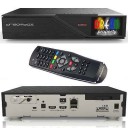
The Official OpenBh 5.5.1 image is now available.

There are 58 replies in this Thread which was already clicked 17,927 times. The last Post () by ceruttigino.

  • Then reflash your box.

  • The option is available only into a favourites list or in the "Last scanned" list, please test it.

    octagon sf8008 4K combo

  • The option is available only into a favourites list or in the "Last scanned" list, please test it.

    Will look at it when we have time.

    I understand it's important to you, but in the grand scheme of things it's a minor issue as so few users ever use the parental control option, most seem to just delete the "adult" channels if they are worried about children viewing them.

  • The option is available only into a favourites list or in the "Last scanned" list, please test it.

    Will look at it when we have time.

    I understand it's important to you, but in the grand scheme of things it's a minor issue as so few users ever use the parental control option, most seem to just delete the "adult" channels if they are worried about children viewing them.

    Thank you very much for the fix! Cheers!

    octagon sf8008 4K combo

  • Not a user configurable option and I don't remember the name of any skins that have icons in the menu.

  • Actually this feature should included in the image itself, all OE Base images such as openATV, OpenDroid, Egami...etc, you can activate it easily by


    Press Menu

    Press Menu again

    Select text+number+icons


    Very few skins had their own icons such as

    ozata by mmark

    Dark OS by Dimitry


    I think openBH deserve this feature also grid display system for plugins browser and channels list


    Regards

  • Well obviously not all OE-A base images, as OpenBh is an OE-A based image and it doesn't have those options.

    If those are features you need, then OpenBh isn't the image for you. Just because most oe-a based images take all openatv options, doesn't mean all oe-a images have too, and sometimes it's good to be a little bit different, otherwise you end up with only 1 image but with different names.

    It's just options for the sake of options imo and add's nothing to the user experience or image performance.

  • Actually this feature and similar UI are important to users, just for example Old age users or kids with reading difficulties easy for them to depend on images or icons to dealing with their box.


    But again it just a feature request you can add it or ignore it.


    Regards.

  • Hello dear,

    I have faced an issue with OBH skin with an image openbh-5.5.1.012.release-vuzero-85f779f5 that I reflashed my receiver yesterday. I cannot substitute original built-in skin for a BlackShadowSE_P skin from my laptop while using the path: /usr/share/enigma2 What could went wrong with it?


    Thanks in advance!

  • Hi, just installed new openbh image but I'm getting black screen on every IPTV channel but live tv works through the sat part,

    It's not the playlist as it works perfectly on openatv on another box, any ideas thanks

  • Hi, just installed new openbh image but I'm getting black screen on every IPTV channel but live tv works through the sat part,

    It's not the playlist as it works perfectly on openatv on another box, any ideas thanks

    Nothing has changed with regards to iptv so there is no reason why it would only give a black screen.

    Either some setting is wrong, or it's an issue with your provider.

    Either way without any logs, I have no idea what the issue could be.

  • Hi, just installed new openbh image but I'm getting black screen on every IPTV channel but live tv works through the sat part,

    It's not the playlist as it works perfectly on openatv on another box, any ideas thanks

    Nothing has changed with regards to iptv so there is no reason why it would only give a black screen.

    Either some setting is wrong, or it's an issue with your provider.

    Either way without any logs, I have no idea what the issue could be.

    Sorry I'm new to this image it's first time I'm using it, I'll try changing some settings but the provider is good as it works on another box running openatv, how do I find the log for the black screen thanks


  • setup - menu - system - logs - settings - enable debug logs then save, it will ask you to restart E2, select yes.

    Once it has restarted, try and play a few iptv channels, then go to /home/root/logs/ with ftp to grab the debug log.

    Remember that the log will contain your login details, so best to remove those before you post the log.

OpenBh Team Images Support Forum ~ based on OE-Alliance

OpenBh Supported Models ~ Abcom PULSe 4K, Abcom PULSe 4k mini, Amiko Viper 4K V40, Edision OS Mini 4K, Edision OS Mio 4K Plus, Edision OS Nino Plus, Edision OS Nino Pro, Gigablue IP 4K, Gigablue Quad 4K, Gigablue​ Trio 4K, Gigablue UE 4K, Octagon SF8008 4K, Octagon SX988, Qviart Dual 4K, Uclan ustym 4K Pro, VU+ Zero, VU+ Solo 2, VU+ Solo SE, VU+ Solo SE V2, VU+ Solo 4K, VU+ Duo2 , VU+ Uno, VU+ Uno 4k, VU+ Uno 4k SE, VU+ Ultimo, VU+ Ultimo 4K, VU+ Duo 4K and VU+ Duo 4K SE, Zgemma H11S, Zgemma H7, Zgemma​ 8.2H, Zgemma H8 Twin SE.

Participate now!

Don’t have an account yet? Register yourself now and be a part of our community!