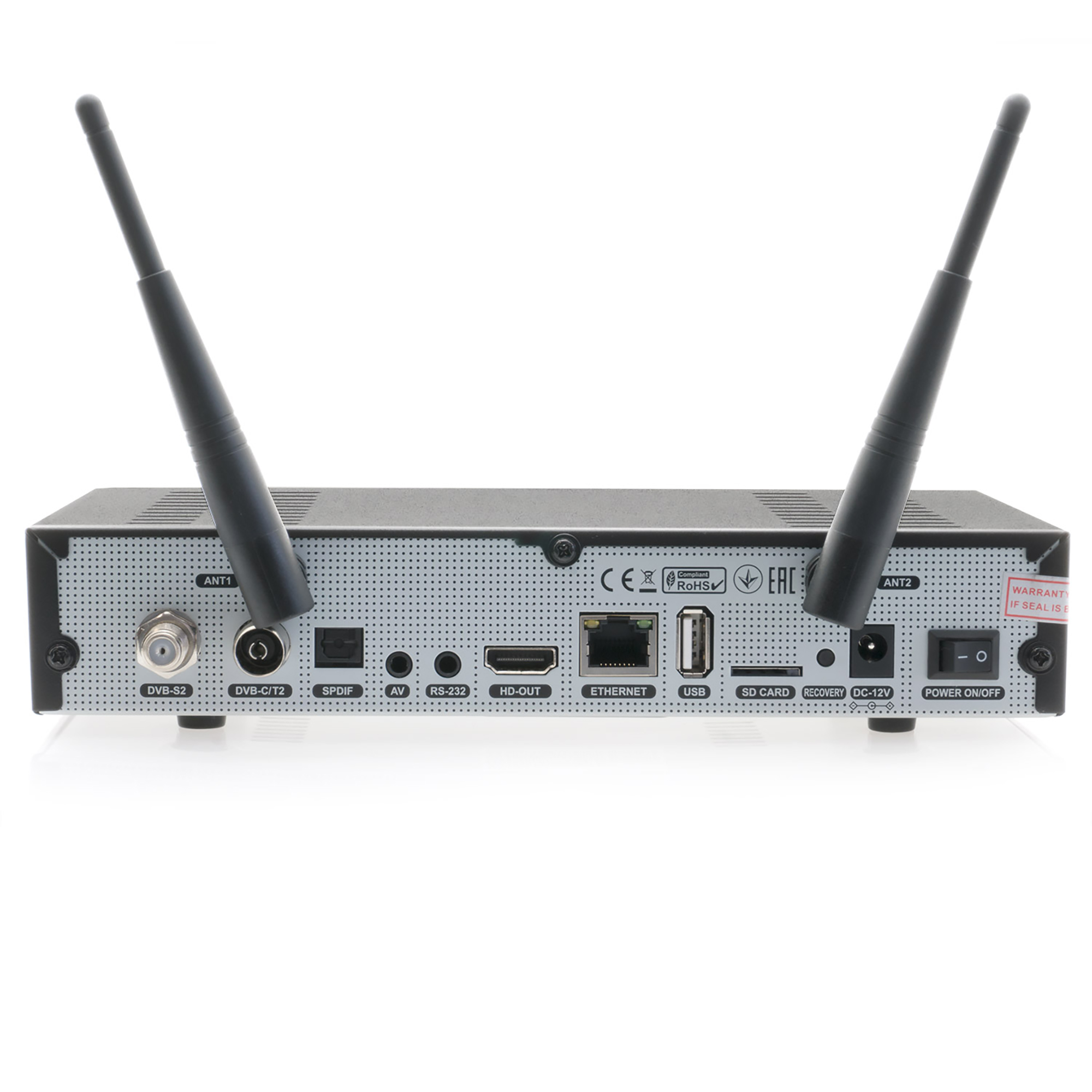
Octagon SF8008 4K UHD - Doesn't want to flash with network, USB and recovery image

There are 19 replies in this Thread which was already clicked 3,477 times. The last Post () by Hannibal_Lecter.

  • Hi all

    I got an SF8008 4K UHD brand new couple of days ago with OpenATV 6.3 in slot1 and Define7 in slot2.

    I just wanted to upgrade the OpenATV to 7.5.1 and I tried the Network Multiboot upgrade in the recovery menu but although it showed progress, it didn't install the 7.5.1 in the slot3 as I selected.

    Repeated several time with the same result, I then decide to try the USB Multiboot flash, downloaded the file from the OpenATV repository and got the same problem, it progressed but at the end it doesn't show the image in slot3.

    Tried again the USB flash with different pendrive, the box read the pendrive without problem (4, 8, 16 and even 32 Gb) but same result, no way to install the image in slot3 or even in any other free slot.

    I then decided to go for Flash Recovery, downloaded a recovery image, unzipped and put in the USB pendrive.

    The box recognize that there is an image and ask if I want to proceed with the recovery flash, hit Yes and it take about 2 to 3 minutes to install the image but it always end up with "Flash Recovery Image failed, please check!!" and nothing happens.

    Tried several times with different recovery with the same result.

    After a lot of try I restarted the box on slot1 and the factory installed OpenATV 6.3 that worked fine didn't work anymore, it started the splash screen then it displayed some cyan orizontal lines then it ended up on a green screen with a "sorry and an error message" then the screen became black and nothing more happened.

    Tried again to restart, same result, after a few restart it went stuck at boot with splash screen.

    I removed the OpenATV 6.3 in slot1 and started the Define7 in slot2 with no issue.

    I then went back to try again to install other images in slot1, 3 and 4 using network, after one day of tentative I randomly suceeded to install the OpenATV 7.5.1 in slot4 and OpenPli 9 in slot3 but both of them didn't boot, the box was stuck at the Octagon bootstrap screen with the front panel display showing "boot".


    Any suggestion or help?

    Running the Define7 I can access the box with Filezilla whereas when it is stuck at boot, no way to connect it from the network.

    I tried all the tricks found around in the forums but no way to make it work.


    Thank you guys for you help

  • Amircare

    Changed the title of the thread from “Octagon SF8008 4K UHD - Doesn't want to flash or USB Multiboot image upgrade” to “Octagon SF8008 4K UHD - Doesn't want to flash with network, USB and recovery image”.
  • Dear friend, where did you get the image from?


    If you want to upgrade your box from image 6.3 to 7.5.1, the best thing to do is a clean install image.


    Go here and download the 7.5.1 image

    openATV Nightly Downloads


    NOTE: Use the image that says at the end: mmc.zip

    Don't use the one it says (recovery_emmc.zip) because you will erase everything you have in the box including Define OS.


    Place the file exactly as it comes on a Pen Drive (do not unzip it).

    For example: If the image comes out zipped with this name, don't change anything, put the file on a Pen Drive and leave everything as it is. openatv-7.5.1-sf8008-20250713_mmc.zip


    Insert the flash drive into the box. Then, go to the SETTINGS tab, then SOFTWARE MANAGER, then ONLINE FLASH. Find the image you placed on the flash drive, choose the slot where you want to install OpenATV 7.5.1, and perform a clean install.


    Do the same with any other images you want to install!


    Don't forget that to install OpenPLI, you must install it using the OpenATV image.


    Egami 10.6 r14 (py 3.12 image) SLOT 1 or SLOT 3 do as you want

    Define OS SLOT 2

    OpenATV 7.5.1 (py 3.12 image) SLOT 3 or SLOT 1 do as you want

    OpenATV 7.6 (py 3.13 image) SLOT 4

    OpenPLI 15.1 (py 3.13 image, as a second option)

    Of course, to have 5 images installed, you'll need a memory card in the box to add more slots.

  • Hello Corpina, thank you for your message

    I cannot boot the OpenATV 6.3 anymore, it crashed and now it's stuck at boot with the logo on screen, no way to start it.

    I tried what you say, I downloaded the right image _mmc.zip and not the recovery one, but no way to get it flashed.

    Flashing via USB using the recovery menu never worked, it started but after unzipping the image, it said image uploaded but no way to have the image running, the image is not even shown in the boot selector.

    Repeating the procedure I got the same issue but the process is randomly short or even long, but same result, image not installed at all.

    I think there's something wrong with the receiver mother board or something at lower level.

    I'm deciding to send it back and get a VU+ SOLO 4K.

    In any case thank you for the hints

  • I only use this if there is no boot. I turn off the receiver at the last switch from the power supply. Then I simultaneously turn the receiver on and hold the Power button on the receiver until the boot image appears - then I select Recovery - the USB stick should already be inserted into the USB port. The file contains the complete OpenATV 7.2 and Define 6.4. When these two software are booted, I can then install other images on my own, port 3, 4, etc.

    On the Octagon SF8008 4K UHD, slots 1 to 4 must have files with the eMMC extension, while slots 5 and onwards are installed with .MMC.

    For example: openatv-7.2-sf8008-backup-20241112_1018_recovery_emmc

  • scarica direttamente OpenATV col ricevitore octagon

    spegni il ricevitore con l'interruttore sul retro.

    tieni premuto il bottone di spegnimento sul frontale e accendi l'interruttore sul retro.

    come si visualizza sul display mupd lascia il bottone e attendi

    scegli dal menù

    network multiboot upgrade

    Attenzione a questo punto seleziona subito uno slot libero su cui caricare l'immagine.

    non lo slot 1 perchè sovrascriverai tutte le 4 immagini presenti.

    dal menu image select seleziona coi tasti destro sinistro l'immagine che desideri installare

    octagon

    avvia il caricamneto con start upgrade e ok


    translate.google

    download OpenATV directly with the octagon receiver

    turn off the receiver with the switch on the back.

    hold down the off button on the front and turn on the switch on the back.

    as it appears on the mupd display release the button and wait

    choose from the menu

    network multiboot upgrade

    Attention at this point immediately select a free slot on which to load the image.

    not slot 1 because you will overwrite all 4 images present.

    from the image select menu select with the right left buttons the image you want to install

    octagon

    start the loading with start upgrade and ok

  • Already done!

    I tried everything I knew and everything I found online, no way to upgrade the box.

    The box reacts differently if you try to perform the same action (network or USB flash) some time it unzips the image and stops sometime it unzips the image then starts uploading it in the box but doesn't succeed although it says "flashed".

    Something wrong in the kernel I think

    Thank you guys

  • Already used the back recovery button, no way, same result.

    Answer to a previous question, the USB pendrives formatted FAT32, different types and different sizes, the box sees all of them, so the problem shouldn't be the USB

  • You can try another method!


    Turn off the box using the power button.


    Turn the box back on and simultaneously press the front button for 5-6 seconds. Then, try installing an OpenATV image.


    Watch this video on YouTube


    If it doesn't work, you'll need to install a recovery image.

    openATV Nightly Downloads


    openatv-7.5.1-sf8008-20250713_recovery_emmc.zip

    But you should know that this image will erase everything on the box, and you'll then have to reinstall everything again.

  • I'll watch the video.

    In any case, install a recovery doesn't work, it never worked, it always ends up with the error "Flash recovery image failed" as in the picture I attached to my first post.

    This is the reason why I think there's something wrong at low level in the kernel, maybe files write rights wrongly set at the factory.

    I'll return it, no way

    Edited once, last by Amircare ().

  • Try this:


    Turn off the back of the box.


    Copy the entire zip directory (do not unzip) onto the USB stick (1GB or 2GB). Insert the USB stick into the side.


    Then start the box in boot mode (turn on the power button on the back and hold down the power button on the front). In the menu, go to USB Update and select a location where you want the new image to go. Start and wait. Good luck


    openvix-6.7.013.release-sf8008_recovery_emmc.zip

    °Never change a running system°


OCTAGON SF8008 * SUPREME 4K UHD Linux Enigma 2 2160p H.265 HEVC Dual Wifi Multi-Stream DVB-S2X & DVB-C/T2 Combo Receiver

Download OCTAGON SF8008 & SUPREME 4K UHD (DUAL OS) Images and Enigma2 Team Support from OpenATV - OpenBh - OpenPLi - Open Vision - PurE2

Participate now!

Don’t have an account yet? Register yourself now and be a part of our community!