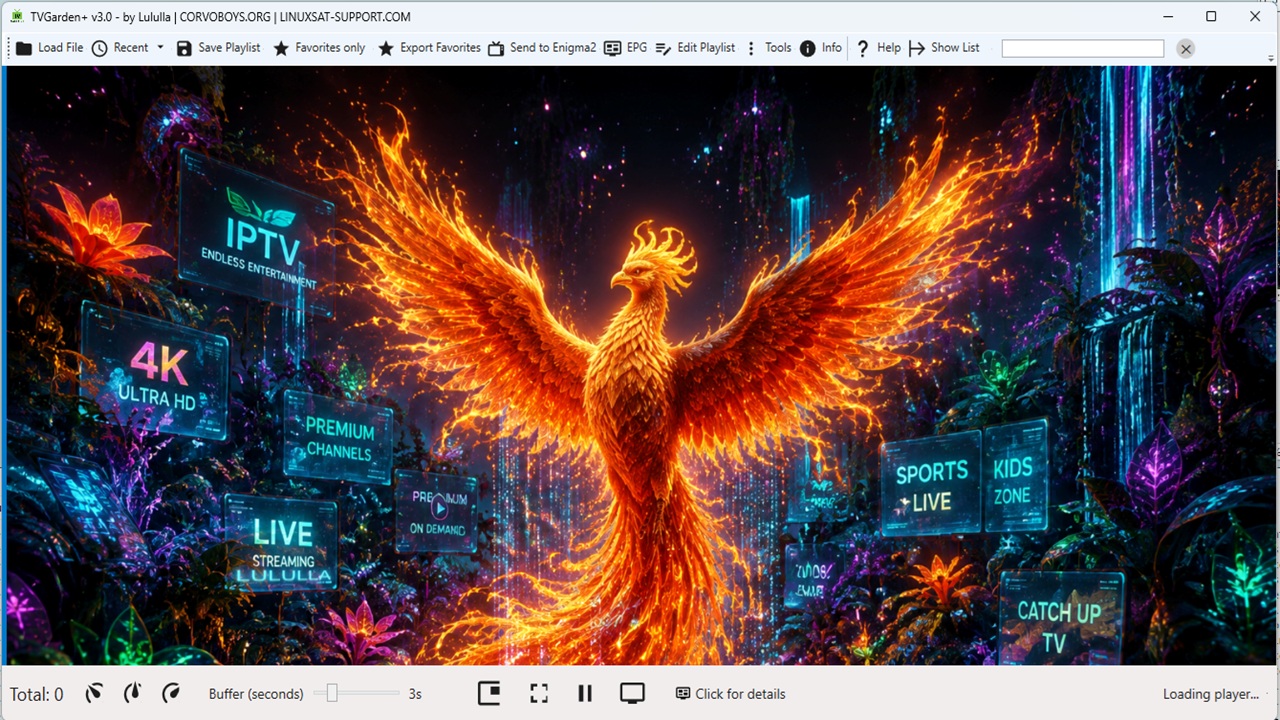
Lululla added a new version:
### 📊 Playlist Comparison (Compare)
- **New "Compare..." button** in the playlist editor toolbar.
- **Load second playlist** from local file (JSON/M3U) or from URL.
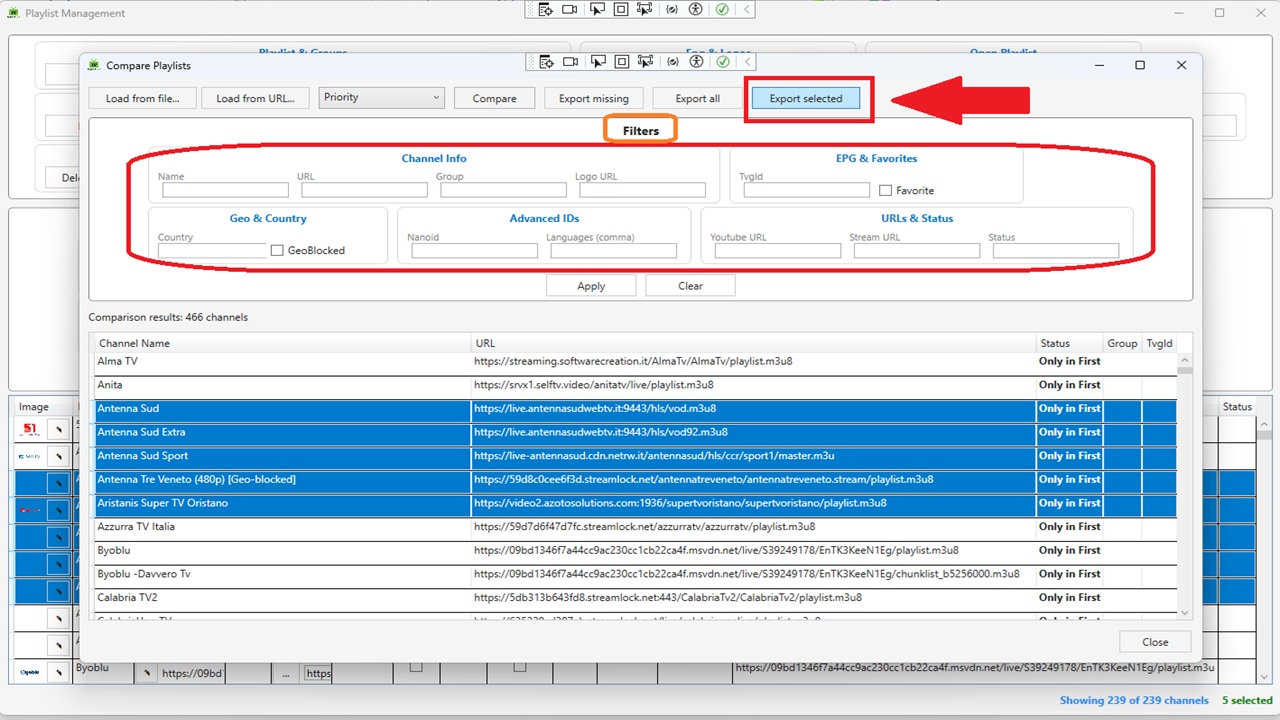
- **Full filter panel** – Same filters as the playlist editor: Name, URL, Group, Logo URL, TvgId, Favorite, Country, GeoBlocked, Nanoid, Languages (comma), Youtube URL, Stream URL, Status.
- **Compare by field** – Choose between: Name, URL, TvgId, Logo, Group, Country, Languages, Nanoid.
- **Smart…
## LiveGardenTVPlus – Changelog (v2.8)
### 📊 Playlist Comparison (Compare)
- **New "Compare..." button** in the playlist editor toolbar.
- **Load second playlist** from local file (JSON/M3U) or from URL.
- **Full filter panel** – Same filters as the playlist editor: Name, URL, Group, Logo URL, TvgId, Favorite, Country, GeoBlocked, Nanoid, Languages (comma), Youtube URL, Stream URL, Status.
- **Compare by field** – Choose between: Name, URL, TvgId, Logo, Group, Country, Languages, Nanoid.
- **Smart (Priority) mode** – Intelligent matching with priority:
1. **URL** – normalized (removes protocol, domain, extensions, common segments). If at least one URL matches, channels are considered equal.
2. **Name** – normalized (removes quality indicators like `(1080p)`, `[HD]`, etc.).
3. **TvgId**
4. **Logo**
- **Results grid** – Shows status (`Only in First`, `Only in Second`, `In Both`). Click column headers to sort.
- **Export results**:
- **Export missing** – exports only channels present in the second playlist but not in the first (useful for integration).
- **Export all** – exports the entire second playlist.
- **Export selected** – exports only the rows selected in the results grid.
- Supported formats: JSON (all fields) and M3U.
### 🖥️ Playlist Editor Enhancements
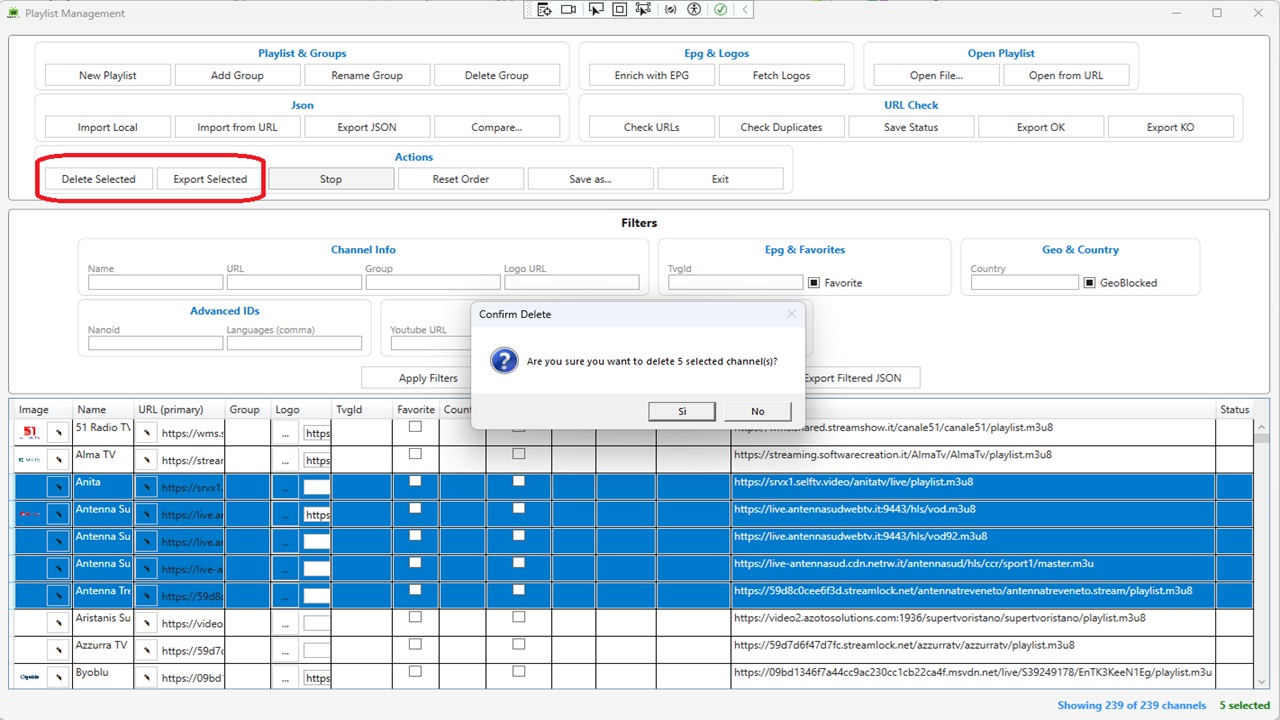
- **Export Selected** – New button in the Actions group. Exports only the channels selected in the DataGrid (M3U or JSON).
- **Delete Selected** – Supports multi‑row deletion with confirmation, automatically updates filters and channel count.
- **Stop Button** – Cancels long‑running operations (URL checks, logo fetching, etc.).
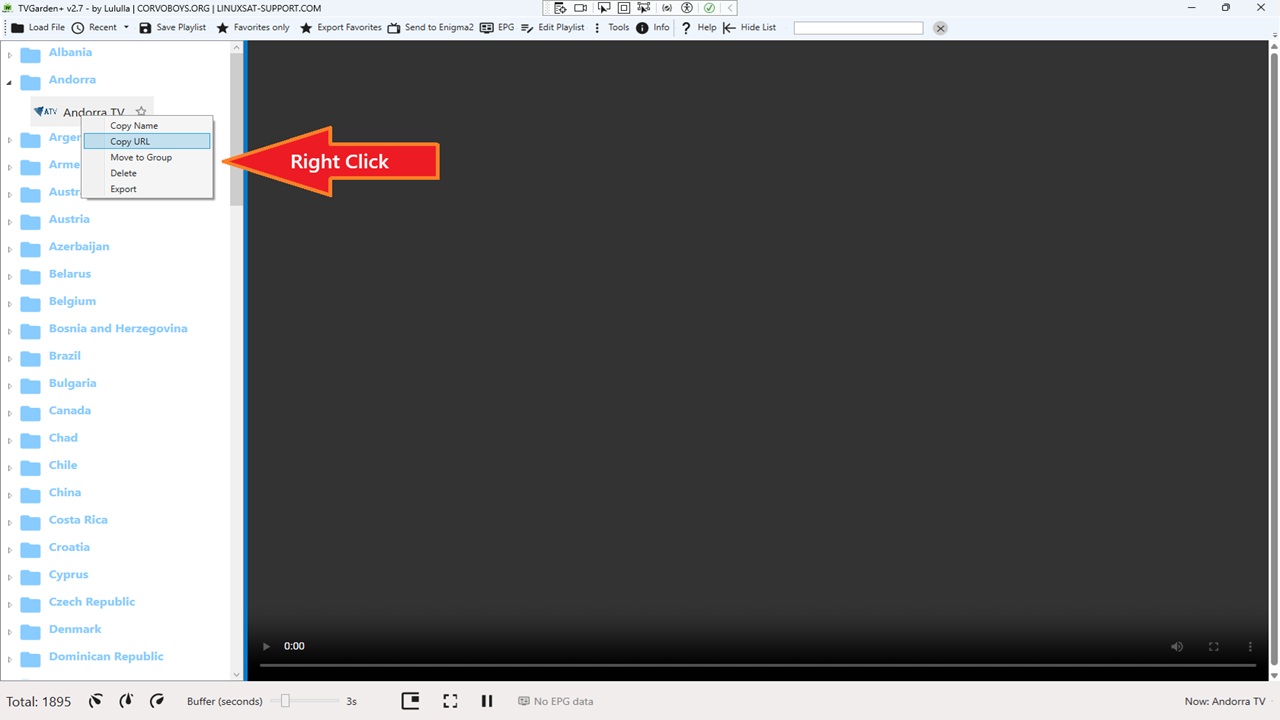
### 📋 Main Window Context Menu
Right‑click any channel in the left TreeView to access:
- **Copy Name** – Copies the channel name to the clipboard.
- **Copy URL** – Copies the channel URL to the clipboard.
- **Move to Group** – Opens a dialog to select an existing group (or create a new one) and moves the channel.
- **Delete** – Removes the selected channel with confirmation.
- **Export** – Exports the single channel as M3U or JSON.
### 🎨 Theme Fixes
- Added `DataGridCell` and `DataGridRow` selection styles to all 16 themes.
- Selected rows and cells now correctly display with the theme's `AccentBrush` background and white text, eliminating white‑on‑white or black‑on‑black visibility issues.
### 🐛 Bug Fixes
- Fixed DataGrid row selection – text no longer white‑on‑white (or black‑on‑black) across themes.
- Fixed URL comparison – matching now works URL‑by‑URL (any match = match).
- Fixed JSON import for deeply nested structures (e.g., `tvg.id`, `tvg.logo`, `group.title`, `http.referrer`).
### 🌐 New Translations
All new strings for filters, export selected, context menu, and comparison features are fully localizable via `LanguageManager`.
 |  |
 |