Lululla added a new file:
QuoteDisplay MoreLiveGardenTVPlus – IPTV Player for Windows
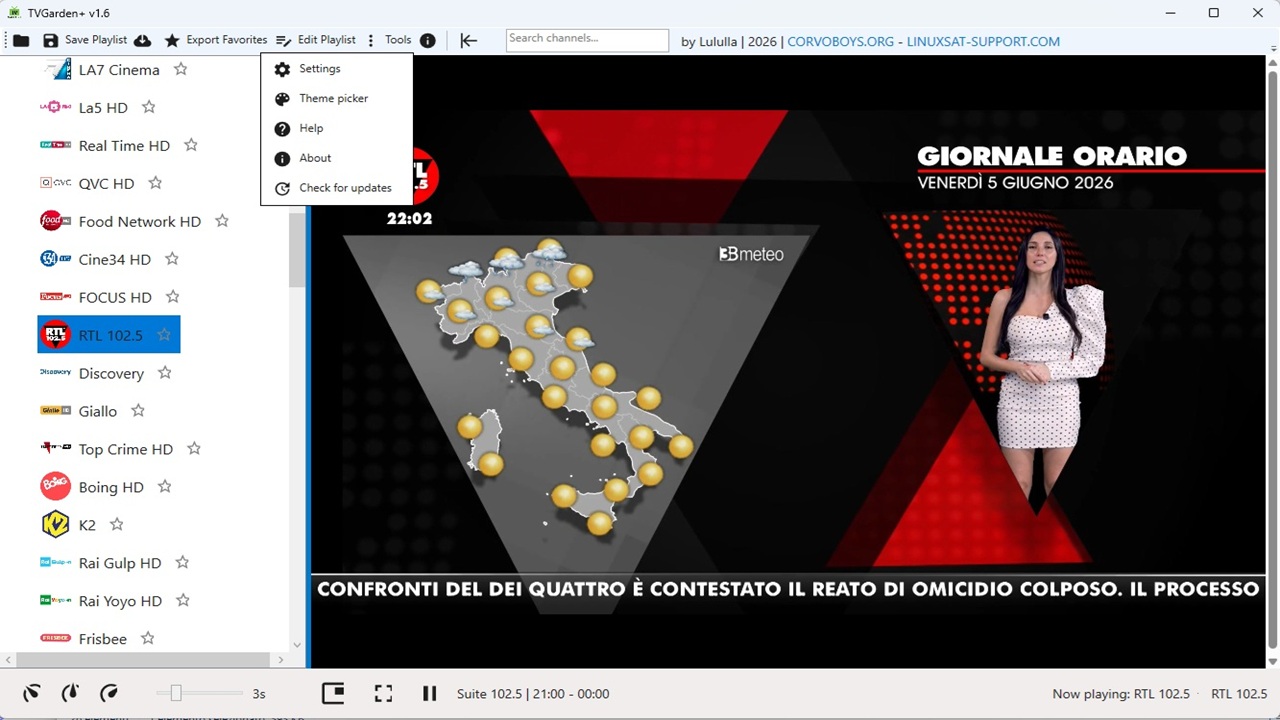
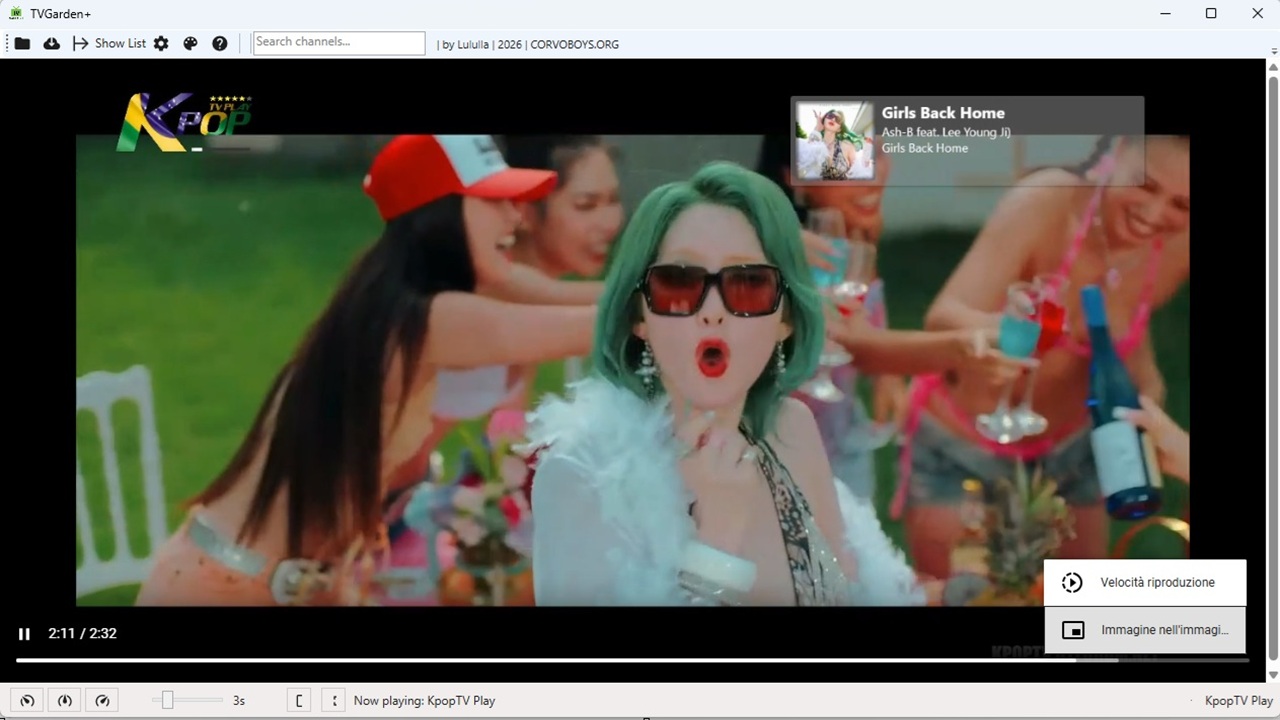
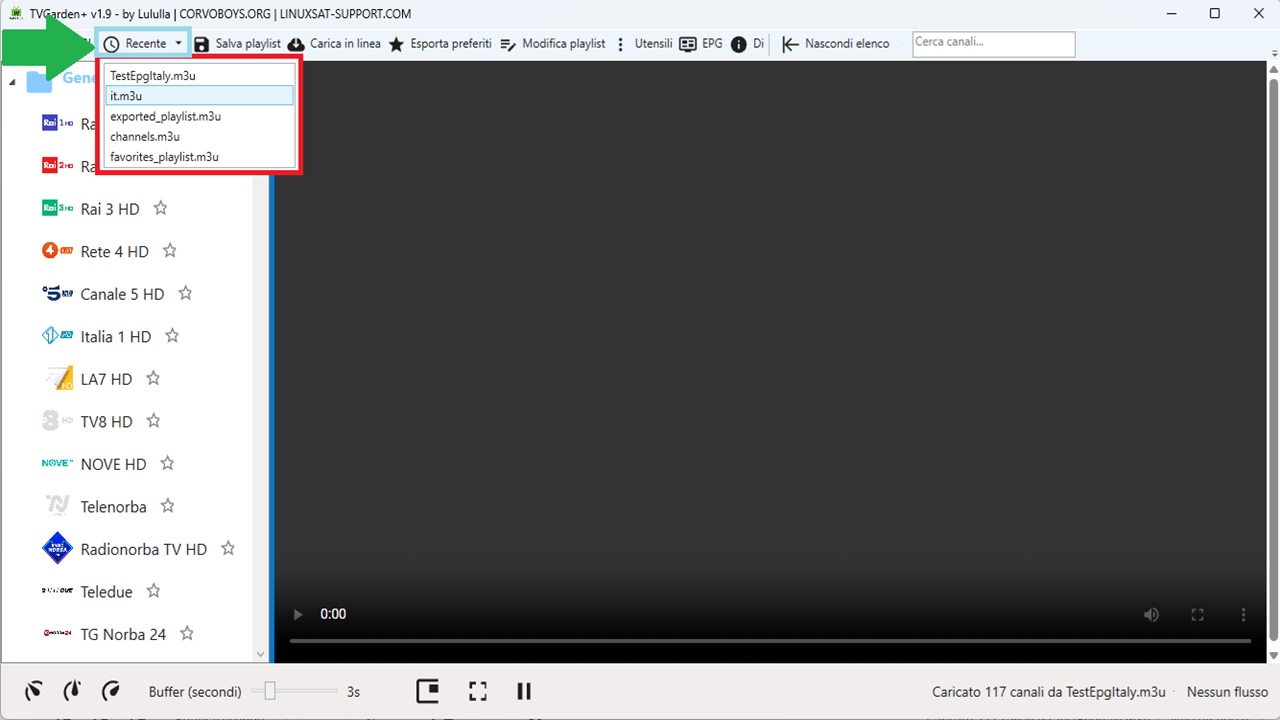
LiveGardenTVPlus is a desktop IPTV player for Windows (WPF / .NET 10) that plays HLS streams (m3u8) using WebView2 and hls.js.
It loads local or online M3U playlists, organizes channels by groups, and provides a modern, themeable interface.
Screenshots
linuxsat-support.com/cms/attachment/362197/
Preview 0
Preview 1
Preview 2
Preview 3
Preview 4
Preview 5
Preview 6
Preview 7
Preview 8
Preview 9
Preview 10
Preview 11
Preview 12
Preview 13
Preview 14
Preview 15
Preview 16
Changelog
🚀 LiveGardenTVPlus – Changelog (v1.9)
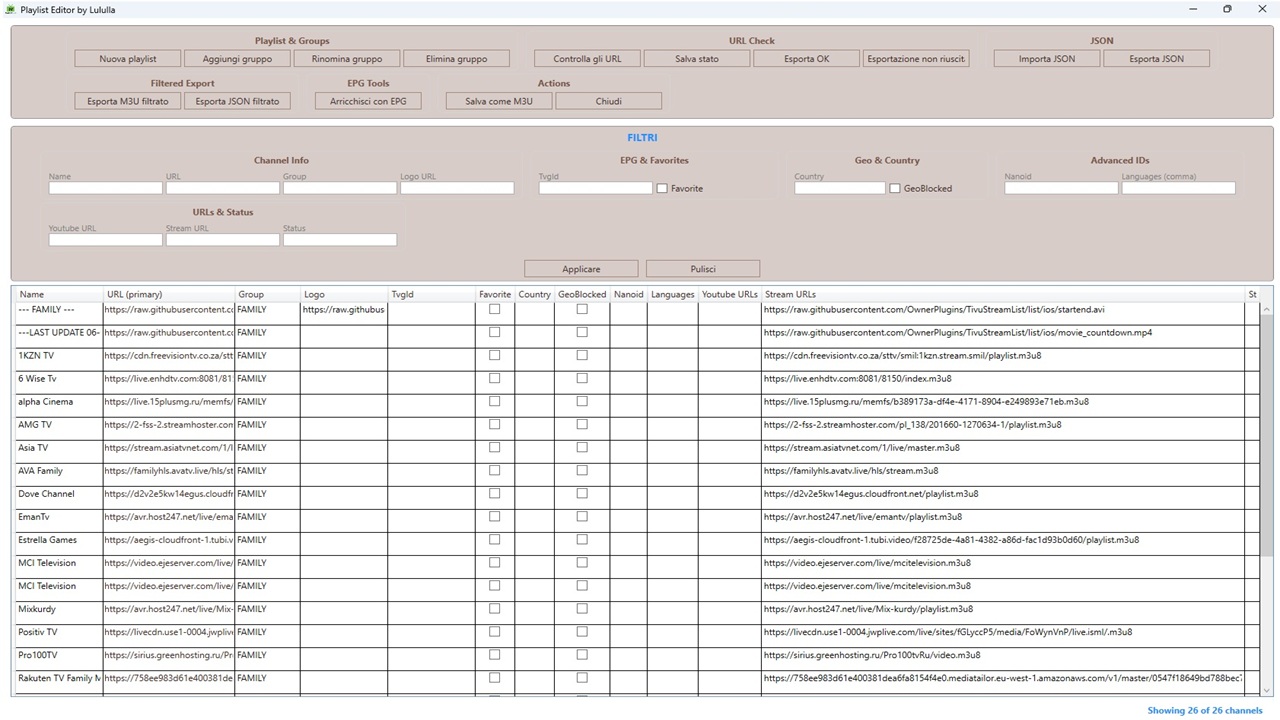
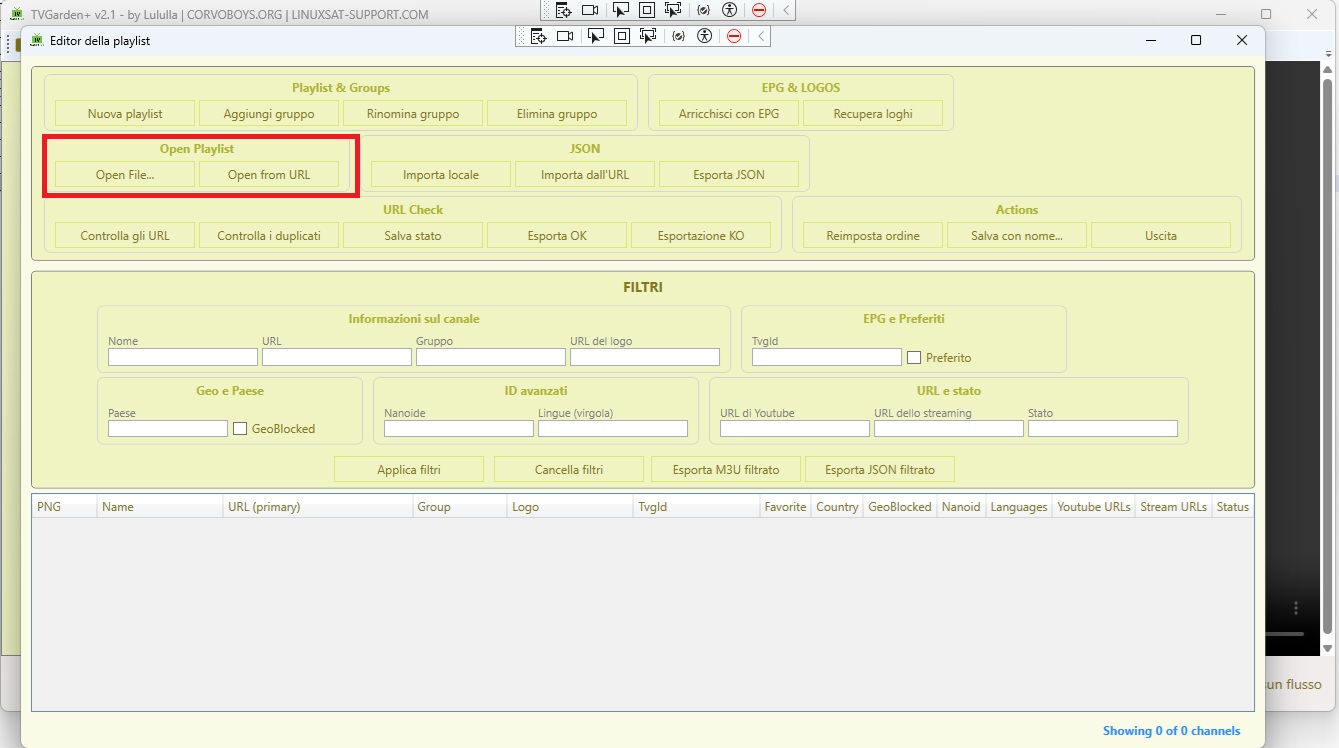
🛠️ Playlist Editor Enhancements
- URL Check – Tests only filtered channels; shows deterministic progress bar. Channels with zero working URLs get status "FAIL".
- Export OK / FAIL – Export only working or failed channels (based on URL check).
- Enrich with EPG – Adds missing
tvg-idtags using fuzzy matching.- Check Duplicates – Detects duplicate URLs across channels.
- Multiple URLs per channel – Comma‑separated URLs in cell edit mode; stored as list in JSON.
- Channel Details Window – Double‑click row or click edit button to open a dedicated window with full channel details (name, URL, group, logo, tvg-id, favorite, country, geoblocked, languages, logo preview). Includes Previous / Next navigation through playlist and live logo preview update.
- Icon column – Small logo preview before channel name in the grid.
🎨 Interface & Usability
- Dynamic Theme Support – All windows respect the selected theme (16 themes + Light/Dark). Standard brush keys (
WindowBackgroundBrush,ForegroundBrush,ControlBackgroundBrush,BorderBrush,AccentBrush,AlternateRowBackgroundBrush) unified across all theme files.- Localization – All UI texts (EPG, logos, editor, settings, detail window, URL editor) translatable via
LanguageManager. Added language change event handling to all windows.- Progress Feedback – Indeterminate progress while downloading logos index; deterministic progress during Fetch Logos.
- Resizable Sidebar – Draggable
GridSplitterbetween channel list and player.- Clickable Credits – Links to CORVOBOYS.ORG and LINUXSAT-SUPPORT.COM.
🐛 Bug Fixes
- Fixed thread safety issues in timeshift timer and EPG parsing.
- Fixed export OK/FAIL after URL check – channels with zero working URLs now get "FAIL" status.
- Fixed theme colors in SettingsWindow and PlaylistEditorWindow (all controls now use
DynamicResource).- Fixed
UrlToImageConverterand other converters (syntax errors removed).- Fixed window background being black – added fallback brushes in App.xaml and unified theme keys across all theme files.
- Fixed language change event subscription (use
LanguageManager.LanguageChanged += ApplyLanguagewithout parameters).- Fixed channel details window counter positioning (moved below buttons, centered).
🆕 New Features & Improvements – Version 1.8
🖼️ Remote Logos Management
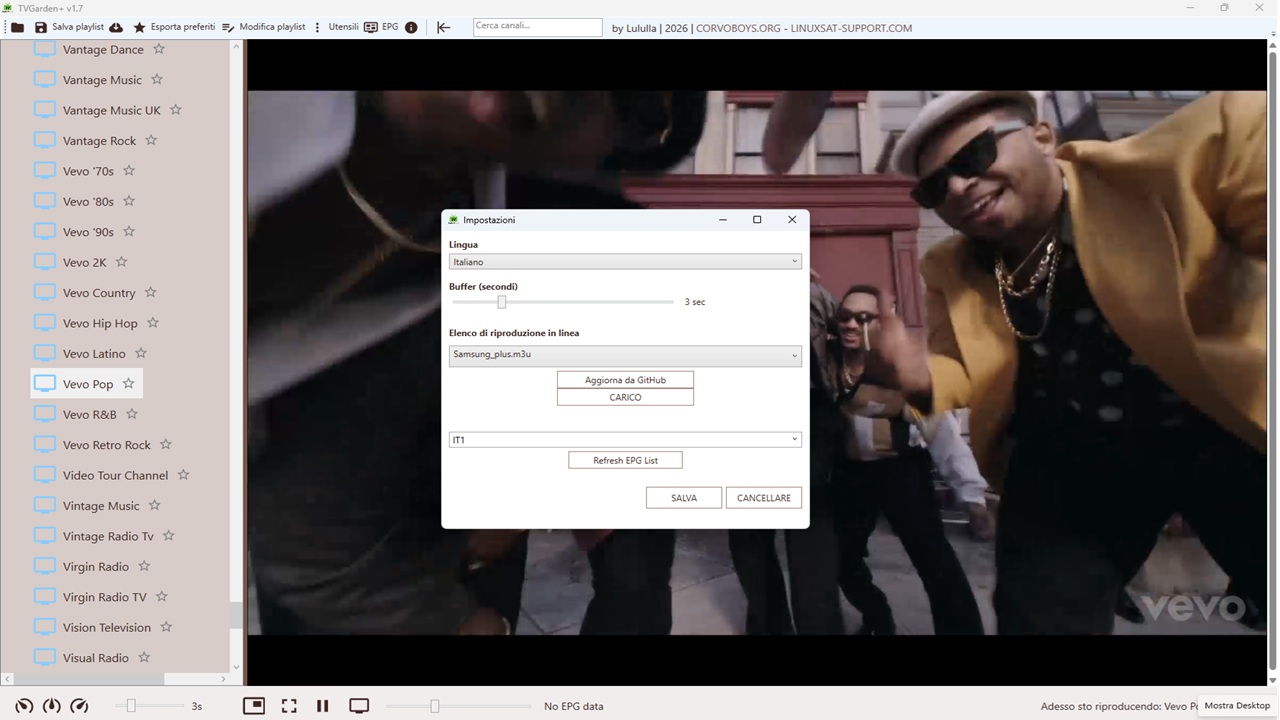
- Logo Source Selector – Choose from predefined repositories (OwnerPlugins/logos, picons/picons) or enter a custom URL in Settings.
- Subfolder Filtering – Limit logos to specific folders (SNP, PROVIDER, ALL) for faster matching.
- Fetch Logos – Automatically assign logos to playlist channels using fuzzy matching (Levenshtein distance) with adjustable threshold.
- Logo Picker Window – Browse available logos with search, thumbnails (on/off toggle), and double‑click selection. Virtualized list for performance.
- Manual Logo Assignment – Click the “...” button in the Logo cell to open the picker and assign a logo manually.
- Persistent Cache – Logos index and thumbnails are cached locally. First load is slower; subsequent loads are instant.
📺 EPG (Electronic Program Guide)
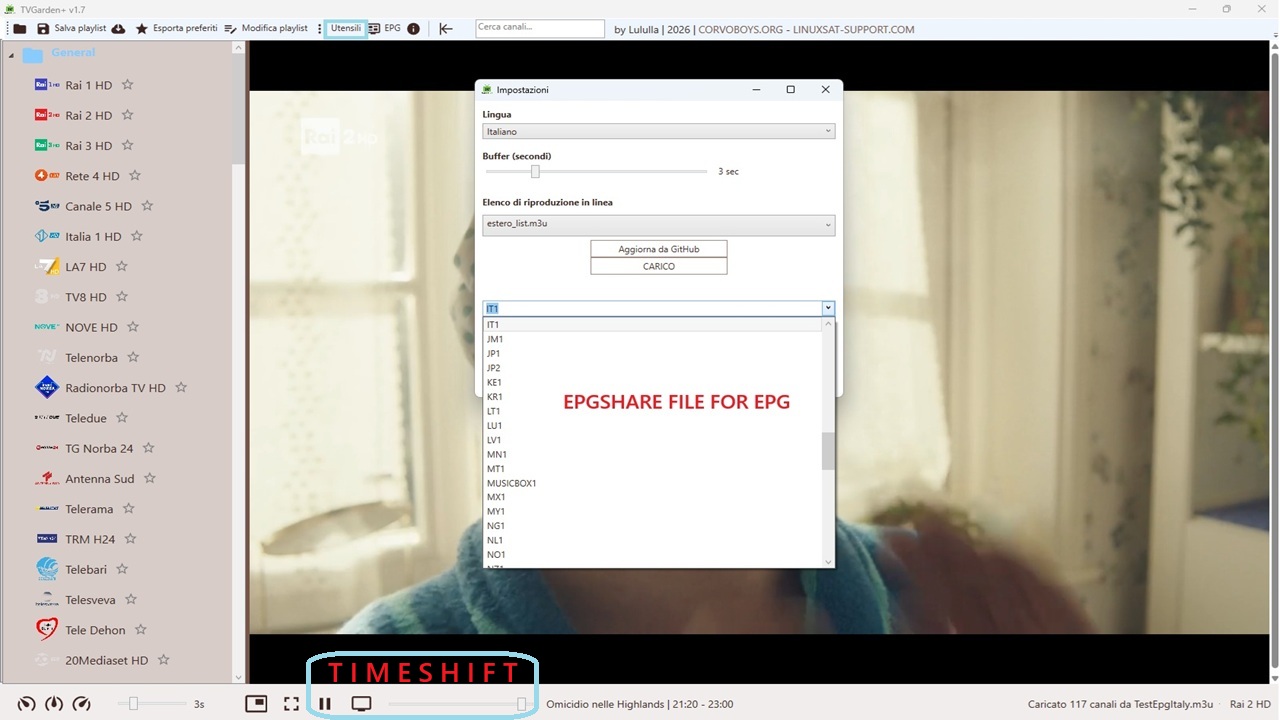
- Adjustable Matching Threshold – Slider in Settings (0.5 – 1.0) controls how strictly channel names are matched to EPG ids. Lower = more matches, higher = exact or very similar names.
- EPG Source Selector – Choose from multiple XMLTV files (epgshare01) or enter a custom URL (already present, now with threshold control).
🛠️ Playlist Editor Enhancements
- Unified Save As – Export playlist to M3U, JSON, or CSV from a single dialog.
- New Playlist Button – Create an empty playlist directly from the editor.
- Reorganized Toolbar – Buttons grouped into bordered sections (Playlist & Groups, URL Check, JSON, Filtered Export, EPG & LOGOS, Actions) for clarity.
- Enhanced Filters Section – Each filter group has its own border and label; each field has a descriptive label above it.
- Improved Export Logic – Channels without a valid URL are skipped when saving M3U (avoids empty entries).
- Group Management – Add, rename, delete groups with multi‑select support; new group creates an empty channel row.
🎨 Interface & Usability
- Dynamic Theme Support – All UI elements (ComboBoxes, filter labels, etc.) now respect the selected theme. Added fallback brushes to prevent black backgrounds.
- Progress Feedback – Deterministic progress bar during “Fetch Logos” (channel‑by‑channel) and indeterminate progress while downloading the logos index.
- Localization – All new texts (threshold labels, logos picker, editor buttons, filter labels) are translatable via LanguageManager.
🐛 Bug Fixes
- Fixed
NullReferenceExceptionin LogoPickerWindow and SettingsWindow (added null checks and Loaded event initialization).- Fixed M3U export – URLs are no longer missing; channels without a valid URL are skipped.
- Fixed PlaylistEditorWindow constructor – removed erroneous line that caused compile errors.
- Fixed theme colors in SettingsWindow (ComboBoxes and labels now follow the selected theme).
- Fixed filter section colors in PlaylistEditorWindow (text boxes and labels use dynamic resources).
🆕 New Features & Improvements – Version 1.7
📺 EPG (Electronic Program Guide)
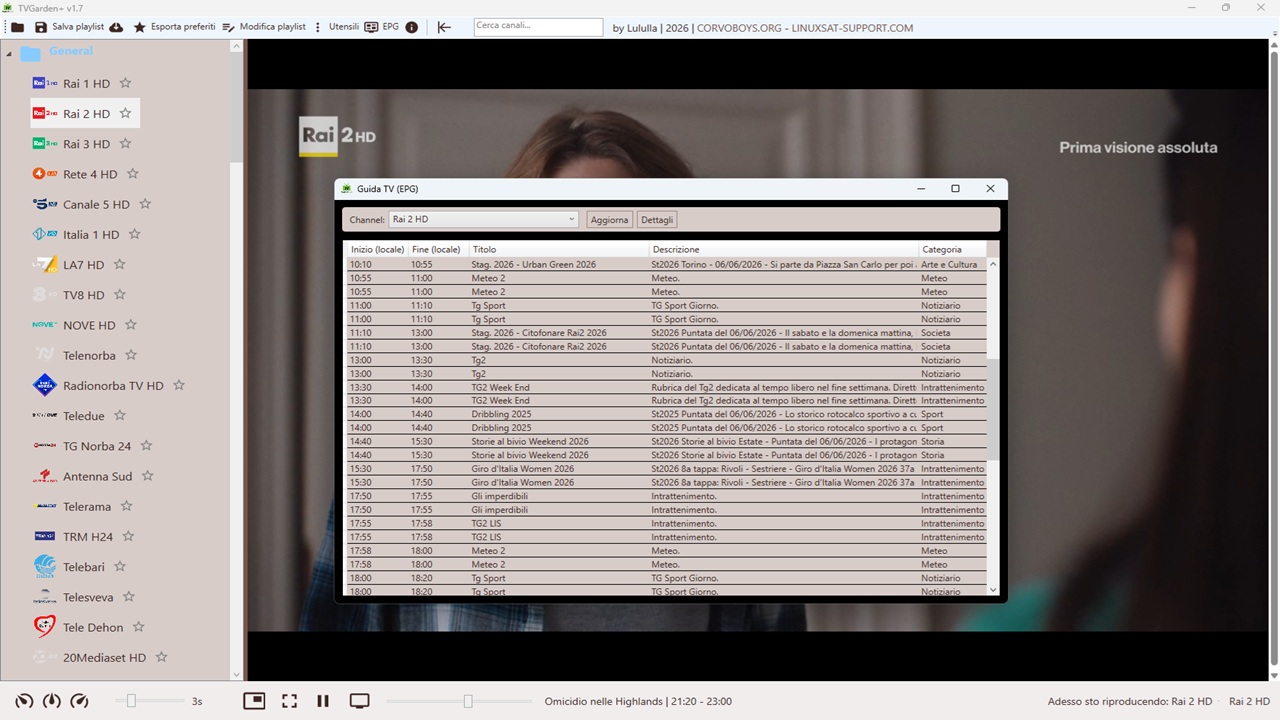
- Full TV Guide Window – Dedicated EPG window accessible from the main toolbar.
- Program List – Select a channel and view all programmes for the day (start/end time, title, description, category).
- Program Details – Double‑click any programme (or use the "Details" button) to see the full description.
- Fuzzy Channel Matching – Automatically matches M3U channels to XMLTV channels even when
tvg-idis missing or differs (Levenshtein distance).- Selectable EPG Source – Choose from multiple XMLTV files (epgshare01) or enter a custom URL in Settings.
- XMLTV Support – Parses
.xmland.gzcompressed files with timezone offset handling.- Current Programme – Status bar shows the current programme title and local time for the selected channel.
- Enrich M3U – Editor button adds missing
tvg-idtags to your playlist based on fuzzy matching.
⏪ Timeshift (Live DVR)
- Pause / Resume – Pause a live HLS stream and resume from the same point (circular buffer).
- Timeshift Slider – Appears automatically when buffer is available; drag to seek backwards in the live stream.
- "Live" Button – Instantly return to the most recent point of the live stream.
- Works with HLS (
.m3u8) and direct video files (.mp4,.mkv,.ts).
🎨 Interface & Usability
- Channel Logos – Logos (
tvg-logo) are downloaded and shown next to each channel, with fallback icon.- M3U8 Support – Player correctly plays
.m3u8(HLS) streams via HLS.js.- Improved M3U Parser – Skips unknown tags and extra comment lines, ensures all channels load.
- Resizable Sidebar – Draggable
GridSplitterbetween channel list and player.- Larger UI Elements – Logos 32x32, channel text 16px, status bar height 55px.
- Clickable Credits – Links to
CORVOBOYS.ORGandLINUXSAT-SUPPORT.COM.- Dynamic Language Switching – UI updates instantly (no restart required).
- Stable Streaming – Fixed issues that caused playback to fail after EPG and logos were added.
🐛 Bug Fixes
- Fixed playlist URL not loading correctly on startup.
- Fixed language persistence and UI refresh.
- Fixed parser bug where channels with extra metadata lines were skipped.
- Fixed thread safety issues in timeshift timer and EPG parsing.
- Fixed settings dialog crashing on save (no more full restart).
🆕 New Features & Improvements – Version 1.6
Playlist Editor (
PlaylistEditorWindow)
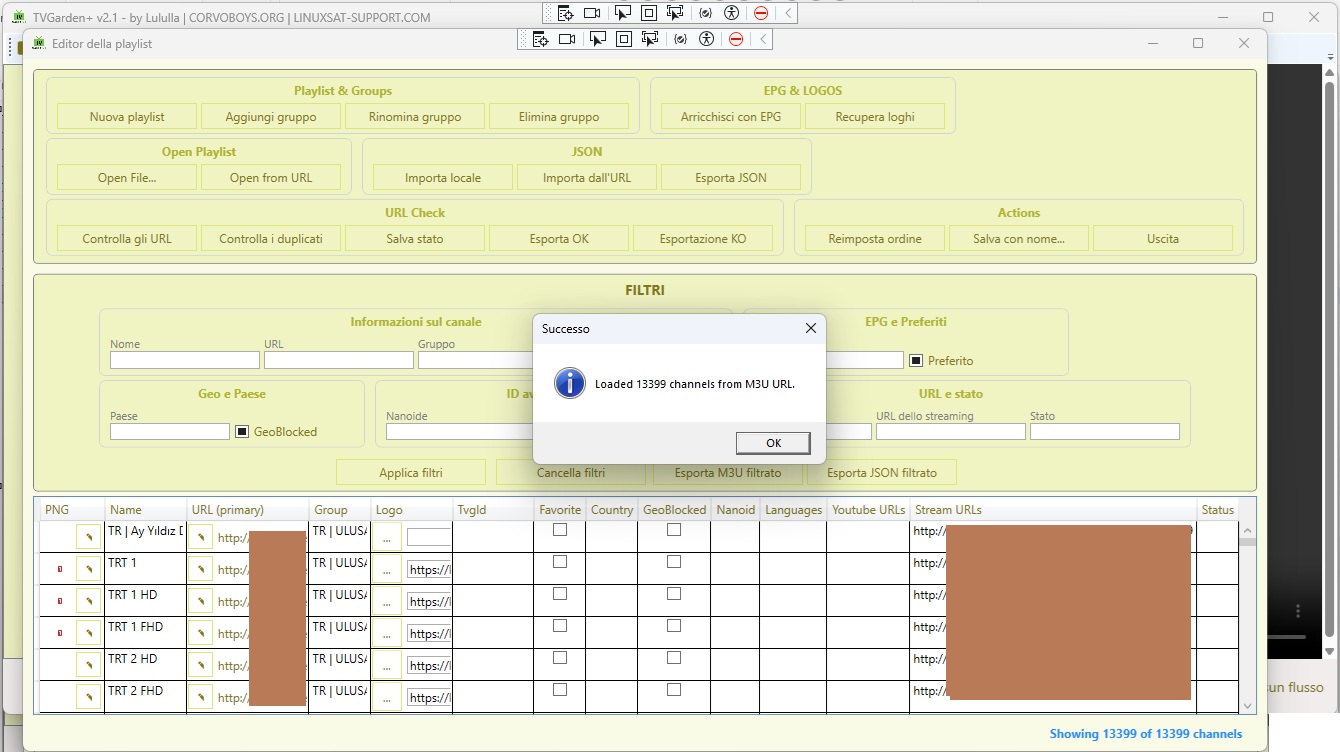
- Full channel view in an editable
DataGridwith columns:Name,URL (primary),Group,Logo,TvgId,Favorite,Country,GeoBlocked,Nanoid,Languages,Youtube URLs,Stream URLs,Status.- Inline editing of all fields (except read‑only columns like
LanguagesandURLswhich display concatenated lists).- Group management:
Add Group– assigns a new group to all channels without a group.Rename Group– renames the group of the selected channel (and all channels in that group).Delete Group– deletes all channels belonging to the selected group.- URL check:
- Tests all URLs in
stream_urlsandyoutube_urls.- Displays status in the
Statuscolumn (e.g.2/3 OK,No URLs,FAIL).- Shows a progress bar and completion message.
- Advanced filters (above the DataGrid):
- Filters for every column (text, checkboxes) with placeholders and tooltips.
Apply FilterandClear Filterbuttons.- Dynamic counter
(n / total)of currently visible channels.- Visual border with the title
FILTERS.- Selective export:
Export OK– exports only channels withOKstatus to an M3U file.Export Failed– exports only channels withFAILstatus to an M3U file.Export Filtered M3U– exports the currently filtered channels to an M3U file.Export Filtered JSON– exports the currently filtered channels to a JSON file (full format).Export JSON– exports the entire playlist to a JSON file (all fields).Import JSON– loads a playlist from a JSON file (replaces current data).- Save:
Save As M3U– saves the current playlist (after edits) as an M3U file (standard fields only).- Close – button to exit the editor.
📄 JSON format example (import/export)
Code[ { "nanoid": "A7FjWEoxfZfQRg", "name": "BBC News Europe", "stream_urls": [ "https://aegis-cloudfront-1.tubi.video/bb1fc6ad-9948-42ea-aaf3-20acfcdeecac/playlist.m3u8", "https://amg00793-amg00793c6-firetv-us-4067.playouts.now.amagi.tv/playlist.m3u8", "https://amg00793-amg00793c6-xumo-us-2669.playouts.now.amagi.tv/BBCStudios-BBCEarthA-hls/playlist.m3u8", "https://pb-zjy36qhp8e8cz.akamaized.net/BBC_Earth_US.m3u8" ], "youtube_urls": [], "languages": [ "eng" ], "country": "uk", "isGeoBlocked": true, "logo_url": "https://example.com/logos/bbc.png", "group": "International", "tvg_id": "bbc.world", "isFavorite": false }, { "nanoid": "il2nOFg4MhHcyB", "name": "BBC Four", "stream_urls": [ "https://streamer.nexyl.uk/48559ccd-6400-457d-8acc-06b9e24c2ed8.m3u8" ], "youtube_urls": [], "languages": [ "eng" ], "country": "uk", "isGeoBlocked": true, "logo_url": "https://example.com/logos/bbc.png", "group": "International", "tvg_id": "bbc.world", "isFavorite": false } ]
🆕 New Features & Improvements – Version 1.5
- Playlist Editor – Built‑in editor to modify channel names, URLs, logos, groups, tvg‑id, and favorites. Save changes as a new M3U file.
- Group Management – Add, rename, or delete entire channel groups directly from the editor.
- URL Health Check – Test all channel URLs (with GET + range header) and display status (OK/FAIL) in the editor.
- Export OK / FAIL Channels – Export working or non‑working channels to separate CSV files for further inspection.
- Save Status Report – Export complete channel list with status to a CSV file.
- Save Playlist As – Button in main toolbar to save the current playlist (including any in‑memory edits) to a new M3U file.
- Export Favorites – Export only favourite channels to a standalone M3U playlist.
- Persistent Favorites – Favourites are saved in
favorites.jsonand automatically restored when reloading the same playlist (URL‑based matching with normalisation).- Timeshift (Pause Live) – Pause/Resume button in status bar allows pausing live HLS streams (works within the buffer window).
- Improved About Window - Dedicated about dialog with logo, animated avatar and a changelog that loads directly from the GitHub README (offline fallback included).
- Larger UI & Better Layout - Bigger icons, larger fonts, a resizable sidebar (GridSplitter) and clickable credit links (CORVOBOYS.ORG / LINUXSAT‑SUPPORT.COM). Much more comfortable on modern screens.
🐛 Bug Fixes
- Fixed false negatives in URL health check (now uses GET with range header).
- Fixed favourite star being cut off in the channel list (redesigned with a Grid layout).
- Fixed groups collapsing after toggling favourites (no more full refresh).
- Fixed playback starting with audio muted.
- Fixed several XAML binding errors and improved TreeView performance.
- Fixed image resources not showing in runtime (proper
pack://applicationURIs).- Fixed
Environment.Exit(0)causing the app to close instead of restarting during update.- Fixed missing
IsFavoritecolumn in the playlist editor.
✨ Features (Version 1.4
- Full EPG Support – Electronic Program Guide now fully functional with timezone handling. Current programme info displayed in the status bar.
- Channel Logos – Logos (
tvg-logo) are downloaded and shown next to each channel, with a fallback icon if missing.- M3U8 Support – Player now correctly plays
.m3u8(HLS) streams via HLS.js integration.- Improved M3U Parser – Skips unknown tags (
#EXTSIZE,#EXTVLCOPT, etc.) and extra comment lines, ensuring all channels load properly.- Resizable Sidebar – Added draggable
GridSplitterbetween channel list and player.- Larger UI Elements – Increased icon and font sizes for better readability (logos 32x32, channel text 16px, status bar height 55px).
- Clickable Credits – Split credits with separate clickable links for
CORVOBOYS.ORGandLINUXSAT-SUPPORT.COM.- Dynamic Language Switching – UI updates instantly when changing language in Settings (no restart required).
- Stable Streaming – Fixed issues that caused playback to fail after EPG and logos were added.
🐛 Bug Fixes
- Fixed playlist URL not loading correctly on startup.
- Fixed language persistence and UI refresh.
- Fixed parser bug where channels with extra metadata lines were skipped.
- Fixed
Environment.Exit(0)causing app to close instead of restart during update.
✨ Features (Version 1.3
- Electronic Program Guide (EPG) support
- EPG URL (
x-tvg-url) is automatically extracted from the M3U playlist header.- Program data is downloaded in the background (supports
.gzcompressed XMLTV).- Current programme title, start and end times are displayed in the status bar, automatically converted to the user’s local timezone.
- Timezone handling: supports UTC with explicit offset (e.g.,
+0200) or assumed UTC.- Channel logos
- Channel icons (
tvg-logo) are now displayed next to each channel in the TreeView.- Images are loaded from remote URLs with a fallback default icon when the logo is missing or fails to load.
- Improved visual appearance with larger, adjustable icon sizes (32x32) and bigger font for channel names.
🔧 Fixes
- M3U parser improvements
- The parser now correctly skips extra metadata lines (e.g.,
#EXTSIZE,#EXTVLCOPT) that were breaking URL extraction.- All channels, including those with additional tags, are now properly loaded.
- Streaming stability
- Restored reliable HLS playback that was temporarily affected by parser changes.
- WebView2 player initialisation simplified to avoid race conditions.
- UI enhancements
- Added a draggable
GridSplitterbetween channel list and player (resizable sidebar).- Toggle sidebar button now hides both the channel column and the splitter.
- Channel list items (logos, folder icons, text) enlarged for better readability.
✨ Features (Version 1.2
- Auto‑update – A new fix for "Update" and restarts the app after replacing files.
✨ Features (Version 1.1
- Auto‑update – A new "Update" button (toolbar or Help menu) checks for a newer version on GitHub.
If found, it downloads the ZIP, extracts it, and restarts the app after replacing files.- Version display – The current version (e.g.,
1.0) now appears in the main window title, in the Help dialog, and in the "No updates available" message.- Improved installer (Inno Setup)
- Multi‑language selection at startup (English, Italian, Arabic, French, Turkish, Polish, German, Spanish, Dutch, Portuguese, Russian).
- Donation page with QR codes (PayPal & Ko‑fi).
- Optional .NET Runtime info page with a clickable download link.
- Cleaner distribution – The ZIP and setup no longer include WebView2 cache or duplicate folders (
Languages\Languages,PlayerHost\PlayerHost).- Translations – All update‑related messages now use
LanguageManager.GetTranslation()for easier localization.
✨ Features (Version 1.0)
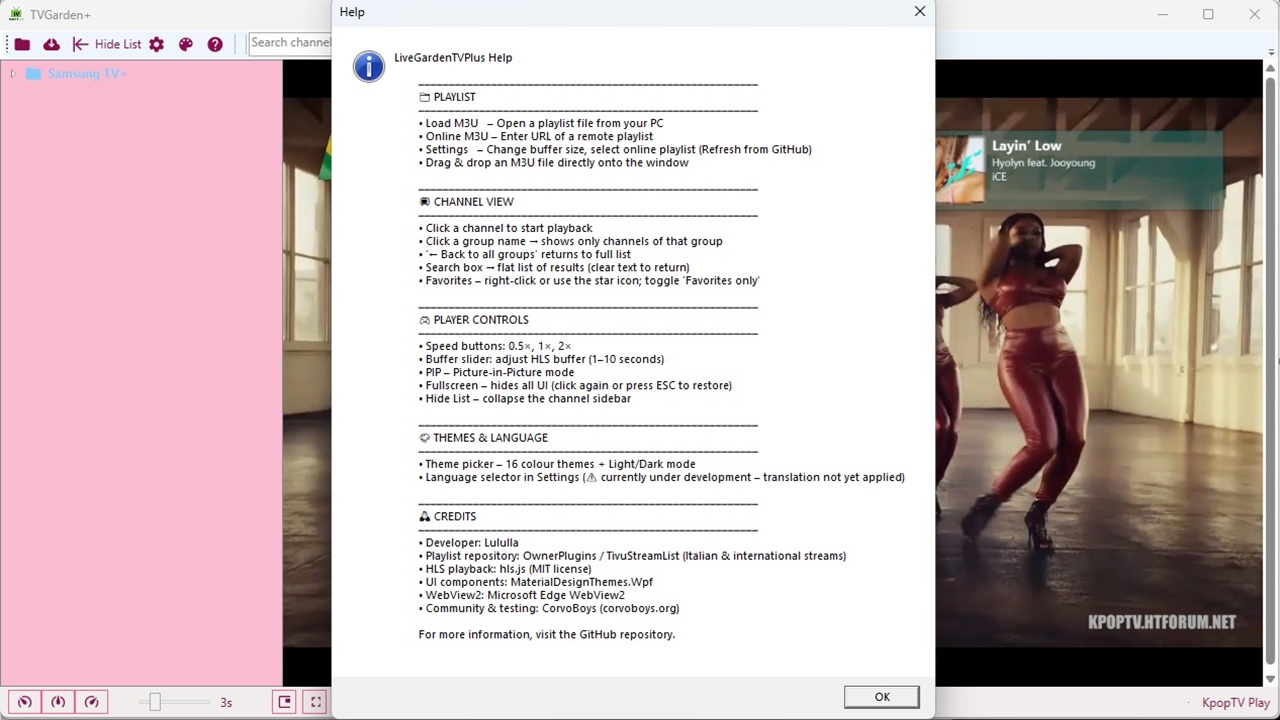
- Playlist support – Load M3U/M3U8 files from your PC or from a remote URL.
- GitHub playlist browser – Automatically fetches all
.m3ufiles from the TivuStreamList repository (root +local/subfolder). Includes a fallback static list.- Channel grouping – TreeView with group drill‑down, search, favorites.
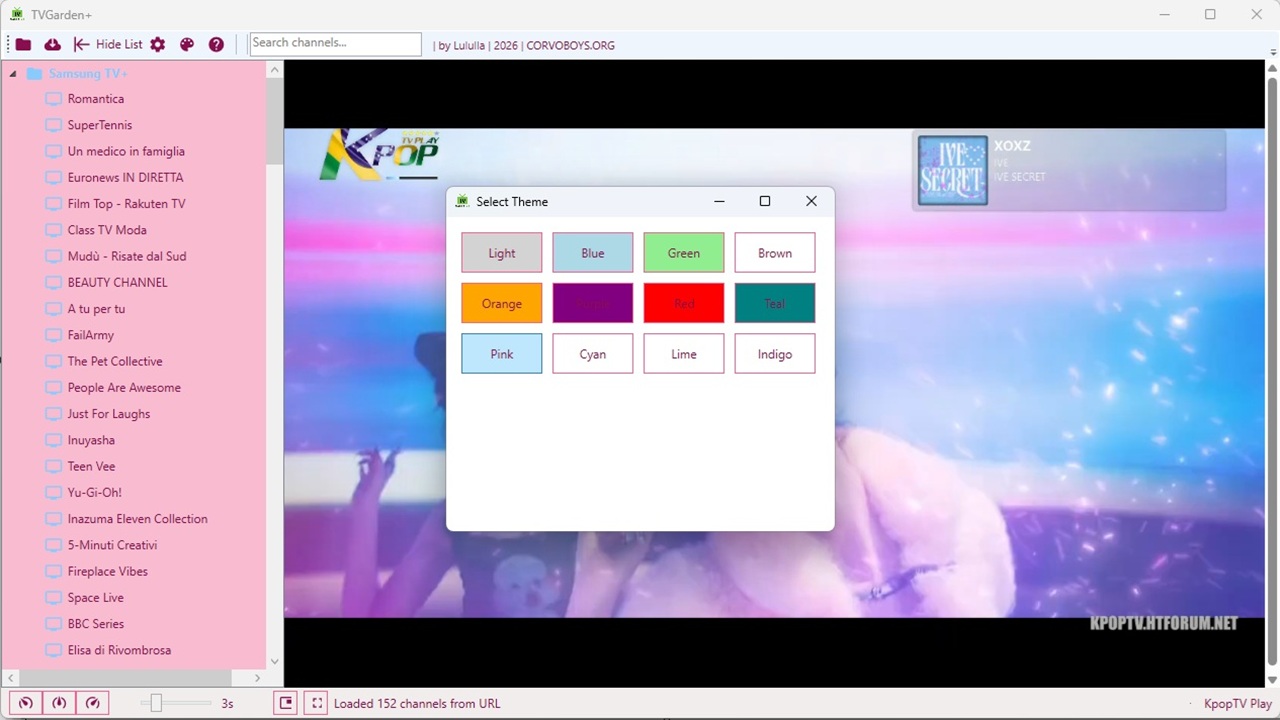
- Themes – 16 predefined color themes + Light/Dark mode, changeable at runtime.
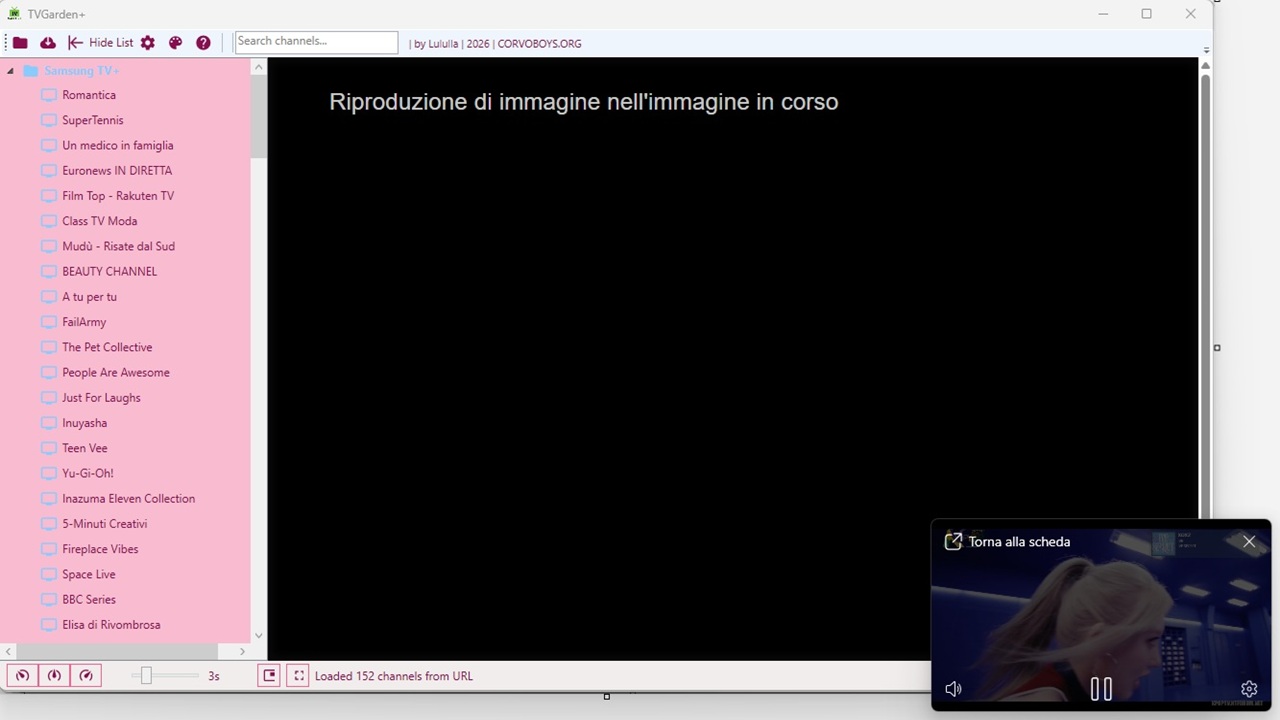
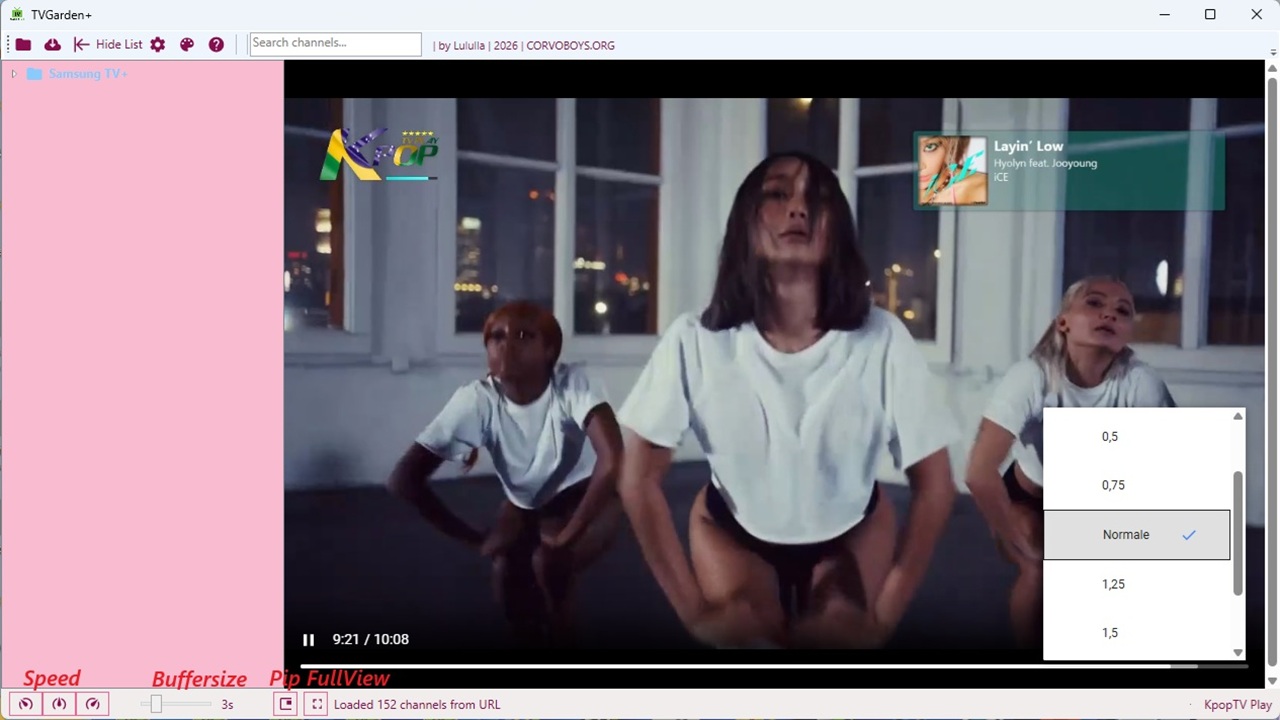
- Player controls – Play/Pause, speed (0.5×, 1×, 2×), buffer slider (1–10 seconds), Picture‑in‑Picture (PIP).
- Fullscreen mode – Hides all UI; press ESC to exit.
- Sidebar toggle – Collapse the channel list to focus on video.
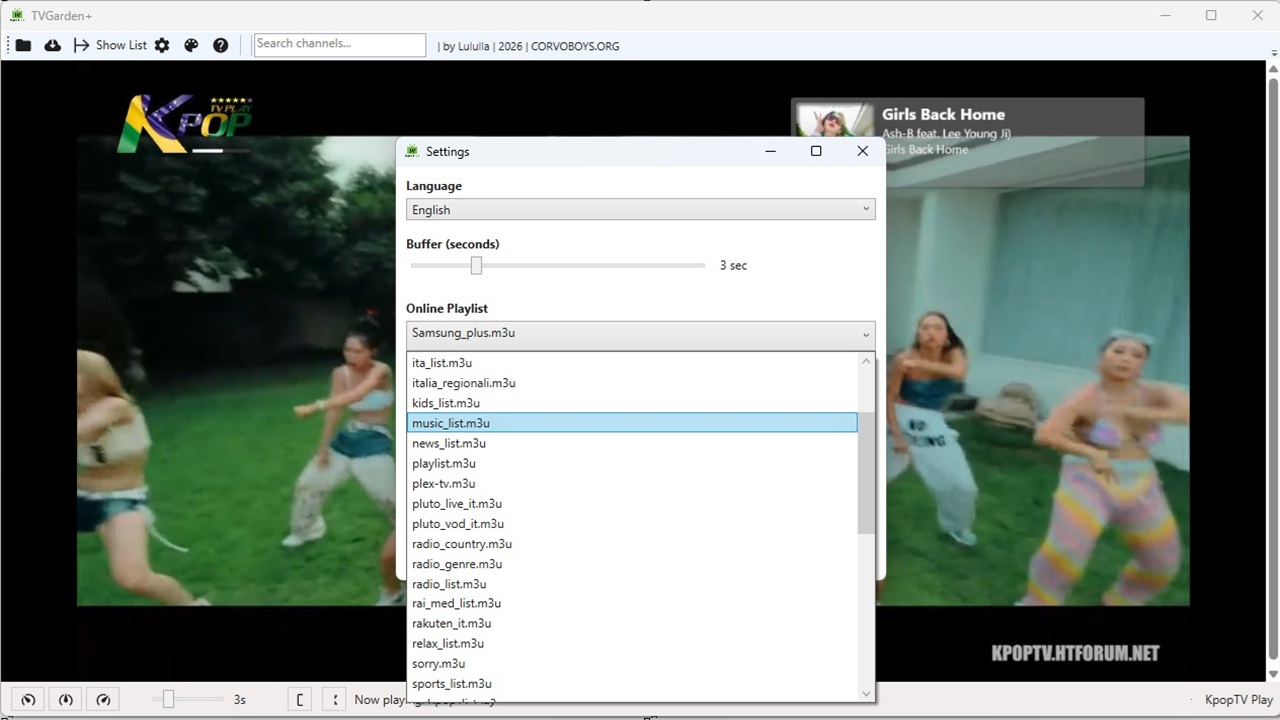
- Settings window – Change buffer size, select online playlist (GitHub refresh), and choose UI language (see note below).
- Persistent preferences – Saves last playlist URL, buffer, theme, and language (language not yet fully applied).
🚀 Getting started
Prerequisites
- Windows 10 / 11 (x64 or x86)
- .NET 10 Runtime (or SDK for development)
- WebView2 Runtime (usually pre‑installed on Windows 11)
Download & run
- Go to the Releases page (or clone the repository).
- Download
LiveGardenTVPlus.exe(standalone) or the installer.- Run the application – no additional configuration required.
Build from source
Codegit clone https://github.com/OwnerPlugins/LiveGardenTVPlus.git cd LiveGardenTVPlus dotnet build -c ReleaseThe executable will be in
bin/Release/net10.0-windows/.
📂 Project structure (main)
CodeDisplay MoreLiveGardenTVPlus/ ├── App.xaml / App.xaml.cs ├── MainWindow.xaml / MainWindow.xaml.cs ├── Views/ │ ├── SettingsWindow.xaml(.cs) │ ├── AboutWindow.xaml(.cs) │ ├── PlaylistEditorWindow.xaml(.cs) │ ├── ColorPickerWindow.xaml(.cs) │ ├── XtreamLoginDialog.xaml(.cs) │ ├── EpgWindow.xaml(.cs) │ └── LogoPickerWindow.xaml(.cs) ├── Converters/ │ ├── StringToVisibilityConverter.cs │ ├── UrlToImageConverter.cs │ ├── BoolToStarKindConverter.cs │ ├── BoolToStarColorConverter.cs │ ├── BoolToVisibilityConverter.cs │ └── FirstUrlConverter.cs ├── Services/ │ ├── M3uParser.cs │ ├── LanguageManager.cs │ ├── TranslationHelper.cs (o TranslationService.cs) │ ├── FavoritesManager.cs │ ├── UserPreferences.cs │ ├── ThemeManager.cs │ ├── GitHubPlaylistFetcher.cs │ ├── EpgService.cs │ ├── LogoService.cs │ └── ImageCache.cs ├── Models/ │ ├── Channel.cs │ ├── EpgModels.cs (EpgChannel, EpgProgramme) │ ├── EpgProgram.cs │ ├── ChannelGroup.cs │ ├── ChannelJson.cs │ └── LogoInfo.cs ├── Updater/ │ └── Updater.cs ├── Languages/ (92+ .lng files) ├── Themes/ (16 .xaml theme files) └── PlayerHost/player.html (hls.js wrapper)
🛠️ Usage
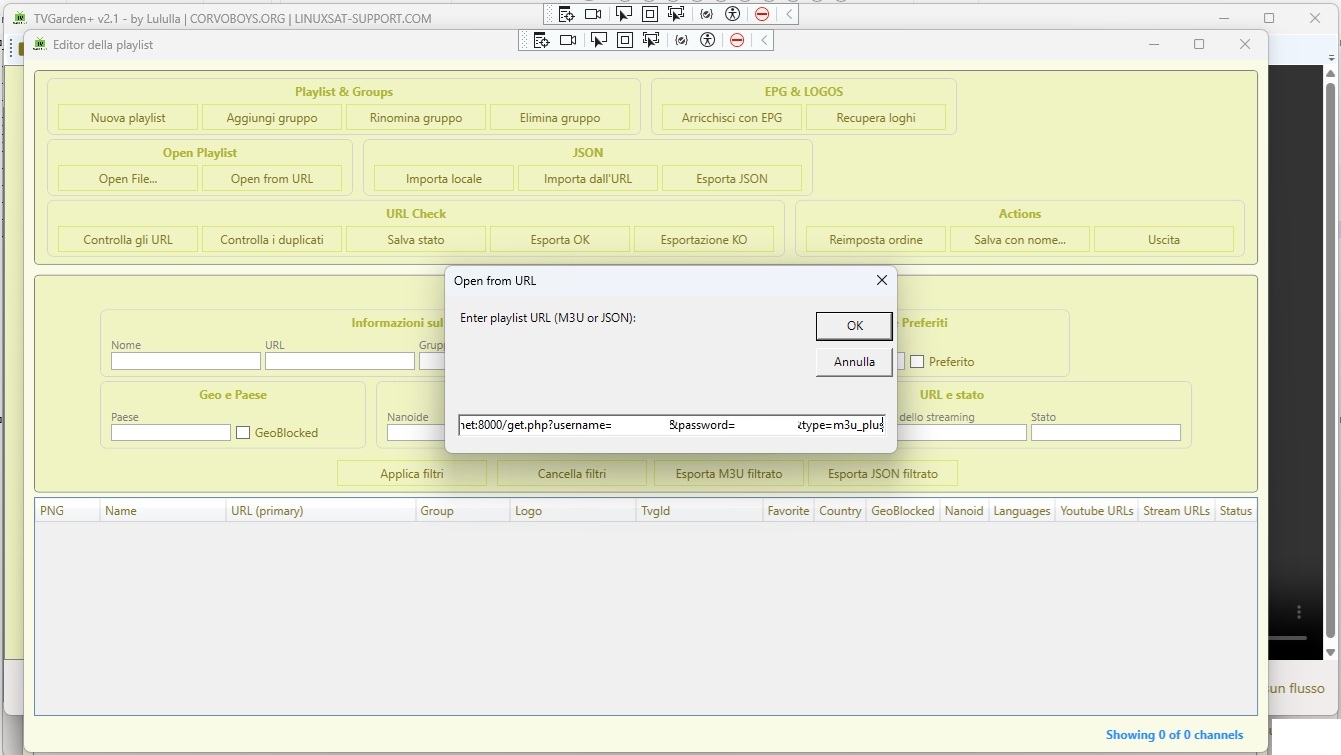
- Load a playlist
- Click
Load M3U(local file) orOnline M3U(enter raw URL).- Or go to
Settings→Refresh from GitHub→ select a playlist → pressLOADorSAVE.- Play a channel
- Click any channel in the tree view. The video starts automatically.
- Manage groups
- Click a group name to see only its channels.
- Click
← Back to all groupsto return.- Favorites
- Right‑click a channel (or use the star icon) to add/remove favorites.
- Toggle the
⭐ Favorites onlycheckbox.- Search
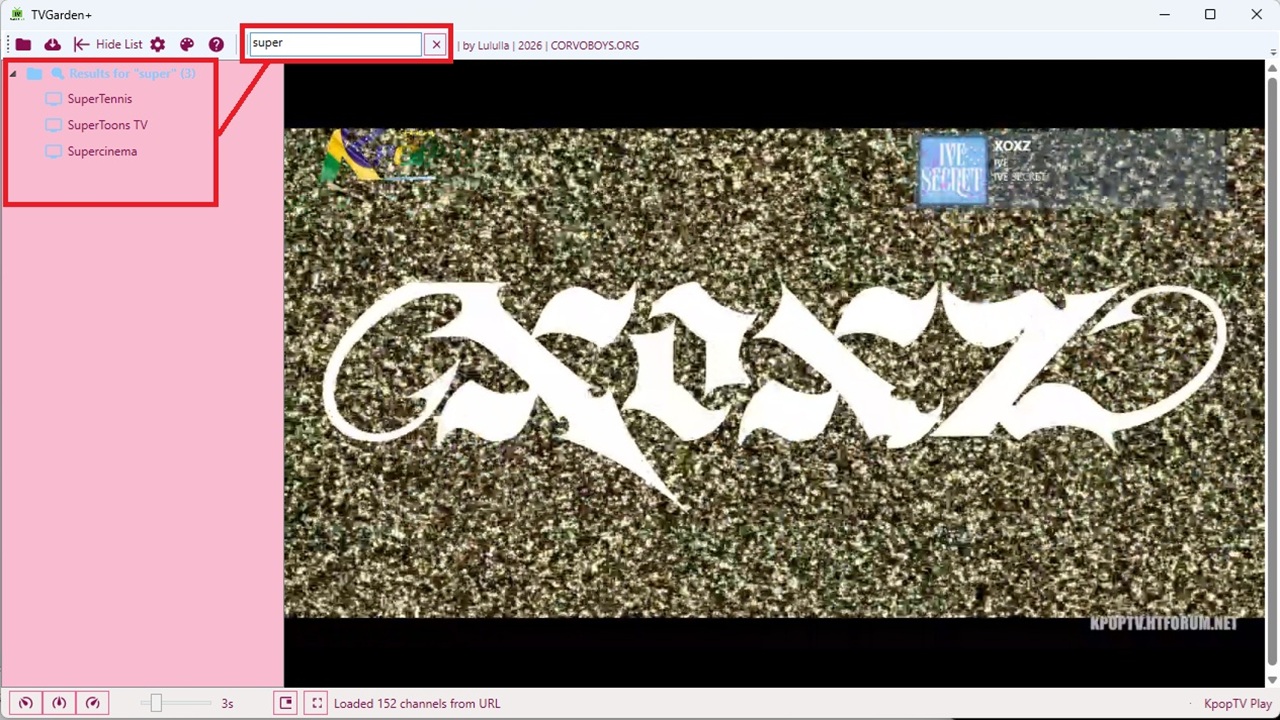
- Type in the search box to filter channels (flat result list).
- Theme & UI
- Use the palette icon to choose a color theme.
Hide Listcollapses the sidebar.Fullscreenhides all UI (press ESC to exit).- Speed buttons change playback speed.
- Drag & drop a
.m3ufile onto the window.
🙏 Credits
- Development: Beatrice (original author) & community contributions.
- Playlist repository: OwnerPlugins/TivuStreamList – massive collection of Italian and international M3U streams.
- HLS playback: hls.js (MIT license)
- UI components: MaterialDesignThemes.Wpf
- WebView2: Microsoft Edge WebView2 (Microsoft)
- Inspiration and testing: CorvoBoys community (corvoboys.org) | Linuxsat-Support community (linuxsat-support.com)
📄 License
This project is released under the MIT License – see LICENSE file for details.
🤝 Contributing
Bug reports and pull requests are welcome. Please open an issue first to discuss major changes.
For language translation fixes (the current limitation), any help is highly appreciated!
📬 Contact
For questions or suggestions, visit the GitHub repository or the official website corvoboys.org.
Happy streaming! 🎥