Hi guys Ive got a Debain server and when i try to edit the cfg file i keep getting Permission denied and Critical file transfer error in both filezilla and flash fxp.Any info guys

CCcam.cfg Help
- tommybo
- Thread is marked as Resolved.
-
-
I dont think its anything debian related. You can edit it in debian with Nano or vi using putty. Or probably more commonly use an editor in Widows with notepad++ or crimson editor or any others and FTP it with filezilla to your Debian server. Alternatively you can change permissions using filezilla or by using chmod command in Debian. Hope I have'nt misunderstood your question
-
login as root user & you will have no more problems buddy.
-
yes best to all ways log in as root and then no probs and dont have to use sudo comand every time
-
yes best to all ways log in as root and then no probs and dont have to use sudo comand every time
There is no sudo command in debian but what you say is correct buddy. beer10
-
There is no sudo command in debian but what you say is correct buddy. beer10
Then apt-get install sudo -
thanks for that its good to know ive been using ubunto 10.4 sever and was told there where more or less the same will have to have a go with Debian
There is no sudo command in debian but what you say is correct buddy. beer10
-
Thanks guys worked a charm feel like a right noob. I was logged in as user ( What a TWAT )pic below

now logged in as Root
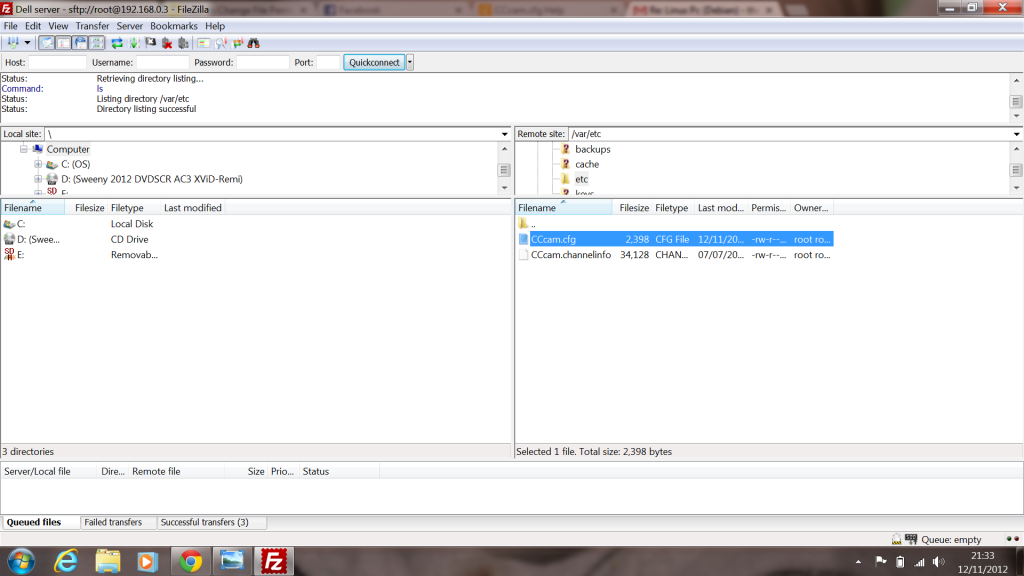
Problem solved thanks guys I was scratching head over something stupid lol
-
Hi
I have the same problem but I am connected as root. It has always worked before but now I get critical file transfer error and nevcer seen this before. Can anyone help because I dont understand and really got me scratching my head.
Thanks
Your resource for Linux TV servers and smart card readers.
Find software downloads, drivers, and support for server setup and card-sharing configurations. Set up a Linux-based TV server. Access downloads and support for server software and USB card readers for advanced TV reception and management