

downloaded myyoutubeplayer works good,restated after install can use text button to acess virtual keyboard to input serch in search term my question is how to enter it to start search
vu+duo vick3.0 build 808

myyoutubeplayer
- 3phase
- Thread is marked as Resolved.
-
-
menu> setup> system> remote control code > text support = YES then green to save.
-
I imagine on the virtual keyboard you will see either GO or OK press it and wait..
-
Hi under system there was no remote control code.on keyboard the go or ok buttons do not start search
-
Give this a try instead --> Firefox Send To Vu+
-
I have just tested it and it works:)
press OK for searchbar to come up. Then press keys to enter whatever you wish to search.
Then press OK and it will search.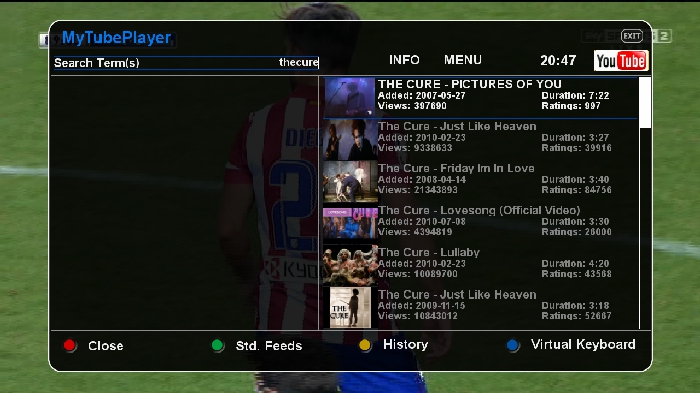
-
hi tried to up load a photo but was unable.my you tube screen has red=close green=std.feeds yellow=history text=virtual keybord differt from your sreenshown when i press ok it plays the hilighted video
-
when you have the plugin open press MENU and you will see all options for settings etc...
then press exit and as if you were going to exit the plugin and you have options to either quit or switch to video search.
once you have typed what you are searching for and got results press OK and it will work -
Hi Cazuela that worked well tankyou an everyone else

VU+ DUO PVR Ready Linux Enigma2 Receiver Full HD 1080p




