


So you want to edit the cccam web info message that only you will see?
Or do you run linux pc server & would like to change the index page.
Posts by master G
-
-
Hi jeremyl, here since june & asking for help with csp, i think you missed something.
Introductions -
A little confused, do you want to change version or welcome messeage ?
Either way i am still confused, please explain why. -
Set/Change the root password of your box.
-
Whats New ?
New Bootloader is required for this image so its advised to upgrade it first before flashing, get the bootloader HERE.
This Backup is UK ready with Oscam and CCcam editted for updating entitlements
CCcam 2.1.3
Oscam 5985
CCcam Providers update to 13.10.2011
CCcam Channel Info update to 13.10.2011
Oscam.srvid UK update to 04.10.11
Livefootball 3.3
Flashexpander ( needs setup for your device )
SGTFlipFlop ENiGMA2 08.10.11 (Multi)
Shoutcast
Cooltvguide by Coolman_V5.0.0
TSpanel 3.8
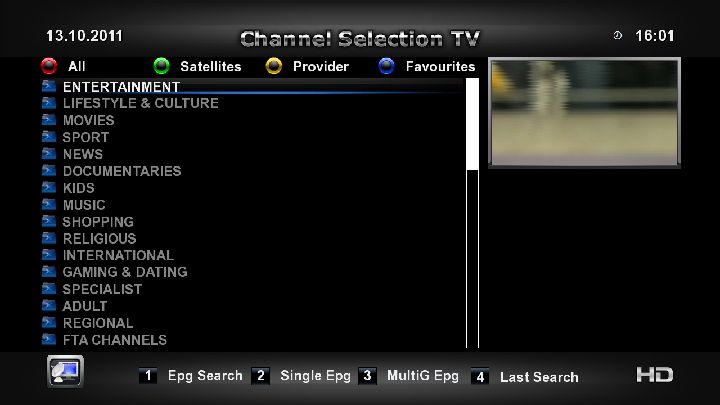
Screenshots




PASSWORD:
vuplusEnjoy
Linuxsat-support Team -
Read this el pirate
UK EPG Without Network Mount With PLI Images
I believe that this one also has a very good 2 day epg
-
For manuall installation from attached files or by direct installation through TSpanel servers
TSpanel-addons-Tunisiasat dreambox addons-spinners group
TSpanel-addons-sim201 addons-spinners group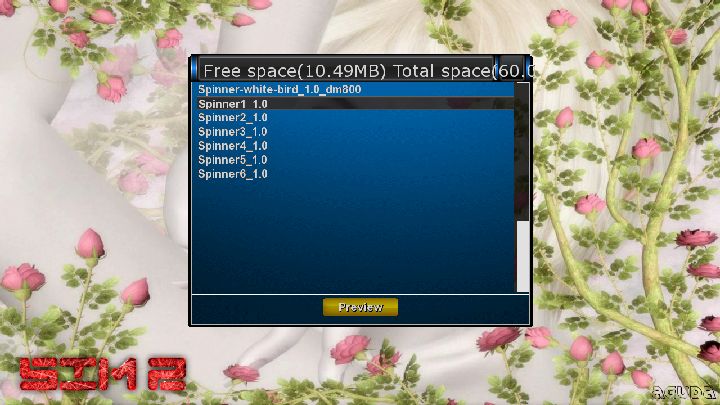
Spinner 1

Spinner 2

Spinner 3

Spinner 4

Spinner 5

Spinner 6


Spinner 8

Spinner 9

Spinner 10

Spinner 11

Spinner 12

Spinner 13

Spinner 14

Spinner 15

Spinner 16

Spinner 17

Spinner 18

Spinner 20

Spinner 21

Spinner 22

Spinner 23

Spinner 24

Spinner 25

Spinner 26

Spinner 27

Spinner 28

Spinner 29

Spinner 30


Spinner 32

Spinner 33

Spinner 34

Spinner 35

Spinner 36

Spinner 37

Spinner 38

Spinner 39

Spinner 40

Spinner 41

Spinner 42

Spinner 43
Spinner 44

Spinner 45

Spinner 46

Spinner 47
Spinner 48

Spinner 49

Spinner 50

Spinner 51

Spinner 52

Spinner 53

Spinner 54

Spinner 55

Spinner 56

Spinner 57

Spinner 58

Spinner 59

Spinner 60

Spinner 61

Spinner 62

Spinner 63

Spinner 64

Spinner 65

Spinner 66

Spinner 67

Spinner 68

Spinner 69

Spinner 70

Spinner 71

Spinner 72

Spinner 73

Spinner 74

Spinner 75

Spinner 76

Spinner 77
Spinner 78

-
This is somebody who has bought the box from a payserver who have put a lock on the box to stop him accessing the cccam.cfg.......................Scumbags
-
iDream Remote for apple iPhone or iTouch
Application description
iDreamRemote lets you control your Enigma based satellite tuner from anywhere in the world, you can change channels, start recording and pause programs directly from your iPhone.
It's basically a fully functional remote controller for your satellite tuner.
Features:
- Zap mode: Let you chose TV-channels directly from your listed Dreambox bouquets.- EPG Mode: Displays the Electronic Program Guide on a given Tv-channel.
- EPG Timer functionality: You can chose to record an event directly from the Electronic Program Guide.
- EPG Search. Let you search for events in the EPG
- EPG Now. Shows you whats running just now.
- EPG Next. Show you whats running next
- Movies : List, play and delete recorded movies.
- Sreeenshot: Displays a screenshot of whats currently showing on your Dreambox
- Remote control: Control the dreambox just as you can do with your standard remote + more.
Tested working on the following tuners:
Dreambox 7000
Dreambox 7020
Dreambox 600
Dreambox 500
Dreambox 500+
Dreambox 800
Dreambox 7025
Dreambox 8000It should work on all Enigma based tuners.
New in this version - Function to list EPG for Whats on Now and Whats on Next. Only for Enigma2
NEW IN THIS VERSION
- Function to search in EPG. Only for Enigma2
LANGUAGES
English
REQUIREMENTS
Compatible with iPhone and iPod touch
Requires iPhone 2.1 Software Update -
not sure what happened witht his image, flashed it on a few boxs, worked for a day or two (sometimes hour or two) then will onlyclear premium channels, all free to air wont clear???? this has happened on a few different boxs, in different locations as well. flashing back works for a while, then it goes again.
not sure if its me, or the image, but i`m just flashing it over and changing nothing else.
The startup script appears to not work for some, so for this reason i made another backup.
-
I have setup my vu= solo as an nfs server so my kids can record to & watch my recordings on their dm500 that i have stored on my external hdd connected to the vu+ solo.
Here is how to set it up for anyone who wants to do the same.
Most VU+ Images have the nfs option installed if not you should be able to download it via your images plugin panel, if not i have attached it below. (sorry could not find uno version)Step1- Setting up the VU+
First enable the service on your VU+
The NFS server share configuration is located at /etc/exports. This is a simple file... edit it using DCC or whatever you use for ftp.
The contents of my file is as follows:Code[COLOR='#FF0000']/media/hdd/[/COLOR] [COLOR='#00FF00']192.168.x.x/24[/COLOR][COLOR='#00FFFF'](rw,soft,upd,nolock)[/COLOR]/media/hdd/ = location shared out
192.168.x.x/24 = network subnet to make share available to. This is using network authentication rather than user authentication - i.e. as long as it comes from that network, it is trusted.
You will need to change this based on the LAN subnet address you have set up... 192.168.x.x/24 (/24 is another way of saying 255.255.255.0 in networking) would be a common alternative for home networks.
(rw,soft,upd,nolock) - note no space between network address and bracket... rw means read/write enabled, the options listed work wellOnce the exports file is set up, reboot the receiver to be sure the changes take effect.
NFS should now be running and sharing out /media/hdd over NFS
Step 2 - Setting up the Second Receiver
Go to your images mount manager to add the new nfs mount
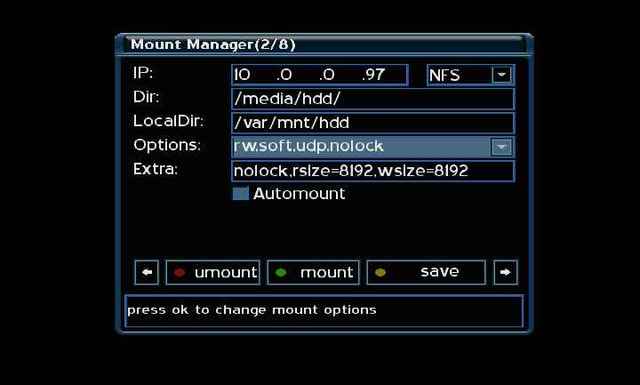
Enter the IP of the NFS Server/VU Box. For the share path, enter /media/hdd/ (or whatever path you shared in the /etc/exports file above)
The local Dir should not require changing. Once you have entered the info press the mount button (usually green) and you should get the message it has mounted sucssessfully.Now you should be able to access the nfs share via your images movie player under hdd.
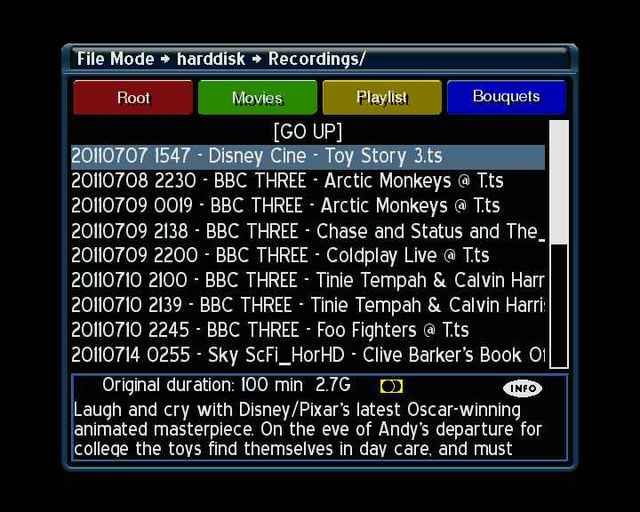
Movie playback is perfect
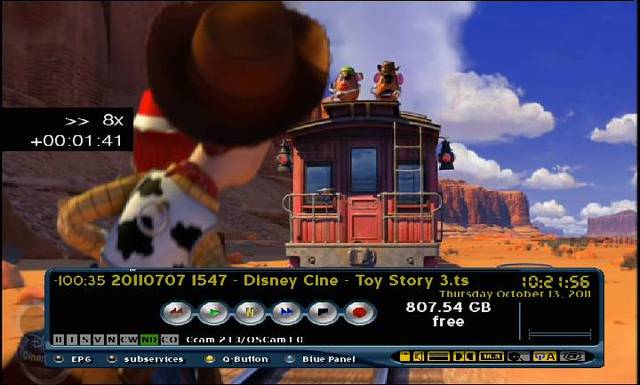
Now you might get some peace & quiet during the school holidays.
Enjoy it
Ten Below -
THIS IMAGE HAVE TO BE INSTALLED IN FLASH.
THIS IMAGE CANNOT WORK IN MULTIBOOT WITH DIFFERENT IMAGES IN FLASH. DREAM ELITE TEAM WILL NOT SUPPORT IMAGES NOT INSTALLED IN FLASH.Can you explain if you mean external flash? thanks...
You must install this image directly on your dreambox, it cannot be used with meoboot or barry allen. In other words just flash it as normal, it does not sound like you have ever used any multiboot agent.
-
If you only gave him one reshare then thats all he can reshare it, my guess is he would use less than any of the other 9 lines who are not sharing back, its your server so you have full control.Just monitor the usage and make changes as you feel required, you will get a better understanding of this & learm much more once you start exchanging with others.
-
don't own one of these yet but was wondering is there a way to pin protect your c line or not
Can you explain what you mean by pin protect cline?
-
Omnikey readers are not plug & play, have you set it up as decribed here.
-
No just copy the complete vuplus folder with contents to your usb stick.
-
No the newcamdd port is set to 10001 in the configs so enter
N: 127.0.0.1 10001 test1 test2 01 02 03 04 05 06 07 08 09 10 11 12 13 14 256 -
-
---------------------------
- HoT11.3a.hdf(Configuration)
- PC ''internet'' <=== rs-232 cable ===> Humax 5400- CARD+EMU+S
- CARD+S+EMU
- OFF
- SSSP
- Nagra2 AU -> OFF-----
winzip pass: humax5400
==========- bulisat 39'E CAID 0604....Channell Provider ID (0000) (SBCL - v_key, plugin)
------
- Dolly Buster ''group'' 13'E CAID 0500 Channell Provider ID (0422) (gladiator)
-----
- SCT group 13'E CAID 0500 Channell Provider ID (0427) (gladiator)
-----
- Daring tv 13'E CAID 0500 Channell Provider ID (0438) (gladiator)
-----
- Dorcel tv 13'E CAID 0500 Channell Provider ID (0417) (gladiator)
-----
- FreeX group 13'E CAID 0500 Channell Provider ID (0417) (gladiator)
-----
- Srg 13'E CAID 0500 Channell Provider ID (0238) (gladiator)
-----
- Jsc sport ''1 to 10'' 13'E CAID 0500 Channell Provider ID (0424) (gladiator)
-----
- Jsc sport ''1 to 10'' 7'W CAID 0500 Channell Provider ID (0424) (gladiator) -
ok got the part about about keep cfg file ok and disabling the dev/scoi so do i make an n-line in the cfg file to connect to the oscam do you have an example thankz for the help
Just add this to your cccam.cfg and you should be running.



