
QuoteDid lsusb sorted my Oscam files out and I thought that was it as everything was working fine
If everything is working fine then there is no reason to change anything buddy.


QuoteDid lsusb sorted my Oscam files out and I thought that was it as everything was working fine
If everything is working fine then there is no reason to change anything buddy.
Download and extract the attached file.
FTP the oscam files to the correct folder depending whether you have an enigma1 or enigma2 receiver.
Oscam files can be found in folder;
/var/tuxbox/config (Enigma1)
/etc/tuxbox/config (Enigma2)
Add this N line to your CCcam.cfg and restart oscam2901/CCcam213 from your softcam manager.
Login to oscam webinfo with the link below editting IP.OF.RECEIVER with your own ip address.
http://IP.OF.RECEIVER:16002
If you get any errors in webinfo post them here.
Im not sure how to update this card in CCcam, you could try using the latest version 2.2.1 if you want to use CCcam alone.
Otherwise move to oscam and we can help configure it for you.
Patched meaning the bootloader has been patched to the image, so it is safe to use if you are using an older bootloader and want to upgrade.
When you say server root port which port is this and how have you editted it ?
You need to set a static ip address in your router or in network setting on the Vu+ turn off DHCP.
You can use both protocols if you want, but make sure the ports are differant or they will conflict.
QuoteNo Hosts found or unexpected response from update
Try logging into your dyndns account and make sure its still active.
Now we are cooking on gas guys thanks a lot
all that just open pick
can ftp the oscam file to my 800 and will it work
Not the oscam file but you can transfer oscam.user, oscam.conf & oscam.server to var/tuxbox/config then add the nline to your cccam.cfg
As you already have oscam installed this should be enough to get it running.
I need your advice please m8s and I hope this doesn’t sound a silly question ,when you load up a new Catseye list do you delete old channel list before uploading the new one.
No, when you load the new one it will overwrite the previous.
Nice one mate, have a look at this & make her year lol
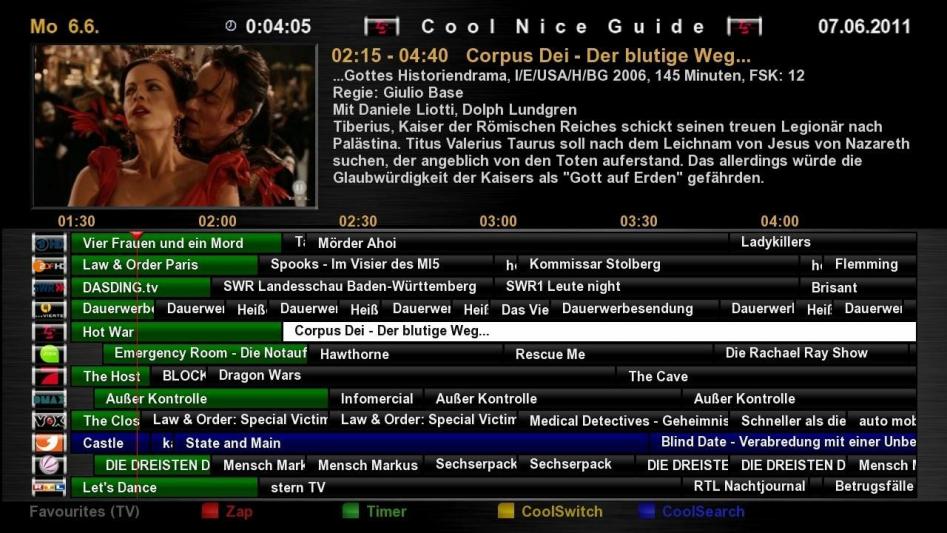

Latest version is here, if u get stuck just ask.
Use the attached file and follow this guide, How To Setup CrossEpg
Theres setanta and it will get all the shares you need.
You could try this, Subtitle player 3.08.
There is a permanent timeshift setting you can alter if the audio is running too slow or fast.
==========
- Newcam <- Active
- Plugin, v_key <- Active


==========


- bulisat 39'E CAID 0604....Channell Provider ID (0000)
(v_key, plugin)
-----
- Dolly Buster ''group'' 13'E CAID 0500 Channell Provider ID (0422)
''11.200 / V / 27500 / 5/6''
-----
- Cyfra+ 13'E CAID 0100 Channell Provider ID (0065)
-----
- Daring tv 13'E CAID 0500 Channell Provider ID (0438)
-----
- SCT HQ 13'E CAID 0500 Channell Provider ID (0427)
-----
- FreeX & Dorcel group 13'E CAID 0500 Channell Provider ID (0417)
-----
- Jsc sport ''1 to 10'' 13'E CAID 0500 Channell Provider ID (0424)
-----
- Jsc sport ''1 to 10'' 7'W CAID 0500 Channell Provider ID (0424)oscamV8a dvbapi Addon for Nabilo E1 & E2
The Optimum for 093b , 0919 and 09cd
Prepared for 09cd Card
Made by loda
THX for that
THE E2-FILE COULD ALSO BE USED IN ALL BLACKHOLE-IMAGES
* Newcamd:
o Keys directory: /var/tuxbox/scce -keylist, ppua, constancw, rsakeylist, tpscrypt (/var/scce for versions < 6.01)
o Program files: /var/bin – newcamd, cardserv, cardspider, betadserv
o Config files: /var/tuxbox/config/newcamd – newcamd.conf, cardserv.cfg, betad.cfg (/var/tuxbox/config for versions < 6.02)
o AU files: /var/tuxbox/scce/ – nagrarom3.bin, nagraram3.bin, nagraepr3.bin, sttestrom3.bin, stmaprom3.bin, nagrarom7.bin, nagraram7.bin, nagraepr7.bin, nagrarom10.bin, nagraram10.bin, nagraepr10.bin, nagrarom11.bin, nagraram11.bin, nagraepr11.bin, rsakeylist (/var/scce for versions < 6.01)
* UCAS/SCAM:
o Keys directory: /var/keys – ‘SoftCam.Key’, seca2,nagra,via, irdeto,conax
o Program files: /var/bin – scam
o Config files: /var/keys – softcam.cfg
o AU files: /var/keys/ – seca2 /nagra_rom
* Cam X:
o Keys directory: /var/keys – ‘SoftCam.Key’
o Program files: /var/bin – camx server
o Config files: /var/etc – camx.config
o AU files: var/keys/ – AutoRoll.key
* Evocamd:
o Keys directory: /var/keys – Autoupdate.Key & Keylist.txt
o Program files: /var/bin – evocamd
o Config files: /var/keys – camd_cfg
o AU files: /var/keys – Autoupdate.Key, /var/scce/ – nagraepr3.bin, nagraepr7.bin, nagraepr10.bin, nagraepr11.bin, nagraram3.bin, nagraram7.bin, nagraram10.bin, nagraram11.bin, nagrarom3ext.bin
* Radegast:
o Keys directory: /var/keys – SoftCam.Key & AutoRoll.key
o Program files: /var/bin – rdgd, camd.rdgd, netpilot
o Config files: /var/etc – radegast.cfg
o AU files: Need a patched driver for older conax cards
* Camd 3:
o Keys directory: /var/keys – camd3.keys
o Program files: /var/bin – camd3, pcamd
o Config files: /var/keys – camd3.conf, camd3.config, camd3.servers, camd3.users, pw_start.services, camd3.conf only needed for older camd3
o AU files: /var/keys/ – seca_hash.bin, seca2_hash_0070.bin, seca2_mask_0070.bin, camd3.keys
* MGcamd:
o Keys directory: /var/keys – SoftCam.Key, AutoRoll.key, tps
o Program files: /var/bin – mgcamd
o Config files: /var/keys – mg_cfg
o AU files:
* Xcamd:
o Keys directory: /var/keys – Keys.txt, AutoRoll.key
o Program files: /var/bin – xcamd
o Config files: /var/etc – xcamd.conf
o AU files: /var/roms/ – eeprom10.bin, eeprom11.bin, eeprom3.bin, eeprom7.bin, ram_10.bin, ram_11.bin, ram_3.bin, ram_7.bin, rom10.rom, rom11.rom, rom3.rom, rom7.rom
* CCcam:
o Keys directory: /var/keys – SoftCam.Key, AutoRoll.key, constant.cw
o Program files: /var/bin – CCcam
o Config files: /var/etc – CCcam.cfg
o AU files: uknown
* The latest Cam X:
American Satellite TP List for S10 Model!
Not connecting on port 8888
Any chance it might be a different one.
I can access on the IP address, so that's not the issue.
This is why i added at the bottom if it does not work you need to edit your oscam.conf file, you can set the port there

