


80cm is more than enough for sly mate. If you are looking for more give us more info.
Posts by master G
-
-
Before you do mate look here,
Gemini 4.70 Oscam & CCcam 2.13 UK Ready Backup
No epg but better of the two imo,
-
i done all this and wound up with a gp image (with bad epg) i taught it was a pli
If you flashed this and got gemini then you have gone wrong somewhere mate, The download is exactly what it says it is.
-
If they are in rar format then yes extract them, although the Technomate files showed the rar icon they were not in this format.
-
-
Code
Display MoreFirst I wanted to adapt iDreamX enigma2 Dreamboxen, but I quickly came to the Erkentnis that it is impossible. That's why I've written mostly iDreamX v2 new. The layout has changed and now comes with a single program window. Features: • Supports all Dreamboxen with enigma1 & enigma2 • Manages any number of boxes (also via Internet) • Automatic detection of the operating system Bouquet Editor: • Create Bouquets • Edit the bouquet (add, sort and delete the channels) • Rename the bouquets • Sort the bouquets • Deleting Bouquets • Channel Search • Save & load of bouquets on Mac hard drive • Full channel-marking support - Create - Delete - Rename - Move • Import Bouquets (Bouquets from saved settings to add some) • Automatically remove deleted all the channels in bouquets FTP client: • Navigate with mouse and / or keyboard • Upload (also via drag & drop) • Download (also via drag & drop) • Files / folders move • Film or Music files to VLC stream • film or music files on the Dreambox. • create folder • create text file • create symlink • Edit text file (integrated Linux text editor) • Renaming Files / Folders • duplicate files • File permissions changing • Files, folders, or delete symlink • Search • folder as a movie location set Telnet Client: • Built-in Telnet client with automatic login • Executed commands can be accessed again via cursor keys • Telnet (for store and call commands) Fast Menu • Telnet protocol to save as a text file EPG: • Any read EPG • Multi EPG • Timer event set • Search • Global search all EPGs (only enigma2) • Linking to IMDb (The Internet Movie Database) Box-Timer (pictures on the box hard drive) • boxing timer list • boxing timer Submit Event • boxing timer event Edit • boxing timer event delete "Clean Up" • Box-timer list (delete old events) Mac-timer: (recording on the Mac hard drive) • Mac-timer list • Mac Create Timer Event • Mac Edit Timer Event • Mac timer event delete "Clean Up" • Mac timer list (delete old events) Control: • Built-in remote control software (Dreambox, VU +, Kathrein) • Dream-Keyboard Emulation • Standby • Wake Up • Restart Enigma • Reboot Box • Deep Sleep • Recording Screenshot: • Screenshot inlkl. OSD • On-Shot • LCD-Shot (only enigma1) • Save screenshot • Export Screenshot • Screenshot to Clipboard • Automatic operation with screenshots of the remote control software Teletext: • View and use the Dreambox teletext (enigma1) Timeshift: • Save the current time-shift recording in a movie directory (only enigma2) Plugins: • Easy to install plugins (only enigma2) Boot Logos: • Any image in the boot logo format change. (. Mvi) • boot logo upload to the box. • boot logo download it from the box. Satellite Finder: • Display of SNR, AGC, BER (For ease of adjusting the satellite dish) Message: • send messages to the dreambox • adjustable display time • Yes / No question to Dreambox. Response is displayed in iDreamX (only enigma2) Box Password: • Changing the password box. Movie: • display the movie list • Movie Location Change (only enigma2) • Movie Add Location (only enigma2) • Remove Movie Location (only enigma2) • Search • Delete a • Movie Download of the box • Upload your film to the box. (Also with drag & drop) • Film rename • Movies Movie move to another location, or copy. (Enigma2 only) • Film VLC to stream • film into the network (Internet) stream. • Linking to IMDb (The Internet Movie Database) • Link to Kino.de Stream: • Display of the current program content • Display all the currently running program content • Stream of the current program with VLC (Auto Full Screen mode) • to switch streaming of any channel without the box. • Record the current program on Mac hard drive • Stream of the program in a network (including the Internet) • Time-shifted TV (time shift) is possible. • Direct switching of the bouquets • Also available sub-channels can be selected directly Web Interface: Allows you to remotely control iDreamX via a Web browser. (Also via Internet) • access with http or https (ssl) • Password protected • Web TV - Streams TV programs • Web Radio - Streams Radio Programs • Movie Web - Streams Movies from the box's hard disk (in planning) • Stream Setup - Setting the network streams (A / V bit rate, output size etc.) • Control Box (Standby, Restart Enigma, reboot box and Deep Sleep) Mobile Web Interface: Allows iDreamX on an iPhone, iPad, iPod Touch, to use Android, Symbian Device (also via Internet) • access to http • Password protected • TV - Streams TV programs • Radio - Streams Radio Programs • Movie - Streams films of the box hard drive • File - Streams movies from the Mac hard drive (supports subtitles) • iSight - Streams the Mac iSight (webcam) • Screen - Streams your Mac screen • Stream Setup - Setting the network streams (A / V bit rate, output size etc.) • Control Box (Standby, Restart Enigma, reboot box and Deep Sleep) • Message - transmission of messages to the box (Supported Yes / No questions) -------------------------------------------------- ------------------ There is no manual but very helpful tool-tips. Just go with the mouse over a control element, and wait until they appear. (If the nerves to start Tool.Tips, you can disable it in the Help menu) Please also note that documents in the "Docs" folder Anyway take a look at the menus. iDreamX is now used by many users problems. But continued use is at your own risk. Streaming requires VLC version 1.1.11iDreamX v2.x
NOTE: This is not necessarily the most recent version.
Please use the Check for new version ... In the Help menu (or in iDreamX menu) in order to obtain the latest version of iDreamX.
Please also activated: Check for new version at program start in the preferences.
IDreamX then checked after every start if a new version is available.by relaht
-
-
=================================
=== DragBox-Toolbox for Dreambox ===
====(versao 1.13 de 24.09.2011)=====
=================================DreamUp1338
Dreamset234
Dcc-E2-141
Sunray-FlashUP
OptiFlasher-E2
FerrariFiller_1_3_3_7FSE
Dreamstream
PicMan
DreamUP1.3.3.4
Dcc296
Dream_Logo_Generator
Flashwizard_6.3
DreamUpLAN
EnigmaTools
DogSettings
DreamBoxEdit49.07 MB
Pass: dragteam.info
-
Thirty-nine people are under investigation for computer fraud and violations of copyright law, following an operation to combat piracy against Italian pay-TV operators Mediaset Premium and *** Italia, as well as conditional access provider Nagravision, performed by the Communications Police.
The suspects, 28 of them residents in the Lazio region, 7 in Sicily, 3 in Piedmont, and one in Emilia Romagna, are all owners of businesses. In practice, the defendants used the card-sharing system and software, to distribute, via the Internet, the access codes enabling illegal viewing of Mediaset Premium and *** Italia by interested Internet users who, in turn, paid directly to the pirates a lower subscription than the legitimate license fees.
Certain web sites offered “parallel” pay-TV packages, marketing software specifically configured to receive the decryption keys from the “pirate” server. Alternatively, the pirates provided decoders already configured for the reception of conditional access programs, such as sports and HD movies, for a pre-set and variable time period.
Besides seizing computer equipment and documents, the investigation has also helped the police to reconstruct the pieces of a pyramid selling scheme with international connections especially in Switzerland and Germany.
-
Display More
I start to be confuze now with this update of card.
1 version--with Oscam +CCcam 213, with this Au= 1 or lower card or other version
2. Mgcamd 135+Oscam 1.1what to use at the end ? to update the card???
at the end I´ll go to provider to buy with 50 euro the SD box, and I finish by updating correct the card----- , no headhache anymore.please recommend the best option to install, to update the my card.
my card is Caid 093B
This thread is about a 963 card with oscam/cccam/newcamd if you start a new thread for your problem you are far more likely to get a reply mate.
-
device = /dev/sci0 ( Top Slot )
device = /dev/sci1 ( Bottom Slot )Dont pay any attention to the label = lower card, you can change the label to anything you like.
-
MediaPortal 1.2.1 final released
Code:
Last week we released 1.2.0 final which has been a huge success already! The Team could have taken a break after the hard work on 1.2.0, and relax a bit, but we did not.
During the last week we have been working on a 1.2.1 hot fix, that will address a few issues in 1.2.0. The focus of this release is on major issues. The hot fixes to come later will contain more fixes and also address some minor issues.
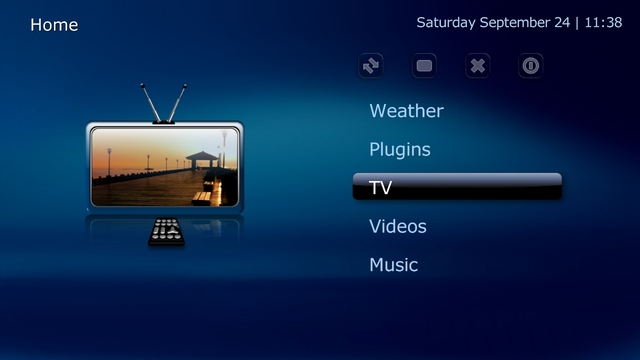
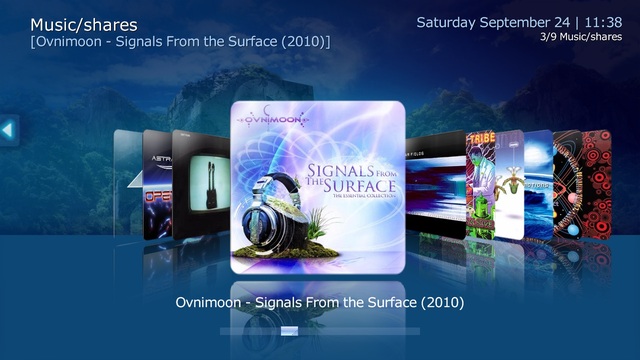
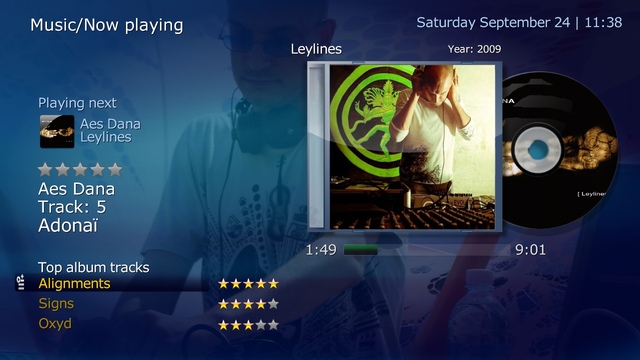
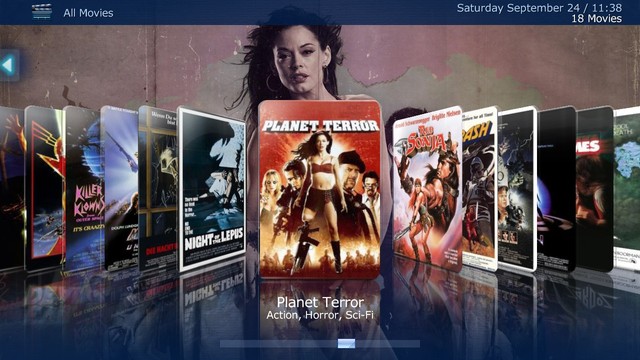
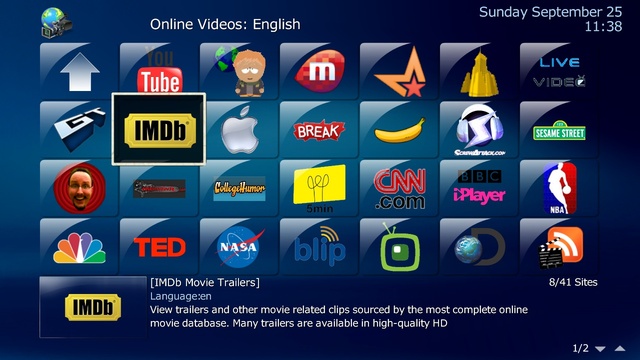
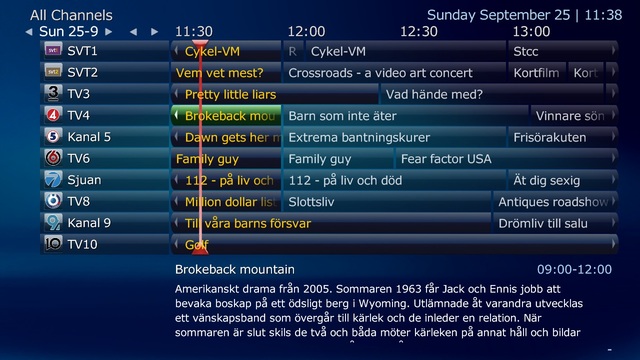
Changelog:
3715 - MediaPortal crashes on exit
Under some circumstances it is possible that MediaPortal.exe crashes when you close it. Mainly systems running for a very long time are affected.
3688 - scanning for analog radio stations makes TV-Guide unusable
3718 - under special circumstances, TV-Service will crash on start up
This occurs if the WMC plugin for the Hauppauge Colossus or HD-PVR is installed.
3720 - update of satellite transponders inside TV-Server Configuration is not working
We previously grabbed the transponder lists directly from the FastSatfinder.com website. Due to load issues this cause for FastSatfinder.com, this is no longer possible, and when you attempt to update them in 1.2.0 or ealier, all your transponder lists are deleted.
The team from fastsatfinder has kindly agreed to continue support for us with updated transponder lists which we will host on our own web servers. So 1.2.1 will now download the transponder lists directly from our server.
1.2.1 has the latest Transponder lists integrated.
3723 - default graph behaviour for TV-Cards entering idle state is "pause" instead of "stop"
In 1.2.0 we introduced a new feature that can decrease the time required to tune/change channels by not destroying the graph when the card enters idle state. The related "Advanced Tuning" options are "pause" (keep the graph) and "stop" (destroy the graph). Sadly, during a clean installation of 1.2.0, the default option was set to "pause". Although the "pause" option does give you the speed improvement, it is not supported by many TV-cards (drivers issue). Thus, in 1.2.1 the safer "stop" option is now set as the default. If you did a clean installation of 1.2.0 and now upgrade to 1.2.1, the current setting will change to "stop" for all your TV-Cards. This should ensure maximum stability for all users. If you want to use "pause" instead of "stop", then you have to reset that option in TV-Server Configuration. -
-
UPDATE: Version 1.1 - 23.09.2011
Correction of ECM Graphs of last 20 ECM's in IE
Allowed to see allocation of rights which clients and readers of registered users -
On saturday everyones card would`nt work for the 3pm games, apparently they were having technical issues.
But then convieniently it came back on again just in time for the Man United v Stoke game.
So looks like they are up to their old tricks again.
-
-
dumbo_0.25j
-
All the required cams & configs to update your card are here the only thing you need to think about is the possibility that sly will make the changes meaning their card may no longer work in other receivers, that said it is a risk we all take & a VU+ is far superior to any sly receiver.
-
So your peer is connected ok by dns address, for internal share you should use servers ip address (192.168.x.x) in place of dns.
-
So, when I remove boxid and restart, I should look for that?
When you see this you will know that oscam has the boxkey needed for premium channels.



