

This is the original DreamUp modified to work with ALL SIMs, for Clones and Originals. Will work with Ferrari Sim, Japhar Sim, A8P Sim, and Sim2 Sim as well as the Original Sims.


Display MoreI sent a pm properly this time I hope lol, had a typo in the Cline.
I couldn't find the dns status info as described, though I did a port test by entering "xxxxx.dyndns.org" (rather than using my specific ip address) at Open Port Tool - DynDNS.com and got the following results:
"xxxxx.dyndns.org:12203 is open and accepting connections. This indicates the port is not being blocked by either a firewall or your ISP and is currently operational."
This should be ok shouldn't it? Doesn't it prove the dns is working and the port is being forwarded okay too?
Regards
Hi humphrey3000,
Yes by the sound of it you have did everything correctly and are now ready for the next step.
You can add this to oscam.conf, this will setup the log file.
# logging
#pidfile = /var/run/oscam.pid
logfile = /var/log/oscam.log
usrfile = /var/log/oscamuser.log
cwlogdir = /var/log/cw.log
maxlogsize = 1000
You can access the oscam.log by navigating to /var/log or by using the below command in putty.
JSC card gets one update then its activated for the year. Sly gets update every two months and the oscam configs you have will do this. Tring needs an update on the first of every month and oscam does not do this, you need a conax cam or a combination of mgcamd+oscam.
Hi Ornontowice,
Try using this one.
DreamUP Patched dm800 clone ( fix no ca error)
Theres a pdf with full intrustions with the file, you will also require a null modem cable, let us know how you get on.
If anyone knew your hostname/ip address they could use those n lines as their own because you had the ports open.
Post the oscam log file so we can see where the errors are.
Close all the ports you have openned for oscam, you dont need them open if you are passing to CCcam internally.
Only open the ports if you are sharing oscam on its own.
Change all the passwords you have set incase someone has already seen this. I will edit them now just incase.
QuoteThe sly card is over 12 moths old (second-hand). Is it of any use or is it only fit for the bin now? I've never been able to find this out when browsing other forums. And if it's no good, does this stop me setting up the DM500 as a server?
If theres no active channels working on it then it wont be worth sharing, it wont stop you setting up a server as there are very friendly people out there who dont mind sharing with you without anything in return. This is how most people get started, it will take you alot longer to find what you are looking for compared to having something that everyone wants.
QuoteSecondly, do you think it would be wise if I start from scratch re: dreambox firmware and add-ons. I don't even remember what version of Open PLi it uses (is there a way of checking?) and I've messed around with it so much that I ought to flash erase and put on the basic software again. If so, could you suggest which image to start with (what are all those PLI betas for anyway? How do you tell what is what?). Also, which version of CCcam emulator should I put on? Which version of Oscam emulator? In fact why do I need two emulators? I'd be interested to find out.
This image Open PLI Oscam & CCcam 2.1.3 Sly UK Ready has everything you will need. The reason for the two emulators is that CCcam alone isnt that great as a cardreader compared to oscam. Thats why most people who have been used to CCcam use oscam as cardreader and CCcam2.1.3 to control their server. Although oscam combines all protocols so if you learn it theres no need for CCcam at all.
QuoteOh and ps thanks for the link to the dyndns video - but how did you find it? When I browse the cardhsaring tutorials, I can't seem to see posts further back than October 2010!!
This is my playground so i know where everything is lol
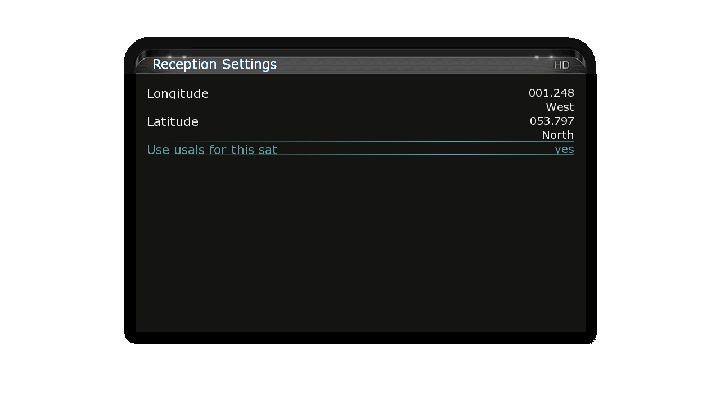
First of all you need to have a recent satellites.xml file or upload a latest Enigma2 channel list, look on the forum for this theres plenty of info.
Set Tuner A as below, only changing the usuals position to your own, use dishpointer tab on the top of the forum to get your position;
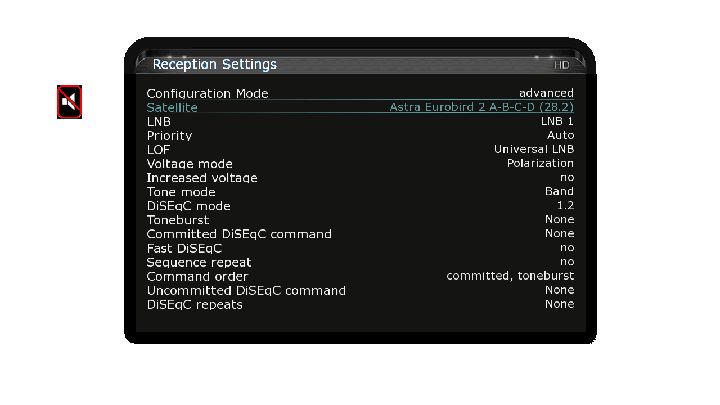
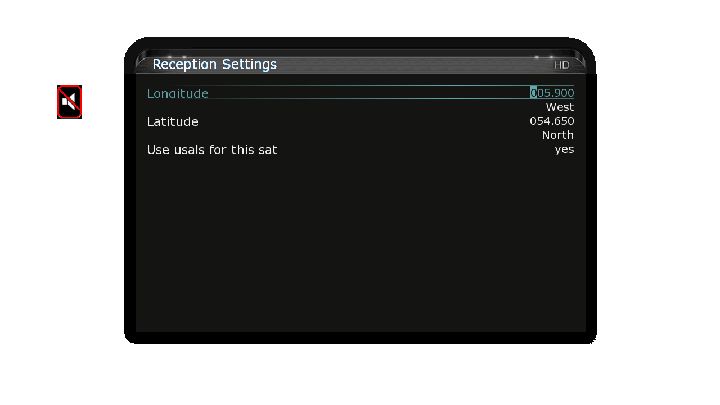
Press OK
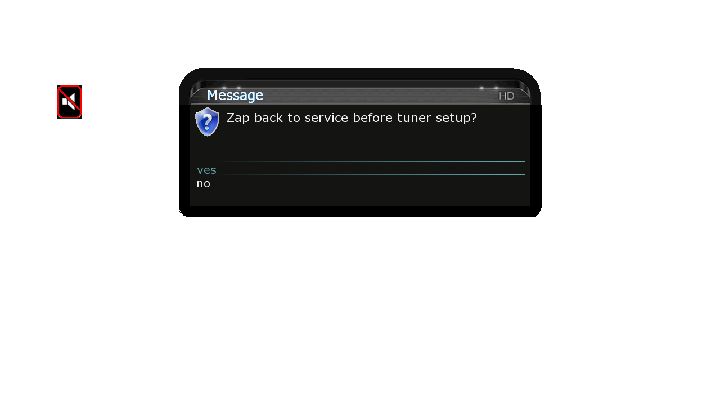
Press OK again, now enter the tuner and select another satellite you want, say 19.2E.
All you need to do is change DISEqC mode to 1.2, all the other settings like usals are already there. Press ok save, now zap back to the tuner again.
Repeat the same process for every satellite you want.
For Tuner B set as below;
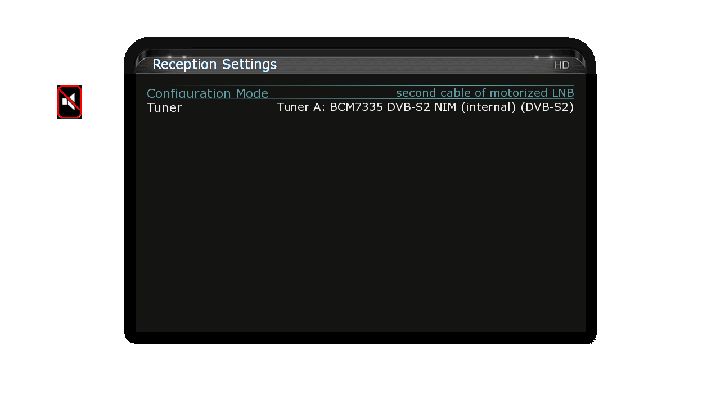
This is my settings along with the autoresolution plugin.
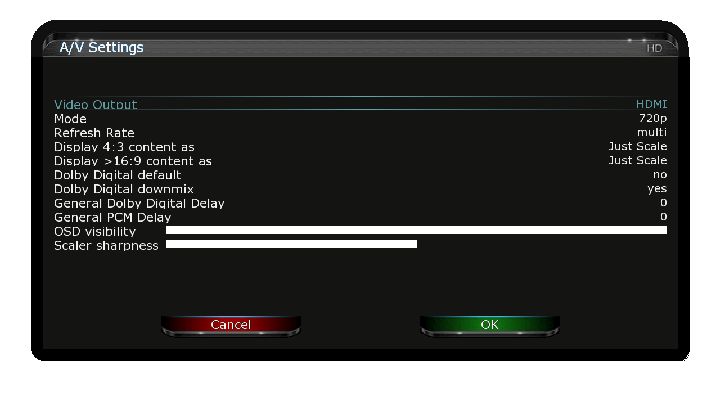
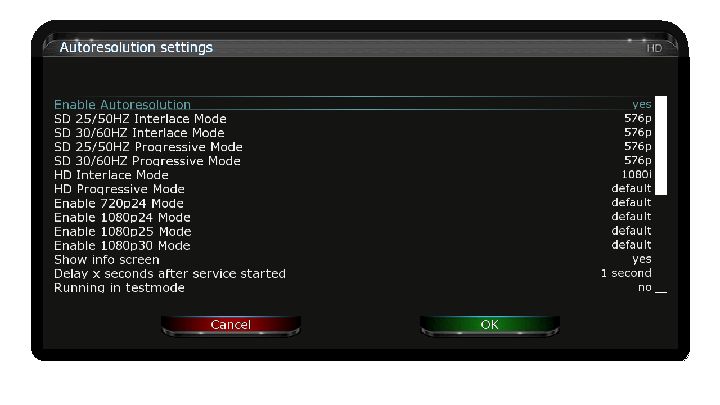
Leave them as default, the settings you may need will be different to the next users, some of them you may never use. It will do you no harm to a little reading through the Vu+ tutorials & support threads if you are curious what each one is for.
Welcome to the forum humphrey, we can use this thread to start building your knowledge on the basics, then unleash yourself on the rest of the forum lol.
From what you are saying you already have openpli and the necessary emulators installed, this is a good start.
So lets try to get your DM500 working as a server, at the moment it will work as a client (you dont need to open any ports within your router to acheive this).
You need to setup a hostname at dyndns.com How to create a dyndns account VIDEO
There are a few things that need setup in the router, set the dm500 a static ip address and open a port for this ip address so people can access your server online. You should also be able to add your dyndns hostname account details in your router, this informs your clients of any changes the isp has made to your external ip address. Look for your router make & model here Port Forwarding Guides Listed by Manufacturer and Model - PortForward.com
Get this part out of the way and you are half way there, here is a good tutorial to get you started.
Getting Started - Flines & Clines For Beginners
Any problems and let us know buddy..
> 2.00 beta 2 [10 aug, 2011]
Added: Player Integration* (Tested with VLC) for [Satellite Report]
Added: Copy pattern; Tabulation.
Added: DoubleClick in the [GeneralReport] textbox clear screen.
Added: Added a DirectTV/DSS item to device config.
Added: Support for “Contionous 22Khz tone control for SingleBand LNB” in EBS.
Added: Now checks Exit Code of BLScan console.
Improved: Now detects if TPDir and ReportDir directory exists. If not, saved it on EBS profile dir.
Improved: Now detects if scan-ranges are defined before save profile.
Fixed: Some issues with report list.
Fixed: Some issues en Multi-Sat scanner list.
Fixed: Msgbox appears when copy item.
Fixed: Device menu is now disabled when BLScan is working.
Some minor bugs are fixed.
Update: StreamReader and BLScan to latest version.
* Player Integration: Allows you to configure 3rd party software to run with specific command-line arguments with the selected item on Report list. I’ve tested with VLC with own BDA engine for DVB and works fine. I think TSReader also compatible, but not tested yet.
For all those who have problems with the installation of emus in the original image, but still like the Oscam Config Creator² want to use it, here's a small installation script. Ye can run directly from Windows Explorer.
You should only decide beforehand whether you Oscam in combination with mgcamd or want to use it only with Oscam DVBApi.
Procedure:
- Download and extract the relevant annex.
- Open the file "config.txt" and box (IP 192.168.1.100 open) with the IP of your Coolstream replace.
- Save file "config.txt".
- Double click on "update.bat".
- Important! Immediately after the installation using plug the box hard reset (unplug), since that is overwritten zapit.conf.
Now the image has finished so far, so you can create your configs with the Creator ².
Have fun! : cheers
Thx to blackman
Open oscam webinfo and copy the log, if you have never done this before then look at oscam.conf file and check [webif] here you will see the port, user and pass.
Enter the http://ip-of-dm800:port into your browser and add the user and pass when prompted.
The Simple Port Forwarding application was designed to make forwarding ports on your router as easy as a few clicks. Simple Port Forwarding works by automating the process for you. So whether you don't understand how to forward ports, or your simply looking for an easier way of doing things then this program is for you.
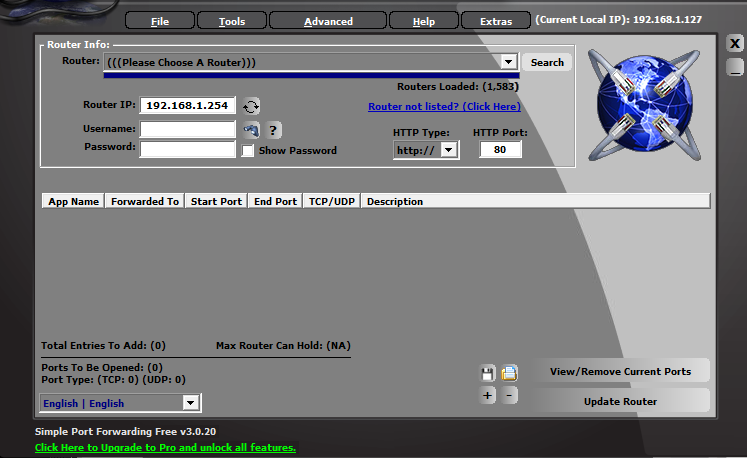
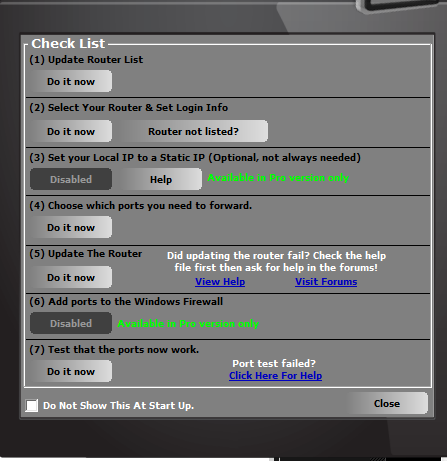
New download link added.
Simple.Port.Forwarding.Pro.v3.0.20.incl.s*rial-iOTA.rar (5.13 MB)
We can help unless you show us your oscam log file, then we will be able to see where the errors are.
Run Command Prompt as administrator.
How to always permanently run the cmd window as administrator?
If you do not want to have to continually choose run as administrator every time you want to use the cmd window then can set this option permanently.
You must follow these steps to make this work.
If you take the shortcut to cmd.exe in the start menu it will not work. You must choose Command Prompt in this case.
Go to the start menu and click on it.
Go to all programs. Then Accessories.
You should see command prompt listed there.
Right click on this. A menu will appear.
Choose properties from the menu.
The properties for that shortcut will appear.
Go to the shortcut tab.
Click on the Advanced button.
Type one of the following:
To start a service
To stop a service
To pause a service
To resume a service

