


Just a thought can you not patch your self with the bootloader file the same way as the 800?
Failing that send the box to me so i can try lol.
Posts by master G
-
-
I see no reason why it could not be adapted to run sssp like a non linux technomate.
-
would it be possible to write a linux based software version for the humax which would include all the desired features ? is there technicaly a reason why not ? i assume it would be a very experianced and dedicated person or team if it were possible ! there are literally millions of those units out there cos they were sold everywhere from argos to tesco ! £££ expensive though £££ :06:
There is no doubt it would be possible to create a hacked version of the software, but who has the knowledge & time to do it i do not know.
-
Also study this, i am not a fan of line manager & believe it is important that people using CCcam understand what these numbers mean especially for their own servers security.
-
Download CS Studio and CCcam line manager, two essential tools for keeping track of whos on your server and creating c & f lines. Do you have the no ip details added to the router or are you using the update client ?
-
I would reflash the box mate, sounds like your image has become corrupted.
-
Ok thats great, now have you rebooted the Vu+ and possibly the router like i said before ?
-
You need to extract the cccam.rar, not rename it.
-
Display More
I've got a humax foxsat-hdr for freesatHD,
Was wondering if it is possible to patch or setup somehow for cardsharing Sly?
Thanks,
ins1337
As far as i know this is not possible mate.
-
GSU Full ver. 3.49
- sysinfo - fix senzors - some boxes
-oscam info: 1. fix status and clients, 2. changed from red to blue icon if client is disabled -
Send this to the /ect folder,
CCcam.cfg file for newbiesReboot
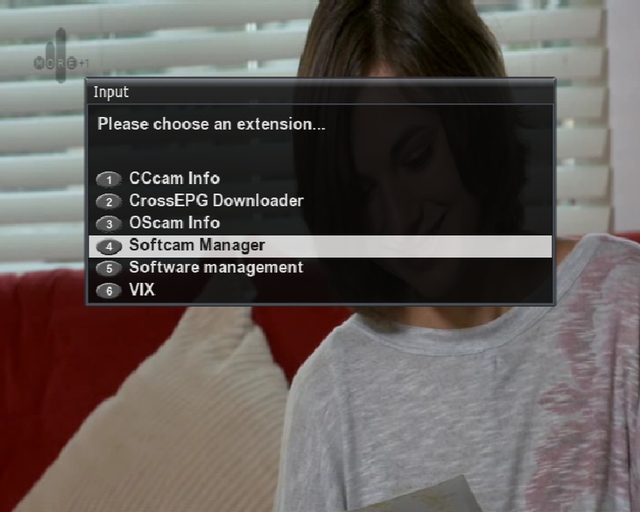
Press Blue Then select softcam manager.
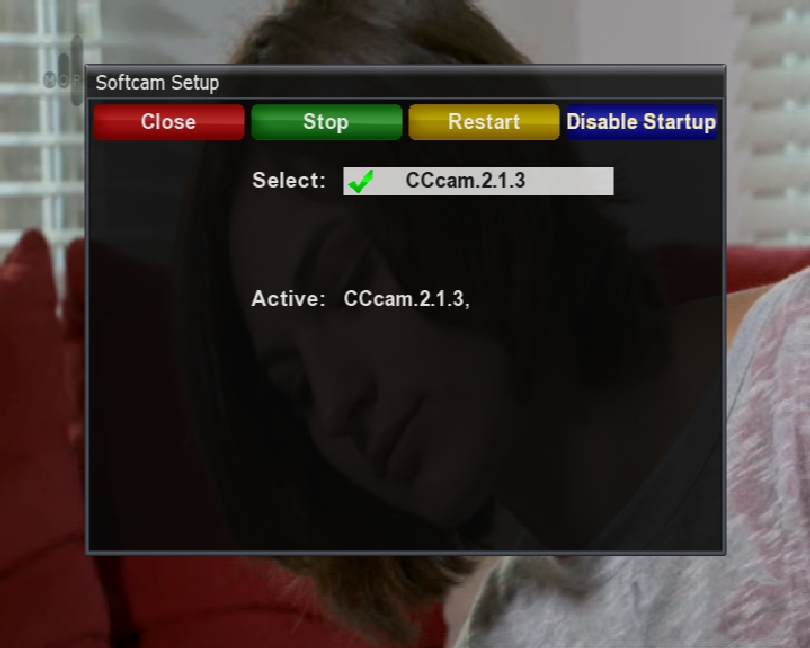
Select CCcam as default cam & it will start.
Now type the following in your web browser http://vuduoip:16001
E.g 192.168.1.7:16001
If all is good you should see cccam is running.
-
Check HERE for all the channels available.
-
You should be able to see where this comes from by watching the log at startup,it is possible the double may be your own receiver what do you see for clients?
-
man i dont know wats wrong wit me,i cant find no cccam.cfg file cept the 1 for the clines.this is via filebrowser on box
sorry guys this just aint happenin for me,checked the can you see me site der,nutn happenin,kinda startin to loose heart,gona giv it up for the night i think,maybe 2mora il wake up with a computer degree,thanks for all the help everybod,specially masterg.
You may wake up with a masters degree but will never find this file through the boxes filebrowser, you need to use an ftp programme such as DCC. Once you have this installed on pc you will find & be able to edit the cccam.cfg in the /ect folder as Master G said.
-
No problem, start again tomorrow with a fresh head and if you are still getting nowhere let us know and we can sort it for you..
-
That is the file you need to edit buddy, at the top you will see;
SERVER LISTEN PORT : 12000
Change 12000 to 50500 and save it.
If this info isnt in the CCcam.cfg then extract and ftp the attached file to folder /etc and add your c lines. I`ve editted the server listen port for you.. -
You will find it in Vu+ folder /etc. After you have changed it, goto canyouseeme.org and check if the port is open. If its not, you may need to reboot the Vu+ and possibly the router for the port to be properly openned.
-

Change these port numbers to any number you like, like the suggestion i made 50000.
-
The standard CCcam port to open is 12000 but dont use this as its well known to hackers. Go for a higher port number like 50000. Whichever port you choose dont forget to change SERVER LISTEN PORT: in your CCcam.cfg to match the port you just openned.
-
No purchase necessary, post your router make and model here and i will post the direct link within that site..



