
So what would it be to reshare my c line and stop him resharing it?
bearing in mind that I dont have a local.
Have a read of this mate, everything is explained.


So what would it be to reshare my c line and stop him resharing it?
bearing in mind that I dont have a local.
Have a read of this mate, everything is explained.
Openbox S9 Channel List
-Hotbird 13E
-Eutelsat 16E
-Turksat 42E
Here is a list of the strongest transponders on each sat, this should make it alot easier for you to get it locked on. I would say you need to update your sat.xml file if 30w is missing, use the link on the navbar to generate a new one then ftp it into the box.
so it would be ok to pass on to peers if you added 0 0 0 { 0:0:1 } at the end of the F: line, would this be sharing it on hop 1 stopping them from resharing it down further?
The above will give your peer local card only without reshare.
V.4
Multilanguage
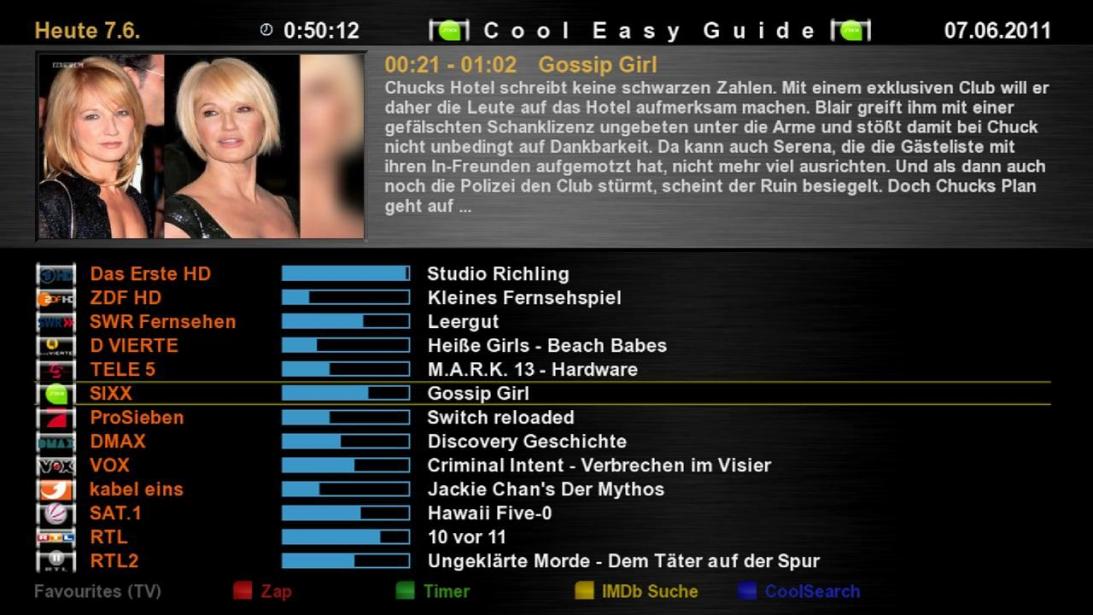
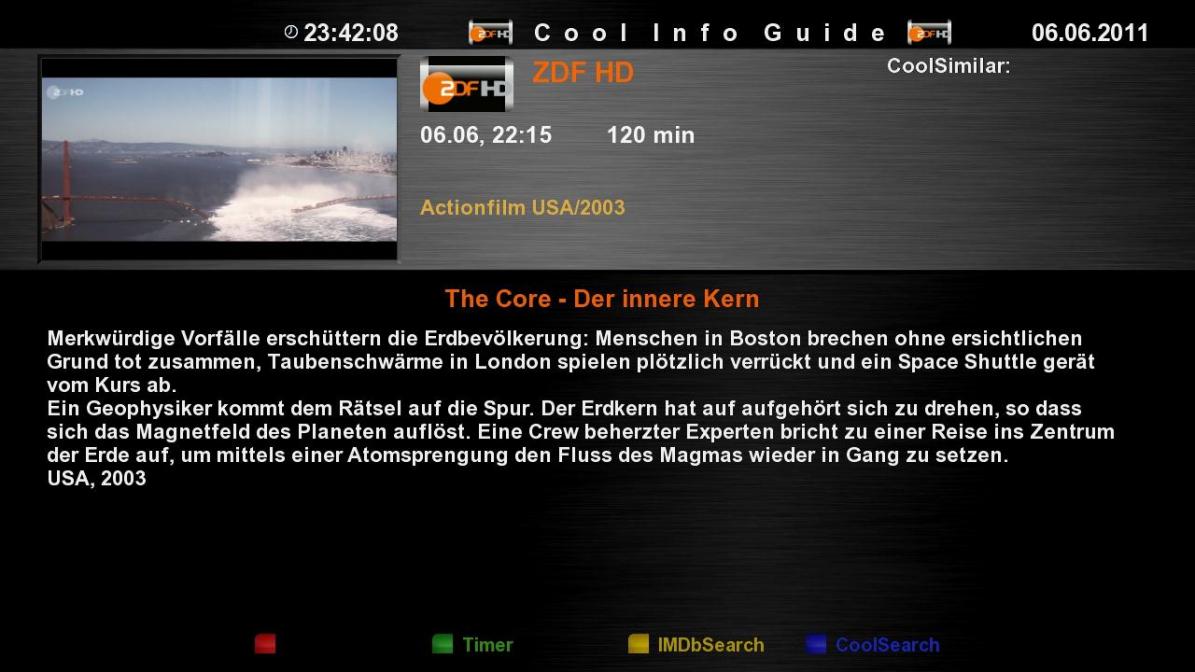
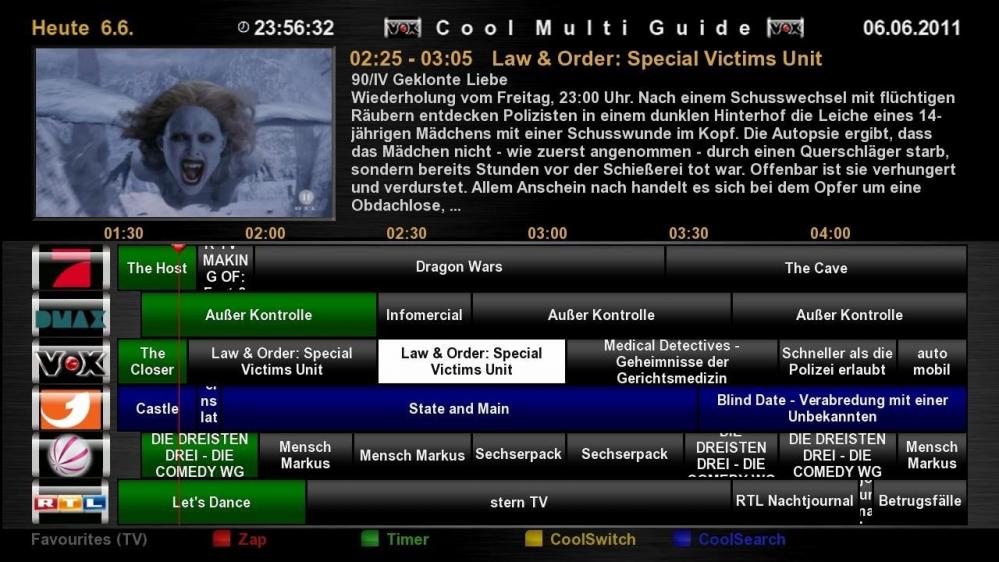
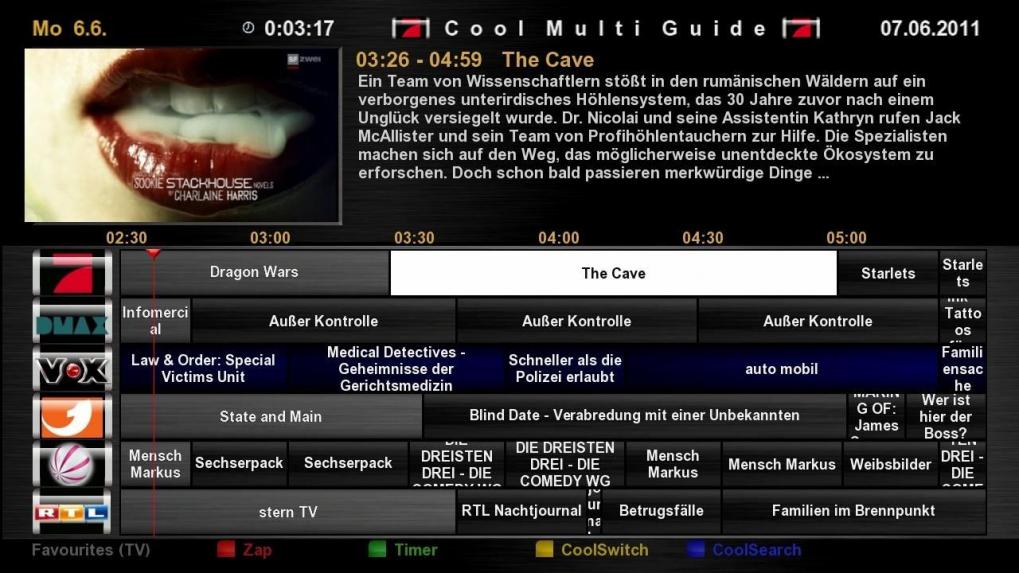
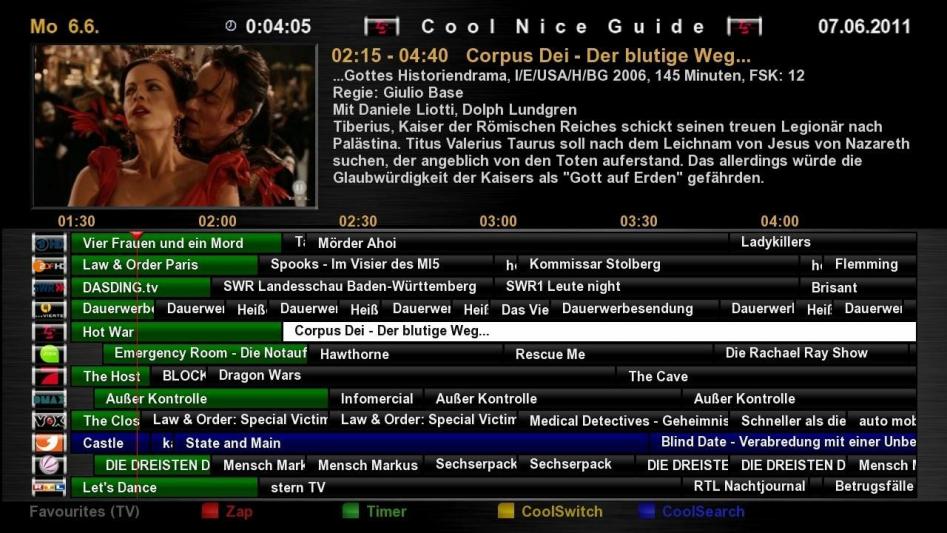
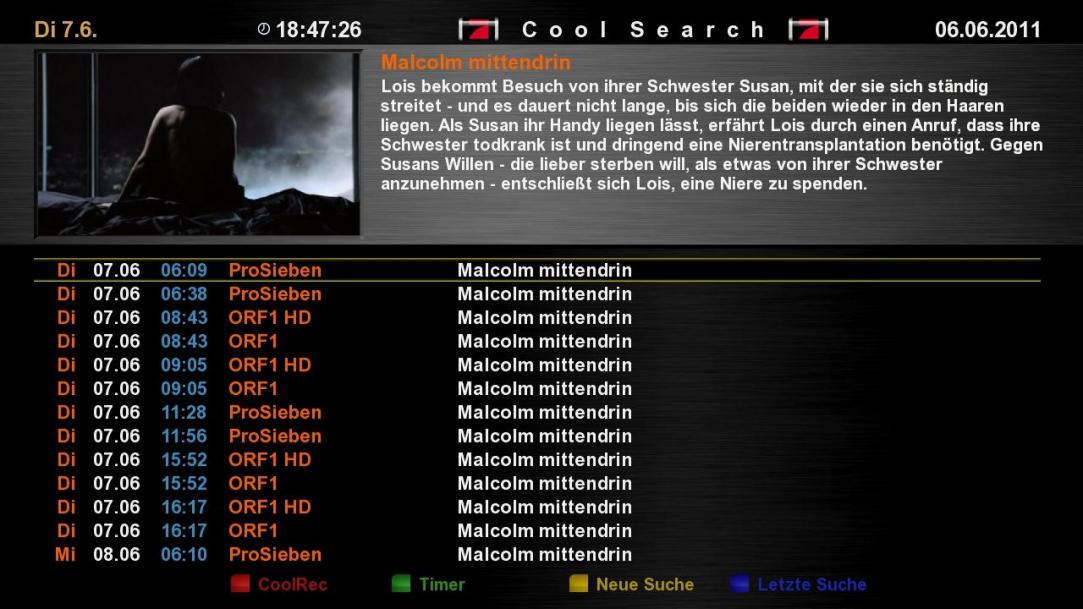
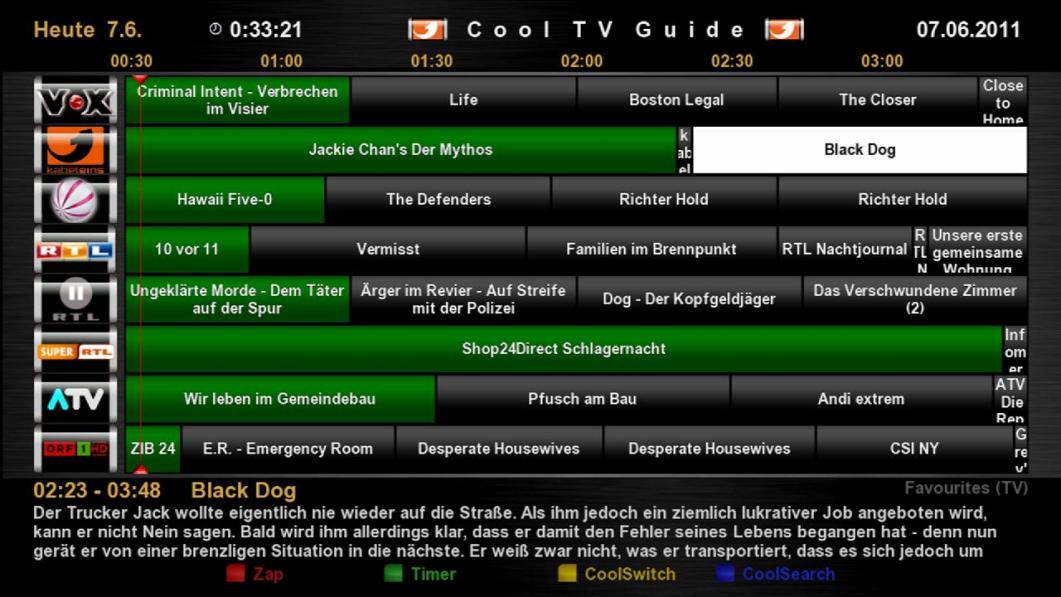
green = all channels are now running
light blue = channel is selected
blue = all channels
red = recording
"Pad"
2 page high
8 page down
4 page left
6 page right
and switch on and zapping channels without EPG! (Adjustable)
Pad to sew, as usual
Reset to 5
Full Reset to 0
1 Zoom in
3 Zoom out
7 switching between 4 Guides (adjustable)
Switch 9 to 20 clock
<Day - ( Guide -dependent)
> Day + ( Guide -dependent)
red = Zap (adjustable)
langrot = Zap + exit (adjustable)
green = timer (adjustable + edited)
= Green for shipment automatically add the Auto Timer (adjustable)
yellow = cool switch (adjustable)
long yellow bouquet = list (set)
blue = cool search function (adjustable)
Do you search long blue = function (adjustable)
OK = Cool Info Guide (adjustable)
langOK = (adjustable)
Rec = QuickRec
kurzEPG / Info = Guide Select (zap through all the guides)
langEPG / Info = CoolTVGuide <> cool multi guide
HELP = Display all commands
Setup menu =
TV = Timer List
Power = Off Timer
3D view / default view (selectable)
/ Usr/lib/enigma2/python/Plugins/Extensions/CoolTVGuide/Cool3D /
it has 2 folders
Standard (default view)
MyDesign (for your self-made designer)
Skindesigner the folder is directly in the skin
eg / usr/share/enigma2/BlackAlu-Coolman-Mod/SkinDesign /
Thus can now make each person has their own look and easy buttons
Cool TV Guide , Cool Tiny Guide , Cool Multi Guide , Cool Nice Guide , Cool Info Guide , Cool Single Guide , Cool Easy Guide , cool search and setup
were stored in on extra CoolSkin folder ...
Thus, you can now change the Skinns without restarting
I also made notes for Skinner, so you can install it easily
The setup:
You can now show your own buttons ...
since there never was in agreement
Height for your Picon adjustable!
Thus you can determine your own cell height and frame
and you can even left the distances and the number of your Picon see the set you want!
genaus as Picon on and off!
start on channel 1 (adjustable)
Prime Time for example 20:15 (adjustable)
Font size, columns, even the time-line are all set!
Home screen can be selected! Choose a simple switch to Cool or 7 what do you want to have ..
Display of the bouquet in the Skin
Bouquets who has to be just as happy about the setup ...
set is the bouquet display at Start On / Off
but I think it is more practical to put his bouquets on a button ...
since the plugin anyway noted the position and the bouquet ...
Standard Picon folder:
/ Usr/share/enigma2/picon /
Standard CoolPico (Mini-Picon) folder:
/ Usr/share/enigma2/picon/coolpico /
You can then choose any other place for your Picon / Coolpico
although the coolpico picon folder in the folder must always be
In your setup, It refers to your new PICON FOLDER
NOT the CoolPico .. but only the PICON FOLDER!
(The coolpico is Displayed automatically)
Therefore the setup must stand as
/ Usr/share/enigma2/picon /
or
/ Mnt / usb / picon /
etc
super cool is the cool search function ...
Missed .. or already started?
no problem .. press the blue button and you see directly where a repeat run Just!
or you go into the Cool Info Guide ,
there you have the new CoolSimilar
that shows you for each shipment Whether it is sent somewhere again
who joined his box and the Internet will look forward to Do
but you still have to adjust your load on the contact feed ...
Timer alarm!
This feature is brand new and has no other EPG
It checked out your timer recording ...
images are moved through the channel, but are still in time to be cut without,
then the recording remains red
But the recording is cut, then the display is yellow!
Sun even if you see a yellow recording, then it is high time to review it!
have fun with it!
come from the CoolPico Littleleo's Black 3D Button Picon
for me the most beautiful
Instructions:
copy the ipk to the TMP and how to install all plugins ...
Attention at the request of many users:
Cool TV Guide is not in the plugin folder!
So not to see enhancements ...
it is called, In Which you the info / EPG button pressed for long ...
but would Encourage anyone to install the multi Quickbutton plugin ...
Thus, you can then eg Cool TV Guide the red buttom eg call directly with
Picon / CoolPico:
since there are always problems
attached out my default Picon (Littleleo's Black 3D Button Picon)
complete with CoolPico
Just copy the box on your path to choose and it runs Picon
Note:
requires only the enigma2-plugin-extensions-cooltvguide_Coolman_V4.0.0_all.ipk
only those who want to have the design ...
Which must be the enigma2-plugin-extensions-cooltvguideskin_Coolman_V4.0_all.ipk
GSU Full ver. 3.40
- 2nd fix oscam info - entitlements
- added a new function: autoinstall
Description: allows you to automatically install ipk packages stored in the source dir (defined in setup, default: / media / hdd / autoinstall) after the start of E2 (may be allowed via setup, default: inactive), through the setup it is possible to view the current state of ipk files in the source dir, it is possible to immediately run the installation.
Applications: copy the required ipk (plugins, etc.) into the source dir, in the setup to allow autoinstall, after start plugin try installing new and unsuccessfully installed ipk packages
Note: the state before each installation and display the status is updated
- updated oscam to rev. 5352
thx moulikpeta for sh4 ipk
With the tool desem oscam.services is generated.
The oscam.services is analogous to mpcs.services
Structure of the oscam.services
[ORF]
caid = 0D05
provid = 000 400
srvid = 32C9, 32ca, 32D4 ............


[HD +]
caid = 1830
srvid = EF11, EF10, EF74, EF75, EF76If more than one reader has to be adapted oscam.server
e.g.
[reader]
label = reader1
protocol = mouse
detect = CD
device = /dev/ttyS0
group = 1
emmcache = 1,3,2
services = HD+
caid = 1830


[reader]
label = reader2
protocol = mouse
detect = CD
device = /dev/ttyUSB0
group = 2
emmcache = 1,3,2
services = ORF
caid = 0D05The following providers are installed
- *** Germany
- Cable Germany
- Arena
- ORF
- HD +
The following functions are built
- upload to box
- Download of the box
- Open the oscam.services from PC
- Open the oscam.services of the box
- Sid Calculator
Another personal thanks to
thE_29 & mandy28
Gracias a tuete2501
Update [06.06.2011]
#*** HD
#Sendername - DezSid = HexSid
#
#*** Cinema HD Germany - 131 = 0083
#*** Action HD Germany - 106 = 006A
#*** Cinema Hits HD Germany - 107 = 006B
#Disney Cinemagic HD Germany - 111 = 006F
#Discovery HD Deutschland - 130 = 0082
#History Channel HD Germany - 113 = 0071
#National Geographic HD Germany - 112 = 0070
#*** Sport HD Germany - 129 = 0081
#*** Sport HD 2 Germany - 114 = 0072
#Eurosport HD - 132 = 0084
#ESPN America HD - 119 = 0077
#*** Select HD - 120 = 0078
#BM Nights HD 1 - 121 = 0079
#BM Nights HD 2 - 122 = 007AEasiest option is to flash the image glenview suggested, but if you prefer to stick with gemini you will need to install CCcam 2.1.3 + OSCam For Gemini image's (E1). Then look at the oscam config for sly uk that cdr posted. Let us know how you get on buddy.
CS Studio by Damirsat ( CCcam Info )
Probably the best version of cccam info around at the moment with loads of extras inc editing tools.
oscam.conf
[global]
nice = -1
WaitForCards = 1
ClientTimeout = 5
CacheDelay = 120


[newcamd]
Key = 0102030405060708091011121314
Port = 34000@0500:030a00


[webif]
httpport = 8888
httpuser = admin
httppwd = admin
httpallowed = 127.0.0.1,192.168.0.0-192.168.255.255
# protocols


[global]
nice = -1
WaitForCards = 1
ClientTimeout = 5
CacheDelay = 120
logfile = /usr/local/etc/oscam.log


[newcamd]
Key = 0102030405060708091011121314
Port = 15001@0500:42400


[webif]
httpport = 8888
httpuser = admin
httppwd = admin
httpallowed = 127.0.0.1,192.168.0.0-192.168.255.255
# protocolsoscam.server
[reader]
Label = HRT
Protocol = internal
Detect = cd
Device = /dev/sci0
EMMCache = 1,3,2
Group = 1
CAID = 0500
ident = 0500:030a00


[reader]
label = JSC
Protocol = internal
detect = CD
device = /dev/sci1
Group = 2
EMMCache = 1,3,2
CAID = 0500
ident = 0500:42400oscam.user
[account]
user = test1
pwd = test2
group = 1
AU = HRT


[account]
user = test3
pwd = test4
group = 2
AU = JSCHRT top slot on Vu+
N: 127.0.0.1 34000 test1 test2 01 02 03 04 05 06 07 08 09 10 11 12 13 14 256
Al Jazeera bottom slot on Vu+
N: 127.0.0.1 15001 test3 test4 01 02 03 04 05 06 07 08 09 10 11 12 13 14 256
Looks like the only option left now is to find another laptop that has a serial port and use a null modem cable with dreamup.
The best way is with dreamup & null modem cable, if you do not have one use flash wizard pro and the cat 5 cable.
First download the new image you wish to flash from here.
next download flashwizard pro (attached )
Open the program and click on configuration as below.

One your details are entered click on install a firmware and follow this screenshot.

Flashing the new image will take less than 2 minutes,
Good luck if you get stuck just ask.


Version 0.0.4
- Add buzzer. can be switched on and off
- Add LiveTV: Play controller (play, pause, stop)
- Try other way to check webif. Fix for QBox HD
The tool reads the signal information directly from the Dreambox. Thus, no need to connect a lässtige Satfinder. And so one can, for example, with a notebook which, of course, access to the Dreambox (WLAN) needs his SAT test Calibrate or simply whether the SAT is optimally adjusted.
Prerequisite:
- Dreambox with Enigma2
- Installed Web Interface plugin for Enigma2
- Installed VLC Player (ActiveX) version 1.0.0 on the PC
Features:
- Signalanzaige (ber, snr, snrdb)
- LiveTV (VLC)
- LiveTV channel can be selected
So far tested on: Dreambox E2 QBoxHD, VU + Duo, Kathrein UFS910 with E2
Display MoreThanks for a quick reply.
I am new to all this stuff. I was looking for the intro section but couldn't locate it. Duh
Regards
Scrote
Display MoreI also have the same problem
What leads should I use from the DM500s to the laptop. What software do I need to upload. My box is doing the same trying to boot up. It has Nabilosat VO.8
How can I get it up and running
Help would be appreciated.
Regards
Scrote
Follow this guide all the software can be found in the tools section.
have tried ,wont let me paste photos,
You need to attach them, click on manage attachments before submitting your post or use imageshack and paste the forum link it gives you.
Catseye E1 Settings File 75 East-58 West 04.06.2011
Updated Enigma 1 Settings file 75 East-58 West 04.06.2011
Includes all the recent updates as per the Enigma2 release earlier today but with all the DVB S2 stuff removed from the favourites section
Enjoy
From what you have posted you have a box that was supplied to you by sly, these are not capable of running any emulator/cams. As multipack said you cannot go wrong with a dm500 to get yourself started in this hobby.
Any chance you can post some screenshots so we know how to help sooner.

