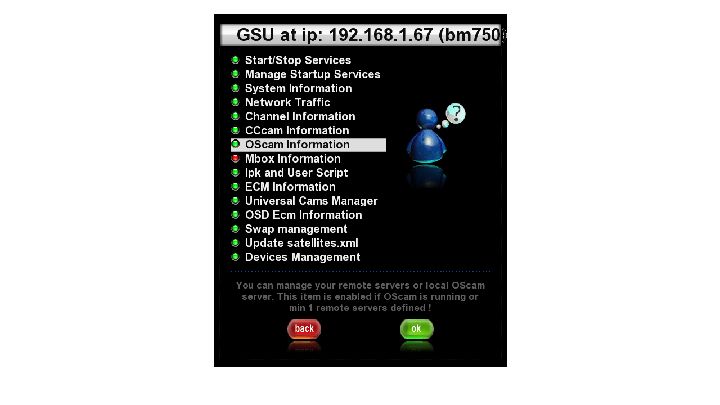
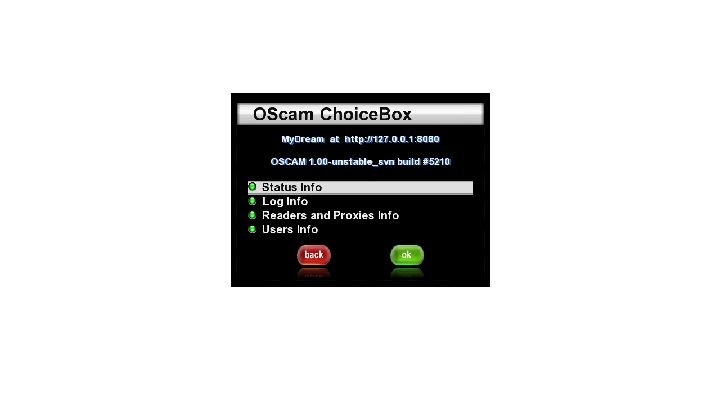
it may be different for your your image, so play with the buttons this option is available in all enigma1&2 images.What are you using?
Posts by master G
-
-
-
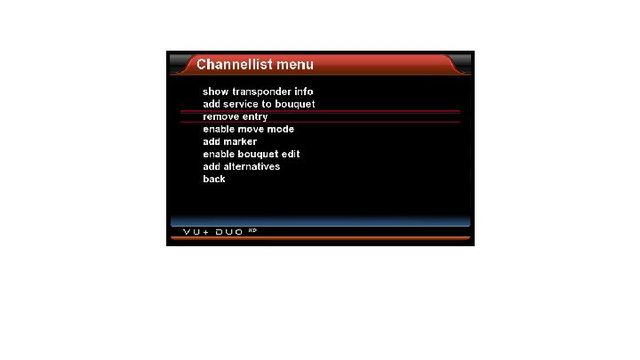
can u delete channels straight from the box ,or do u have to load on a channel edit please?
oops sorry hijacked thread can u move please,
Yes just press menu while on channel selection.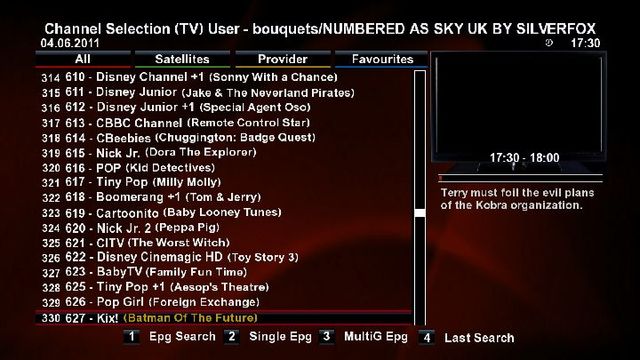
-
If you remove then no, if you try Allow everything firewall then it will return to default after reboot.
-
Do not unlock your lines this is asking for trouble.
Before completely removing try this.
Allow everything firewallThis opens up everything.
Bash#!/bin/sh iptables -P INPUT ACCEPT iptables -P OUTPUT ACCEPT iptables -P FORWARD ACCEPT iptables -F iptables -XIf you want to completely remove issue command
Then delete all files related to iptables that remain, sorry i no longer have debian running so cannot say exactly which files.
-
- ftp CCcam to /usr/camd
- change permission to 755
- ftp your script to /usr/script
- change permission to 755
- ftp CCcam.cfg,CCcam.providers,CCcam.channelinfo to /var/etc
- change permission to 644
- ftp Softcam.key and constant.cw to /usr/keys
- change permission to 644
- rebootnow you see CCcam in camd manager ...
attached script and binary , CCcam.cfg is empty .. replace with your own ..
-
vlcplayer-fixed-mfaraj_2.0_dm800
fixed green screen on exit
-
Dumbo - the Dumb Boot Plugin
ver. 022g
by gutemine
-
oscam.conf
Code
Display More[global] nice = -1 WaitForCards = 1 logfile = stdout preferlocalcards = 1 saveinithistory = 1 [webif] httpport = 8888 httpuser = admin httppwd = admin httpallowed = 127.0.0.1,192.168.0.0-192.168.255.255 # protocols [newcamd] key = 0102030405060708091011121314 port = 10000@0963:000000;10001@0963:000000 [global] nice = -1 WaitForCards = 1 ClientTimeout = 5 CacheDelay = 120 logfile = /usr/local/etc/oscam.log [newcamd] Key = 0102030405060708091011121314 Port = 15001@0500:42400 [webif] httpport = 8888 httpuser = admin httppwd = admin httpallowed = 127.0.0.1,192.168.0.0-192.168.255.255 # protocolsoscam.server
Code
Display More[reader] label = lower card enable = 1 protocol = internal device = /dev/sci0 caid = 0963:000000 # 0963 is *** UK. boxid = ******** # Oscam can read a *** card i.d, but you can also put this # in manually detect = cd cardmhz = 357 # this helps the card run more smootly group = 1 # Oscam has the concept of groups. Only users in group 1 can # use this reader. I'm only using one group. emmcache = 1,3,2 ecmcache = 1 blockemm-unknown = 1 blockemm-g = 1 # these ensure smooth decrypting lb_weight = 101 # for load balancing - can be commented out. [reader] label = JSC Protocol = internal detect = CD device = /dev/sci1 Group = 2 EMMCache = 1,3,2 CAID = 0500 ident = 0500:42400oscam.user
Code
Display More[account] user = test1 description = for local mgcamd or DVBAPI pwd = test2 disabled = 0 uniq = 1 group = 1 au = 1 caid = 0963:000000 [account] user = test3 pwd = test4 group = 2 AU = JSCN: 127.0.0.1 10000 test1 test2 01 02 03 04 05 06 07 08 09 10 11 12 13 14 256
N: 127.0.0.1 15001 test3 test4 01 02 03 04 05 06 07 08 09 10 11 12 13 14 256 -
Is your Al jazeera card irdeto or viaccess ?
-

Button Mappings
OK button = Skin with simple information
OK button x 2 = Extra Info Skin
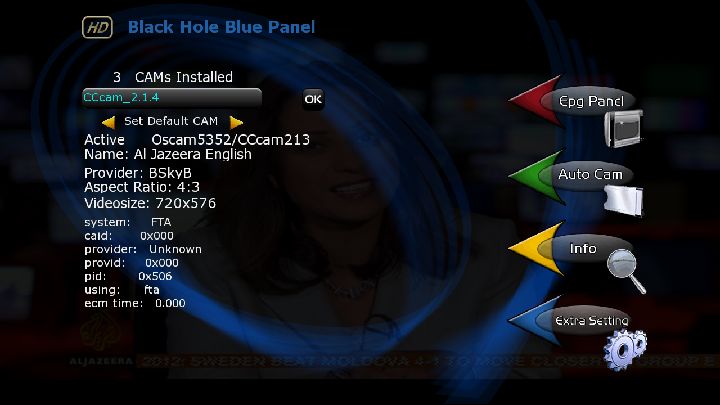
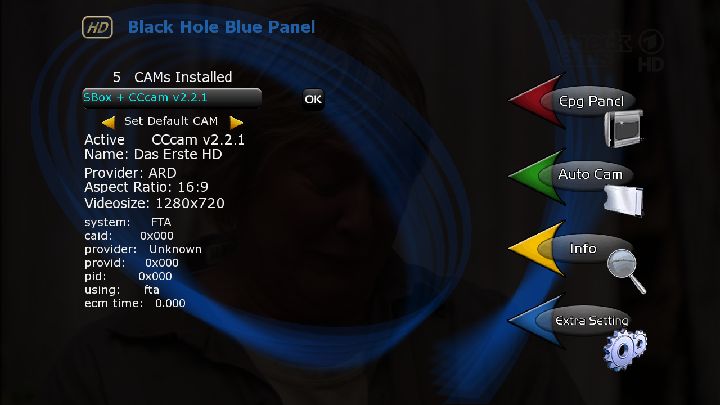
Blue button = Black Hole Blue Panel
Blue button and then Red button = Black Hole Epg Panel
Blue button and then Yellow button = System Monitor Panel
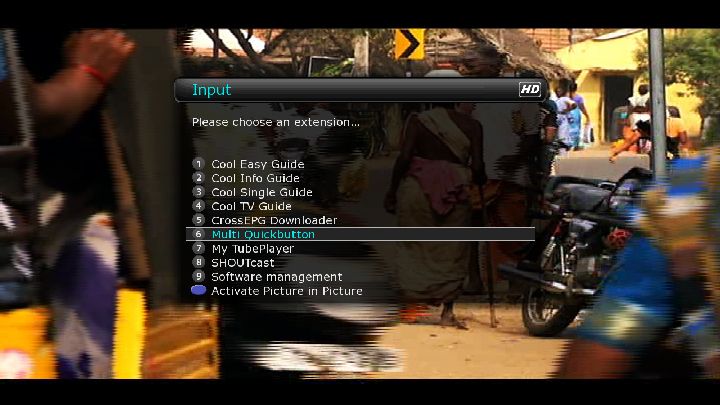
Blue button long press = Extensions
Yellow button = Time Shift
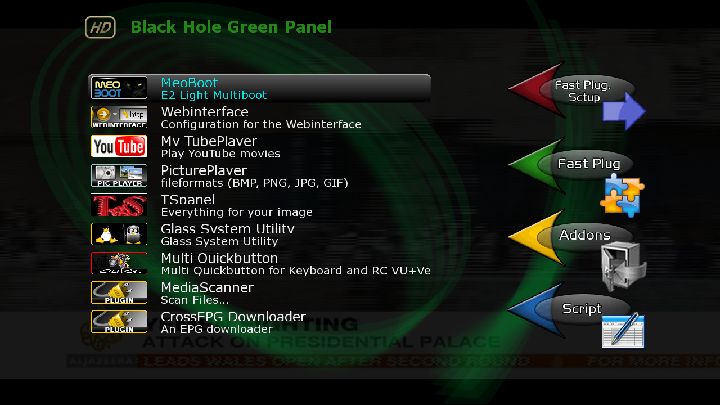
Green button = Black Hole Green Panel
Green button long press = Subservices
Green button and then Red button = Fast Plugin Setup
Green button x 2 = Fast Plugin
Button Red = Start RecordAddons
Green button and then Yellow button takes you to:-
Dedicated server for BlackHole addons
Download and install additional packages from the Black Hole serverWhats New ?
This image is sly uk ready with Oscam and N line in CCcam.cfg.
CCcam 2.1.4
CCcam 2.1.3
Oscam 5352
CCcam Providers update to 01.06.2011
CCcam Channel Info update to 02.06.2011
SGTFlipFlop ENiGMA2 22.05.11 (Multi)
SGTFlipFlop ENiGMA2 22.05.11 Picons (usr/share/enigma2)
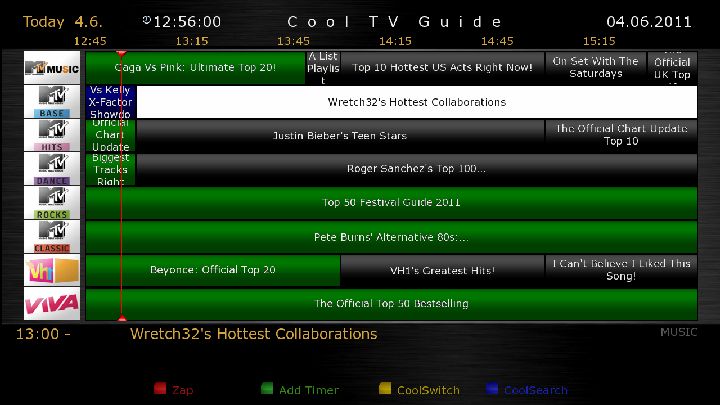
Cooltvguide Coolman V3.0.0
Shoutcast
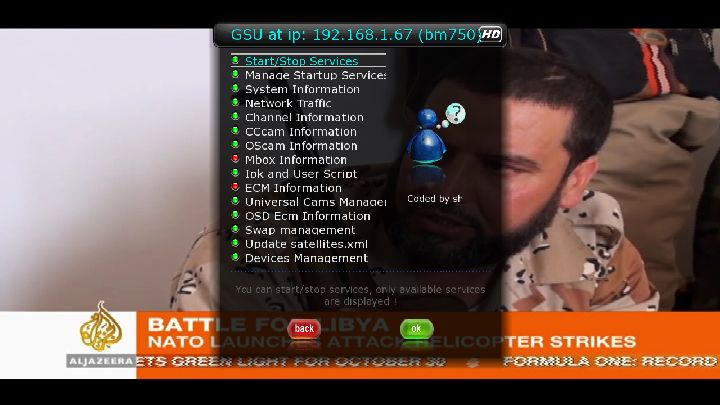
Glass system utility 3.39
Multi QuickbuttonScreenshots

PASSWORD:
vuplusEnjoy
Linuxsat-support Team -
DHCP On to run
Settings Dual Hotbird 13/Astra 19 by Cyrus settings team update to 29.05.2011
Terrestrial Xml for TDT Spain update
Picons By Lichers
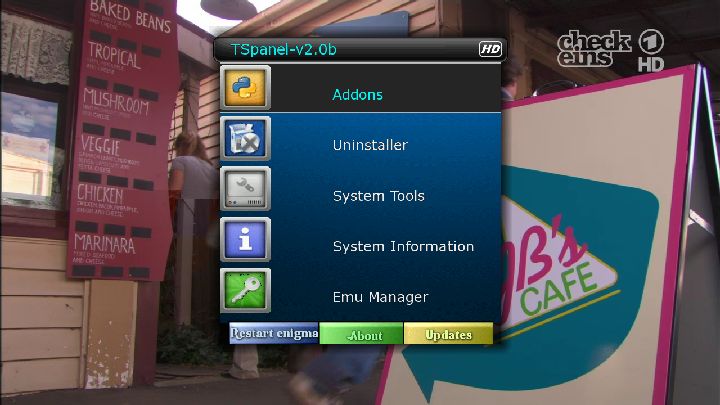
TS Panel 2.0 New Tunissia Addons Manager
Sbox + Cccam 2.2.1
Cccam 2.2.1
Mgcamd 1.35 + config
Sbox Lastest version
Cccam Providers update to 01.06.2011
Cccam Channel Info update to 01.06.2011
Nuevo Backup Black Hole Vu+ Duo 1.6.2 Final by Comadreja USB
Nuevo Backup Black Hole Vu+ Duo 1.6.2 Final by Comadreja NFI
-
-
egj_soldier added a new file:
QuoteGlasssysutil 10.54
Update
-
The VPS-plugin can determine whether a mission begins earlier or lasts longer than the timer is programmed. For this, the channels provide reliable data.
Features:
- Each timer can be enabled VPS
- Evaluation of the Running status of a program (not running, starts in a few seconds, pausing, running)
- Enter the VPS / PDC time possible
- Control-flow time (eg 10 minutes before the actual beginning of the recording captures the plugin to the monitoring of running status)
- Recordings can be completely controlled by the sender information, ie the programmed timer periods are not observed.The channels provide reliable data? (Running status)
ARD and ZDF to provide for their shipments usually an accurate running status.
*** delivers (for the ***-owned channels and some non-transmitters) are often an accurate running status. Unlike ARD / ZDF, the (program) advertising before / after a show but as a "running" is specified.The private stations adjust their status to not running when a program starts earlier or is coated. The VPS function should therefore not be turned on when recording from the private sector.
Exceptions seem to be TV DMAX and Servus.What is VPS-time?
ARD and ZDF state in their EPG data, the VPS-time (PDC descriptor).
The VPS time should be the starting time published in magazines. ZDF is the time to on their website and Teletext.
be specified for manual timer programming, the VPS time when you turn the VPS function.
The VPS time can find the plugin, the event ID of the item and can then begin the evaluation of the Running status. When programming via the EPG must not VPS time be specified because, in the case already saved an event ID in the timer.This looks for the plug after the VPS time, no name for the timer must be specified. The Name and Description fields are filled in by the plugin if a program of the VPS time is found.
What does complete control of broadcasting information?
When this feature is enabled (in the plugin settings and the timer!), Then the plugin can start recording only when the mission is stated as "running", and ends the timer when the Running status to "not running "is set. In that case, the programmed timer periods are therefore not considered for inclusion. The start time of the timer should be programmed but still correct, since this time will be used for this, from when the plug begins to monitor the timer.The disadvantage of the function is that the program möglicherwise or not taken wrong, when the station is giving incorrect information. This is even on ARD / ZDF irregular times the case.
If the function is not used, then considered the plugin the programmed start and end time and can start recording only if, sooner or run longer, never shorter.
Lead-Time Control
The plugin by default starts 10 minutes before the actual start of recording to monitor the running status.If no free tuner is there, then tried the plugin on the current transponder / channel for information search. ARD will broadcast e.g. on their transponders and EPG information from ZDF and vice versa. However, it is expected with a slight delay.
For timers that are to be controlled by the sender information on the plugin if necessary in order for the lead time on the included transmitter.Installation
The plugin is installed like any other.
To use the functions must be changed two files (/ usr/lib/enigma2/python/RecordTimer.py and / usr/lib/enigma2/python/Screens/TimerEntry.py). The files will be patched automatically by the plugin.Enigma has to be restarted after installation. Maybe even twice.
Settings
The settings are the plugin menu - to find> VPS-plugin -> Settings -> System.
The VPS-plugin is to be regarded as experimental.version 0.2 of the VPS-ins.
Changes:
- minor bug fixes
- Improved support for the PDC descriptor (VPS time for manually programmed timers)
- Entries in the timer log (if necessary to better understand what makes the plugin)
- in deep-standby: Dreambox start early to have the control-flow period of the VPS-ins to beThx to sftg
-
list of HB / Astra built from the ground up, sorted out by subject, which includes:
C +
PC
TNK / TNK HD
Sports
Music
Clear Polish
ORF / Austria SAT
GermanIn HD there is a TNC nshow SPORT-3d and 3d Eurosport
Modeled on the lists r-r
-
We have just changed the uploader until we do upgrade, If anyone is still having problems please get in touch.

-
Have a look here attachment upload problems, we will be upgrading our vbulletin soon and hopefully that should fix any problems we are having, thanks..
-
Whats new..
New remote control functions .....
Video key button shows video record path...
Red key button manage extensions
Yellow key button time shift (not work on this version)
Audio key button select audio channel
Media key button aspect ratio
Blue key button sif extra panel
.................................................. ..........Long red key button plugin browser\
Long green key button subtitle player
.................................................. .......... ......
Full emu same as previus version
.................................................. .......... .......
skins....
New skin _BlackShadow2 qboxhd_mod_by W@rkraft
Sif_GeckoEd
BeyondDreams
Sif black hd
--------------------------------------------------------------------picons full
picons lcd full
------------------------------------------------------
Plugins...........dream explorer
media scanner
oscam info
CCcam Info
sa key updater
subtplayer latest version 3.05
live football
my tube player
media center
quick button
pornCenter
Thanks to Romagna_Rocks -
I`ve never used that plugin before but here is an alternative, Glass system utility has oscam info built in, heres how to get it.
Install the latest version of TSpanel
Addons > Tunisiasat Dreambox Addons > Plugins >Glass system utility v3.39