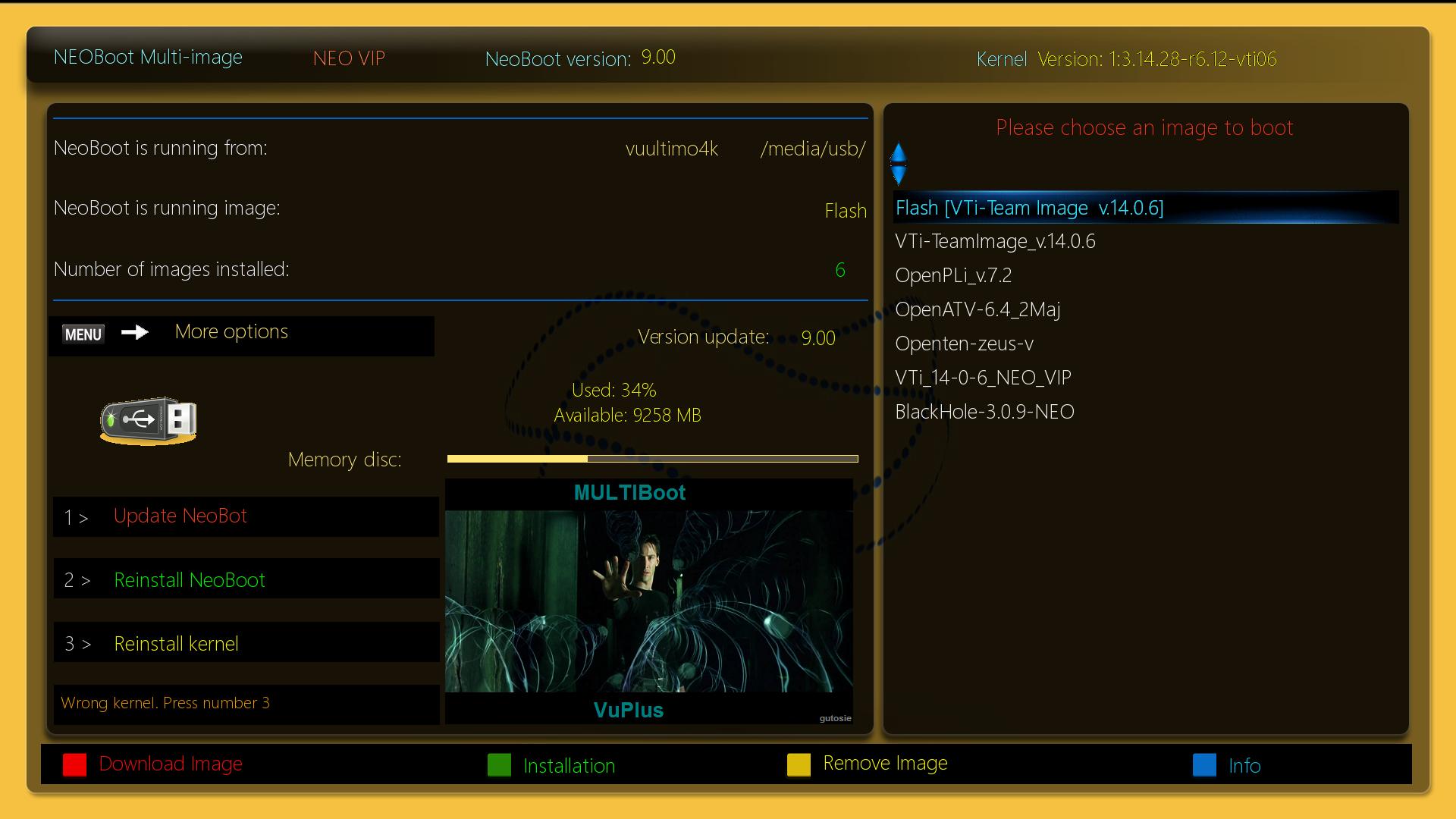
you make a mistake while installing
Google translator:
NeoBoot installation description
I decided to describe the correct process of installing neoboot on STB tuners
ATTENTION!!! This description applies to neo installations in OpenPli image, because this image works best with the NeoBoot project (a)
Location link and description of how to install
1. We install the openpli system in our tuner
2. We update the packages with the command:
Code:
3. We install the curl package with the command:
Code:
4.paste the NEO_VIP.tar.gz file to /tmp
make sure you only have one such file w / tmp
and install the neoboot project in the system with the command:
The above command will automatically install NeoBoot (a), after you need to restart the E2 system.
5. Plug the USB stick into the USB port
6. We do a complete restart of the tuner
7. If we have another disk, we plug it in only now and repeat from point no. 5
8. We are now checking how our disks are mounted with the command:
click Enter on the keyboard and check
under which sd * 1 we have our disks, example:
/ dev / sda1 on / media / hdd type ext4 or fat
/ dev / sdb1 on / media / usb type ext4 or fat
the mount command returns us what sd * 1 we have our disks under and this is just an example, it can be different for everyone!
For example, if
sda1 is mounted to / media / hdd so this is our HDD
while if
sdb1 is mounted to / media / usb so this is our PENDRIVE disk
Sometimes it can be the opposite, i.e. sda1 is usb and sdb1 is hdd. Linux recognizes disks as sd, so if you get to us in / media, e.g. directory called sda1 or sdb1, sdc1 etc. then we will not delete it because they are our disks !!!
9. Menu> NeoBoot.
We go to the NeoBoot installation and follow the further description points.
10. If our USB stick is not suitable for linux system, please format it to ext3 (recommended). We go from under the blue remote control button to Device Manager. and Press the red button on the remote control, "Initialize ext3" or format the disk. We mark our disk and move on according to the initiation instructions. The file system type in ext3 is recommended for pendriva, while for hdd or ssd choose "Initialize ext4".
11. After finishing the disk initialization process to ext3, we return to the neoboot installer. The software will show the disk in ext4, please do not suggest that we did something wrong !. The reason for this is that Pli does not recognize ext3, so although the pendrive will be ext3, the manager will show ext4, correctly in what format our drives are shown shows the command
.
12. An additional option for mounting our disks is UUID and LABEL, which is a unique universal disk identifier, which means that our recording device has a string of numbers and letters and after this name the software will mount our disk, where it is indicated in the "Mount settings" option We can ignore this option if we install neoboot on vuplus tuners but it doesn't bother us if we assign uuid disks. Appropriate disk writing will be created in the fstab file, it is in the / etc location of our software.
A further required process is labeling the disks. Labe is the label (name) of the disk and after it the software will mount the w / media disk after a complete restart, e.g. as usb or hdd. If you have not given a label before, you can do it from the "SetDiskLabel" option under the yellow button on the remote control. The labeling from the console window will be described below.
13. We return (from the remote control exit) to the neoboot installation on a usb or hdd disk
14. Choose on which media you want to have the neoboot software installed.
Having everything prepared from the above description points, we go to the last installation step. We confirm OK on the remote control several times to install.
The installation process will take a few seconds, a spinner will appear on the TV screen, this will indicate that the process has started and the plugin downloads the necessary packages from the network.
15. After successful installation on the horseshoe, a console window will appear with information about the completion of the installation process. It is now necessary to restart our STB or Set-top box completely to get rid of unnecessary "garbage" and reinstall the disks correctly.
16. After starting Neoboot, we enter the Menu and from the "Delete languages" option, delete unneeded locals so that the translation does not "scream"
WARNING! If we had previously prepared drives for the linux enigma2 system in the ext format, there is no need to repeat the formatting process, we can install the neoboot plugin without unnecessary steps.
neoboot has been tested on tuners vuplus arm
___ END _q (-_-) p_ __
an example below:
https://boxtvmania.blog/2020/0…in-neoboot-en-imagen-vti/