


setup for yourself :D
Posts by xbmcflix
-
-
pee_bee it is beta version which I got from friend, soon as he send me i will put new version :)
-
vnsi-xvdr addon is broken on all platforms, including raspberry pi, vnsi work on wetek and raspberry pi too.
-
-
WeTek team is proud to announce the next stable release of OpenELEC for WeTek Play - OpenELEC 5.0.7.
New in this release:
- Fixed the no signal on HDMI issues (thanks to jim1985)
- Fixed an issue when GUI is slow during a video playback
- Other bug fixes and enhancementsTo install OpenELEC to WeTek Play you don't need to overwrite your Android installation. Just write OpenELEC to an SD-card, and enjoy both of the worlds at the same time with dual boot.
Downloads
SD-card image for new installations:
OpenELEC 5.0.7 .img file for fresh installation on microSD card
To install, unzip the provided archive and use a tool, such as Win32DiskImager ( http://sourceforge.net/projects/win32diskimager/) to create a bootable SD-card. Turn off your WeTek Play, insert the SD-card, turn on the box again and enjoy OpenELEC. If you want to boot Android, just turn off the box, eject SD-card, turn on the box again, and you'll see Android booting.
Or you can use WeTek OpenELEC Installer app, which will download latest OpenELEC release and burn it to MicroSD:
WeTek OpenELEC Installer application
For updating the existing SD-card installations (Do not use this for updating NAND installations!!!):
OpenELEC 5.0.7 .tar file for updating existing installation on microSD Card
BACKUP YOUR DATA BEFORE UPDATING!!!
You can read about how to update an existing OpenELEC installation at http://wiki.openelec.tv/index.…anually_Updating_OpenELEC
Now you can also install OpenELEC instead of Android into NAND memory.
Image for for new installations into NAND memory:
OpenELEC 5.0.7 .zip file for installation to NAND Flash
Just unpack the provided ZIP archive onto SD-card, insert it into the box, and enter recovery using toothpick. Installation should start automatically.
For updating the existing NAND installations (Do not use this for updating SD-card installations!!!):
OpenELEC 5.0.7 .tar file for update of existing installation in NAND Flash
BACKUP YOUR DATA BEFORE UPDATING!!!
-
This video is amazing, picons are soooo beautiful scooterbuk, you done this like professional :40_002:
-
From WeTek Forum:
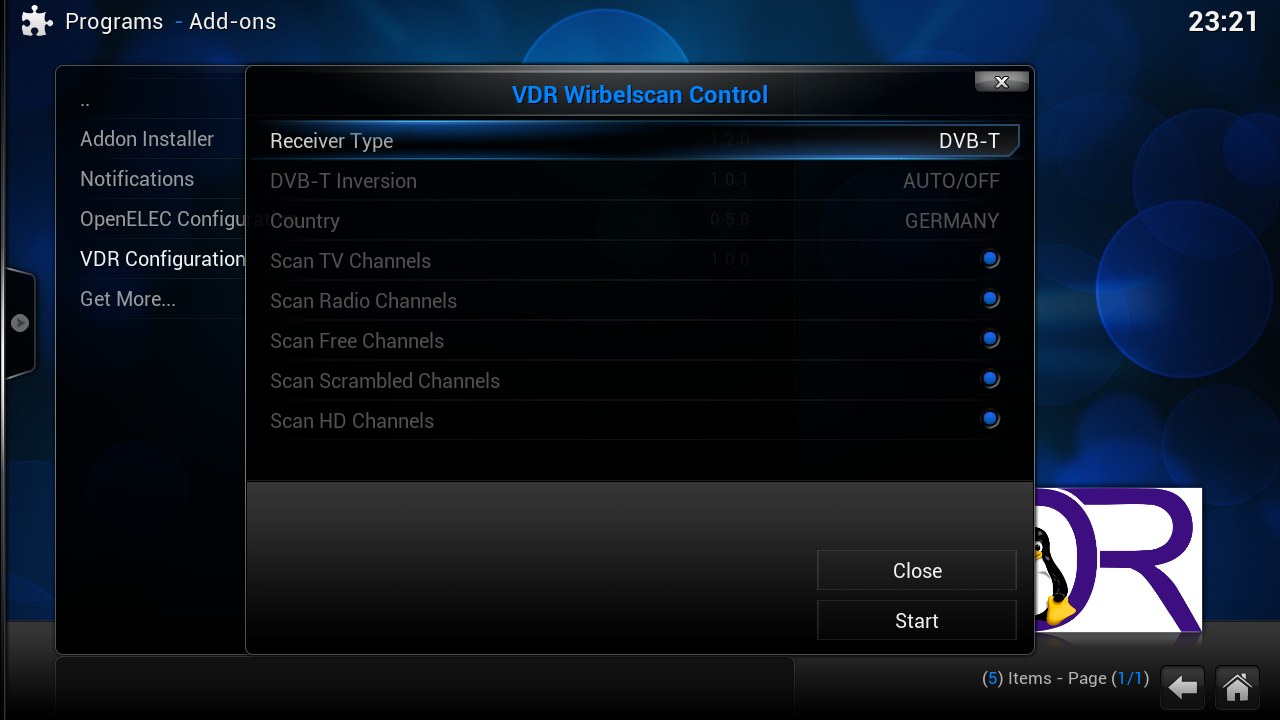
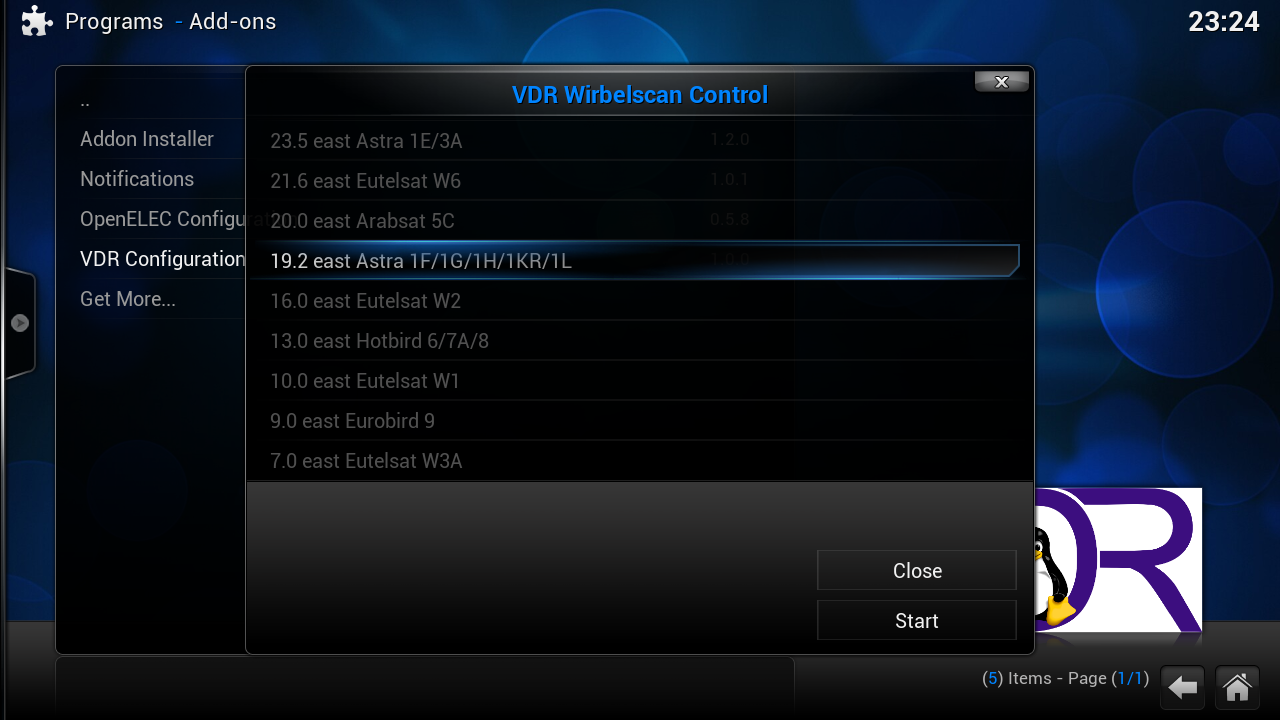
WeTek is proud to announce Scanning Menu for users of OpenELEC which are using VDR to watch DVB on their WeTek Play.
How to install and use this Add-on?
1. Install VDR
2. Enable restfulapi in the vdr-addon (configuration) - set ip to 127.0.0.1
3. Enable vdr-vnsi in Live TV
4. Install from .zip this Add-on
5. Reboot WeTek Play
6. After WeTek Play is rebooted, add-on will be available under Main Menu -> ProgramsFrom this Add-on you can easily scan and configure your DVB tuner settings without headache.
vdr-addon -> Configure -> Plugins -> Enable plugin: Restfulapi

Scanning menu is available as VDR Configuration under Programs on main menu
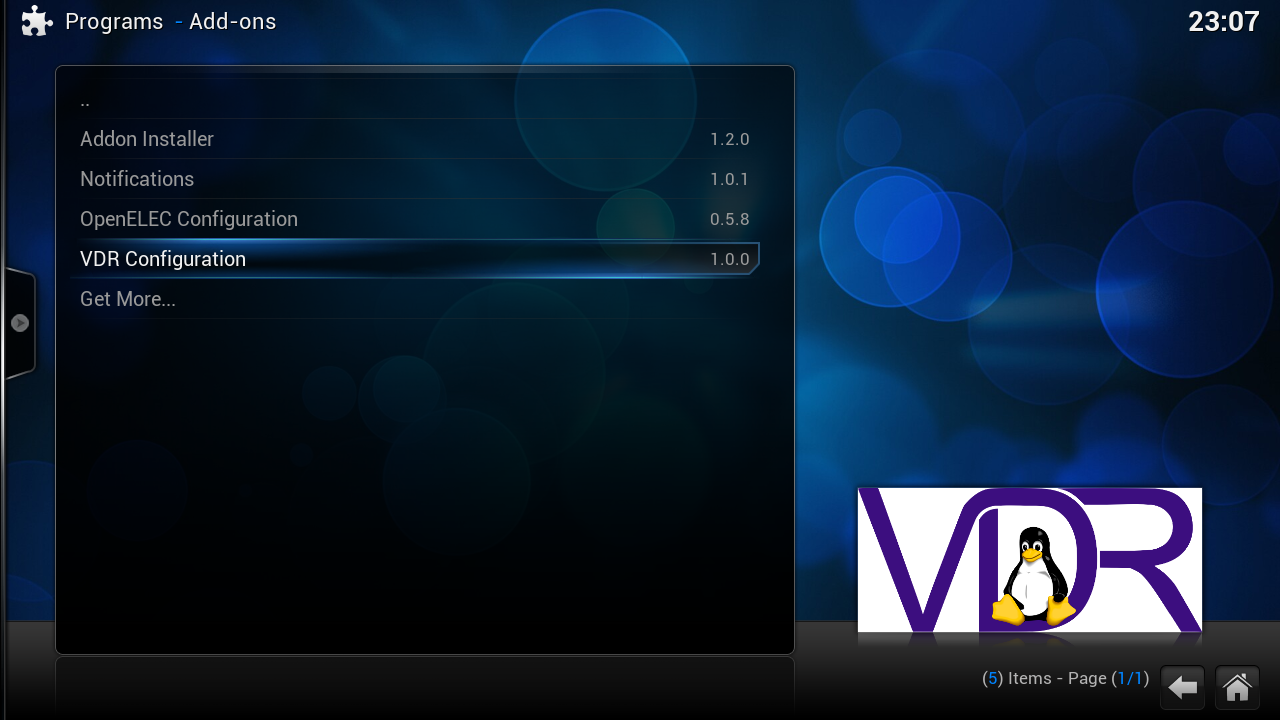
VDR DVB Scanning Menu make life easy :)

-
one more
as far I can see this is great, as Enigma 2 is standalone and XBMC is standalone too (Linux XBMC), so they work in 1 but as 2 separate :40_002:
-
this return me back in time of Dreambox :) Great editor for WeTek Play, this was only missing hehe
-
Here all working fine with different satellites and providers ;)
-
Hi folks
I got from friend DreamSet Editor (BETA release) with support for WeTek Play, Android Channel list (dvb.db) format. It is in BETA stage but soon coming full one :)
-
It seems that there is a bug in the image concerning tvheadend plugin. When setting up the system as described in the openelec handbook, after scanning the channels there are always tvheadend not connected failures.
We are minimum 3 people from another board testing the openelec installation in the same way (via handbook) and had nearlx the same results. I got then of one of them the hint, that the preinstalled tvheadend device is probably the problem. He first deinstalled and after that installed the unofficial openelec respository, and then installed tvheadend new and the problems with disconnecting where gone. Had anyone same problems here?There is cure for that too :) Just go in System -> Add-ons -> Enabled Add-ons -> Services -> tvheadend and there switch off option wait for Frontent initialization and tvheadend will always start without no need to wait tuner init ;)
sometimes if I load 3 satellite lists 28.2 + 13E + 19.2E tvheadend knows to load and start so slow.... and of course is issue of tvheadend and his structure, but I can live with it :D
-
Kodi on Android does throw me out a lot during initial start up, anyone else have that problem?
Skeese, try to download from kodi.tv manually latest 14.2 release and install it ;)
-
-
cymbal, they will only put latest version of Kodi which is btw working great as I manually installed new .apk of Kodi
-
Post edited ;)
-
-
Thanks davvo
-
Best repository ever and also tvaddons repo is good :D
-
Kodi on android has no tvheadend (at the moment) openelec does.
I think most people prefer openelec for this reason, if they can get tvheadend working with android or even improve wetek theater add a channel editor etc, android side might will be more appealing to the satellite world?
Would be good to get everyone's 2cent on this :thumb:
There is DreamSet comming for Wetek Play :D
Also there is Cyanogen Mod 12 (Android 5.0.2) with tvheadend for Wetek Play. I tested it once and was working ok, you can try it

